Audio Codec Configuration
The indoor monitor supports eight types of codecs for encoding and decoding the audio data during the call session. Each type of codec varies in terms of sound quality. Higher bandwidth means the device can capture more detail, leading to clearer sound and higher sample rates capture more data, reducing distortion and preserving sound quality.
You can select the specific codec with different bandwidths and sample rates flexibly according to the actual network environment.
To set it up, go to the web Account > Advanced interface.
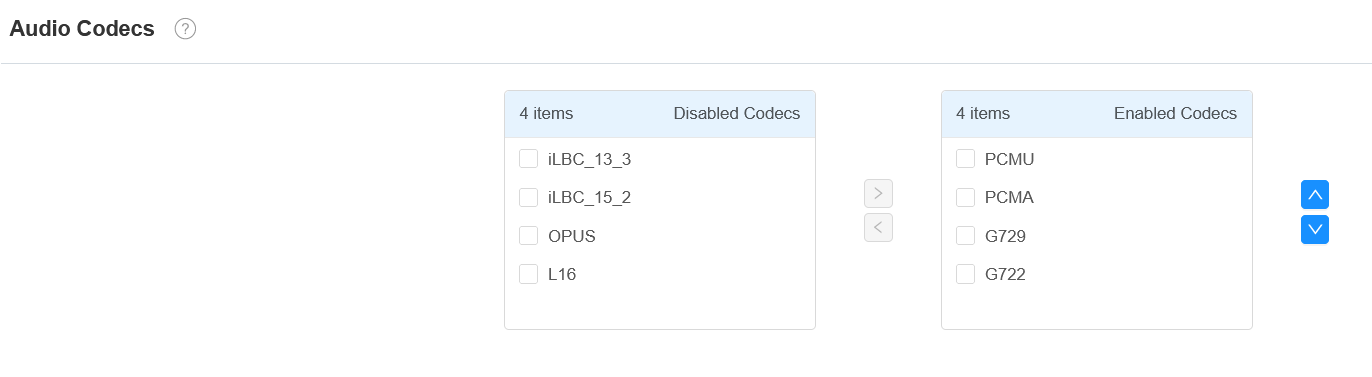
Please refer to the bandwidth consumption and sample rate for the codec types below:
Codec Type | Bandwidth Consumption | Sample Rate |
|---|---|---|
PCMA | 64 kbit/s | 8kHZ |
PCMU | 64 kbit/s | 8kHZ |
G729 | 8 kbit/s | 8kHZ |
G722 | 64 kbit/s | 16kHZ |
iLBC_13_3 | 8,16 kbit/s | 13.3kHZ |
iLBC_15_2 | 8,16 kbit/s | 15.2kHZ |
OPUS | 154.4 kbit/s | 48kHZ |
L16 | 128 kbit/s | Variable |
Video Codec Configuration
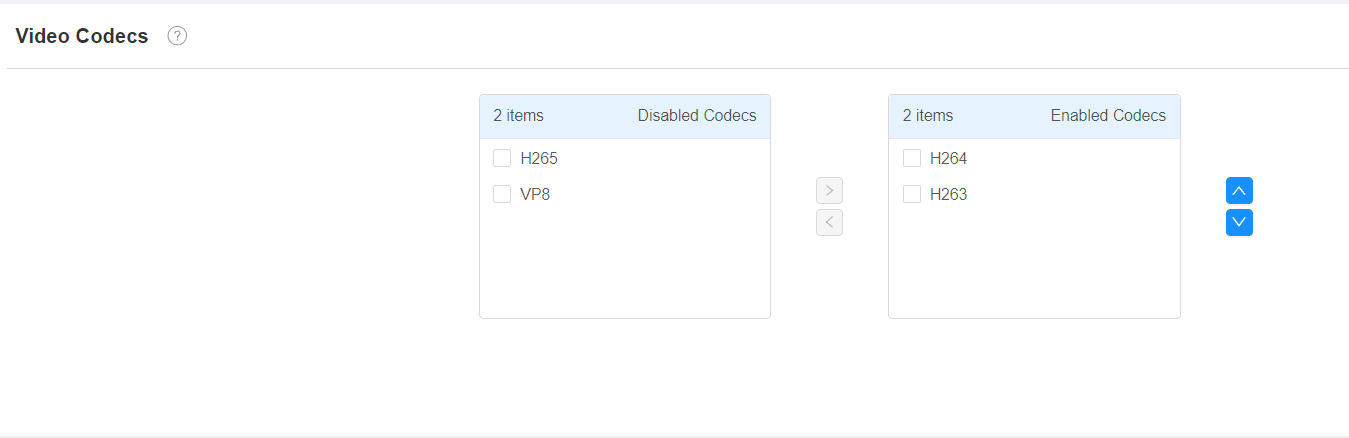
S567 series supports VP8, H263, H264, and H265 codecs.
To set it up, go to the web Account > Advanced > Video Codecs interface. Choose an available video codec and set up the codec parameters.
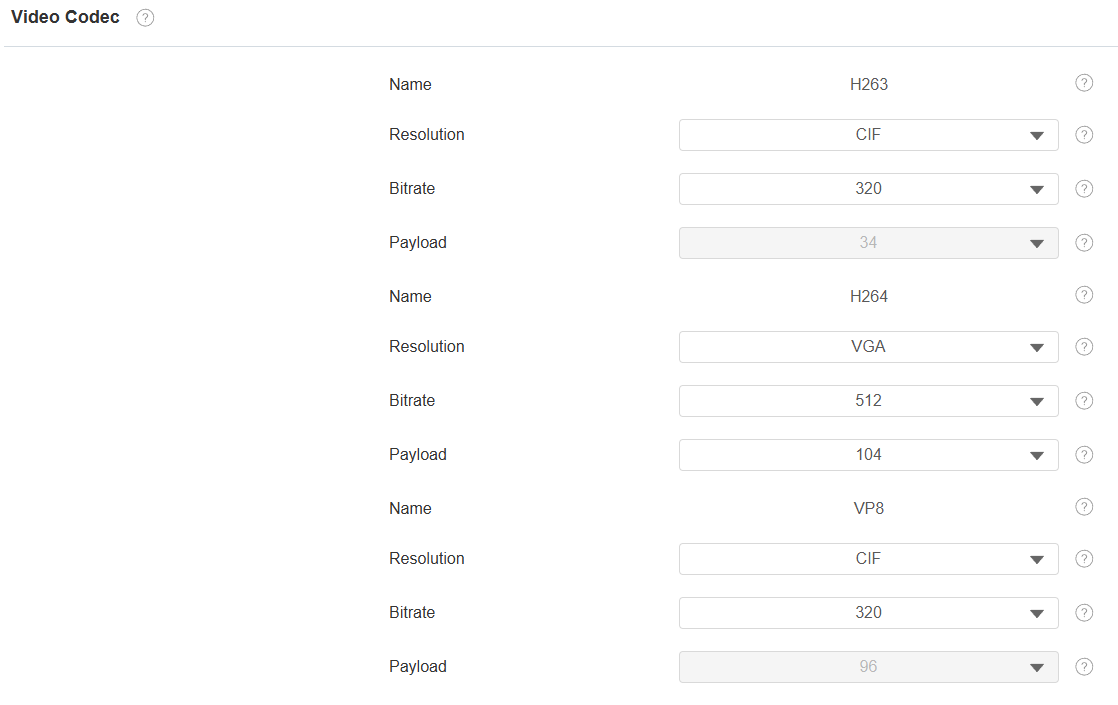
Resolution: Select the resolution from the provided options. The default for H263 and VP8 is CIF(176×144 pixels) and for H264 is VGA(352×288 pixels). Select the resolution according to the network environment.
Bitrate: Select the video stream bitrate. It varies by the resolution.
Payload: The payload ranges from 90-119 for the audio/video configuration file.