What you should know
The amenity booking and maintenance requests features are available ONLY for users of compound projects.
Ensure your smart home devices are connected to the cloud. Once connected, weather forecasts will be displayed on their screens. For assistance with cloud connectivity, contact your service provider.
To access the amenity booking and maintenance request features via the BelaHome app, ensure you are using the following app versions:
iOS: 3.13.6 and later
Android
Google: 3.13.0006 and later
Huawei: 3.13.1006 and later
Xiaomi: 3.13.1106 and later
OPPO: 3.13.1206 and later
Vivo: 3.13.1306 and later
Book amenities
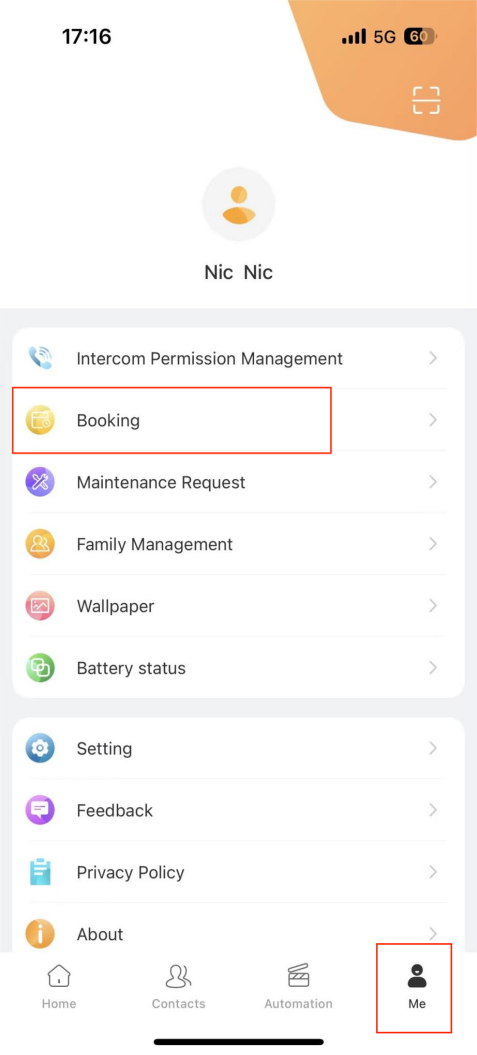
Log into the BelaHome app.
Tap
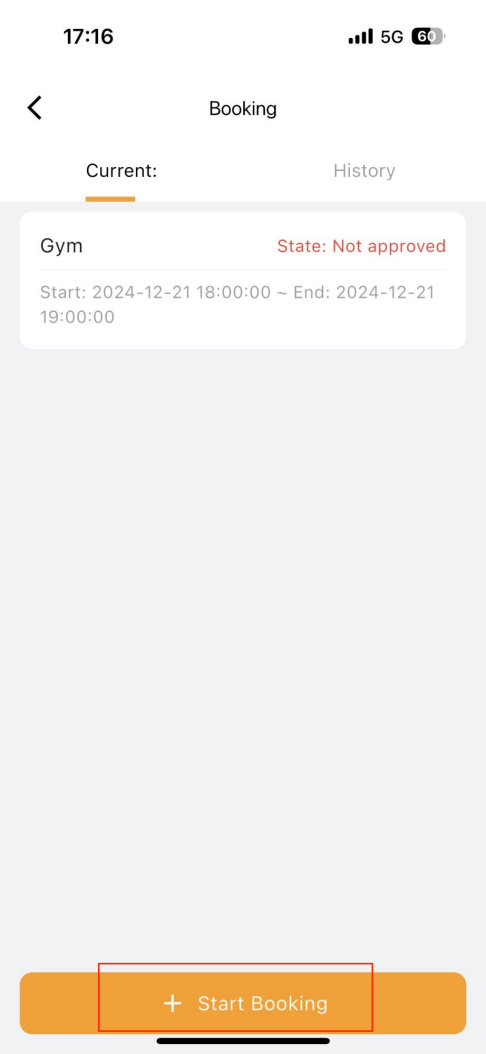
 > Booking >
  .
.

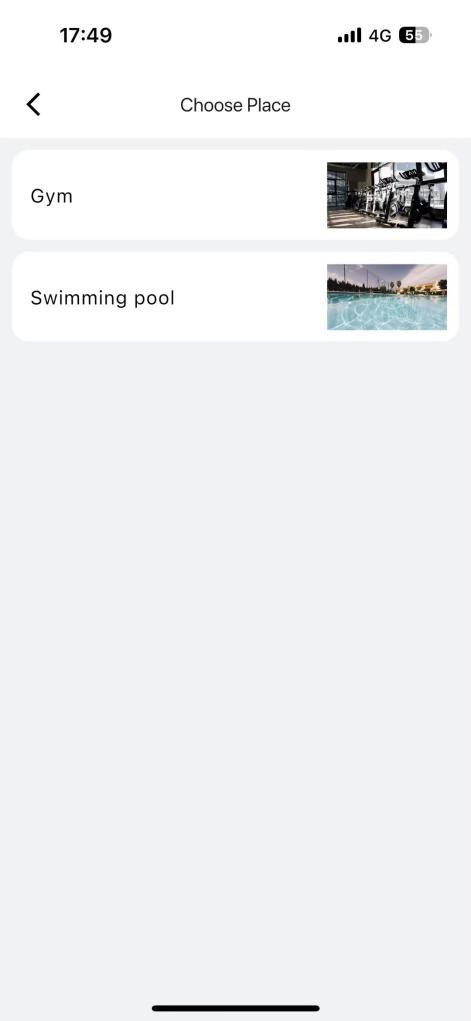
Select the desired amenity from the list.
Choose from the available dates and tap Confirm.
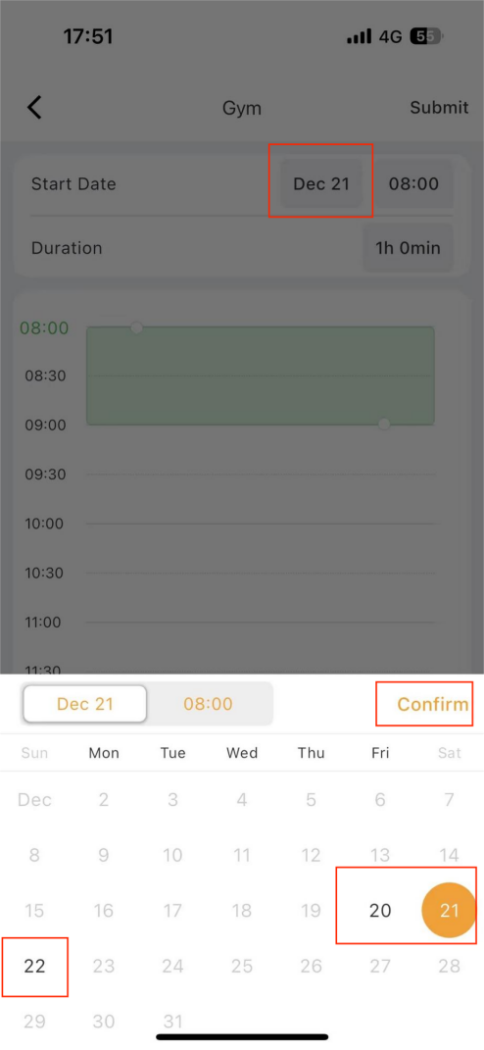
Adjust the time and duration:
Tap and drag the time span box to set the desired start time.
Expand the box to adjust the duration.
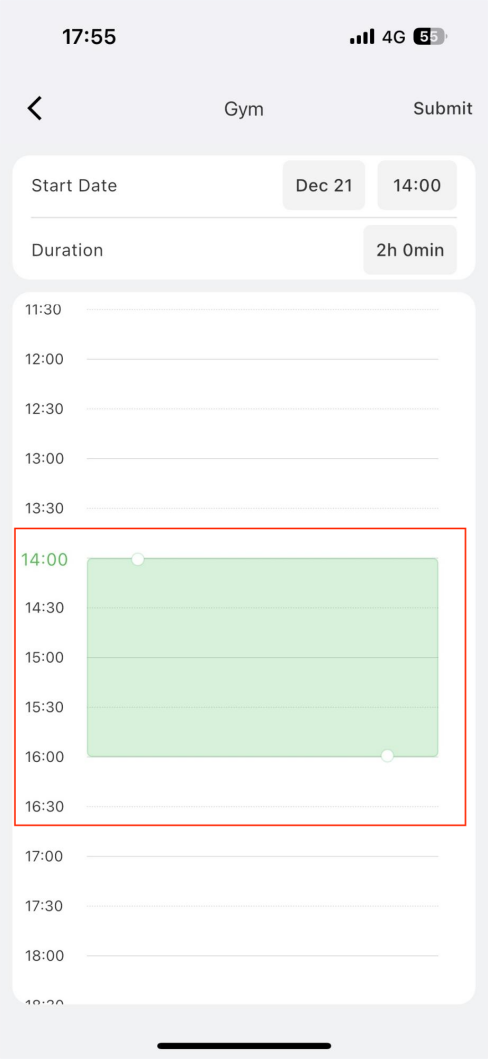
Tap Submit in the upper right corner. Wait for the approval.
After the booking is approval:
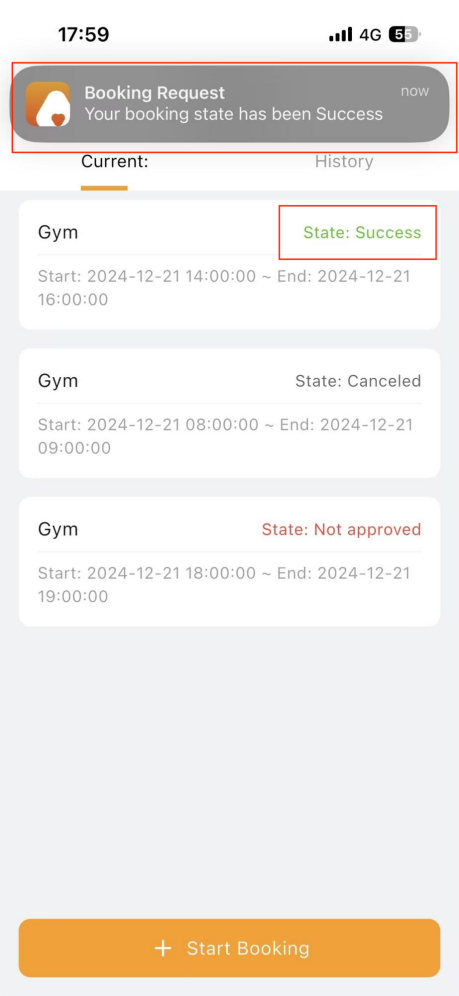
You’ll receive an app notification when the booking is approved.
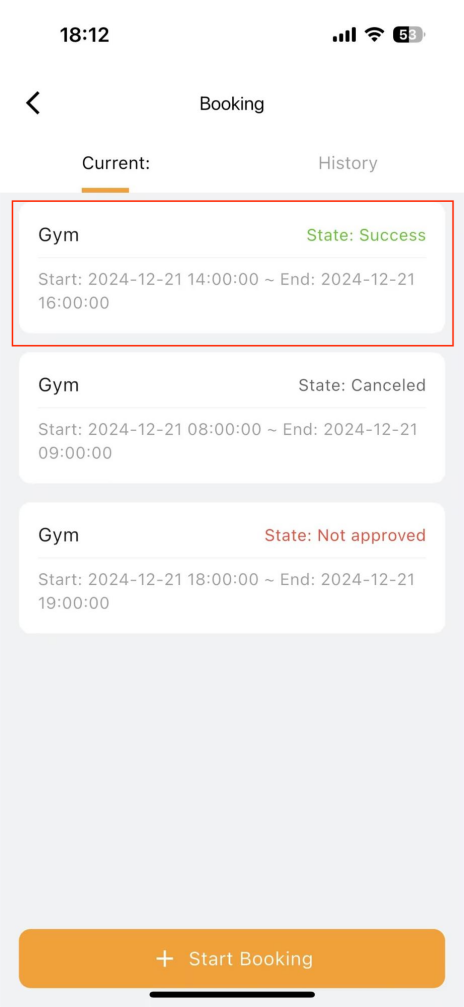
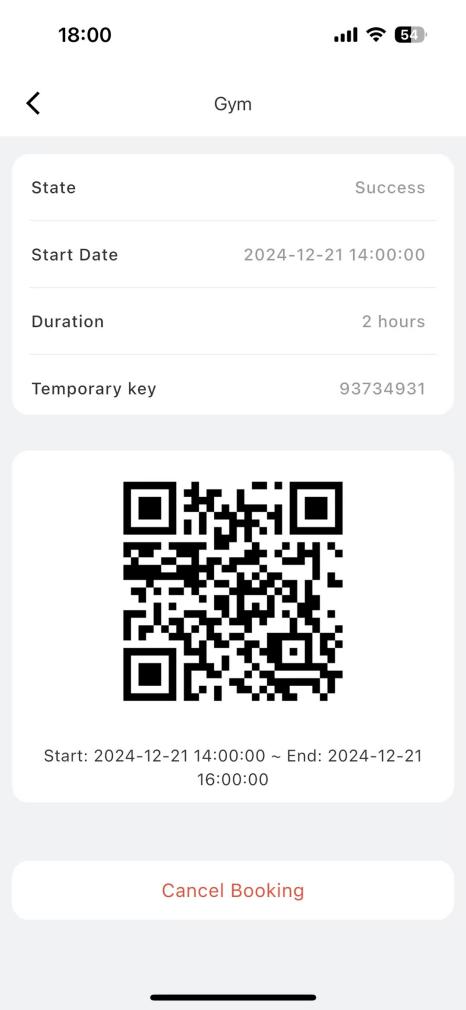
The booking status will change to Success.
To access a temporary key and QR code for amenity access, tap the specific booking record.
Request maintenance
Log into the BelaHome app.
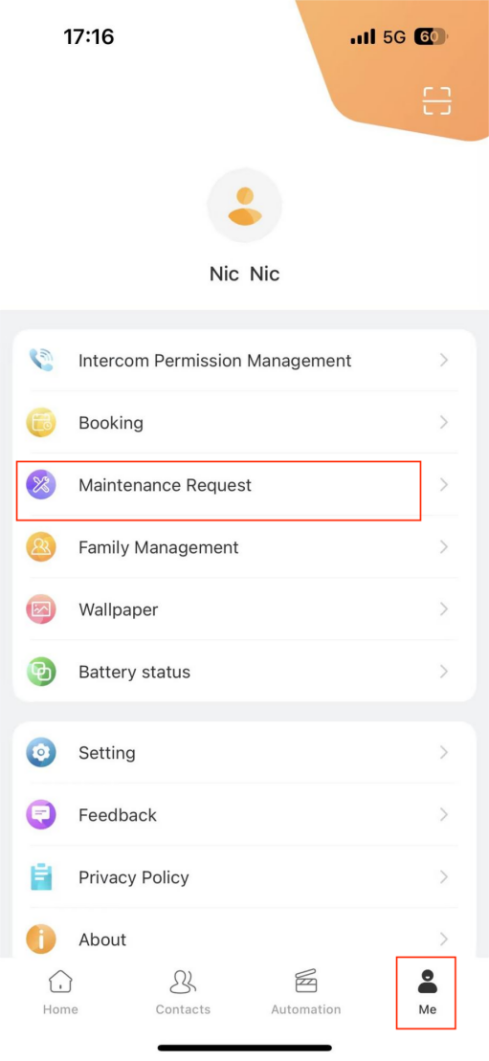
Tap
 > Maintenance Request >
  .
.
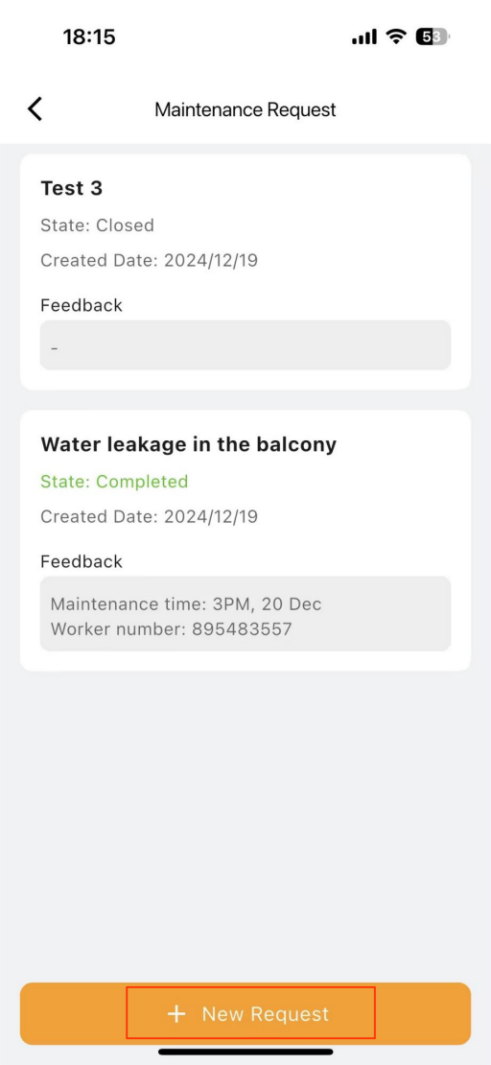
Fill in the required details, and tap Submit.
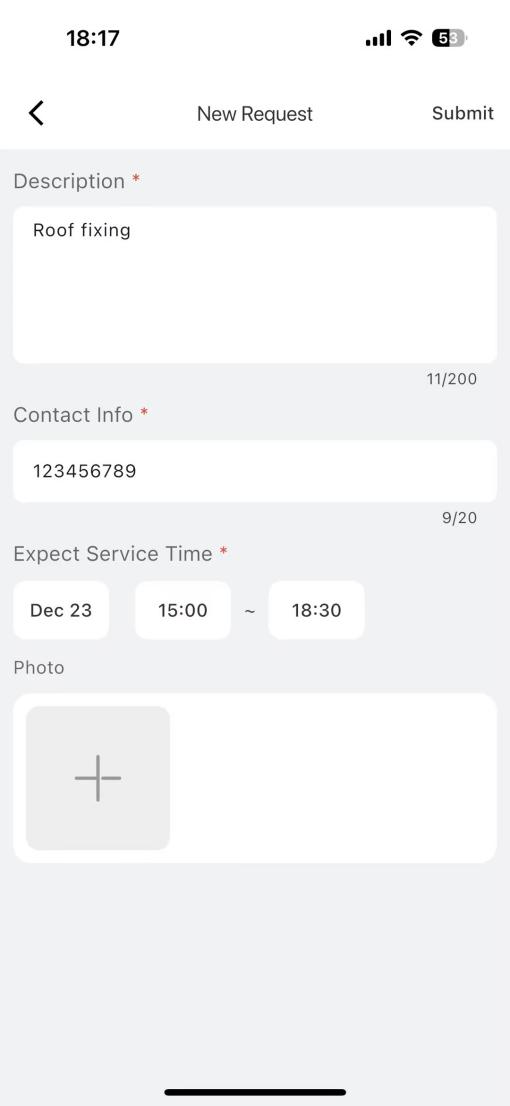
What happens next:
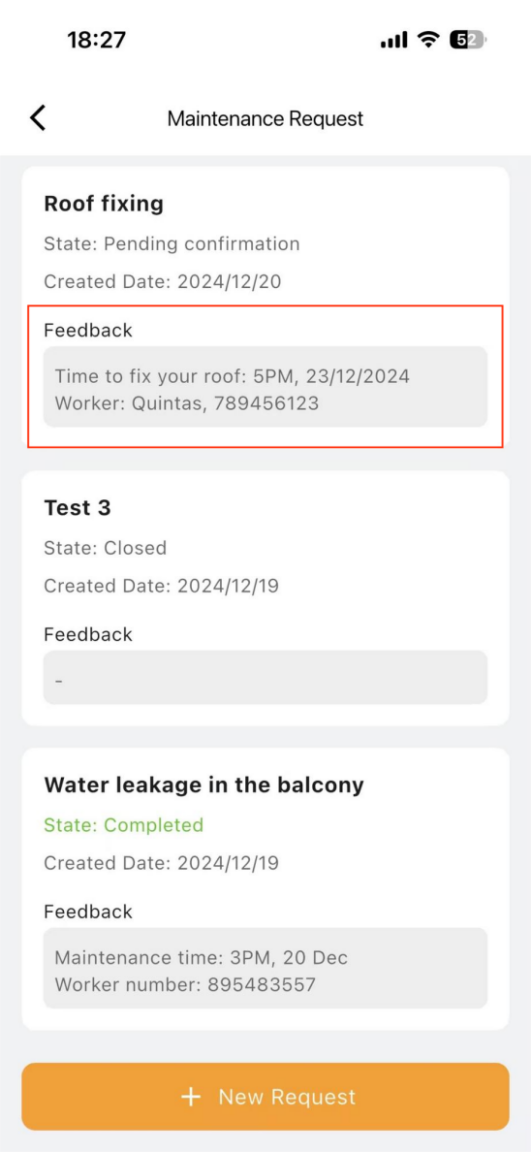
The property manager will review your request and contact you to confirm the maintenance details.
Once a worker is assigned, the scheduled time and the worker's contact information will be displayed in the Feedback box.