Call-Based Visitor Face Enrollment allows a visitor to enroll their face when a resident unlocks the door for them during an intercom call.
After successful enrollment, the cloud creates a temporary visitor face credential and distributes the access permission to the public devices that the resident is authorized to access.
The visitor can then use the enrolled face to unlock the door during the configured Validity Period.
Model Compatibility
This feature is available only for supported devices configured as public devices in the community.
Supported Model
Model | Minimum Version |
|---|---|
R29 | 29.30.10.740 |
S538 | 538.30.10.720 |
Configuration
Log in to the cloud platform with your property manager(PM) account.
Go to Settings > Basic Setting.
Enable Call-Based Visitor Face Enrollment. It is disabled by default.
Configure the Validity Period for the visitor face credential.
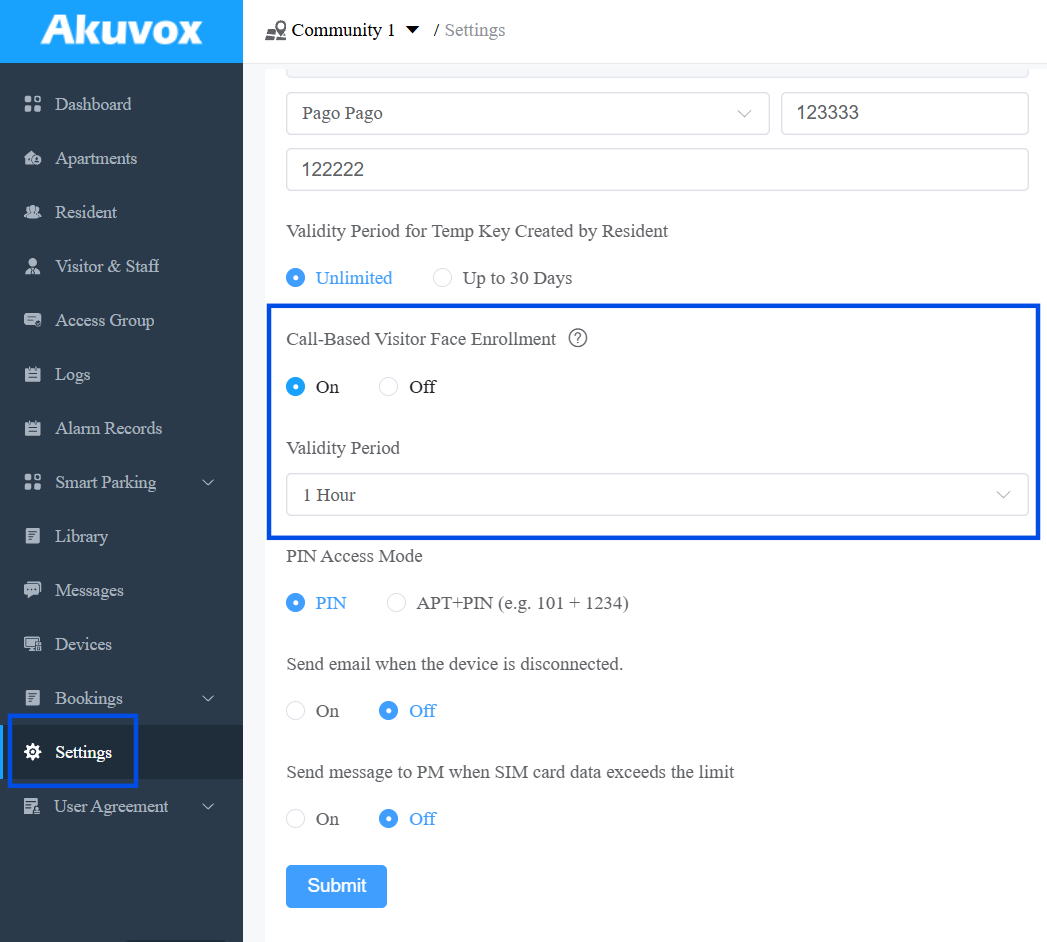
Click Submit.
Note
Disabling Call-Based Visitor Face Enrollment invalidates all previously created visitor face records. These visitors will no longer be able to unlock doors using their enrolled faces.
How It Works
The visitor face enrollment process works as follows:
A visitor calls a resident through the intercom.
The resident unlocks the door during an intercom call either via the SmartPlus App or indoor monitor.
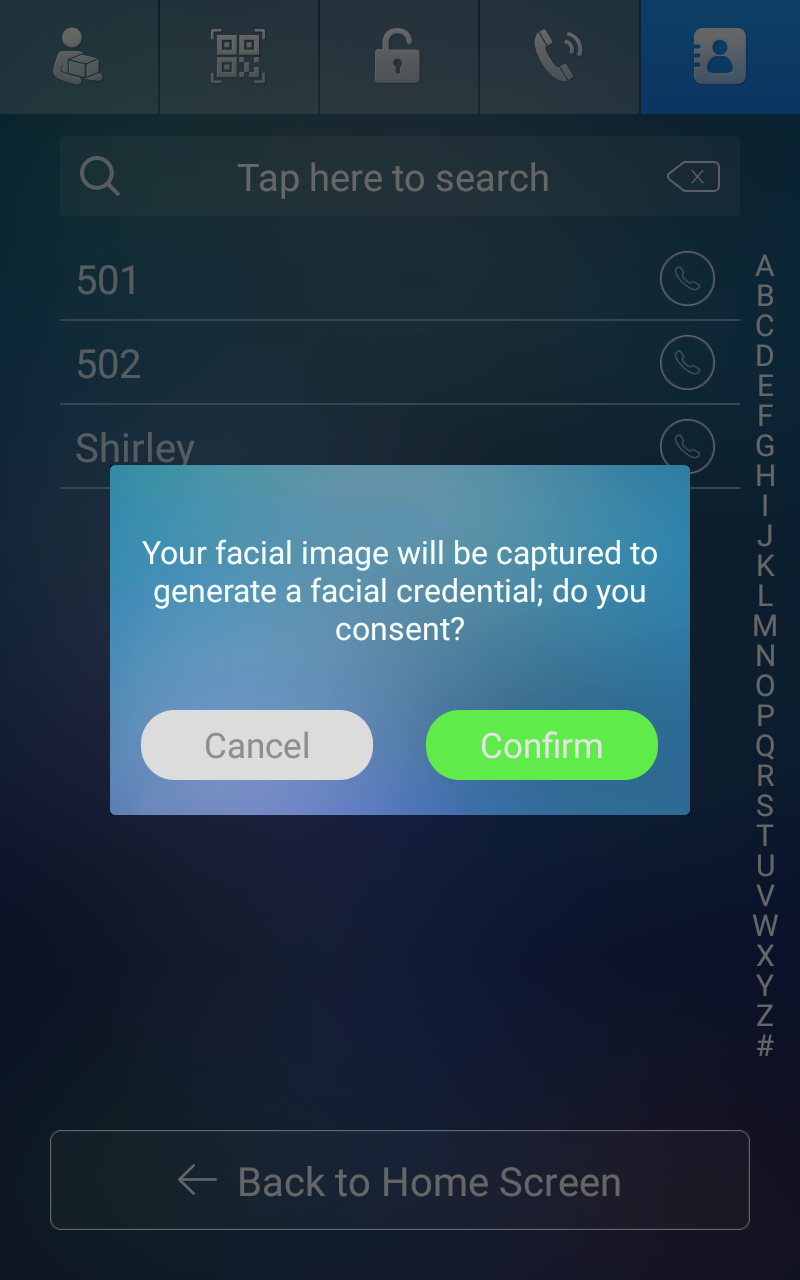
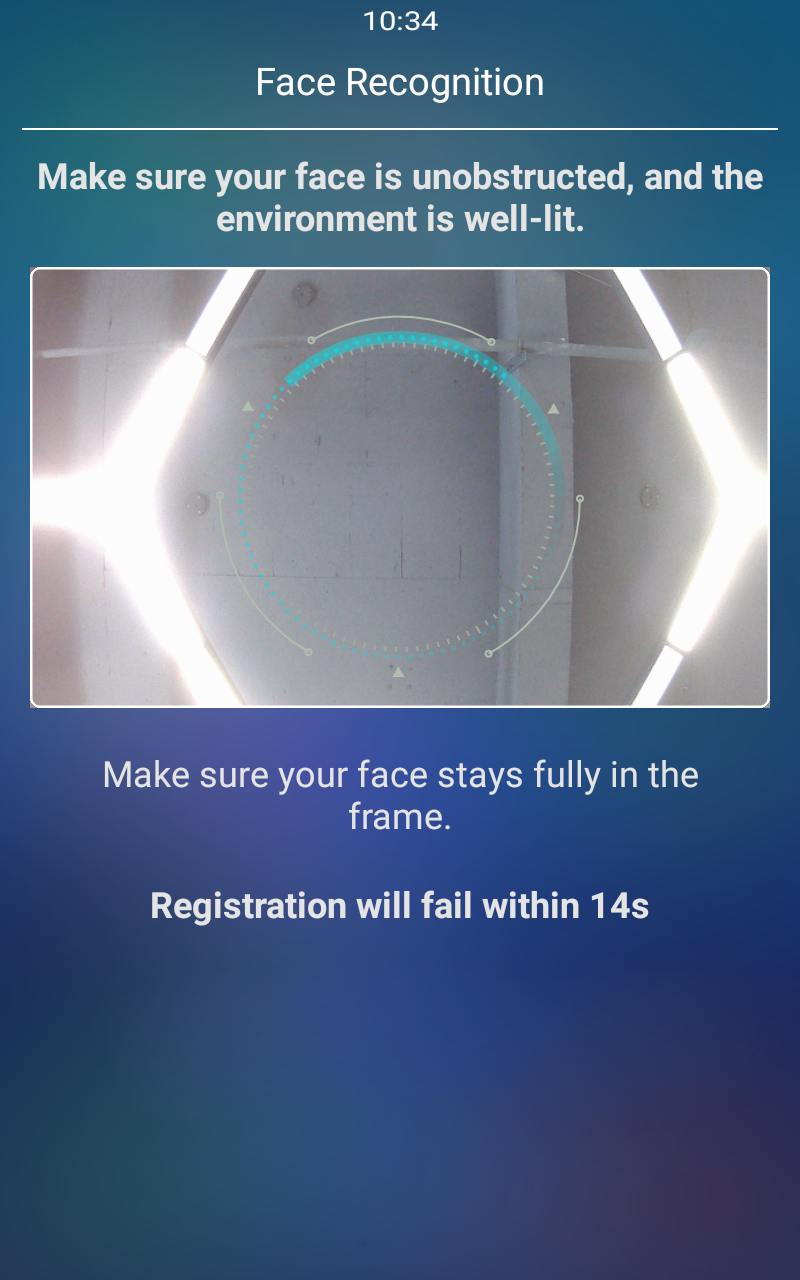
The visitor is prompted to enter face enrollment mode on the device.The visitor follows the on-screen instructions to complete face enrollment.
After successful enrollment, the device uploads the visitor's face information and the visited resident's information to the cloud.
The cloud creates a visitor face record.
The cloud generates a temporary visitor face credential based on the configured Validity Period.The access permission is distributed.
The visitor face credential is synchronized to the public devices that the resident has permission to access.The visitor uses the enrolled face to unlock the door.
The visitor can use the temporary face credential to unlock the door until the Validity Period expires.
Permission Scope
The visitor's access permission is determined by the account used to trigger the face enrollment:
Triggered through the SmartPlus App: The visitor's access permission follows the account's door access and floor permissions.
Triggered through an indoor monitor: The visitor's access permission follows the family master's door access and floor permissions.
Visitor Face Records
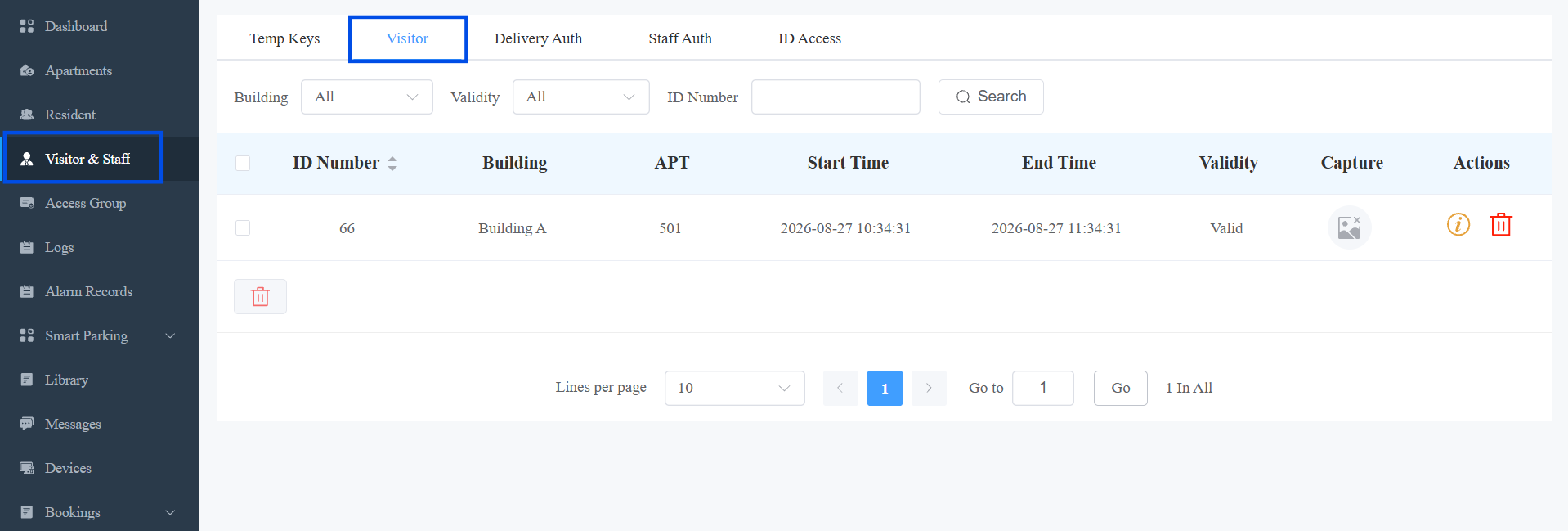
After a visitor completes face enrollment, you can view the generated visitor face record on Visitor & Staff > Visitor.
The visitor list displays visitor face records in the community, including basic visitor information and the latest captured image when the visitor uses face recognition to unlock the door.
Face Credential Expiration
When the configured Validity Period expires, the visitor face record status changes to Invalid, and the updated access permission is synchronized to the related public devices. The visitor can no longer use the face credential to unlock the door.