Use a door magnet (Drmagnet) sensor to detect whether the entrance door is opened unexpectedly or left open. When a breach is detected, and the arming mode is active, the indoor monitor triggers a local alarm through its relay output (Local Relay 1).
The configuration applies to X937, S567, S563, IT88, C316, C319, C313V3, C313V2-2 and X933.
Before You Start
Ensure the following conditions are met before proceeding with configuration:
Hardware Connection: Indoor monitor wired to the alarm sensor via the relay output, and door magnet sensor via the correct I/O port (I/O1 to 8 corresponds to Zone 1 to 8).
Network Access: Device is reachable on the local network.
Step 1: Configure the Zone
Assign the door sensor to the correct zone and enable it.
Open a web browser and navigate to the device IP address. Log in with your credentials (default: admin/admin).
Go to Arming > Zone Setting.
Select the location where the sensor is installed.
In the Zone list, locate Zone 1 (the zone connected to your door sensor). Set the Zone Type to Drmagnet.
Set Status to Enabled.
.png)
Click Submit.
Tip
Drmagnet is the abbreviation for Door Magnet. This sensor type detects whether a door is open or closed by monitoring the magnetic contact between the door and its frame.
Step 2: Configure the Arming Mode
Determine in which security modes (Home, Night, Away) the zone will be actively monitored.
Go to Arming > Arming Mode.
Under the Home, Night, and/or Away mode sections, enable the Status checkbox for Zone 1. Enable only the modes that apply to your deployment scenario.
Configure the delay settings if needed.
Defence Delay: When users change the arming mode from other modes, there will be a preconfigured delay time to get activated.
Alarm Delay: It means when the sensor is triggered, there will be a preconfigured delay time for the indoor monitor to announce the notification.
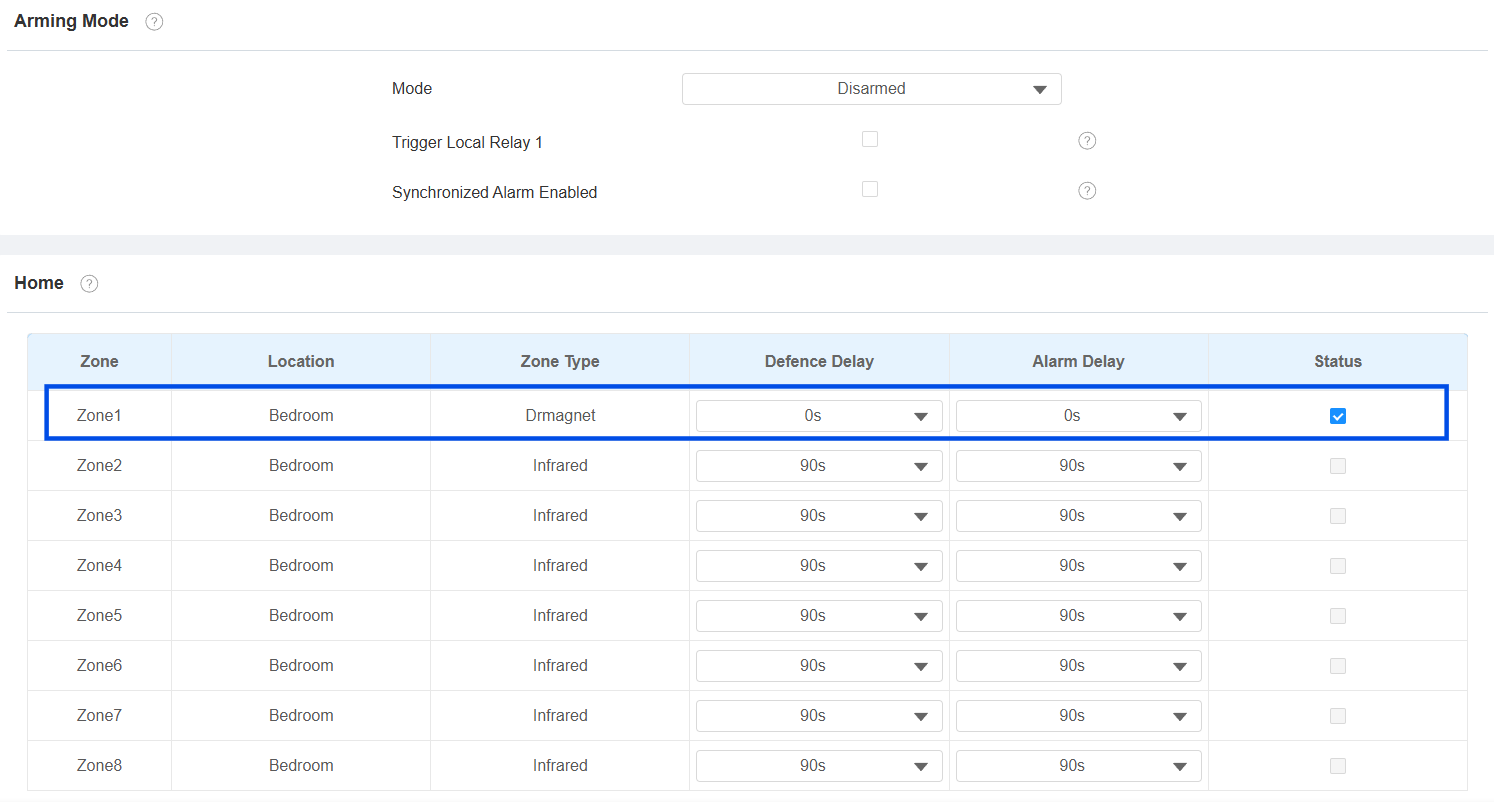
Click Submit.
Step 3: Configure Relay Trigger
Link the door magnet sensor event to the relay output so that a physical alarm or device can be triggered.
Go to Arming > Alarm Action.
Enable Local Relay1 triggered by the Drmagnet sensor.
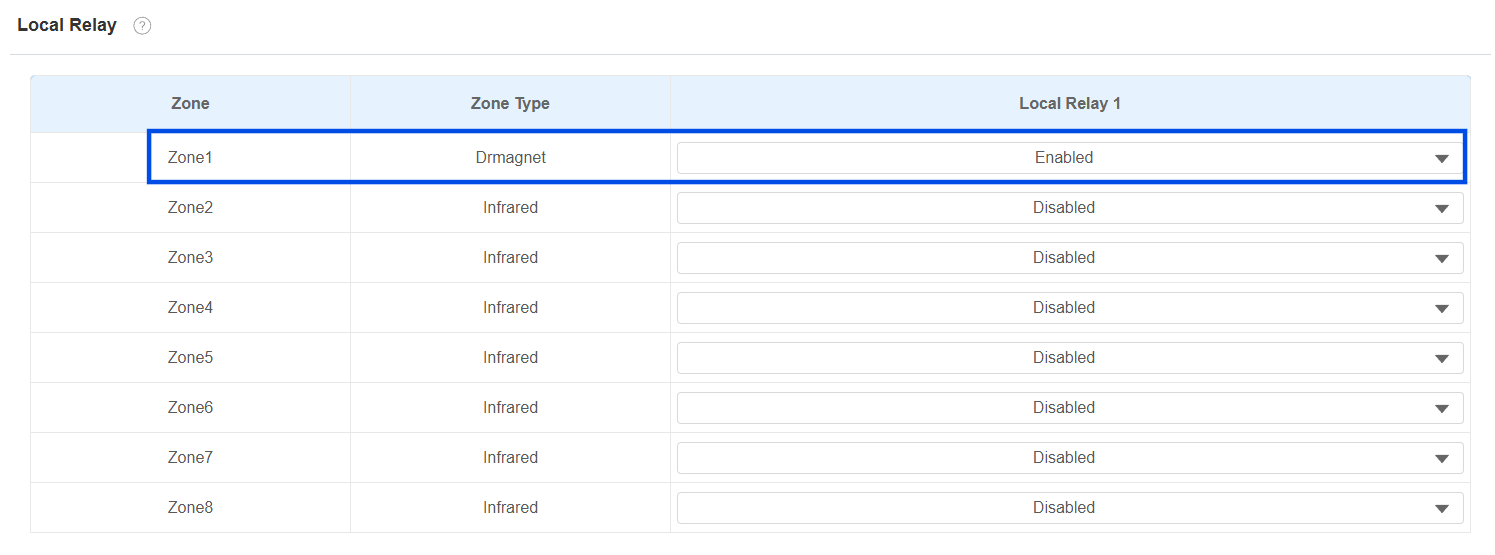
Click Submit.
Go to Device > Relay.
Set the Relay Type to Other Switches(Reset by Event). This relay type keeps the relay output active (alarm on) for as long as the alarm condition persists, and automatically resets the relay when the event clears (e.g., the door is closed, and the system is disarmed).
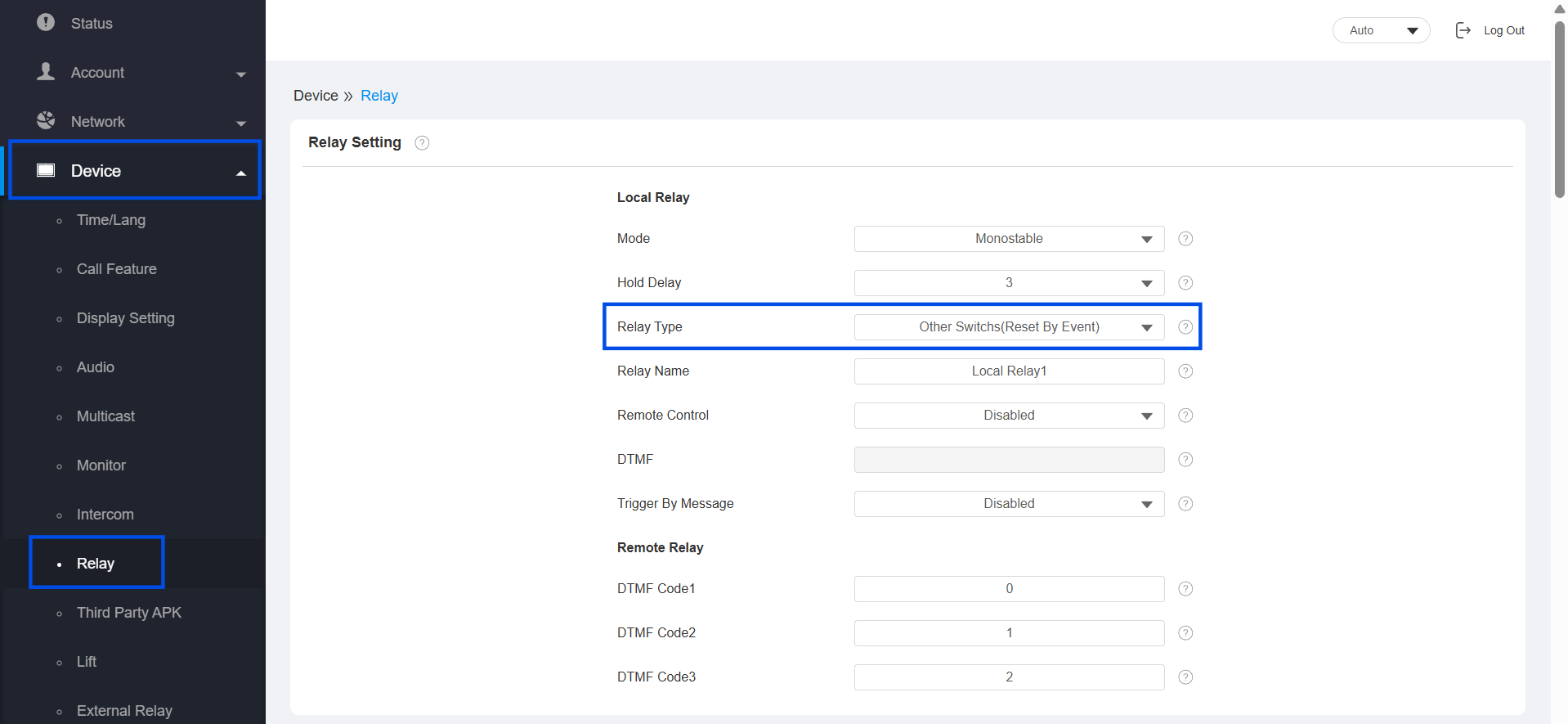
Submit the setting.
Verify the Configuration
Set the arming mode to one of the modes you enabled in Step 3 (e.g., Away). Allow the Defence Delay to expire.
Physically open the door where the door magnet sensor is installed.
Wait for the Alarm Delay to expire. The indoor monitor should trigger the alarm notification.
Confirm that Local Relay 1 activates and the connected alarm device (siren, strobe, etc.) responds.
Close the door and disarm the system. Confirm that the relay output resets automatically.