The Distributor Sub Account feature allows multiple users under the same Distributor to log in simultaneously using separate credentials. This resolves the issue of users being forced out when multiple people share a single Distributor account.
After setup, each Sub Account can access and manage the same Distributor data independently.
Create a Sub Account
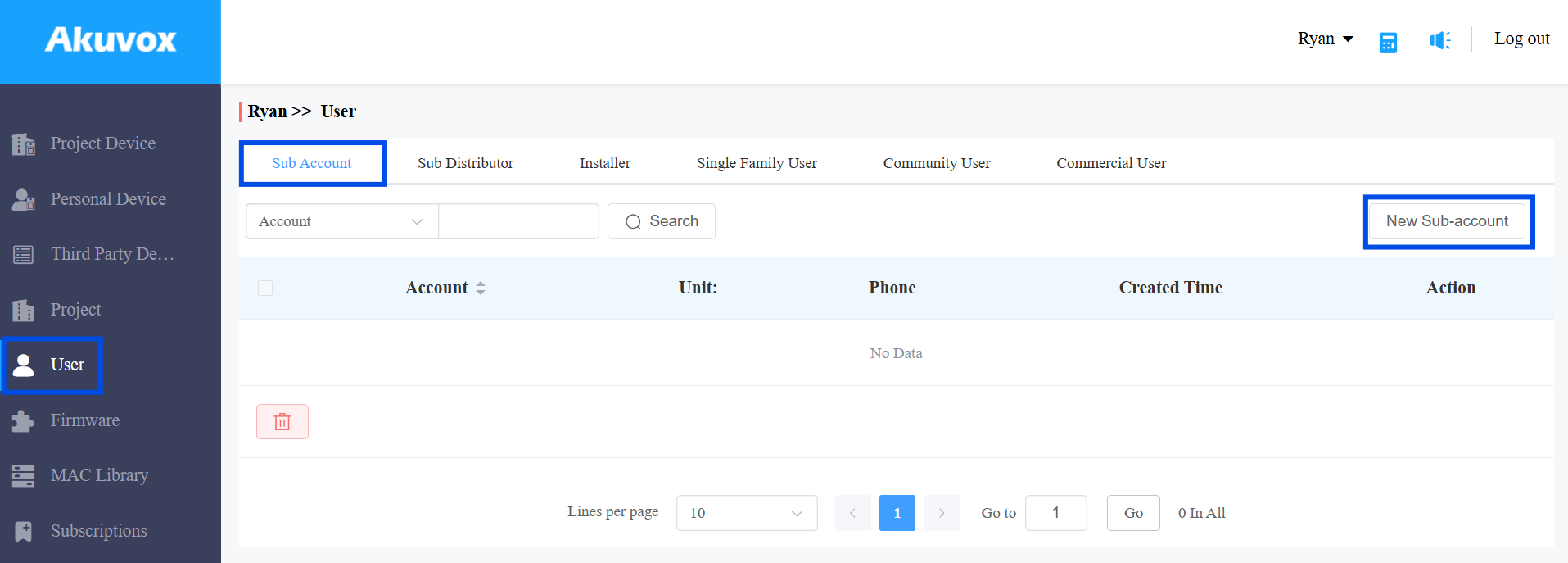
Log in to the cloud platform with your distributor account.
Navigate to User > Sub Account.
Click New Sub-account.
Enter the account name.
Enter the user’s email address.
[Optional] Enter the user’s mobile phone number.
Set whether to enable Email Two-Factor Authorization for Login. If enabled, an email verification code is required when logging in with the sub account.
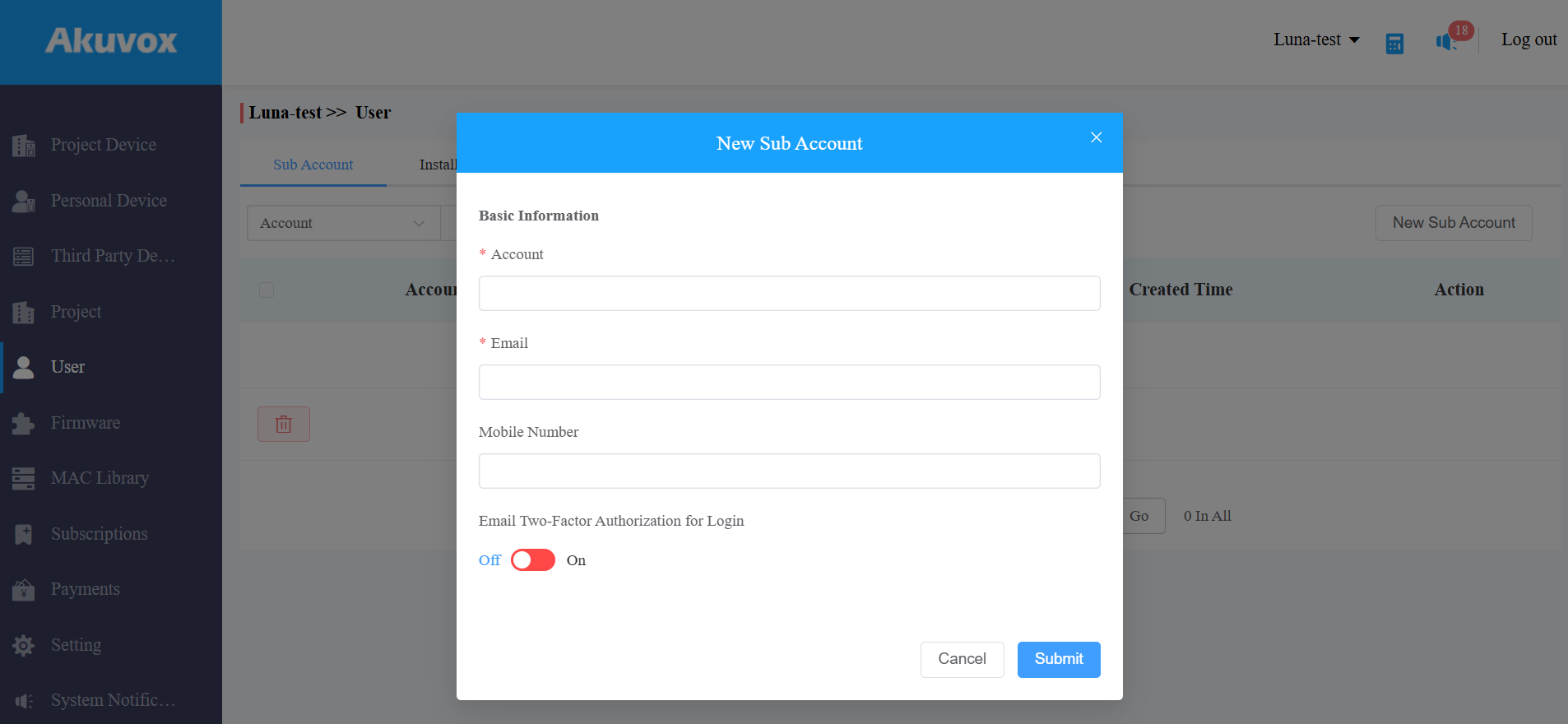
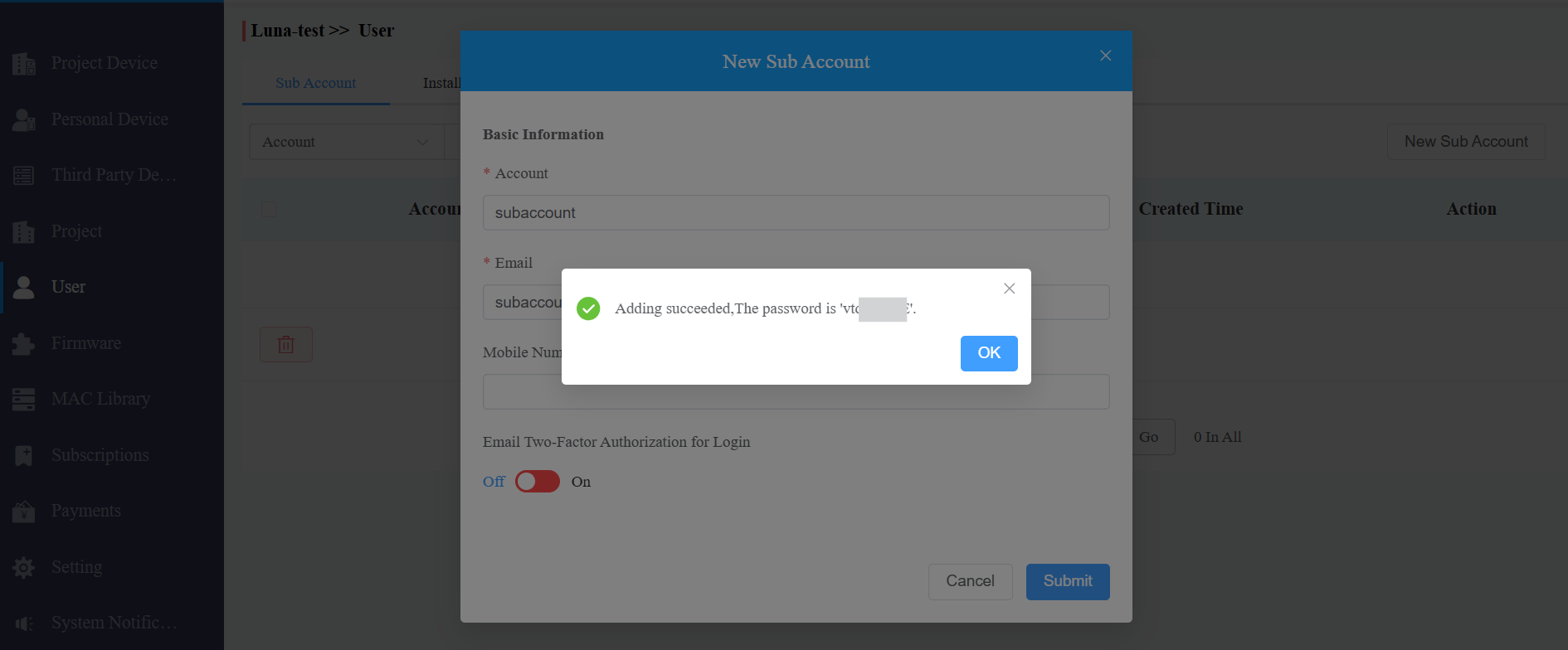
Click Submit.
The password will then display.
The sub-account user can use the account name and password to log in to the cloud.
Note
Sub Accounts inherit the full permissions of the parent Distributor. There are no individual permission settings.
Multiple Sub Accounts can be logged in simultaneously with no session limit.
When multiple Sub Accounts modify shared Distributor data at the same time, data conflicts may occur. Coordinate operations across team members where necessary.
Sub Accounts cannot create further child accounts.