Ein Türzugangsplan ermöglicht es dir, zu entscheiden, wer wann die Tür öffnen darf. Sie gilt sowohl für Einzelpersonen als auch für Gruppen und stellt sicher, dass Nutzer innerhalb des Zeitplans die Tür nur während festgelegter Zeiträume mit der autorisierten Methode öffnen können.
Create Door Access Schedule
Sie können Türzugangspläne für tägliche, wöchentliche oder benutzerdefinierte Zeiträume erstellen.
Set it up on the web Directory > Schedule interface. You can add 100 local schedules.
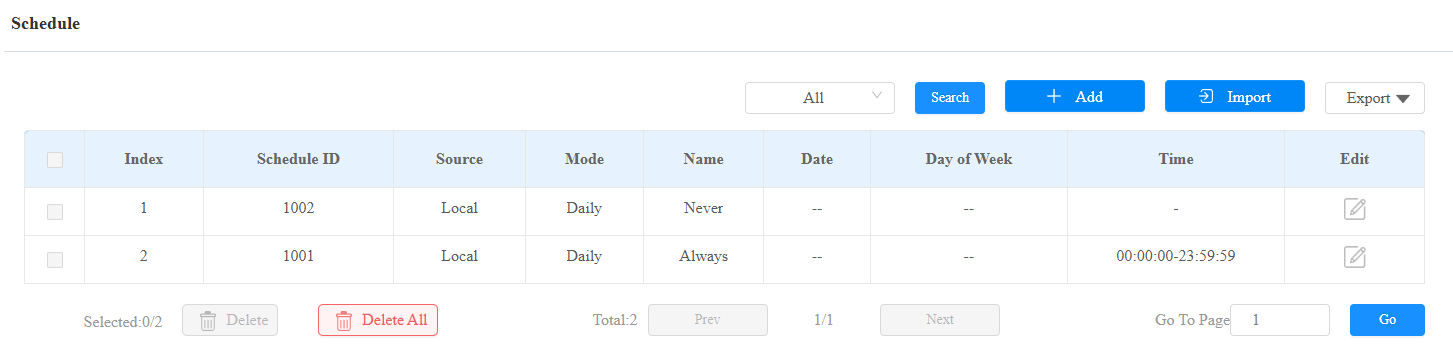
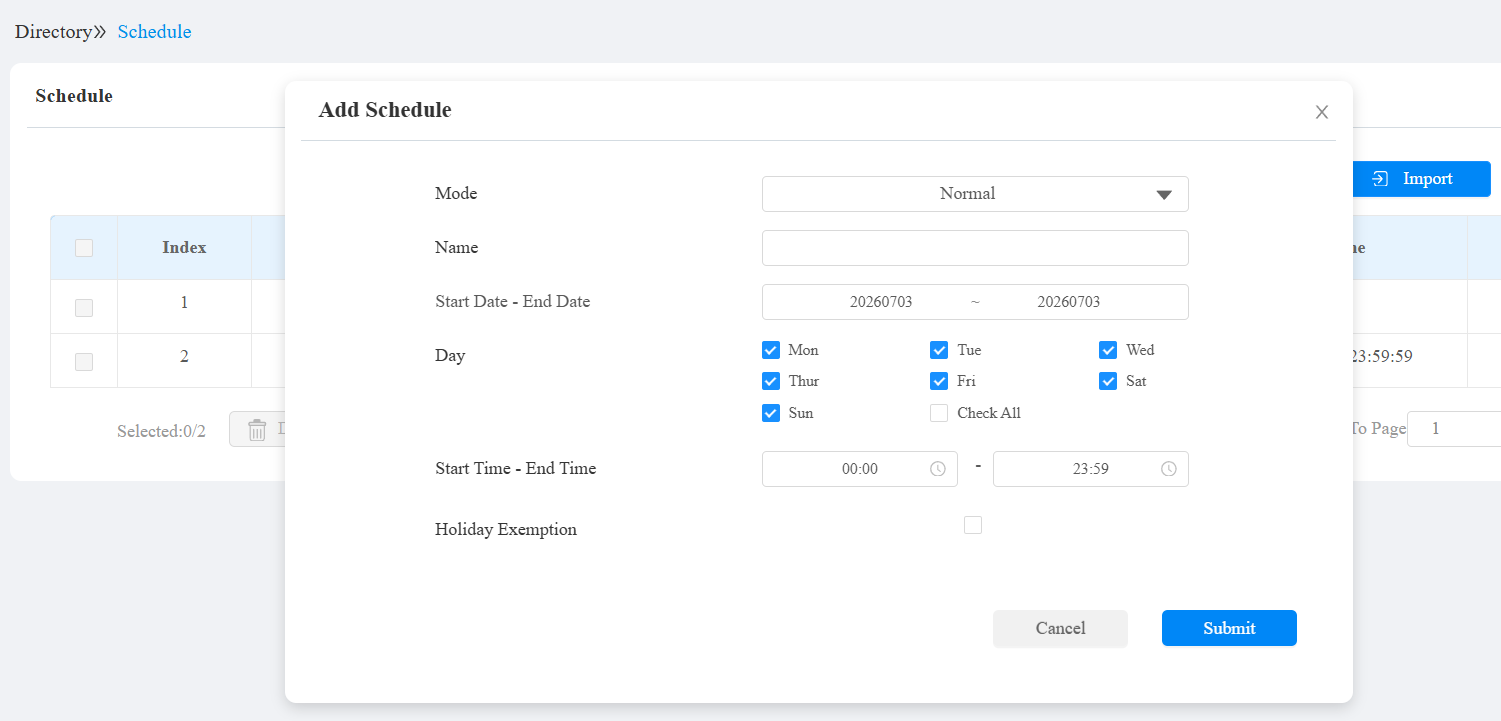
Mode:
Normal: Set the schedule based on the month, week, and day. It is used for a long-term schedule.
Weekly: Set the schedule based on the week.
Daily: Set the schedule based on 24 hours a day.
Schedule Name: Name the schedule.
Holiday Exemption: The holiday schedule has higher priority over the access schedule, which limits users from opening doors. If users want to open doors during holidays within the access schedule, you need to check this option.
Import and Export Door Access Schedule
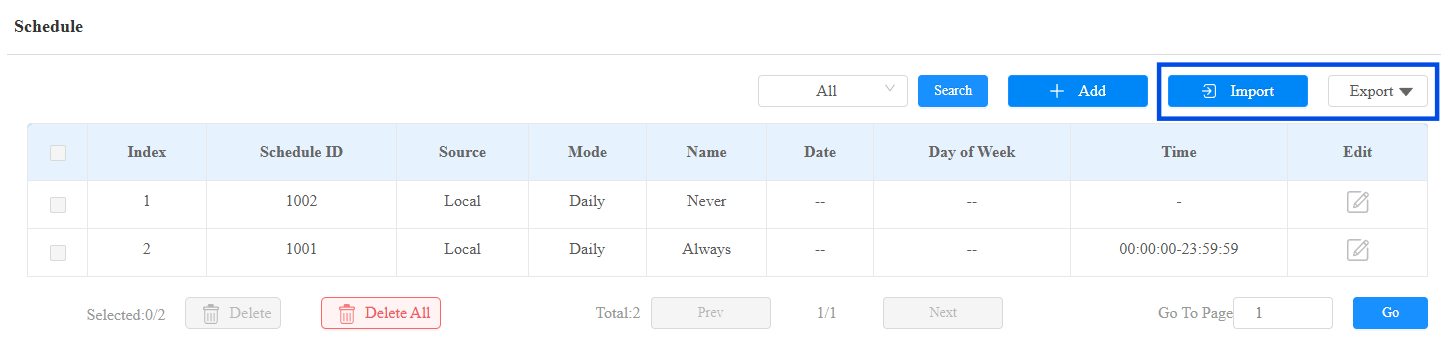
Neben der separaten Erstellung eines Türzugangsplans können Sie die Pläne auch bequem importieren oder exportieren, um die Effizienz Ihres Türzugangs-Plans zu maximieren.
To set it up, go to the Directory > Schedule interface. The import file should be in XML format.
Relay Schedule
Der Relaisplan erlaubt es, ein bestimmtes Relais so einzustellen, dass es immer zu einer bestimmten Zeit geöffnet ist. Das ist hilfreich in Situationen wie das offene Tor nach der Schule oder während der Arbeitszeit.
To set up a relay schedule, go to the Access Control > Relay > Relay Schedule interface.
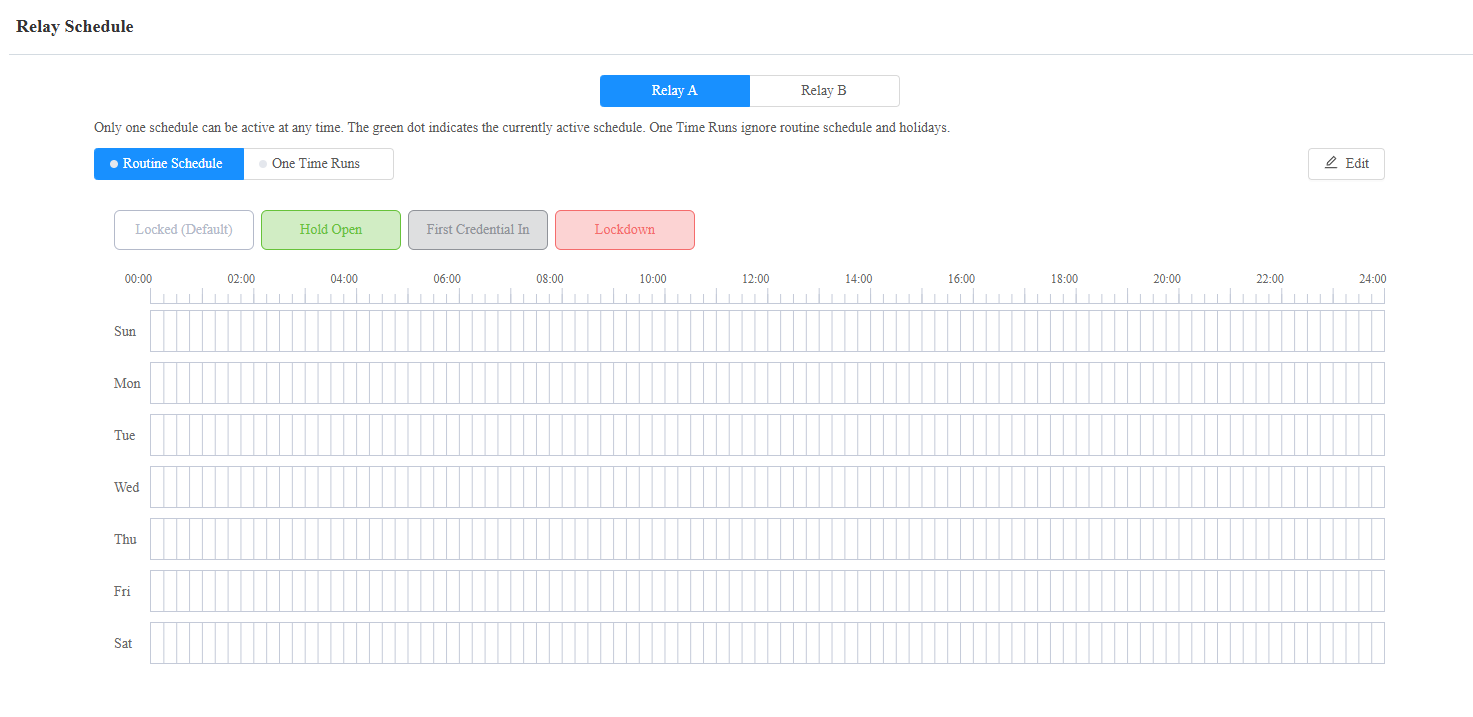
Repeat Type:
Routine Schedule: The schedule repeats every week. Click Edit on the right to configure.
One-Time Runs: Set the daily or weekly schedule that repeats during a defined period.
Schedule Mode:
Hold Open: The door remains open during the scheduled time.
First Credential In: The door remains open during the scheduled time after users use their credentials for the first time.
Lockdown: The door remains closed during the scheduled time.
Note
Click here to view the detailed configuration of each schedule mode.
Holiday Schedule
Sie können die Feiertage definieren, an denen Nutzer keine Türen öffnen können, um die Zugangskontrolle zu verbessern. Sie können auch die Arbeitszeiten so einstellen, dass autorisierte Nutzer Türen öffnen können.
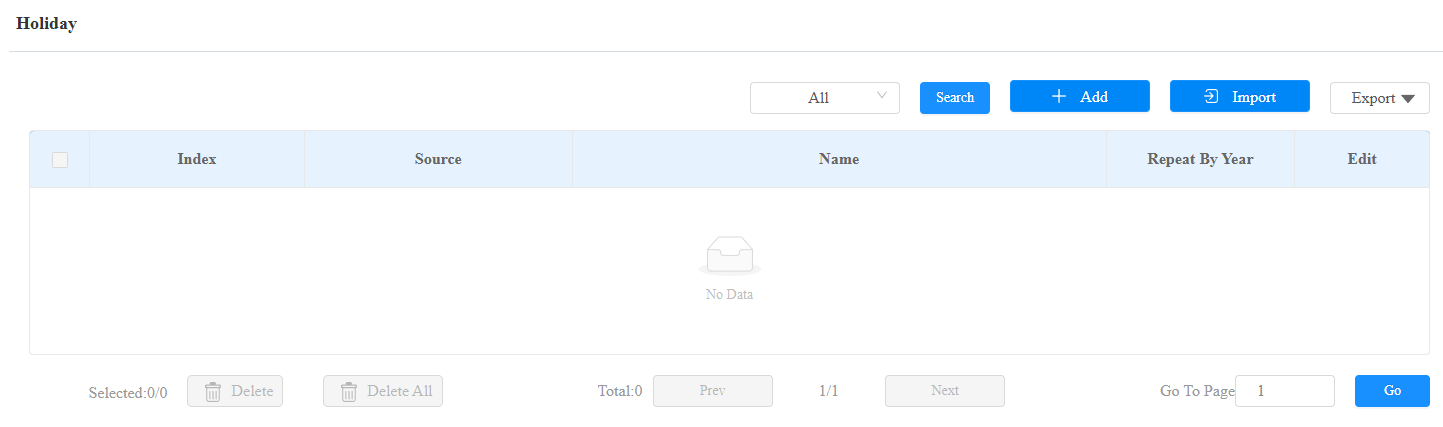
Set it up on the Directory > Holiday interface. You can choose to view the local holidays, SmartPlus Cloud holidays, or both.
Click +Add to set up a local holiday schedule.
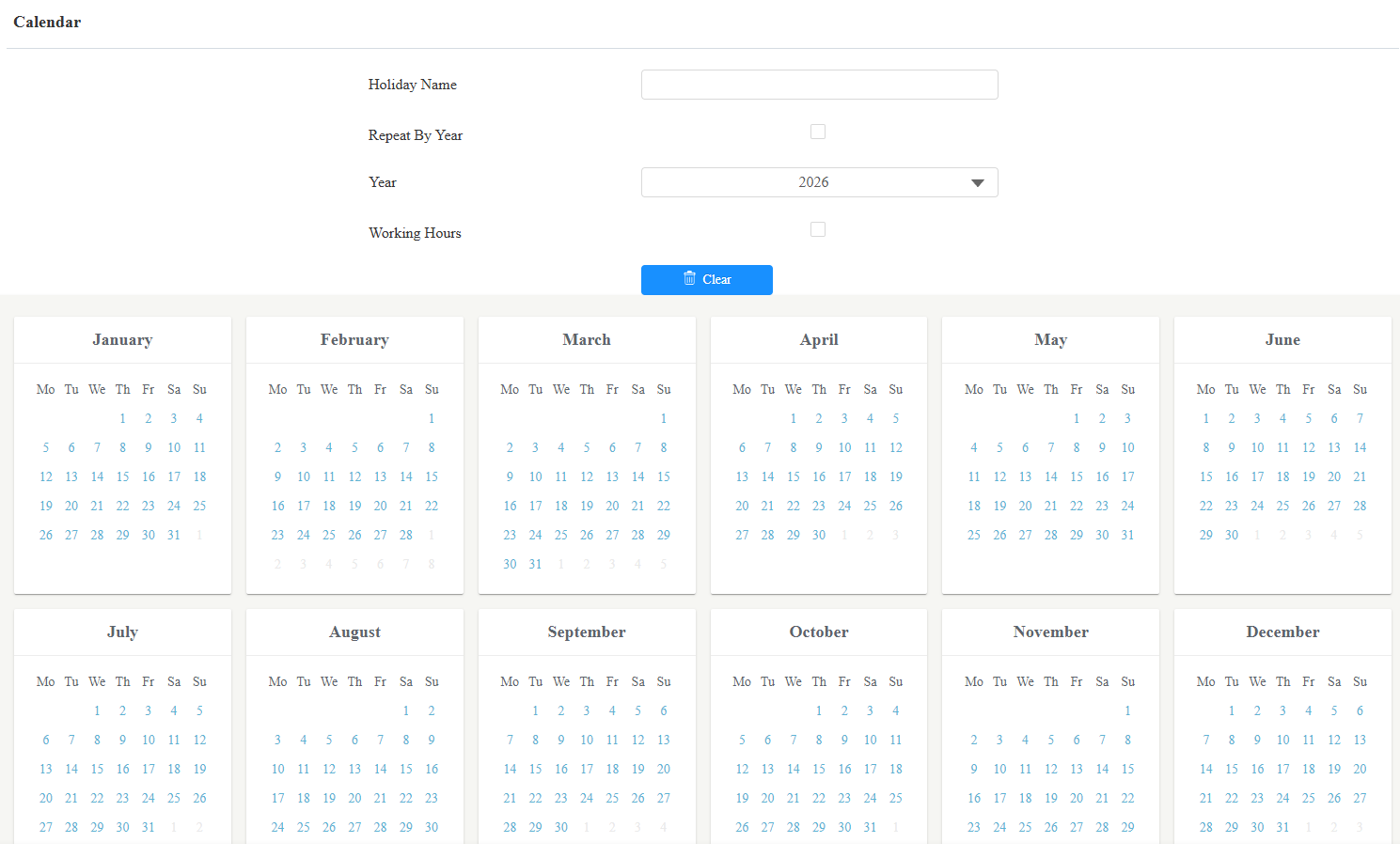
Holiday Name: Enter the holiday name.
Repeat By Year: Repeat the schedule every year.
Year: Set the year and date of the holiday.
Working Hours: When enabled, specify the time when authorized users can open doors.
Holiday Schedule Import/Export
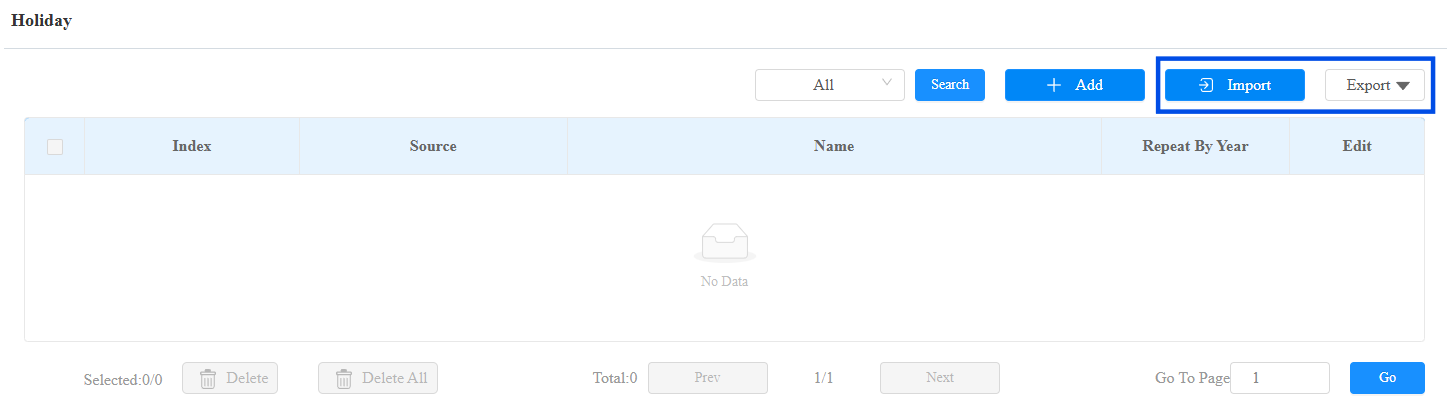
You can import or export holiday schedules for quick setup on the Directory > Holiday > Import/Export Holiday interface.
The import/export file format is .xml.