The Akuvox MR03 radar sensor supports multiple health and activity detection functions, including Fall Detection, Bed-Exit Detection, Floor Sitting Detection, Weak Vital Signs Detection, and Loitering Detection.
When deployed with SmartPlus Cloud, the MR03 can report detected alarms to the cloud and notify configured recipients through SMS, voice calls, or two-way calls. This allows caregivers or administrators to receive timely alerts and respond to abnormal situations remotely.
Note
Sensor Detection Call Alert is a premium feature and requires activation.
For a Single-Family House Project
Step 1: Enable the Feature
Log in to the cloud platform with your installer account.
Navigate to the Single-Family House sites.
Click New to create a new project or click
 to modify a current one.
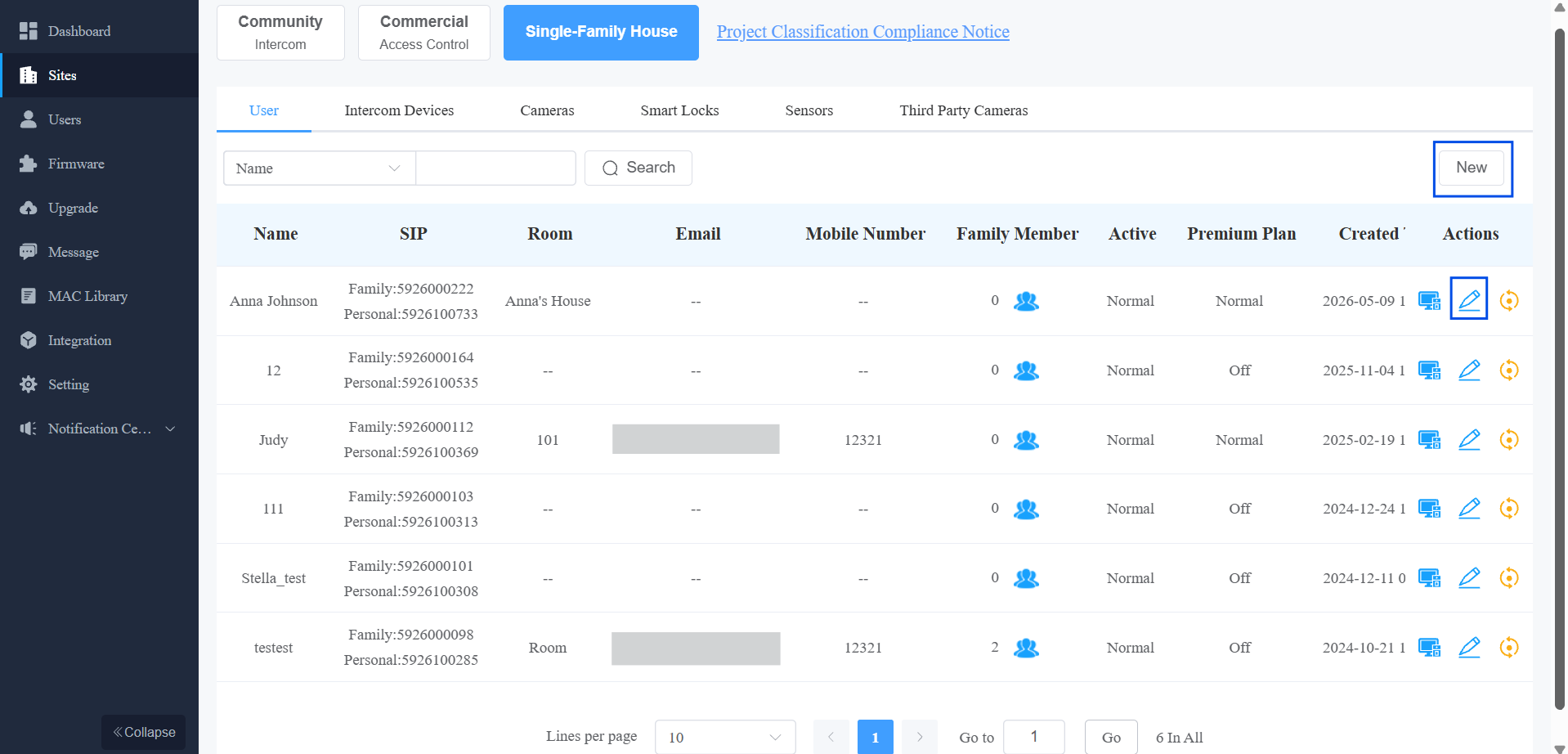
Enable the Health Care feature.
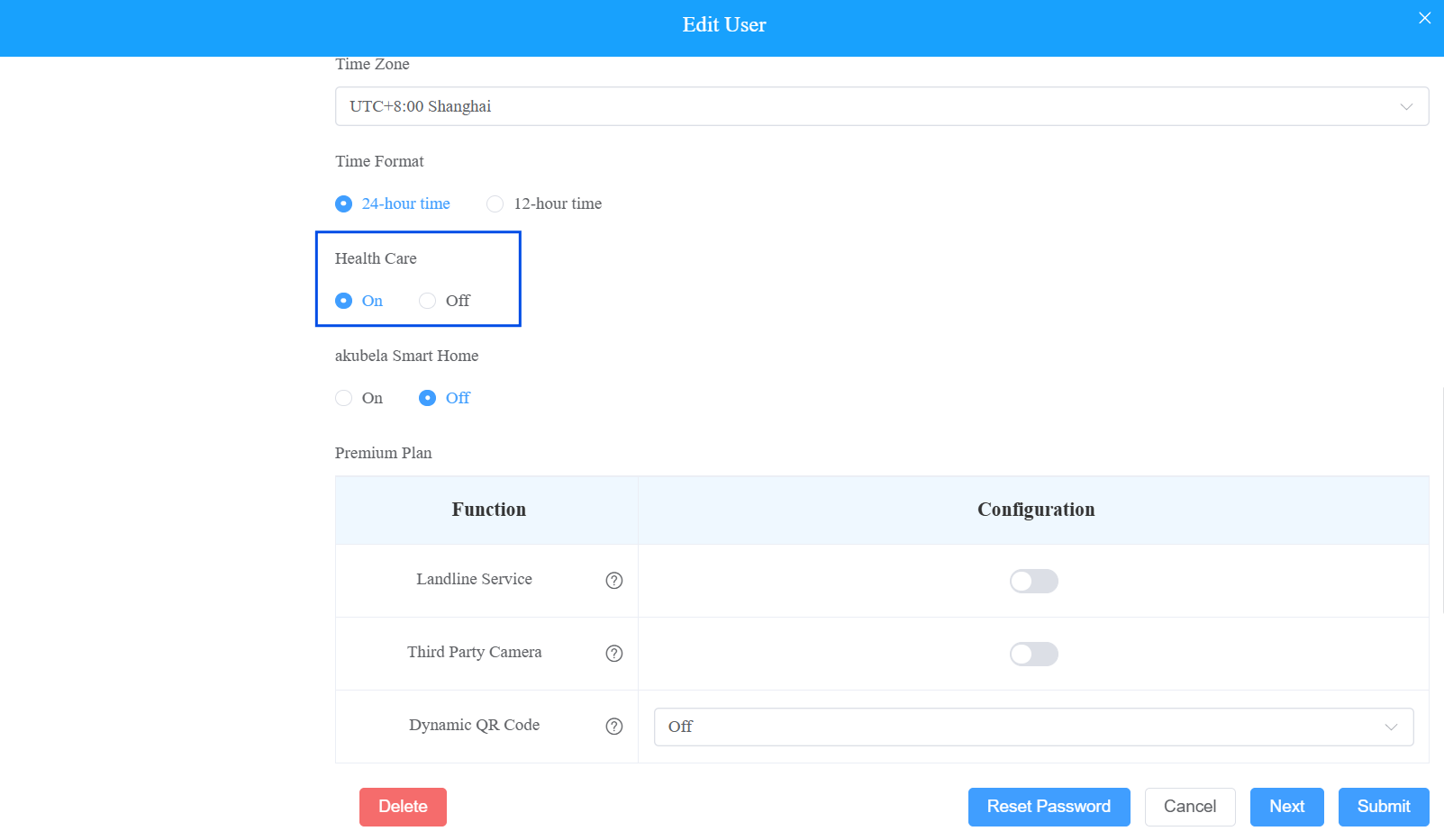
Submit the settings.
Step 2: Add the MR03
Click
 of the target project.
 Select Sensor.
Click New on the right.
Enter the device’s MAC address.
Set the device name.
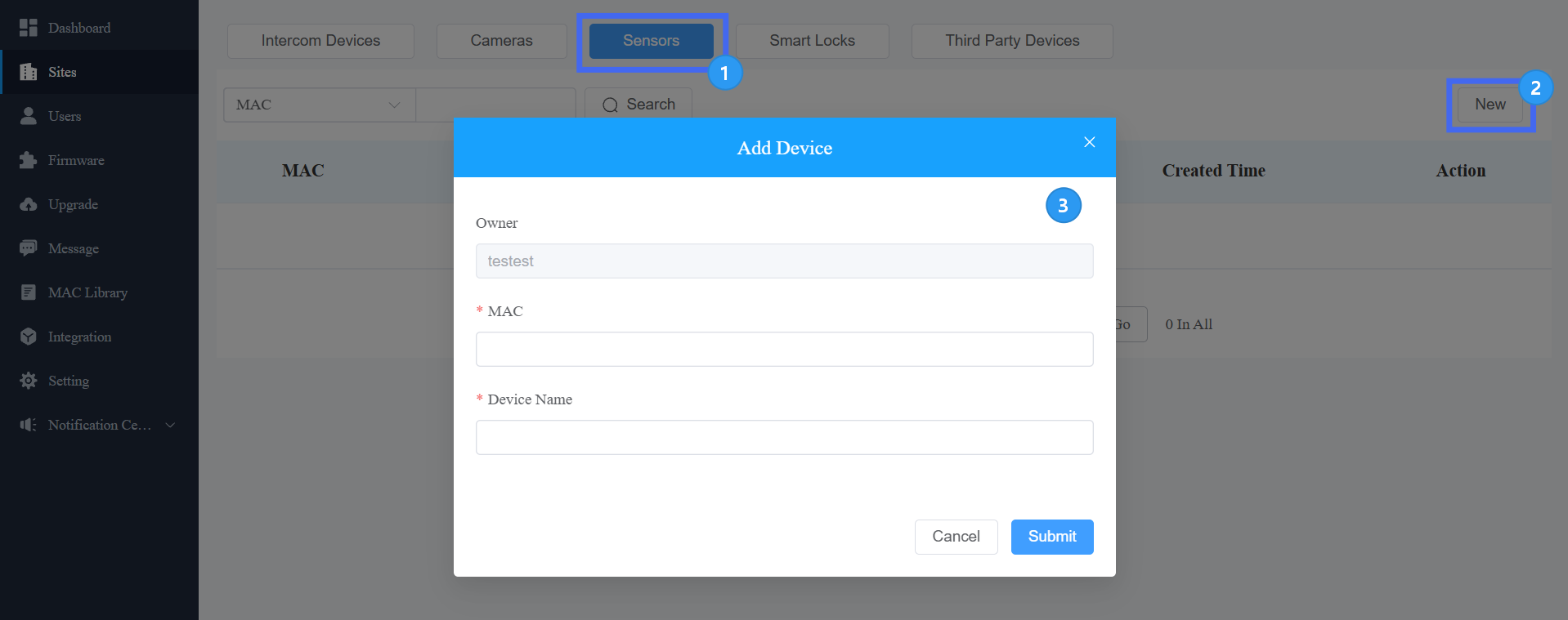
Submit the settings.
Step 3: Configure Sensor Detection Call Alert
Click
of the target project. Enable the feature.
Select an Alert Mode. For details about configuring the alert mode and recipients, see Configure Alert Mode.
Enable the desired Alarm Type.
Configure the recipients according to the selected Alert Mode.
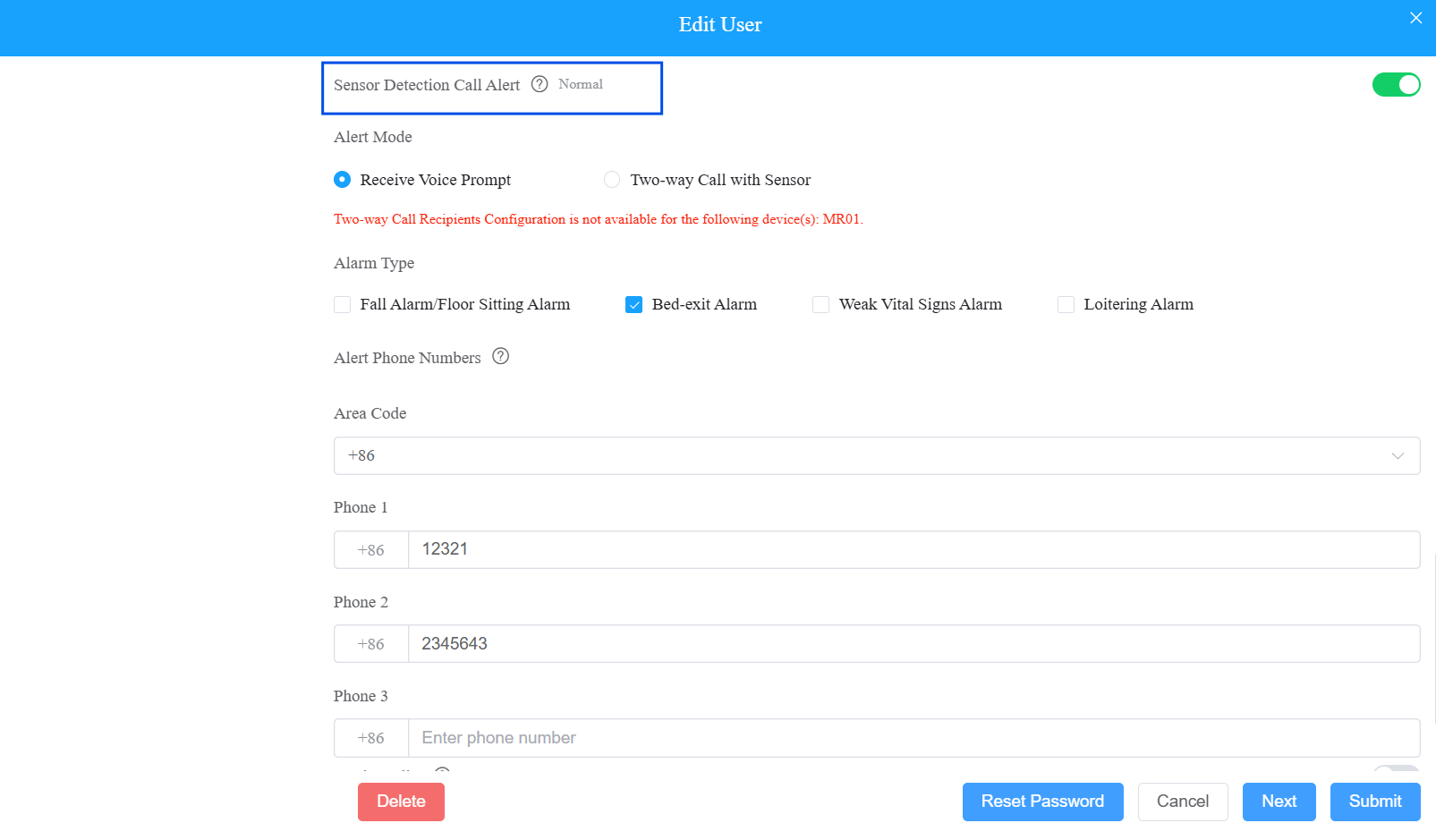
Click Submit.
For a Community Project
Step 1: Enable the Feature
Log in to the cloud platform with your installer account.
Navigate to the Communities.
Click +New to create a new project or click
to modify a current one.Enable the Health Care feature.
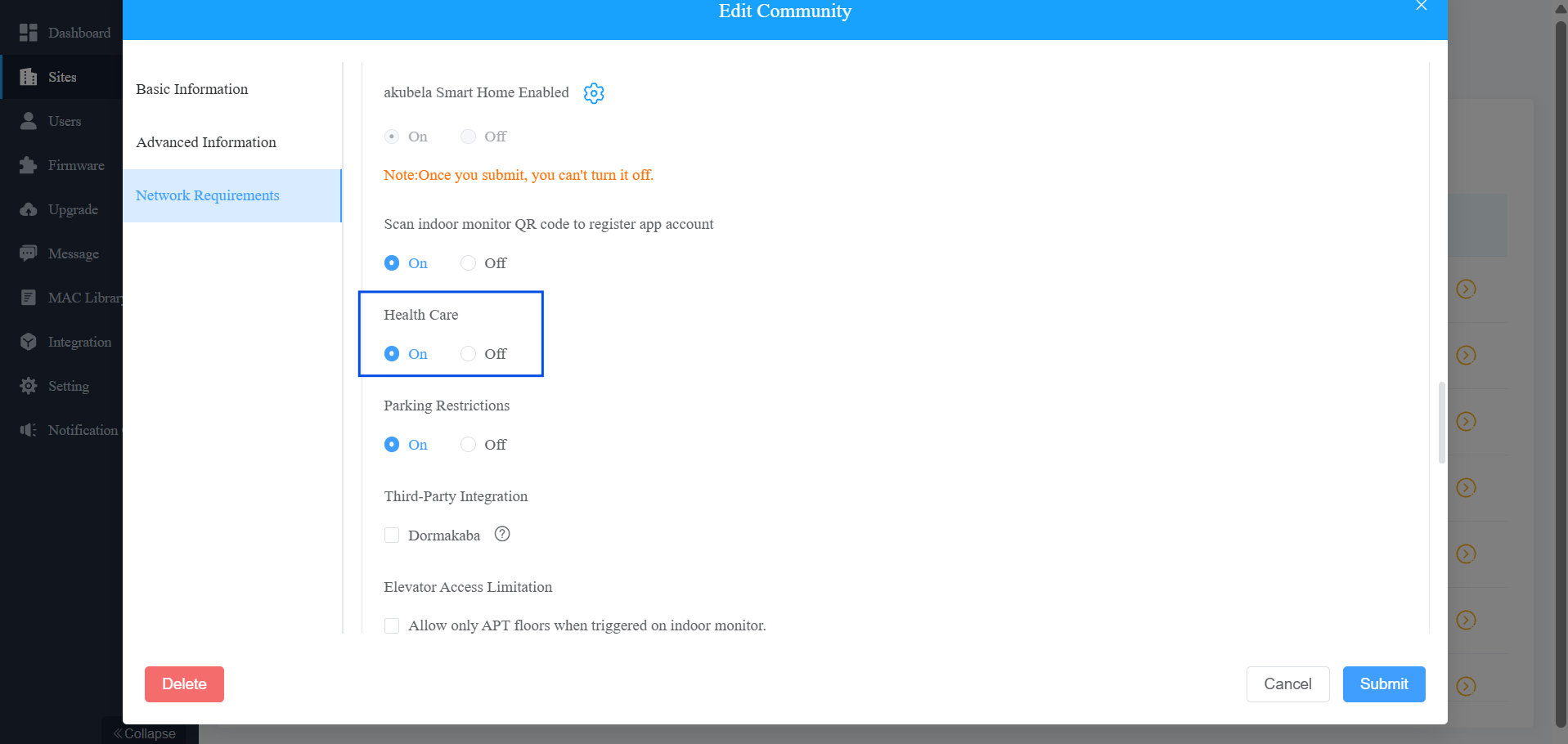
Submit the settings.
Step 2: Add the MR03
Click
 of the target community project.
 Click
of the target apartment. Scroll down to the Sensors section.
Click New on the right.
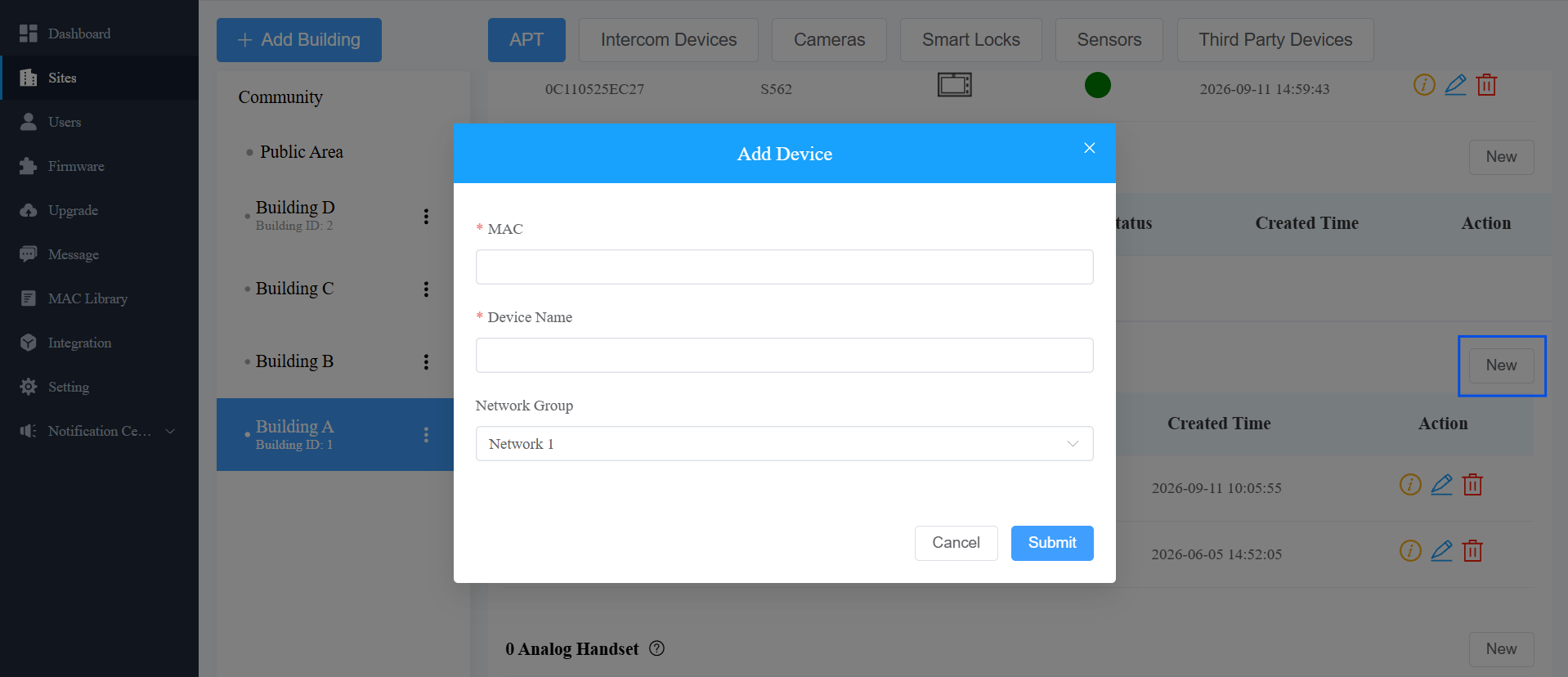
Click Submit.
The device status light turns green after it is connected to the cloud.
Step 3: Configure Sensor Detection Call Alert
Once the MR03 is added to the apartment, you can configure the Sensor Detection Call Alert. This feature allows configured numbers to receive a call alert when a fall or bed-exit event occurs.
Note
This is a premium feature that requires payment.
Click
 in the upper-right corner under the apartment settings.
Enable the feature.
Select an Alert Mode. For details about configuring the alert mode and recipients, see Configure Alert Mode.
Enable the desired Alarm Type.
Configure the recipients according to the selected Alert Mode.
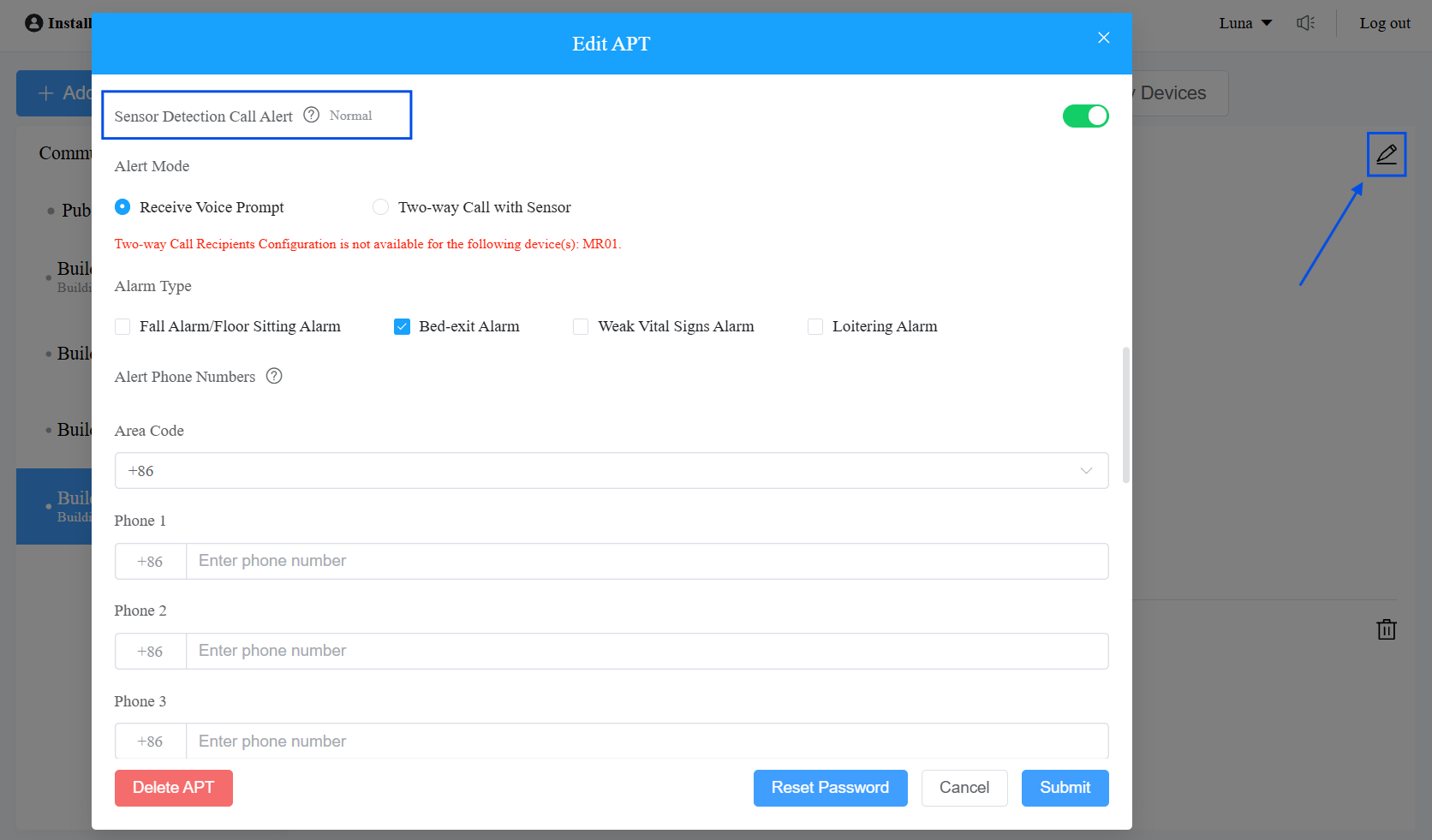
Click Submit.
Configure Alert Mode
SmartPlus Cloud provides the following Alert Modes for MR03 detection alarms.
Receive Voice Prompt
Select Receive Voice Prompt when recipients only need to receive alarm notifications.
When an alarm is triggered, the cloud sends an SMS notification and makes a voice call to the configured phone numbers simultaneously.
Up to 3 phone numbers can be configured.
The voice call provides alarm information such as the alarm type and master account name.
If the call is not answered, the system repeats the call for up to 3 rounds.
Two-way Call with Sensor
Select Two-way Call with Sensor when recipients need to communicate with the person near the MR03 after an alarm is triggered.
When an alarm is triggered, the cloud initiates a two-way call between the MR03 and the configured recipients. The recipient can talk with the person near the MR03 and respond to the situation remotely.
Up to 5 call recipients can be configured. The following recipient types are supported:
SmartPlus App Account: Select a SmartPlus App account in the family.
Indoor Monitor: Select an indoor monitor associated with the project.
Landline Number: Select a landline phone number.
Custom: Manually enter a mobile phone number and specify the Area Code.
If multiple recipients are configured, the system calls them simultaneously. Once one recipient answers the call, the calls to the other recipients stop.
Verify the Configuration
After completing the configuration:
Trigger one of the configured MR03 alarms.
Check whether the configured recipients receive the expected SMS, voice call, or two-way call.
For Two-way Call with Sensor, verify that the recipient can establish two-way communication with the person near the MR03.