Door Unlock by DTMF Code
Dual-tone multi-frequency signaling(DTMF) is a way of sending signals over phone lines by using different voice-frequency bands. Users can use the DTMF function to unlock the door for visitors during a call by either typing the DTMF code on the soft keypad, or tapping the unlock tab with the DTMF code on the screen.

Parameter Set-up:
-
Type: select DTMF type among Inband, RFC2833, Info, Info+Inband and Info+RFC2833 according to your need.
-
How to Notify DTMF: select among four options: Disable, DTMF, DTMF-Relay, and Telephone-Event according to your need.
-
DTMF Payload: select the payload (96-127) for data transmission identification.
- Please refer to Relay Switch Setting for the specific DTMF code setting. Intercom devices involved must be consistent in the DTMF type, otherwise, DTMF code cannot be applied.
Door Unlock via HTTP Command
The device supports remote door unlocking via an HTTP command. Simply enable this feature and input the HTTP command (URL) for the device. This will trigger the relay and open the door, even if the users are away from the device.
To do this configuration on web interface Phone > Relay > Open Relay via HTTP.

Parameter Set-up:
-
Status: enable it to allow the relay to be triggered remotely using the HTTP command.
-
Username: enter the device username to be used as a part of the HTTP command to trigger the local relay.
-
Password: enter the device password to be used as part of the HTTP command to trigger the local relay.
Please refer to the following example: http://192.168.35.127/ fcgi/do?action=OpenDoor&UserName=admin&Password=12345&DoorNum=1
- DoorNum in the HTTP command above refers to the relay number #1 to be triggered.
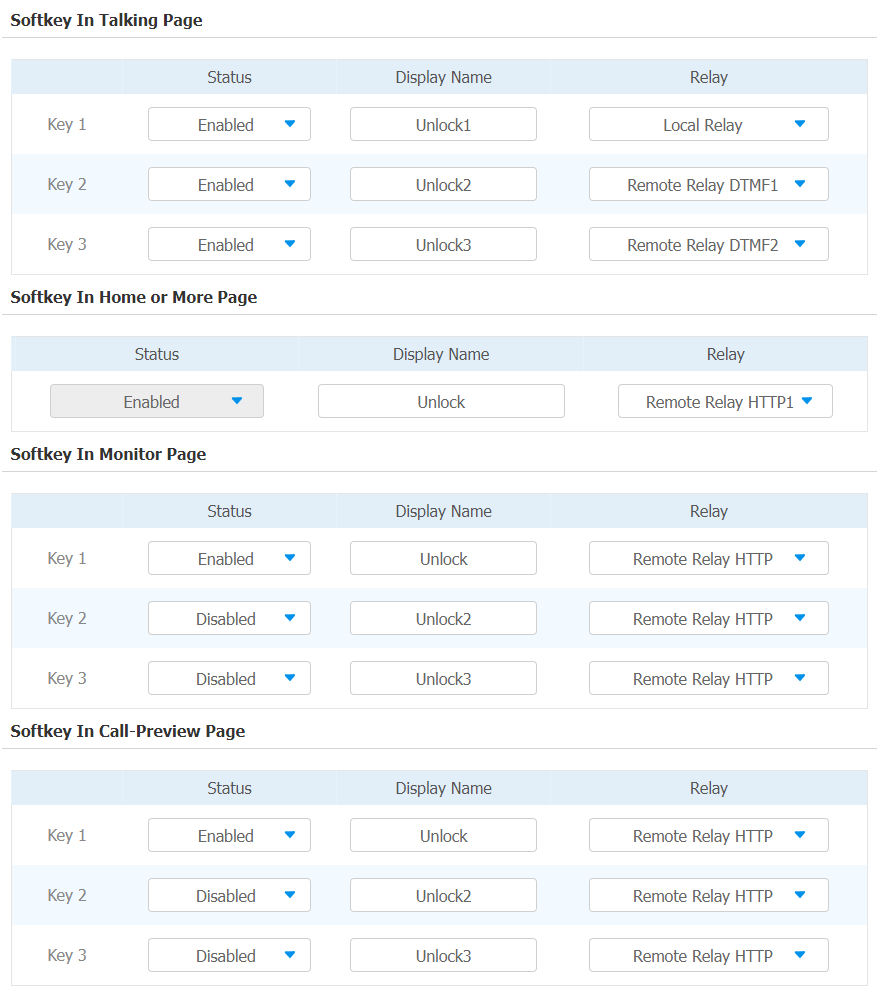
Unlock by Icon Button
To set up the unlock key for unlocking on web interface Phone > Relay.