If a device malfunctions, you may need to export its system logs for analysis and troubleshooting.
Local Export
When you are connected to the same local network as the faulty device, follow these steps:
Connect your computer to the same network as the device.
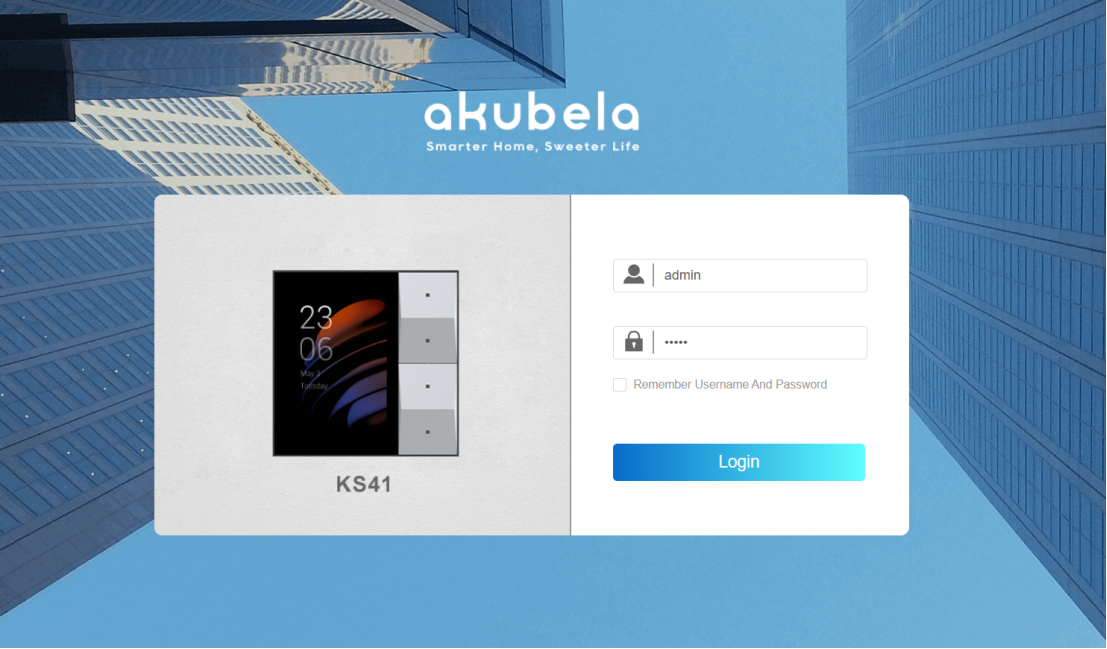
Enter the device’s IP address into a browser to log into the web portal. The default username and password are both admin.
NOTE:
The login page may vary depending on the device’s firmware version and role.

Confirm you are accessing the correct panel’s web portal.
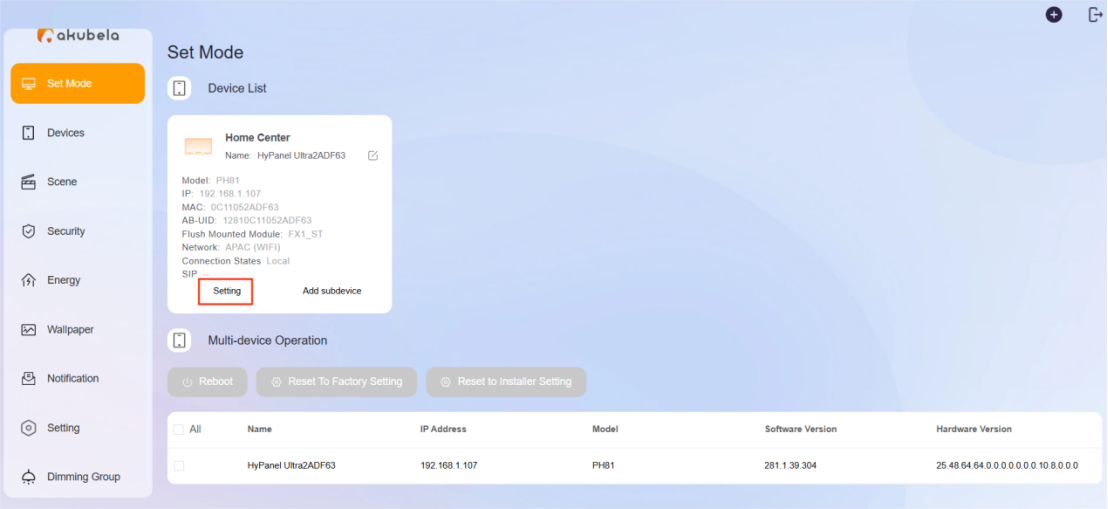
If you see a page like the one below, click
 for the needed panel to enter its specific device web portal.
If you see one of the pages shown below, you are already on that panel’s web portal.
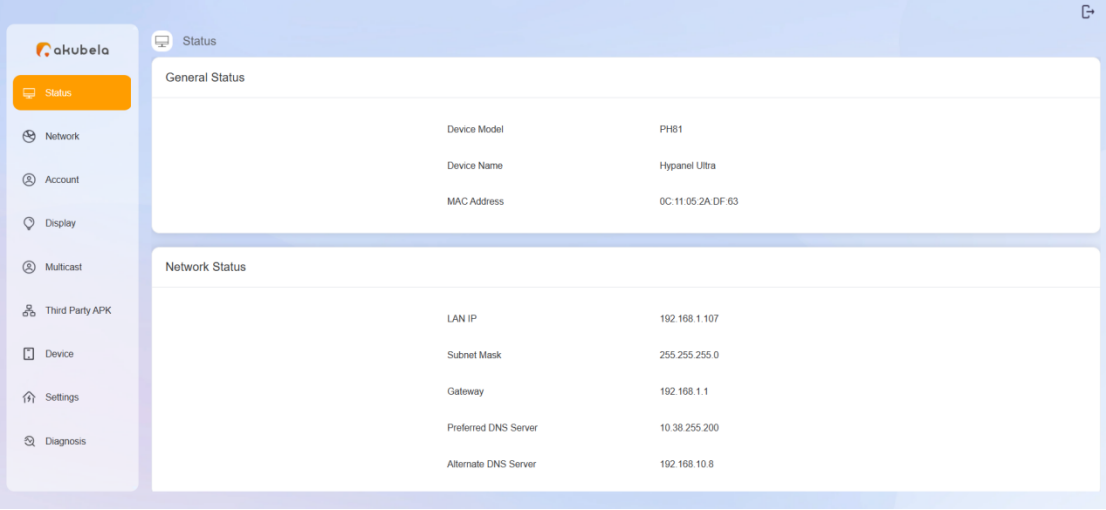
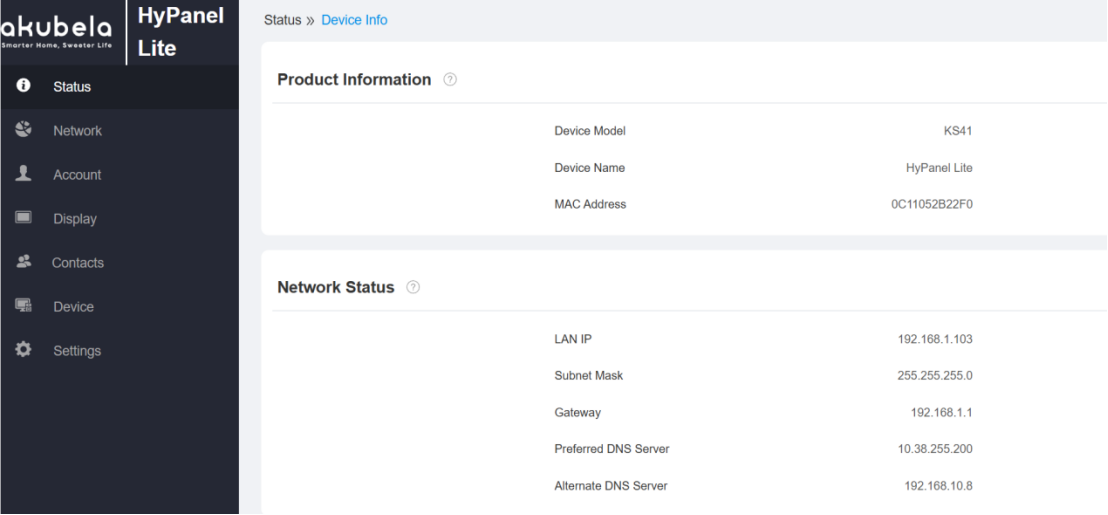
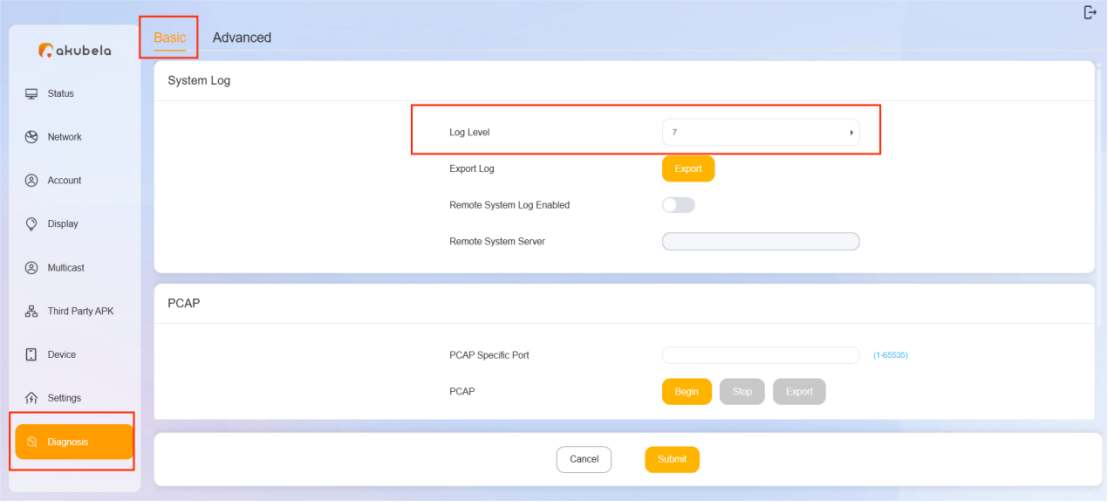
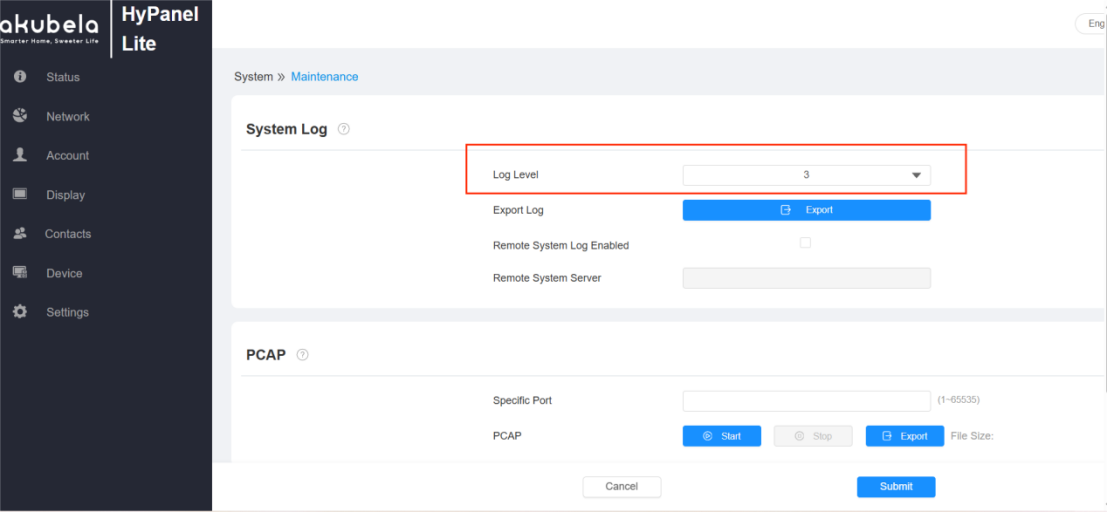
Depending on the web portal interface, follow one of the steps below:
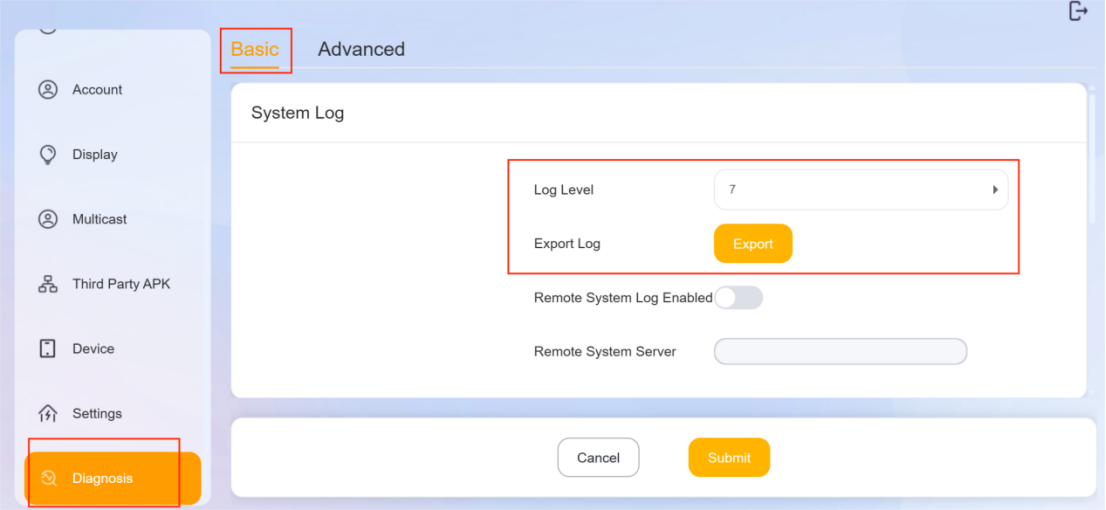
Go to Diagnosis > Basic > System Log, and set the log level to 7 (the highest level). The higher the level, the more detailed the log information.
Modify the last part of the URL to “8850” to open the configuration interface, and then set the log level to 7 (the highest level).

Reproduce the issue on the device. Perform the same actions that caused the malfunction so the system can capture detailed log data.
Click Export to download the system logs.
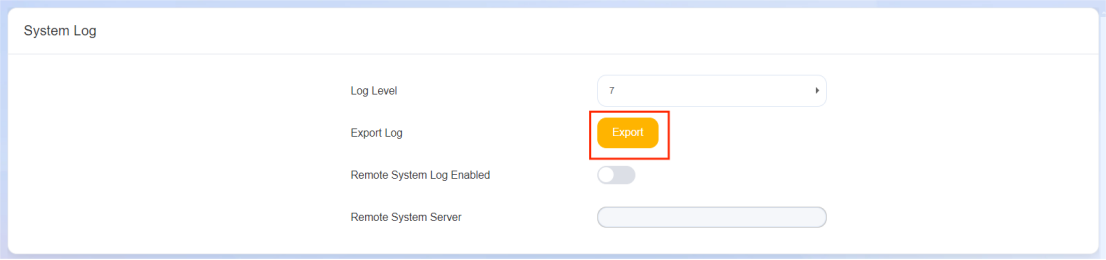
Send the logs to akubela technical support for further analysis and issue resolution.
Remote Log Export
NOTE:
The device must be connected to the cloud to use this method.
If you are off site and cannot access the same local network as the faulty device, you can use a temporary maintenance account to perform remote operations.
Contact the family administrator to request a temporary maintenance account.
TIP:
For the family administrator:
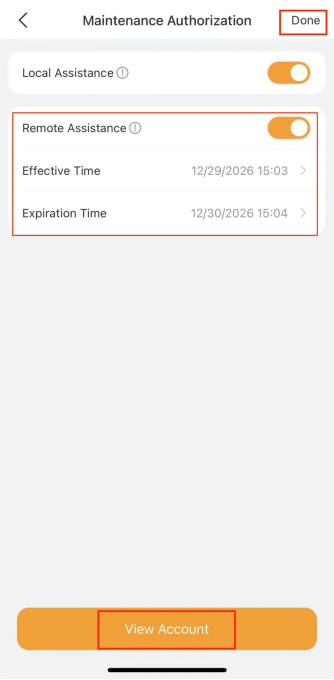
Log in to the BelaHome app with the administrator account, go to Me > Feedback > Grant Access, enable Remote Assistance, set the validity period, then tap Done to save.
Tap View Account to check and share the temporary maintenance account credentials.
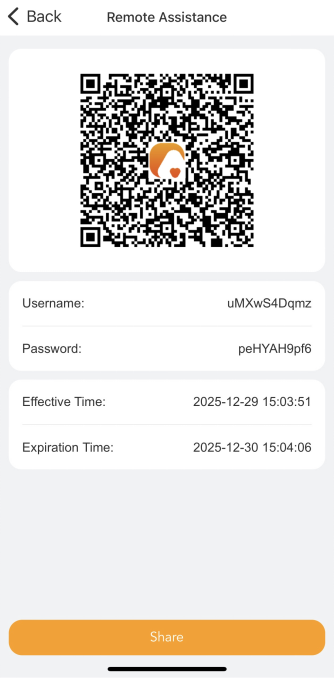
Open a web browser, go to https://my.akubela.com, and log in using the temporary username and password.
Find the required HyPanel and click Setting to enter its device web portal.
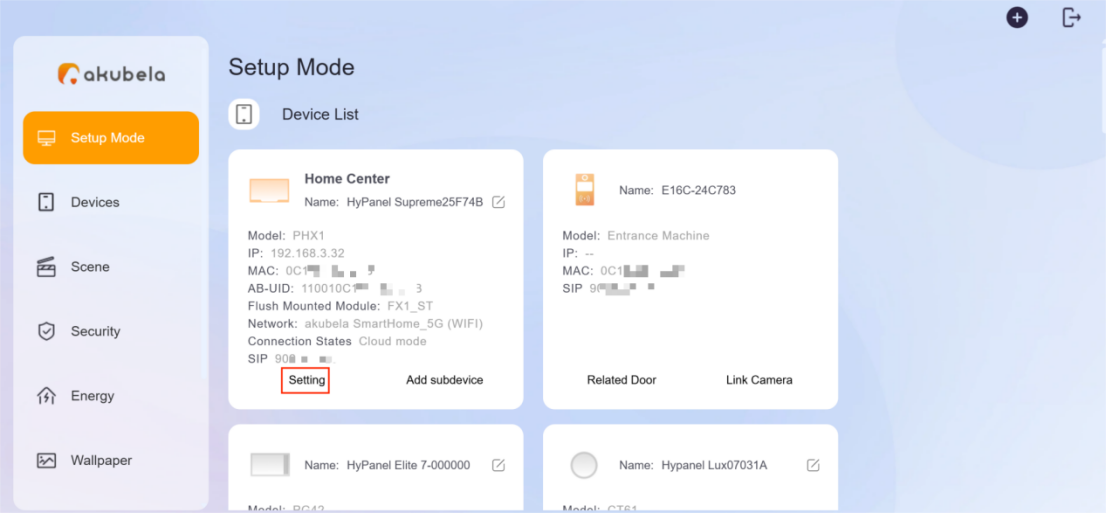
Go to Diagnosis > Basic > System Log, set the log level to 7 (highest) and click Export.