Service Type Overview
Before activating or renewing services, familiarise yourself with the service types available for each project. Refer back to this section whenever you need to identify what you are paying for.
Community Project
Service Type | Description |
App | SmartPlus Master App account |
PM App | SmartPlus Property Manager App account |
Additional App | SmartPlus family member account beyond the free number. The free number varies by project. |
Third Party Lock | iTec / Dormakaba lock integration |
Premium Plan | Optional advanced features: Package Room / Third-Party Camera / Bookings / Elevator Control / Smart Parking / Dynamic QR Code / Video Storage / Landline Service |
Sensor Detection Call Alert | Cloud alerting service for sensor-triggered events, such as fall detection or bed-exit alarms from MR01 sensor devices. |
Apple Wallet Pass | Unlock via the Apple Wallet Pass. Apple Wallet Access is activated through the Subscription > Renew section. After enabling the feature, select a subscription period (1–5 years) and complete the payment to activate it. |
Integration | Applied automatically when the project is integrated with a third-party property management system (PMS). Otherwise shown as Normal. |
Single-Family House Project
Service Type | Description |
App | SmartPlus Master App account |
Additional App | SmartPlus family member account beyond the free number. The free number varies by project. |
Third Party Lock | iTec / Dormakaba lock integration |
Premium Plan | Optional advanced features: Landline Service / Third-Party Camera / Dynamic QR Code / Video Storage |
Sensor Detection Call Alert | Cloud alerting service for sensor-triggered events, such as fall detection or bed-exit alarms from MR01 sensor devices. |
Commercial Project
Service Type | Description |
Door | Each access-controlled door beyond the first free door per project. Every Commercial project includes one free door; additional doors require payment. |
Personnel App | SmartPlus Personnel App account with the intercom feature enabled |
Admin App | SmartPlus Administrator App account with the intercom feature enabled |
Premium Features | Time Attendance Plan Elevator Control |
Sensor Detection Call Alert | Sensor-triggered call alerts (e.g., fall detection or bed-exit alarms from MR01 devices) |
Apple Wallet Pass | Unlock via the Apple Wallet Pass. Apple Wallet Access is activated through the Subscription > Renew section. After enabling the feature, select a subscription period (1–5 years) and complete the payment to activate it. |
Payment Method by Project Type
The payment method available depends on the project type:
Project Type | Supported Payment Method | Payment Source |
Community | Regular Payment | Stripe, PayPal, or Coupon |
Single-Family House | Regular Payment | Stripe, PayPal, or Coupon |
Commercial (created on/after June 1, 2025) | Credit Payment | Credits purchased from Akuvox |
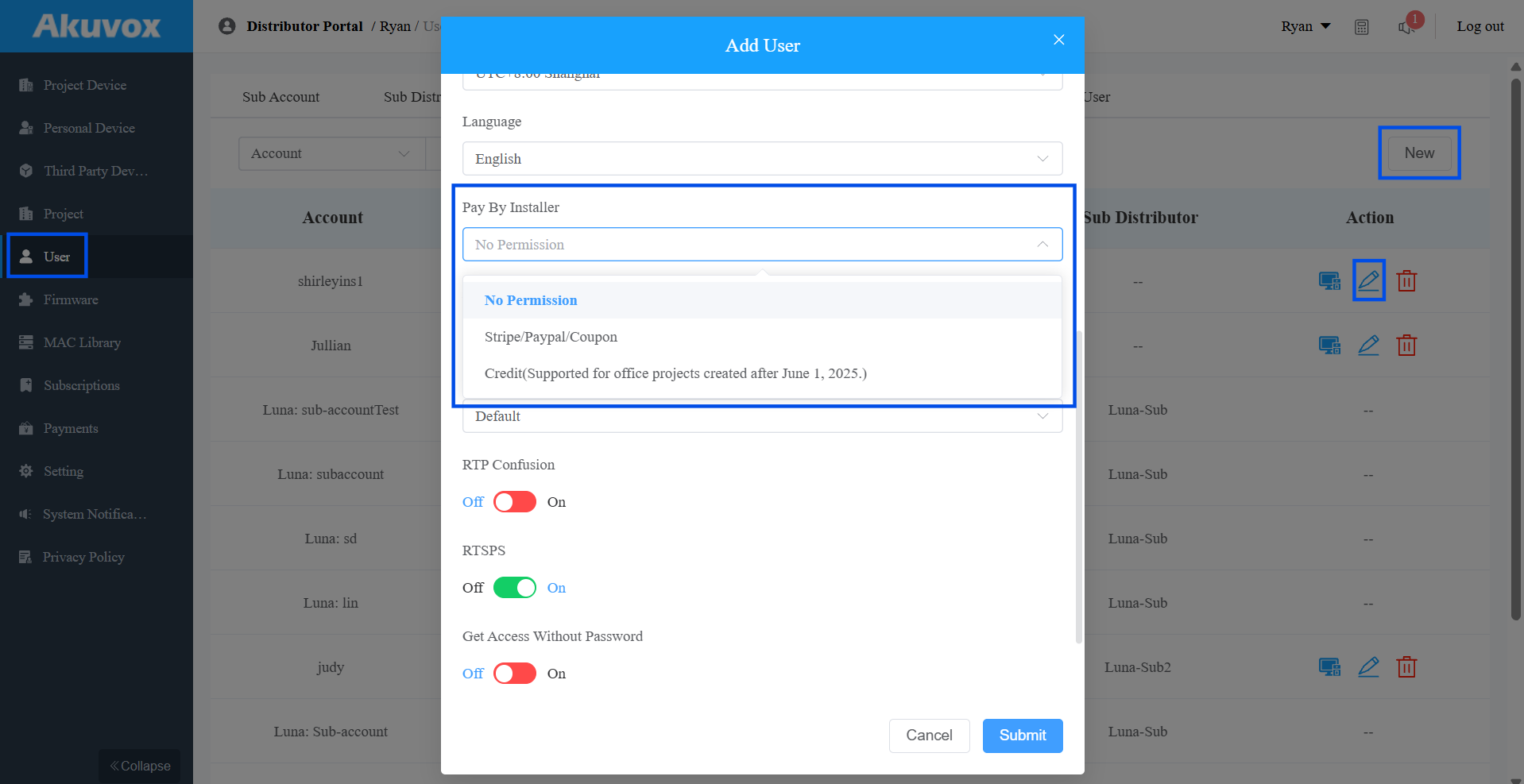
Besides, you can control whether installers have permission to pay.
Regular Payment
Log in to the SmartPlus Cloud platform with your account.
Click Subscription on the left column.
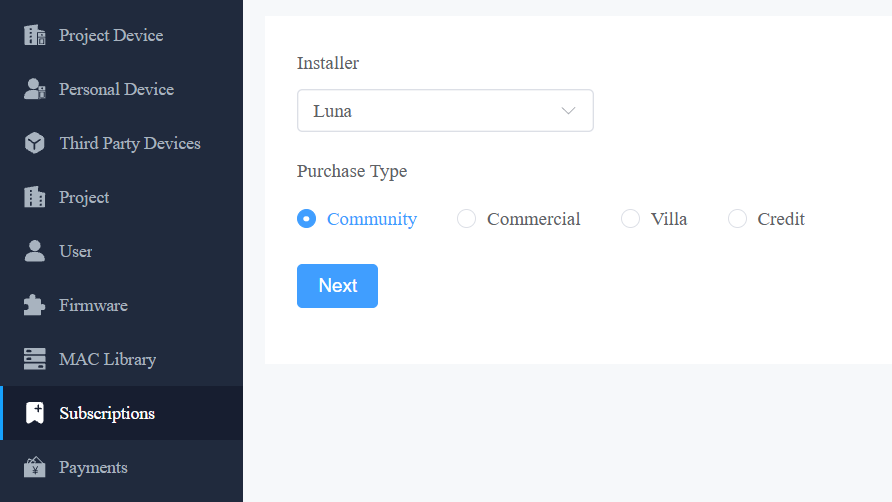
Choose the installer and project type.
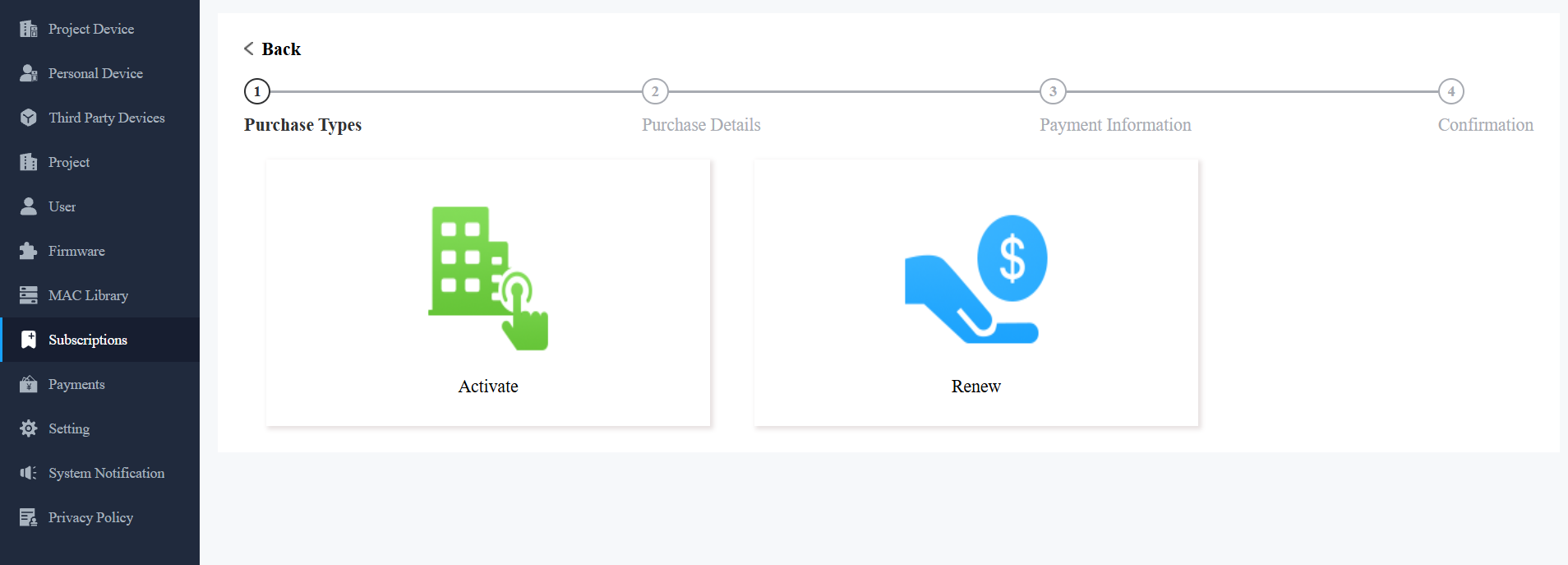
Choose to activate or renew services.
Select the target site or check them all.
Select the service type or select All. The price will be displayed.
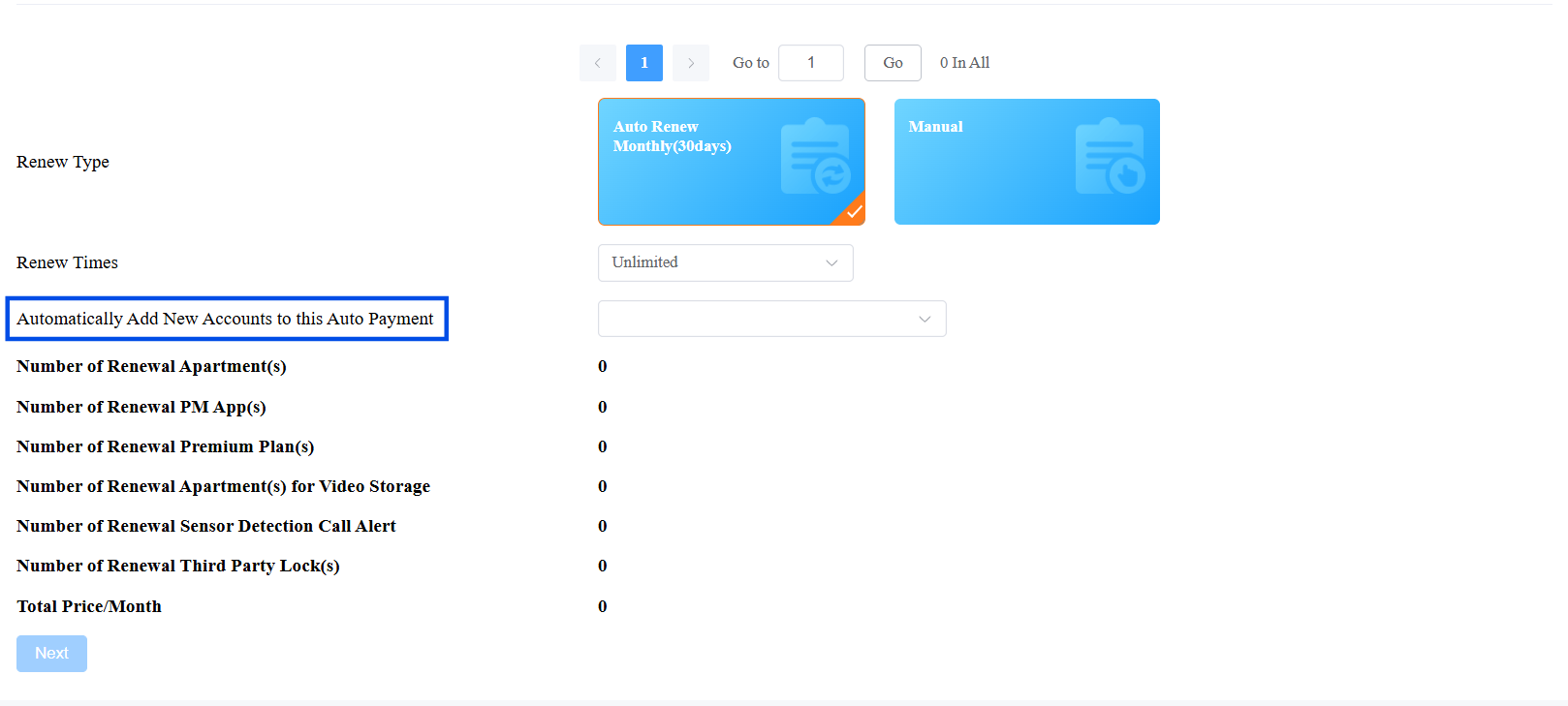
a. If Renew is selected, choose Auto Renew or Manual Renew.
b. Choose the renewal date. If Auto Renew is selected, renewal occurs every 30 days and extends the account's upcoming expiration date by 30 days.
Note
Automatically Add New Accounts to this Auto Payment is available when Automatic Renewal is selected for a Community. Enable this option to automatically include newly created family master accounts from the selected community in the auto payment subscription.
A community can only be included in one auto payment subscription. If the community is already included in another auto payment subscription, the option cannot be selected.
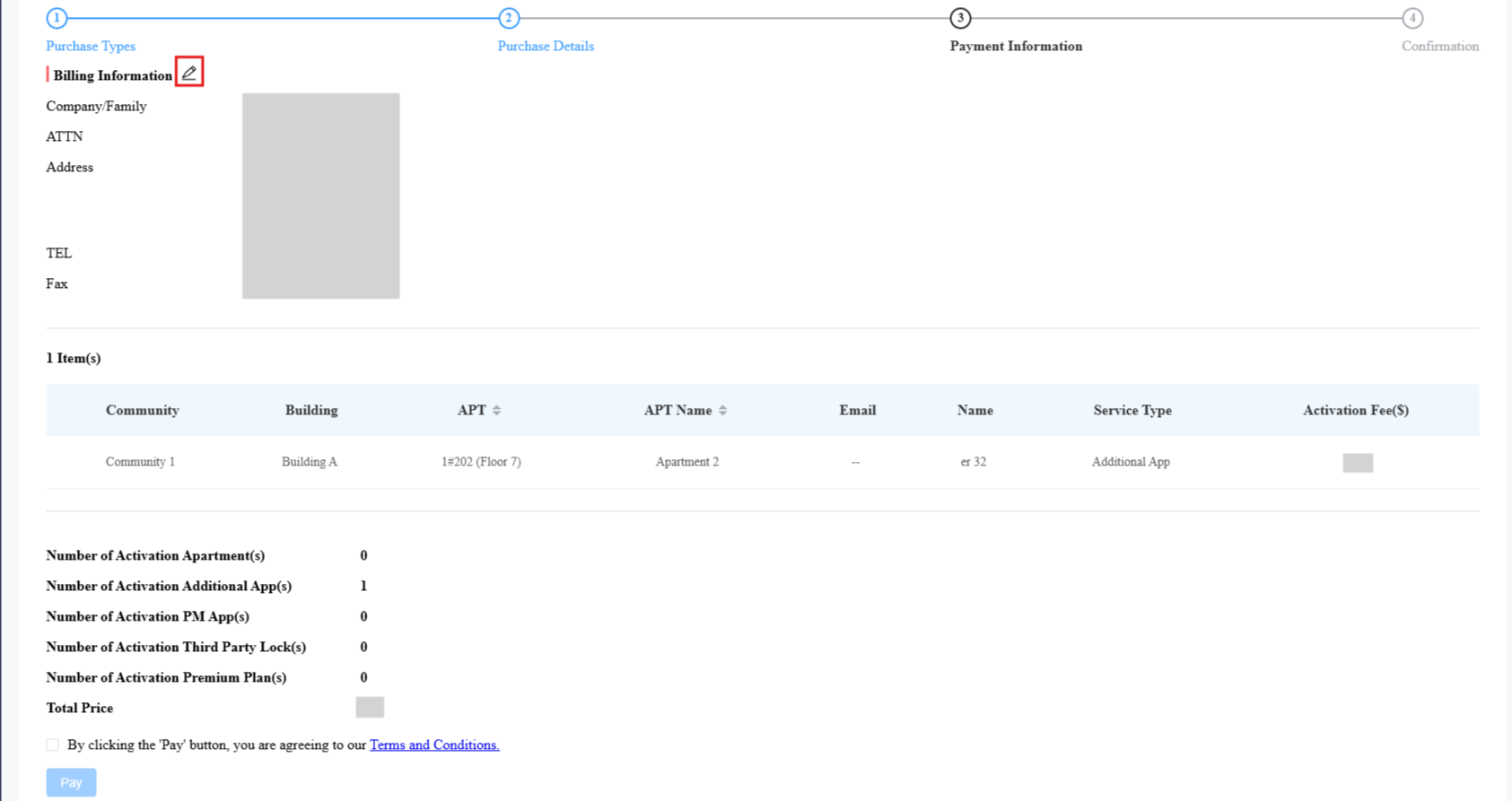
Click Next.
Click
 to complete the billing information before clicking Pay.
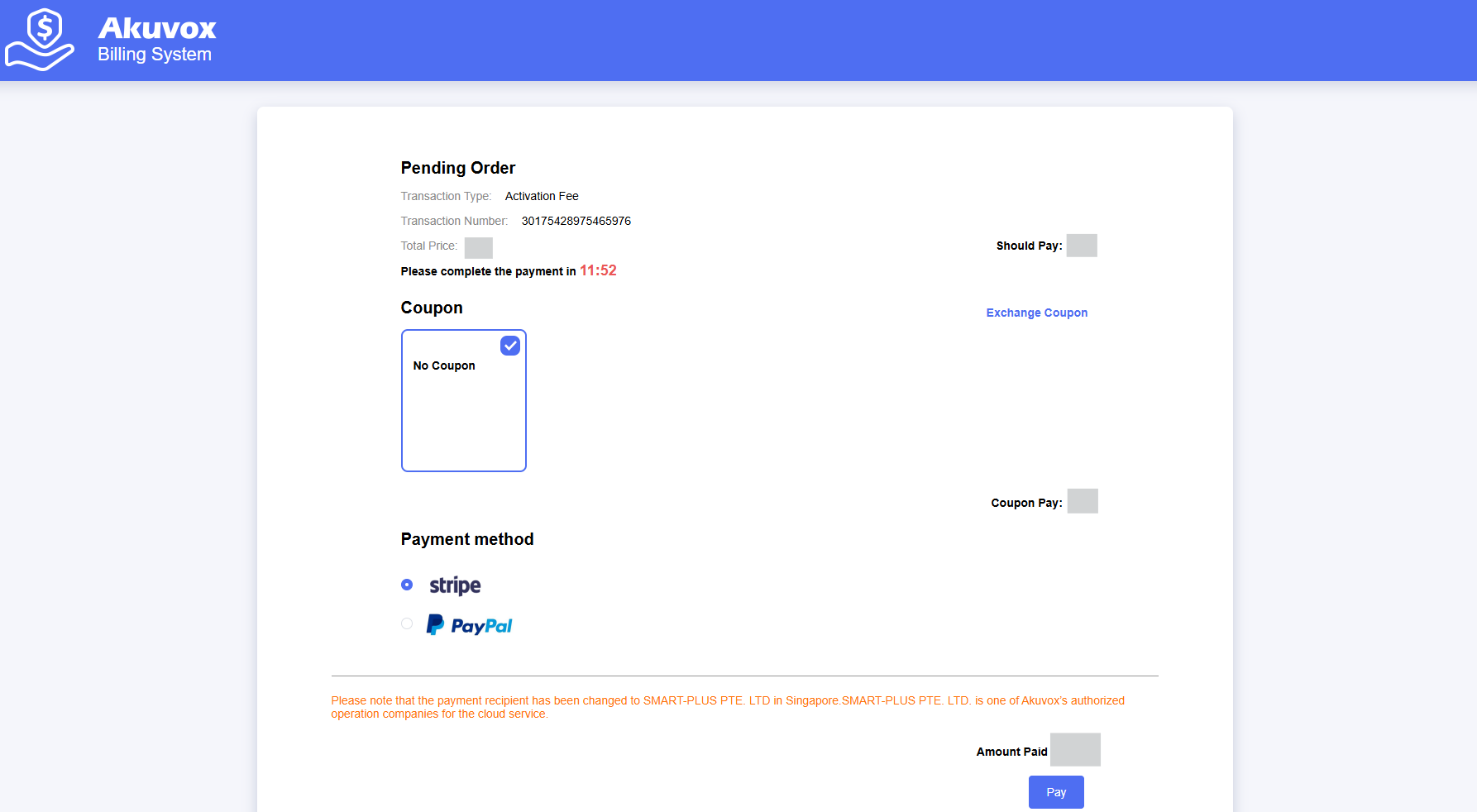
Choose the payment method. If coupons are available, you can check them.
Credit Payment
Credit payment is ONLY for commercial projects created after June 1, 2025.
Purchase Credits
Log in to the SmartPlus Cloud platform with your account.
Click Subscription on the left column.
Choose the desired installer and select Credit.
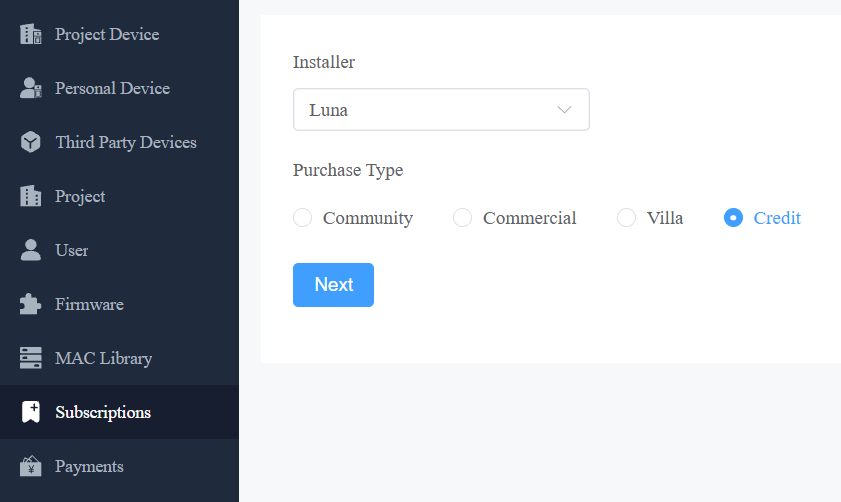
Specify the credit number and click Next.
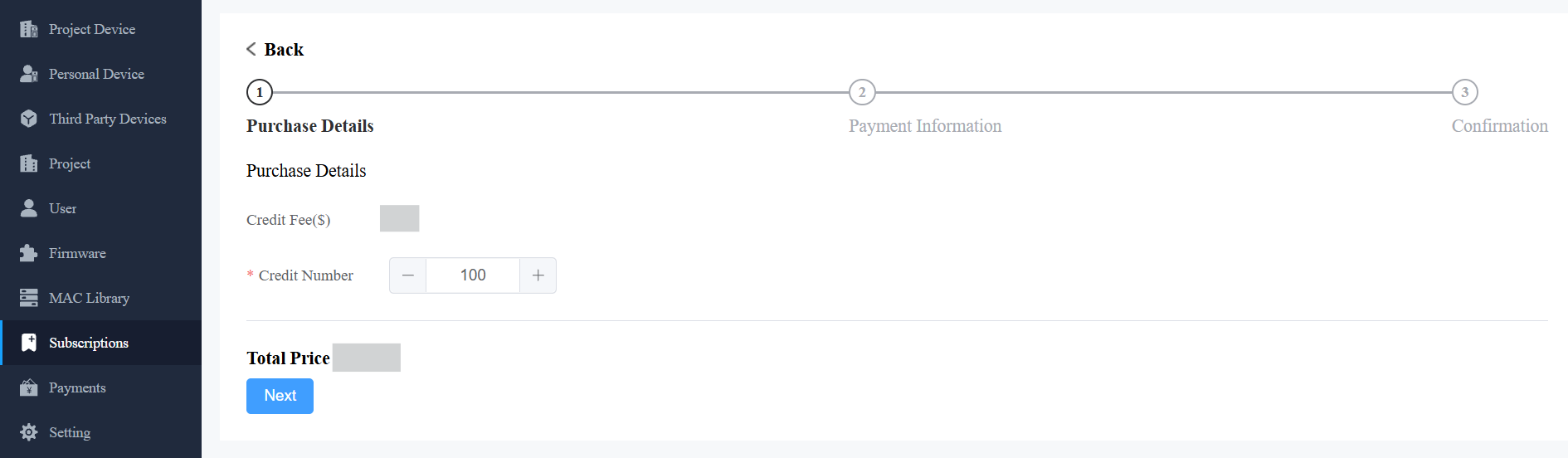
Check Terms and Conditions before clicking Pay.
Pay for the order with Stripe, PayPal, or a Coupon.
Allocate Credits
You can allocate credits to sub-distributors, installers, and PMs.
Click Settings > Credit Logs.
Check the available credits to be allocated. Click Assign.
Enter the number of assigned credits and select the user.
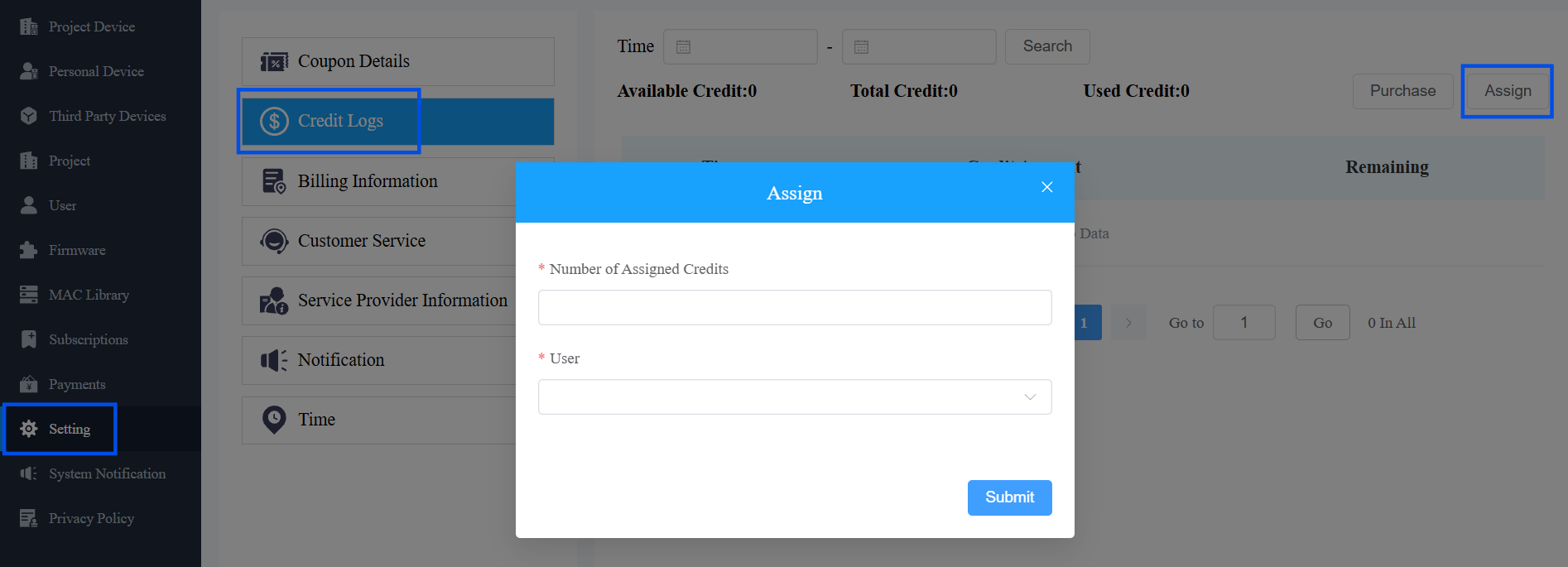
Click Submit.
Grant Permission to Installers
Log in to the SmartPlus Cloud with your account and click Users in the left column.
Select Installer.
Click New to create an installer account or click
 to modify an existing one.
Find the Pay by Installer option. Choose the payment method.