Managing Contact Group
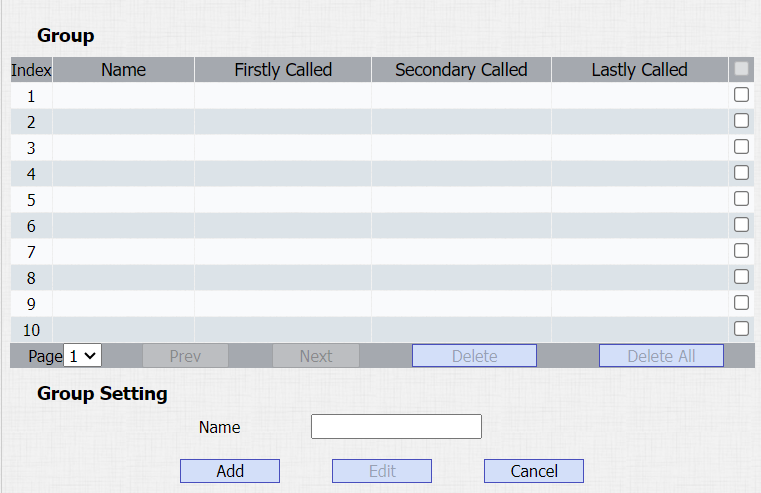
Vous pouvez créer et modifier un groupe de contacts pour les contacts. Le groupe de contact sera utilisé lorsque vous ajoutez un utilisateur.
Navigate to Contacts > Contacts List > Group.
Managing Contacts
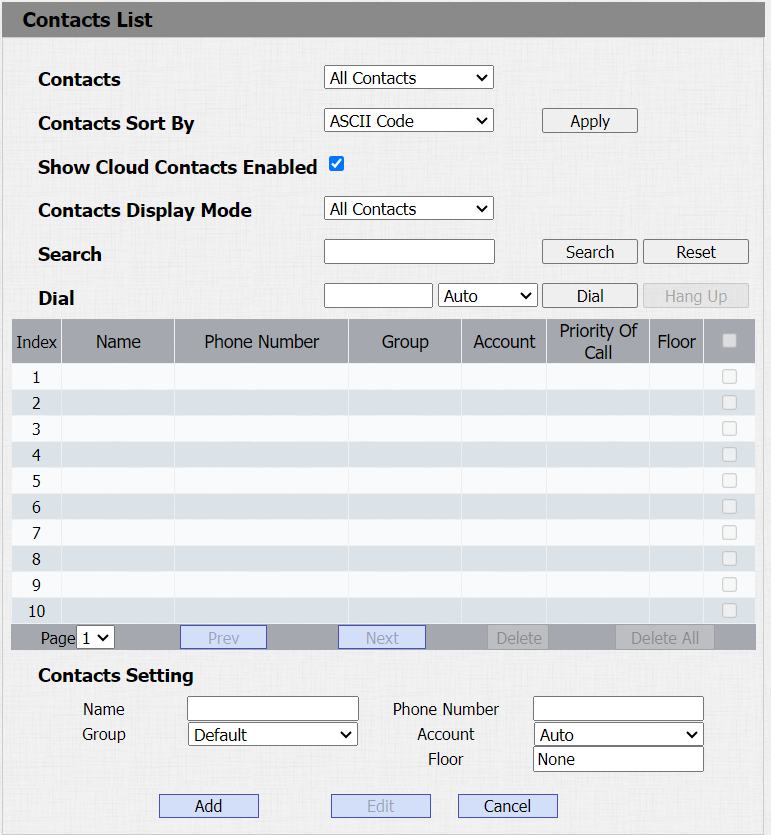
You can search, create, display, edit and delete the contacts in your phone book. Contacts > Contact List.
Parameters Set-up:
- Contact: you can choose to show all contact information or one group's contact information.
- Contacts Short By: there are three options ASCII Code, Room Number, and Import. If ASCII Code is selected, sort in ascending ASCII order, for example, 0-9, a-z, numbers take precedence over letters. Not case sensitive, but the same letter, lowercase is sorted before uppercase. If Room Number is selected, sort by room name. If there is no room name, the room number is taken as the room name by default. The room number is available after enabling Cloud contact. If Import is selected, sort by contacts in the imported file.
- Search: enter the key number or key letter of the name to quickly search the contact.
- Dial: enter a phone number, then click Dial to initiate the call from the web.
- Group: click the green tab to select the group name you have created. You cannot select the group name if no group name has been created.
- Account: select which SIP account will be used to call out. If using IP direct call, it is not available.
- Priority of Call: up to 3 numbers in one group and set up the call sequence for these numbers.
Export/Import Contacts
Vous pouvez facilement importer et exporter des contacts pour une gestion rapide.
You can go to Contacts > Contacts List.
