Les informations de contact locales sont utilisées pour initier des appels SIP ou IP vers d’autres dispositifs d’interphone. Vous pouvez regrouper les coordonnées pour faciliter les appels de groupe. De plus, vous pouvez ajouter l’URL de la caméra de l’appareil cible, permettant aux utilisateurs de visionner son flux en direct pendant un appel ou un aperçu d’appel.
On the Device
You can add, edit, and delete contacts on the device More > Contacts > Local Contacts screen directly.
Add Contact Group
Press New to add a contact group.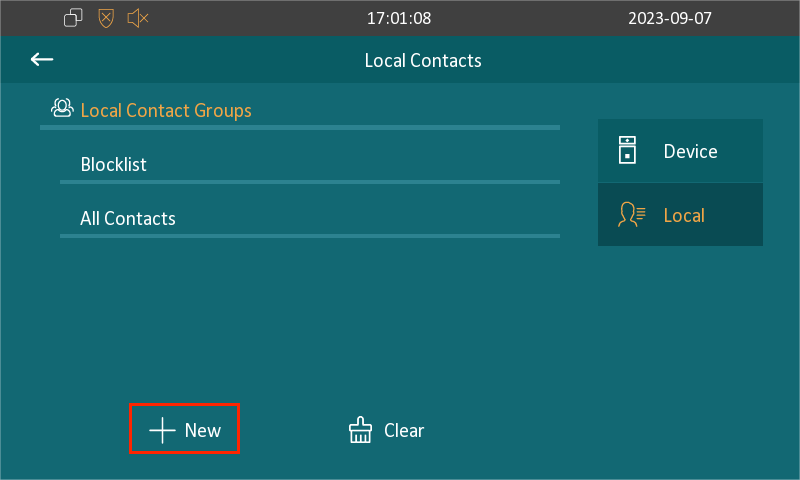
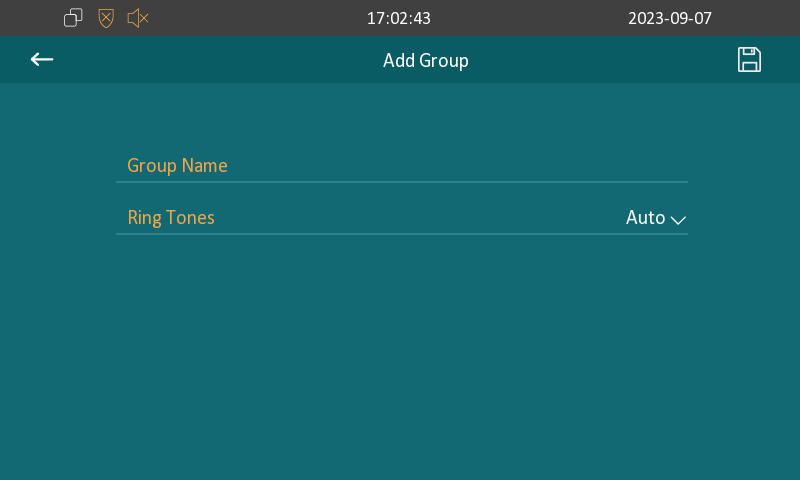
Group Name: Set the group name.
Ring Tones: The phone ringtone for incoming calls.
Add Contacts
Press the desired group and then New.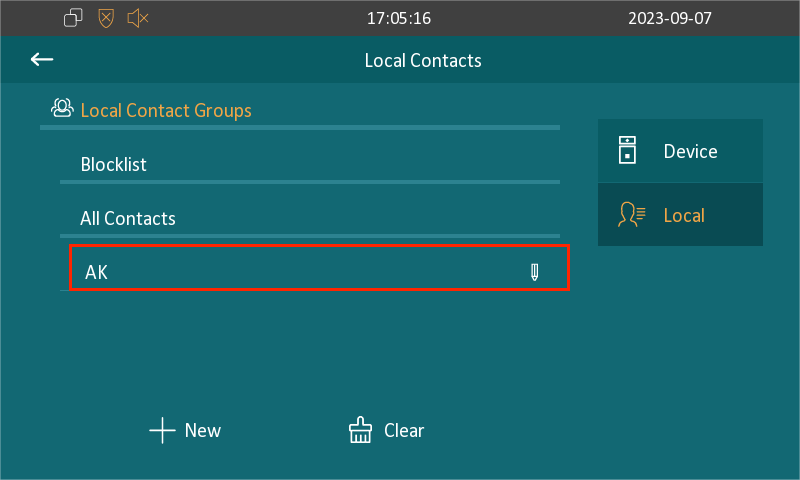
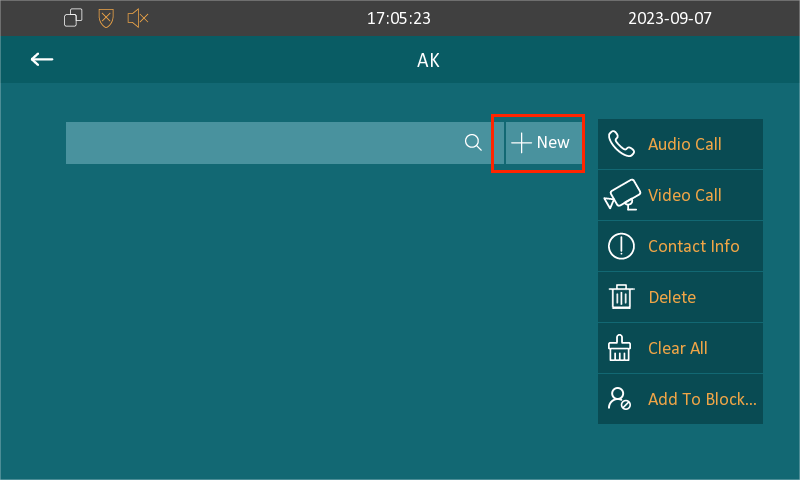
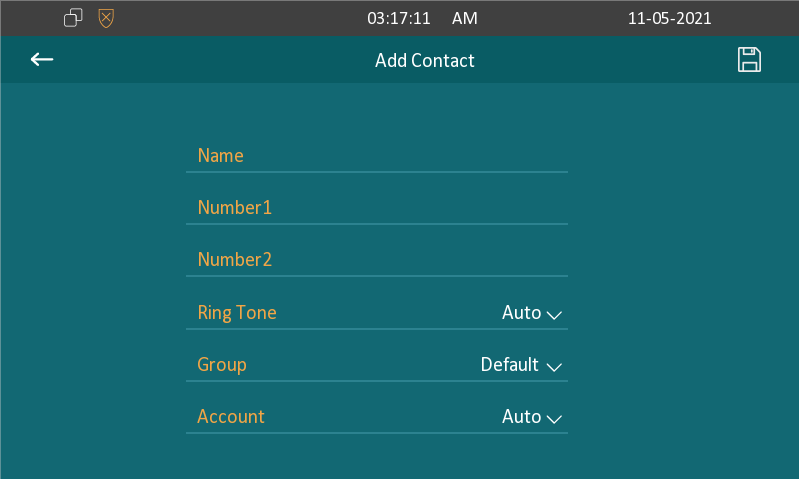
Name: The contact name.
Number 1/2: The IP or SIP number.
Ring Tone: The phone ringtone for incoming calls.
Group: Assign the contact to a group.
Account: The account to make the call, Account 1 or Account 2. Auto will adopt the registered account to make the call. If both accounts are registered, account 1 is the default option.
Edit Contacts
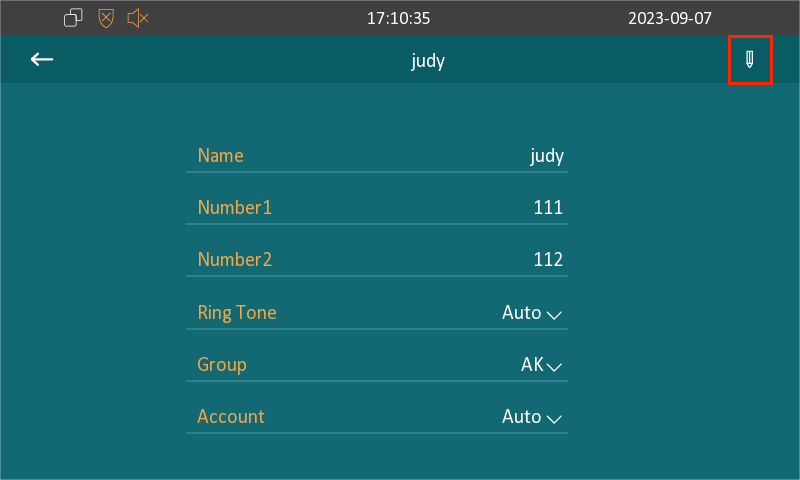
Select the existing contact and press the Contact Info and Edit icon to modify.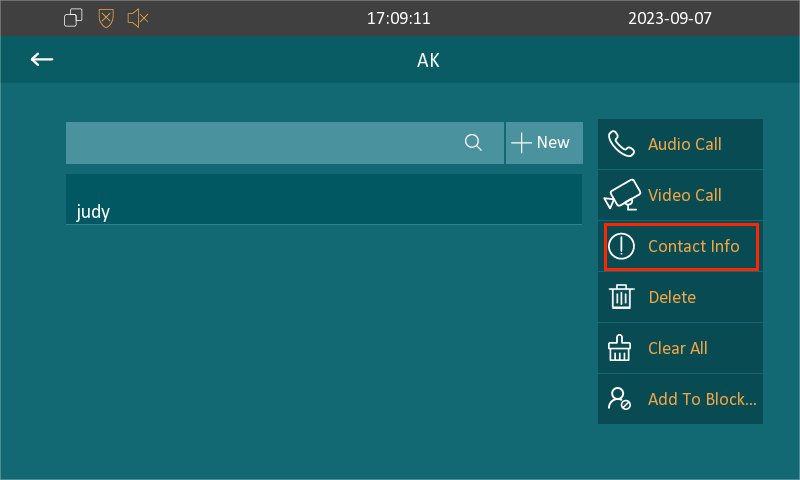
Blocklist a Contact
Vous pouvez choisir dans la liste de contacts le contact que vous souhaitez ajouter à la liste de blocage.
Incoming calls from the contacts in the blocklist will be rejected. Select the contact and press Add To Blocklist.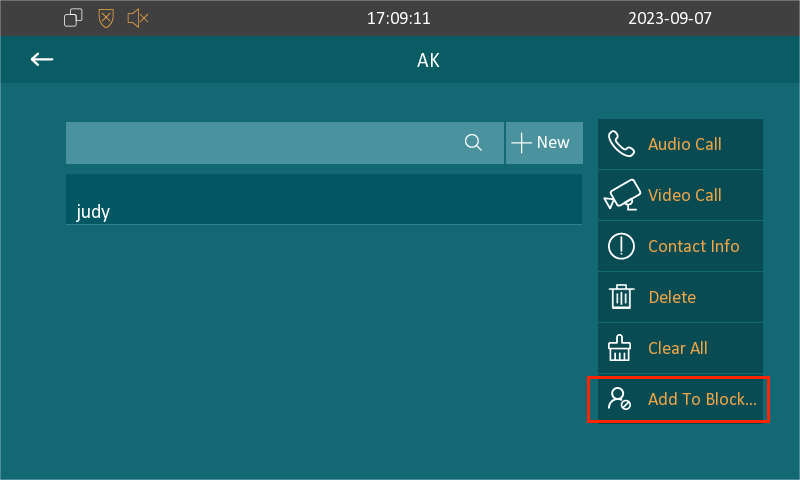
Note
You can delete contacts regardless of whether it is in Blocklist.
On the Web Interface
Add Contact Groups
Vous pouvez créer et modifier un groupe de contacts pour les contacts. Le groupe de contact sera utilisé lorsque vous ajoutez un utilisateur.
Set it up on the Contacts > Local Contacts > Group interface.
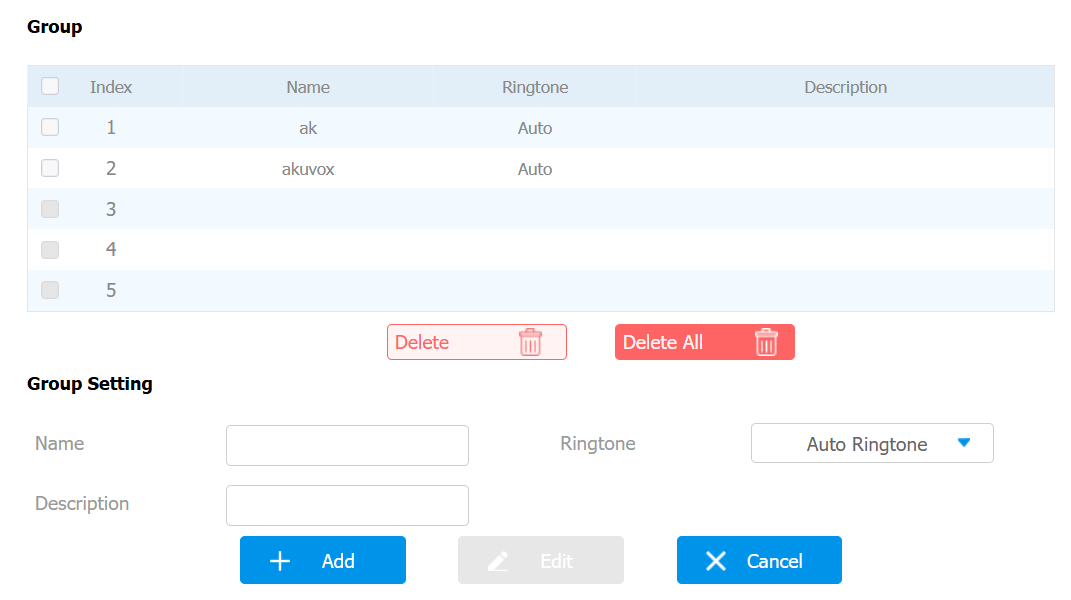
Name: Set the group name.
Ringtone: The phone ringtone for incoming calls.
Description: You can add remarks to the group.
Add Local Contacts
You can add, edit, and search local contacts on the device's web interface. To add contacts, go to Contacts > Local Contacts > Local Contacts List interface. Click Add after filling in the contact information.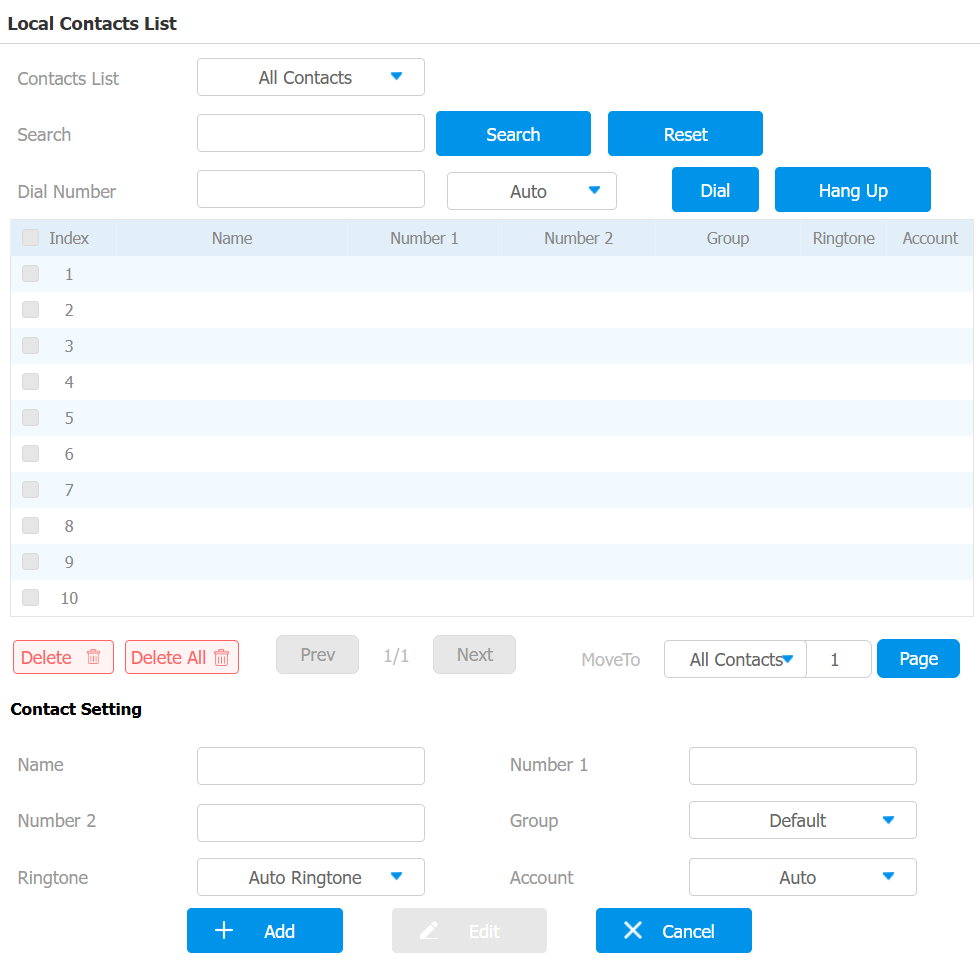
Contacts List: All Contacts displays all the contacts in the contact list. Blocklist displays the contacts in the blocklist.
Search: Search for a contact by its name or number.
Name: The contact's name to distinguish it from others.
Number 1/2: The SIP or IP number of the contact.
Group: Calls from contacts in the Blocklist will be rejected.
Ringtone: The ringtone for the incoming call from the contact.
Account: The account to make the call, Account 1 or Account 2.
Blocklist a Contact
Vous pouvez définir la liste de blocage directement dans la liste de contacts de l’interface web ou la définir lors de la modification d’un contact.
Set it up on the Contacts > Local Contacts > Local Contacts List interface.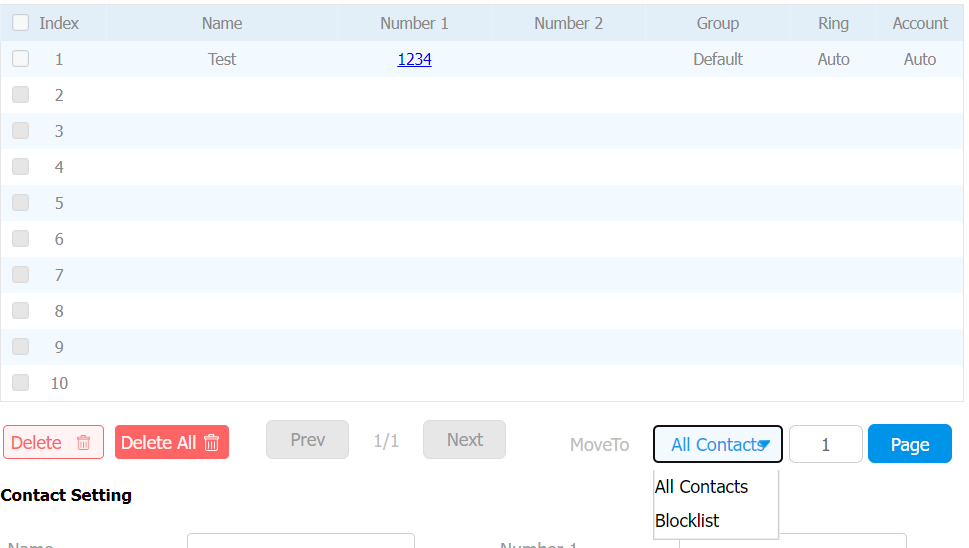
Note
To remove the contact from the blocklist, change the group to Default when editing the contact.
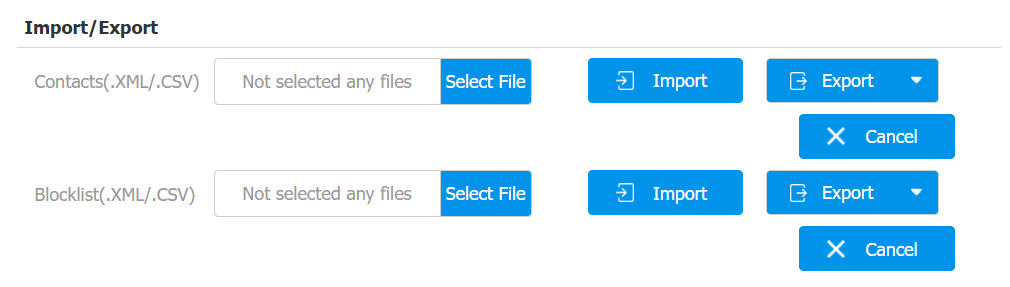
Import and Export Contacts
You can import and export contacts in batches. The file should be in .xml or .csv format.
To import or export contacts, go to Contacts > Local Contacts > Import/Export interface.
Contact Display
Vous pouvez configurer l’ordre d’affichage des contacts et contrôler l’affichage du dispositif de découverte sur l’appareil.
Go to Contacts > Local Contacts interface.

Contacts Sort By:
Default: The local contacts will be displayed before those from SmartPlus, SDMC, etc.
ASCII Code: The contacts will be displayed in order based on the first letter of the contact names.
Created Time: The contacts will be displayed by their created time.
Show Local Contacts Only: If enabled, only the local contacts will be displayed. If disabled, all the contacts from SmartPlus Cloud, SDMC, and so on will be displayed.