System Log for Debugging
Les journaux système peuvent être utilisés à des fins de débogage.
Set it up on the Upgrade > Advanced > System Log interface.
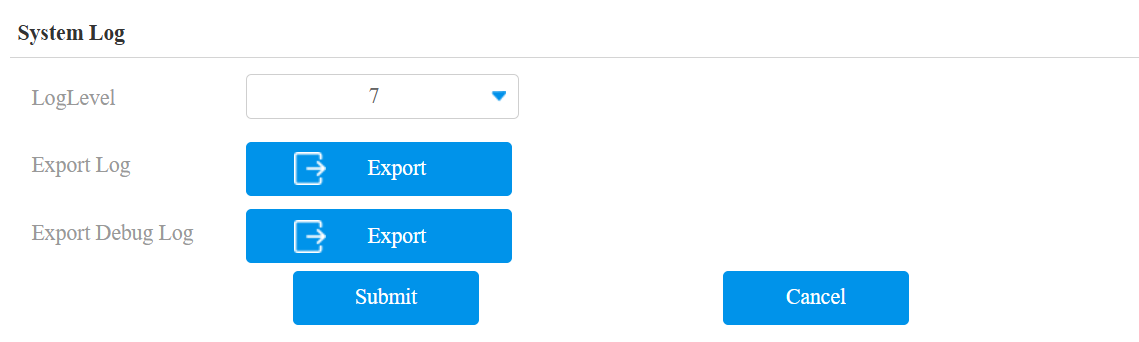
Log Level: Select log levels from 1 to 7. You will be instructed by Akuvox technical staff about the specific log level to be entered for debugging purposes. The default log level is 3. The higher the level is, the more complete the log is.
Export Log: Click the Export tab to export the temporary debug log file to a local PC.
Export Debug Log: Click the Export tab to export the debug log file to a local PC.
Remote Debug Server
Lorsque l’appareil rencontre un problème, vous pouvez utiliser le serveur de débogage distant pour accéder à distance au journal des appareils à des fins de débogage.
Set it up on the Intercom > Advanced > Remote Debug Server interface.
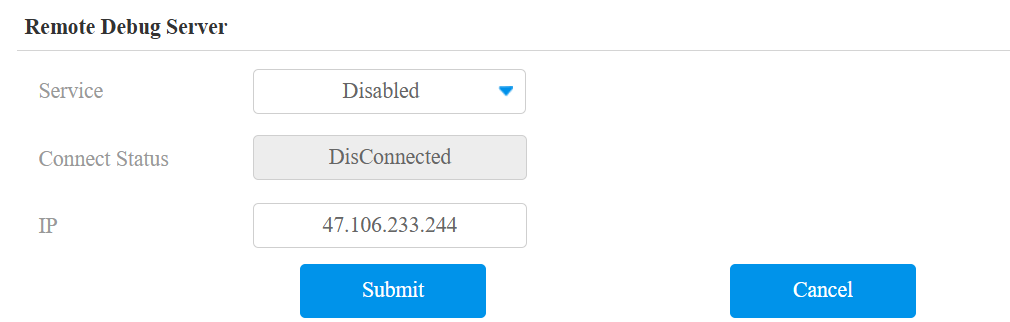
Connect Status: Display the connection status between the device and the server.
IP: Enter the IP address of the server.
PCAP for Debugging
Le PCAP est utilisé pour capturer le paquet de données entrant et sortant des appareils à des fins de débogage et de dépannage.
Set it up on the Upgrade > Advanced > PCAP interface.
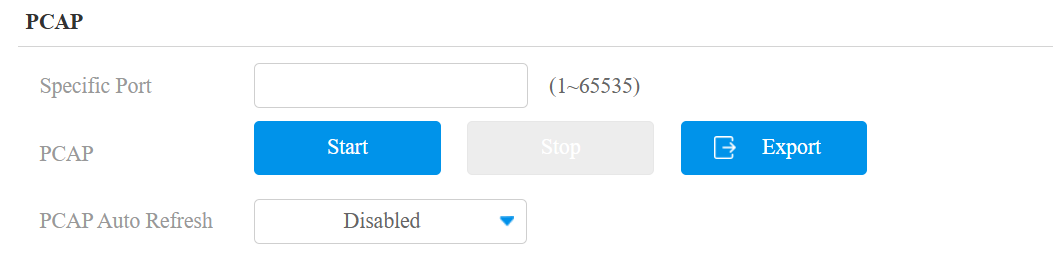
Specific Port: Select the specific ports from 1-65535 so that only the data packet from the specific port can be captured. You can leave the field blank by default.
PCAP: Click the Start tab and Stop tab to capture a certain range of data packets before clicking the Export tab to export the data packets to your Local PC.
PCAP Auto Refresh: If it is enabled, then the PCAP will continue to capture data packets even after the data packets reach their 1M maximum in capacity. If it is disabled, the PCAP will stop data packet capturing when the data packet captured reaches the maximum capturing capacity of 1MB.
Web Call
La fonction d’appel web permet de passer des appels via l’interface web de l’appareil, couramment utilisée pour les tests d’appels à distance.
Make a web call on the Upgrade > Advanced interface. Enter the target number and click Dial Out to call.

Ping
L’appareil vous permet de vérifier l’accessibilité du serveur cible.
To set it up, go to the Upgrade > Advanced > Ping interface.
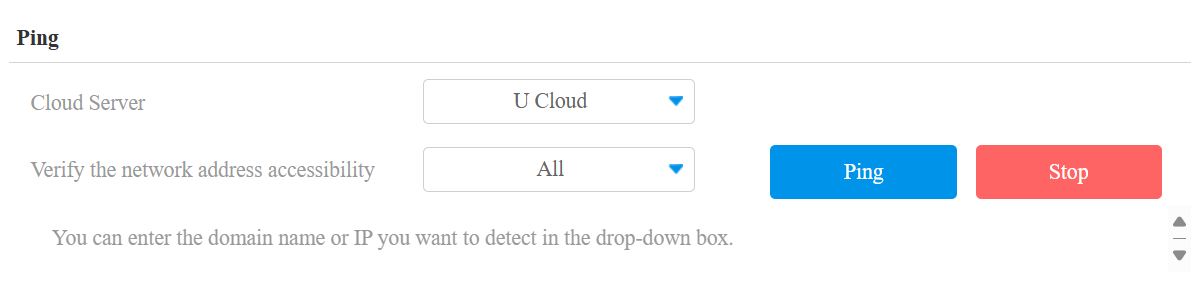
Cloud Server: The server to be verified.
Verify the network address accessibility: The service type includes TCP connection, FTP service, SIP service, etc. You can select the service type or enter it manually.