Lorsque vous configurez l’appareil pour la première fois, vous devrez peut-être définir le langage selon vos besoins ou vous pouvez le faire plus tard si nécessaire. Et le langage peut être configuré directement sur l’appareil ou sur l’interface web de l’appareil selon vos préférences.
Language Setting
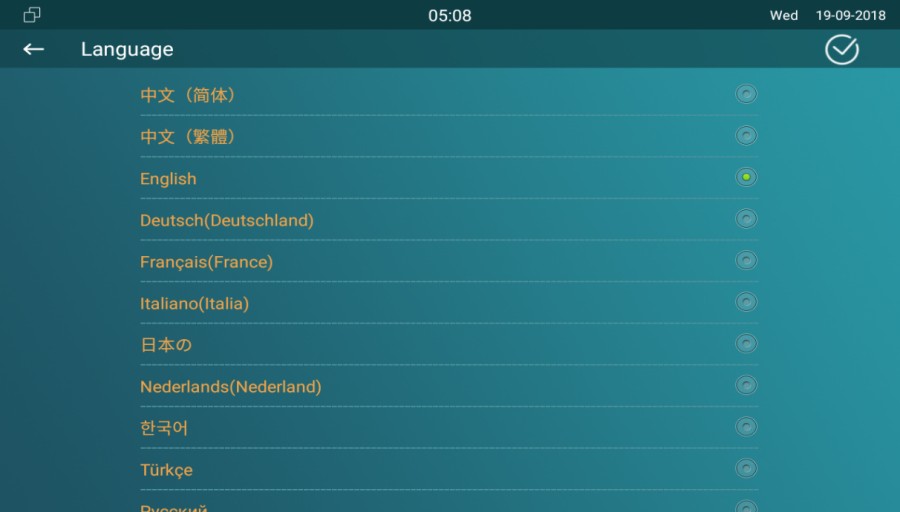
Language Setting on the Device
To configure the language display on the device Setting > Language screen.
Language Setting on the Device Web Interface
To configure the language display on the device web Phone > Time/Lang interface.

Time Setting
Les réglages horaires, y compris le fuseau horaire, le format de date et d’heure, et plus encore, peuvent être configurés soit sur l’appareil, soit sur l’interface web.
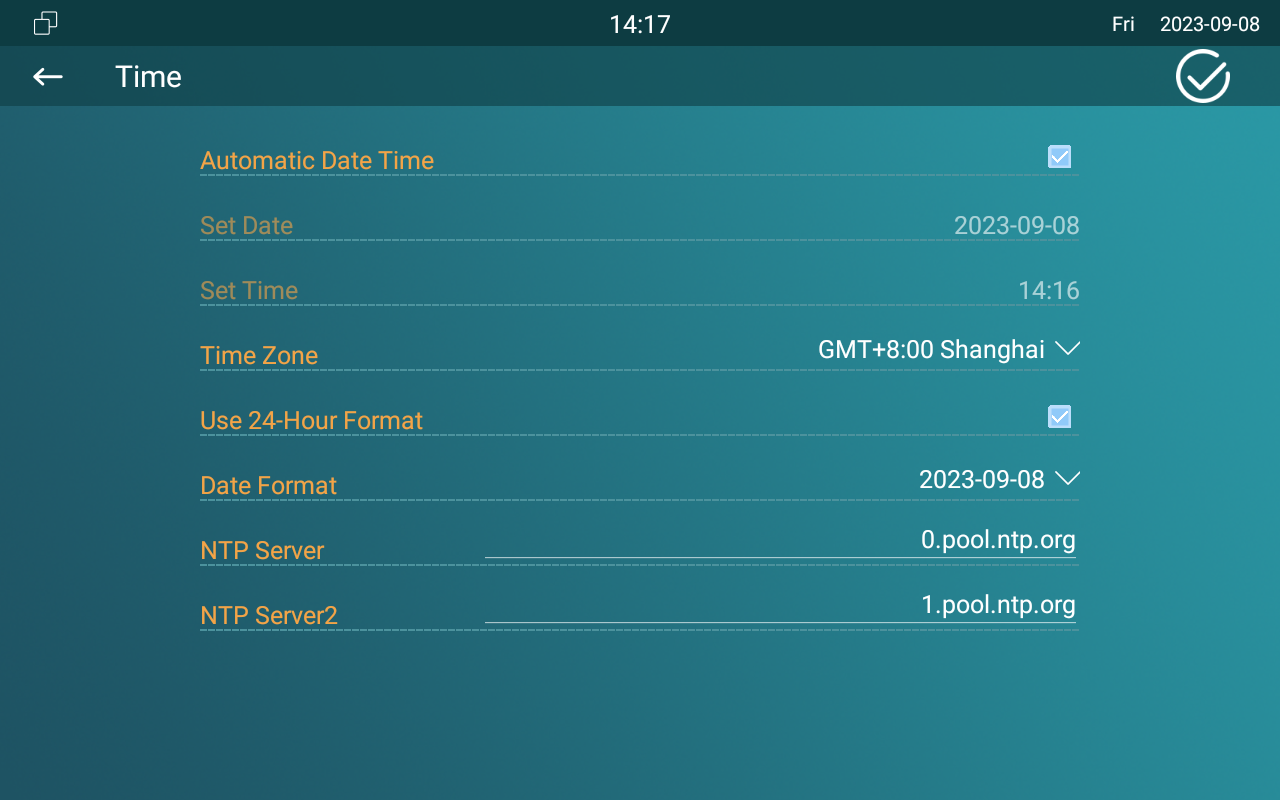
Time Setting on the Device
To set up time setting on the device Setting > Time screen.
Parameter Set-up:
- Automatic Date Time: NTP-based automatic date time is switched on by default, which allows the date& time to be automatically set up and synchronized with the default time zone and the NTP server (Network Time Protocol). You can also set it up manually by ticking the check box and then entering the time and date you want and pressing the Save tab to save the setting.
- Set Date: enter the date when it is in manual mode.
- Set Time: enter the time when it is in manual mode.
- Use 24-Hour Format: tick the checkbox to select 24-hour time format.
- Time Zone: select the specific time zone depending on where the device is used. The default time zone is GMT+0.00.
- Date Format: select the date format you like among the three format options. The six formal options are Y-M-D, Y/M/D, D-M-Y, D/M/Y, M-D-Y, M/D/Y.
- Time Format: select 12-hour or 24-hour time format as you like.
- NTP Server: enter the NTP server you obtained in the NTP server field.
- When the NTP-based automatic date time is switched off, then parameters related to NTP server will become non-editable. And when it is switched on, then time and date will be denied editing.
Time Setting on the Device Web Interface
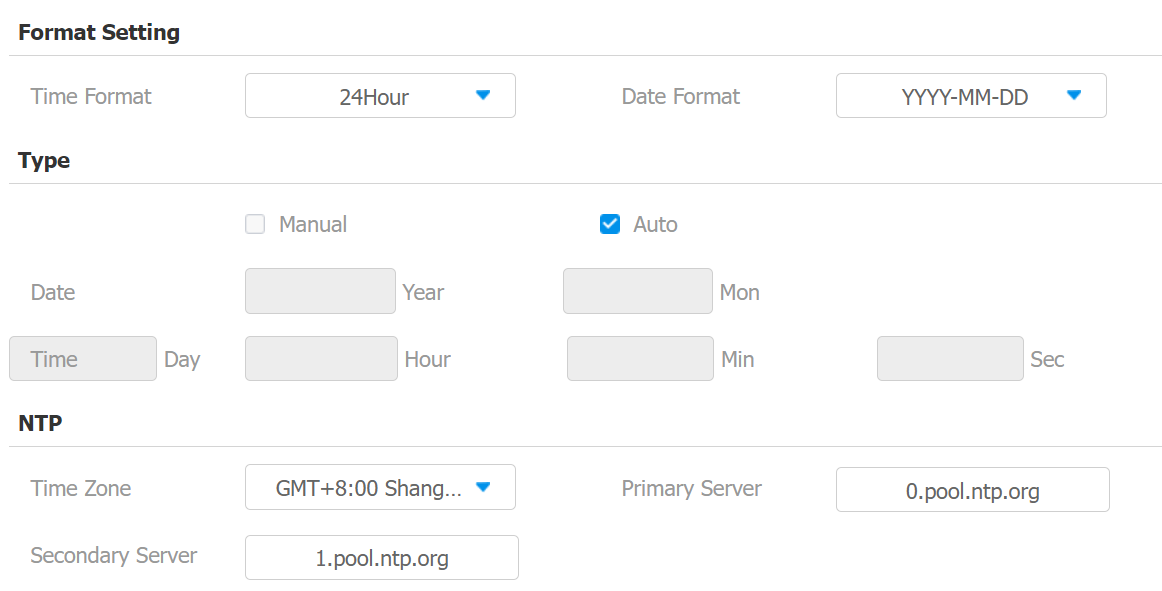
Les réglages d’heure de l’interface web permettent de configurer l’adresse du serveur NTP pour une synchronisation automatique de l’heure et de la date. Une fois un fuseau horaire sélectionné, l’appareil notifiera le serveur NTP du fuseau horaire choisi, lui permettant de synchroniser les réglages du fuseau horaire sur votre appareil.
Navigate to Phone > Time/Lang web interface.
Parameter Set-up:
- NTP Server: enter the NTP server you obtained in the NTP server field.