Language
Configurez la langue lors de la configuration initiale de l’appareil ou plus tard via l’appareil ou l’interface web selon vos préférences.
On the Web
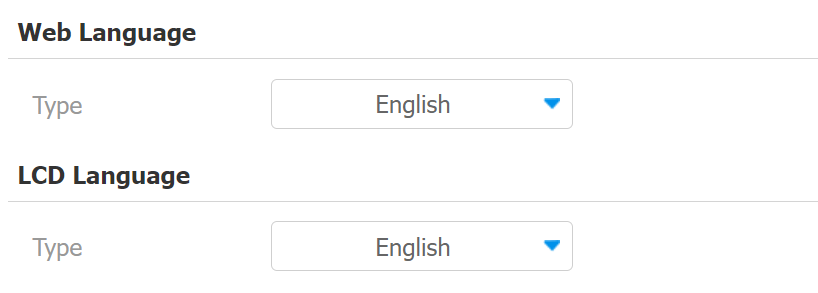
Select the LCD language on the Phone >Time/Lang > Web/LCD Language interface.
The device LCD supports the following languages:
English, Traditional Chinese, Spanish, Danish, French, Czech, Traditional Chinese, Turkish, German, Japanese, Ukrainian, Korean, Dutch, and Hungarian.
Select the device web language on the Phone > Time/Lang > Web Language interface.
The device web supports the following languages:
Simplified Chinese, Traditional Chinese, English, Spanish, Dutch, French, German, and Japanese.
On the Device
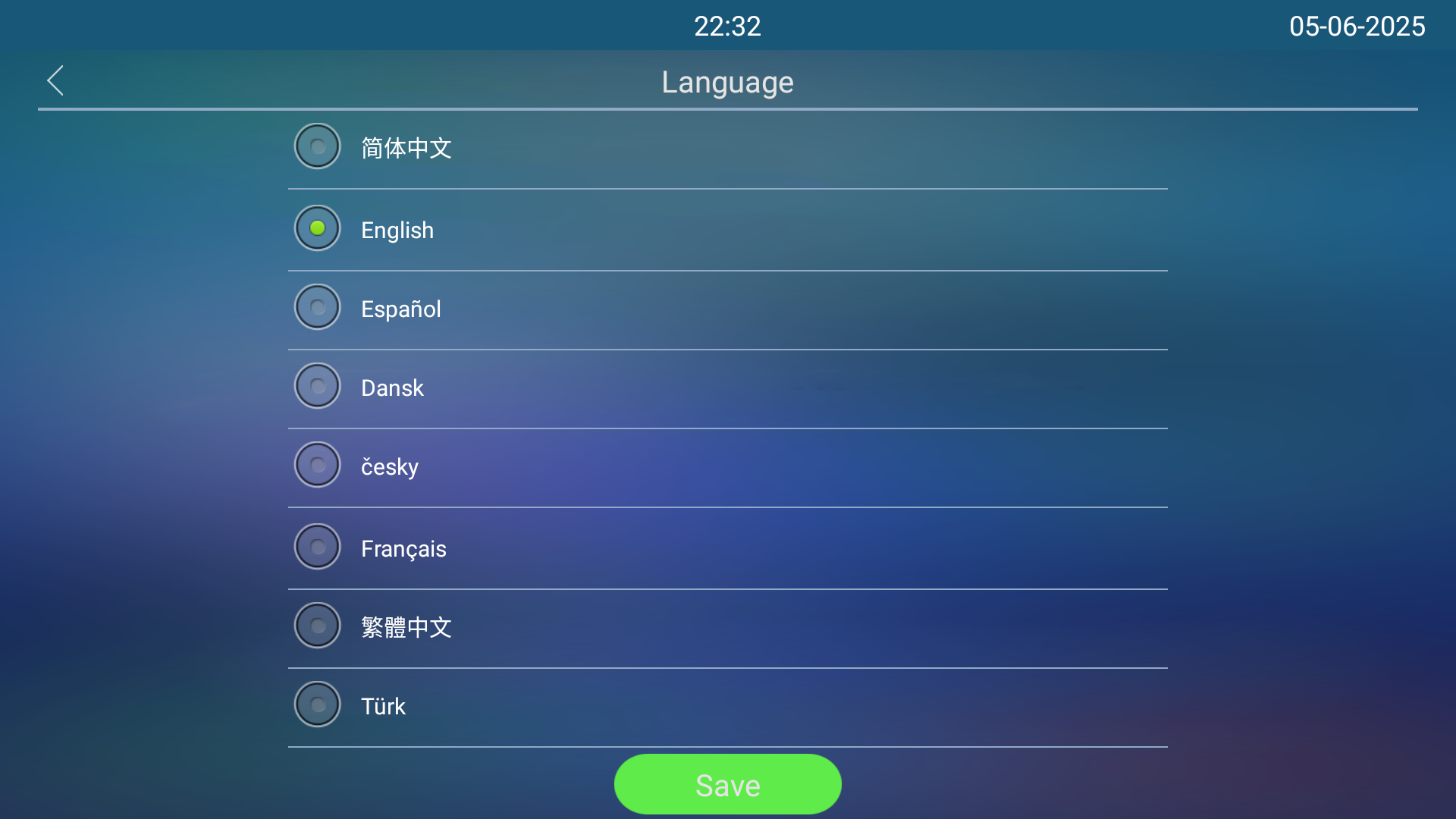
Select the LCD language on the Setting > Language screen.
Time
Les réglages horaires, y compris le fuseau horaire, le format de date et d’heure, et plus encore, peuvent être configurés soit sur l’appareil, soit sur l’interface web.
On the Web
Les réglages d’heure de l’interface web permettent de configurer l’adresse du serveur NTP pour une synchronisation automatique de l’heure et de la date. Une fois un fuseau horaire sélectionné, l’appareil notifiera le serveur NTP du fuseau horaire choisi, lui permettant de synchroniser les réglages du fuseau horaire sur votre appareil.
Set up time on the Phone >Time/Lang >Time interface.
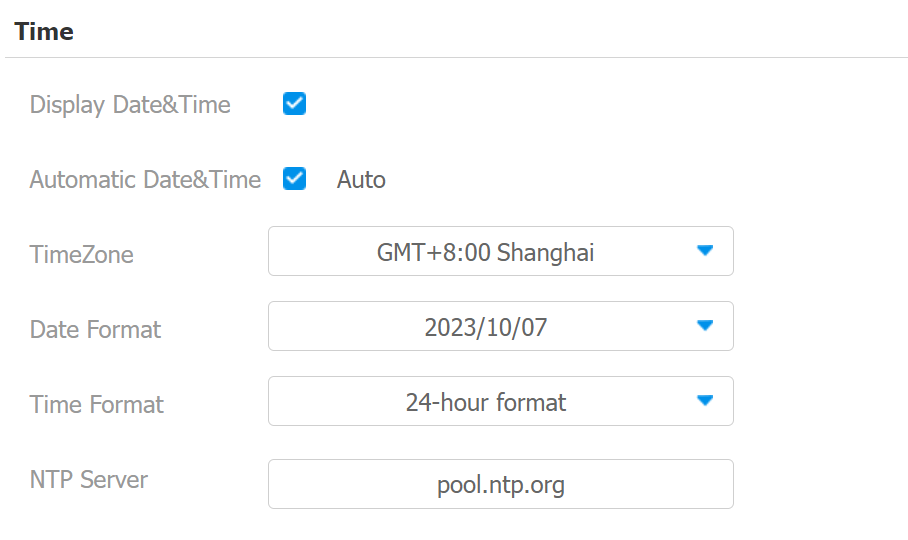
Automatic Date & Time: When enabled, the device’s date and time are automatically set up and synchronized with the default time zone and the NTP server (Network Time Protocol).
NTP Server: The NTP server address.
On the Device
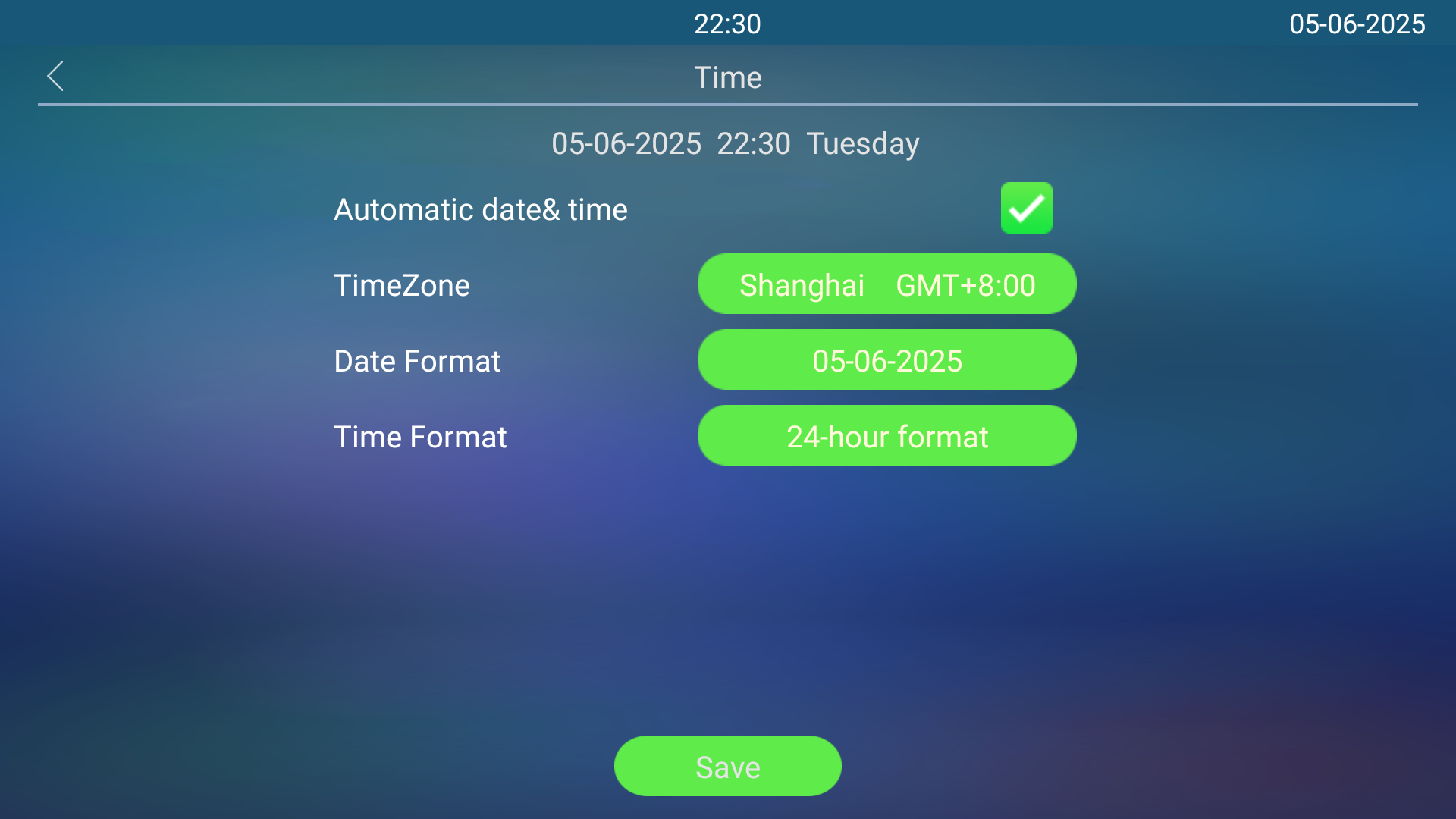
Set up time on the Settings> Time screen.