L’appareil peut être connecté au contrôleur de levage Akuvox pour le contrôle de portée. Les utilisateurs peuvent faire venir l’ascenseur pour descendre au rez-de-chaussée lorsqu’ils obtiennent l’accès via différents types de méthodes d’accès sur l’appareil.
Cliquez ici pour regarder une vidéo de démonstration de la configuration de la fonction de contrôle de la montée élévatrice.
To set it up, go to the Device > Lift Control interface.
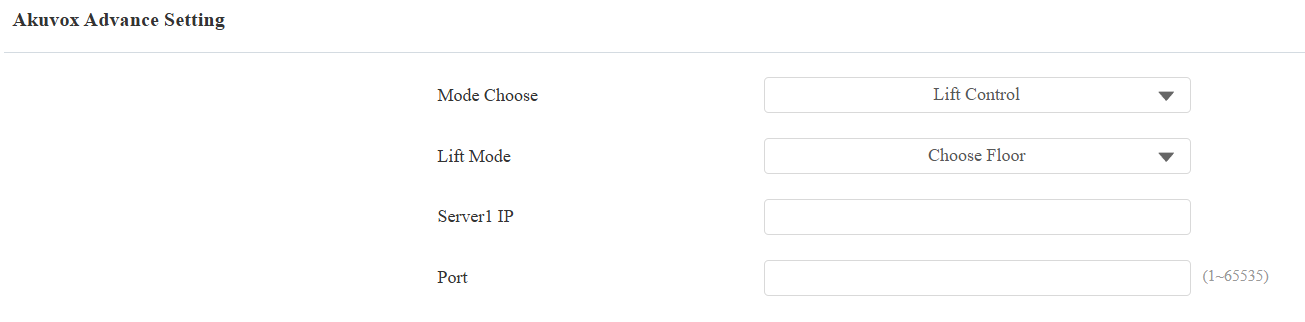
Lift Control List: Select None to disable the function, and select Akuvox to integrate the device with the Akuvox lift controller.
Mode Choose: Specify the scenario where the EC33 is used, lift control, or mailbox.
Lift Mode:
Choose Floor: Users can choose the floor they want to access when they use their credentials on the device.
Direct Access: Users will be directly sent to the target floor when they use their credentials on the device.
Server1 IP: The IP address of the lift controller that unlocks the elevator button(s).
Port: The port of the lift controller.
Server2 IP: Available when Direct Access is selected. The IP address of the lift controller that sends the lift control commands.
Port: The port of the lift controller.
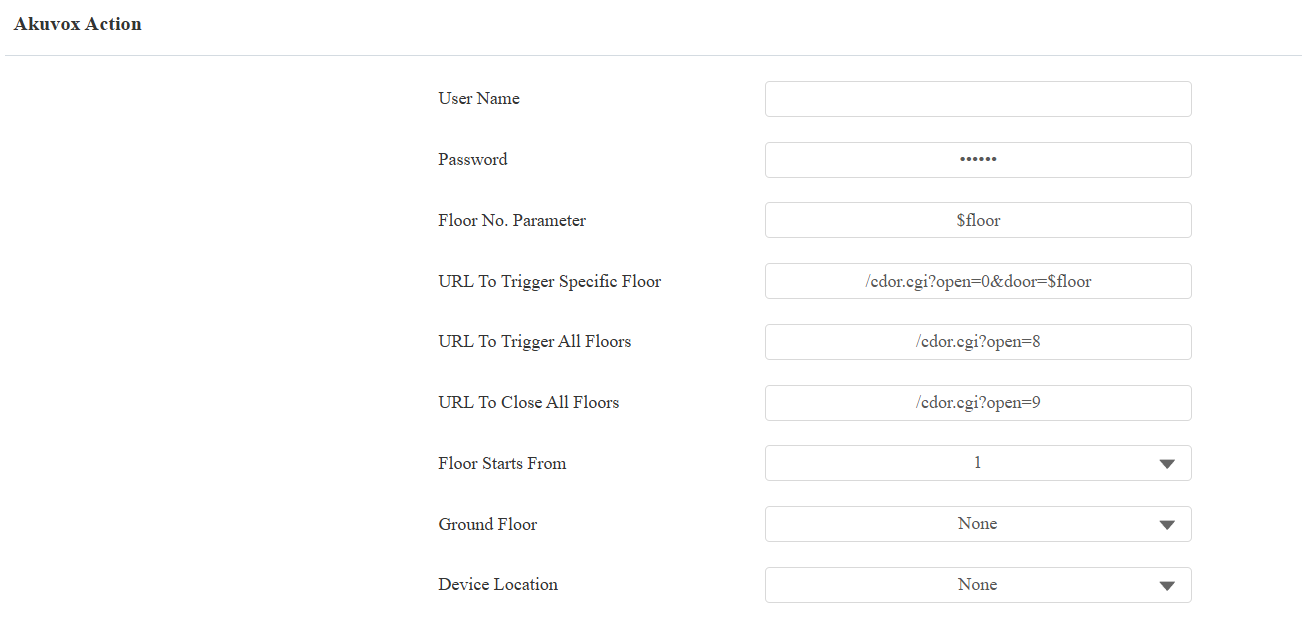
User Name: The username of the lift controller for the authentication.
Password: The password of the lift controller for the authentication.
Floor NO. Parameter: Enter the floor number parameter provided by Akuvox. The default parameter string is “$floor”. You can define your parameter string if needed.
URL To Trigger Specific Floor: Enter the Akuvox lift control URL for triggering a specific floor. The URL is /cdor.cgi?open=0&door=$floor, but the string “$floor” at the end must be identical to the parameter string you defined.
URL To Trigger All Floors: Enter the Akuvox URL for triggering all floors.
URL To Close All Floors: Enter the Akuvox URL used for closing all floors, meaning all the buttons that are triggered for the corresponding floors will become invalid.
Floor Starts From: Set the floor from which the floor count starts(-10 ~ 128). For example, if you select -3, then the 3rd floor in the basement will be considered as the first floor, matched with relay#1 (first floor).
Ground Floor: If there are ground floors between the -1 and 1 floors, configure this option.
Device Location: Select the floor where the device is installed.