Call Logs
Pour vérifier les appels — y compris les appels téléphoniques, reçus et manqués — dans une période donnée, vous pouvez consulter le journal d’appels sur l’interface web de l’appareil. Si besoin, vous pouvez aussi exporter le journal d’appels depuis l’appareil.
Check call logs on the Phonebook > Call Log interface. The device supports up to 600 call logs.
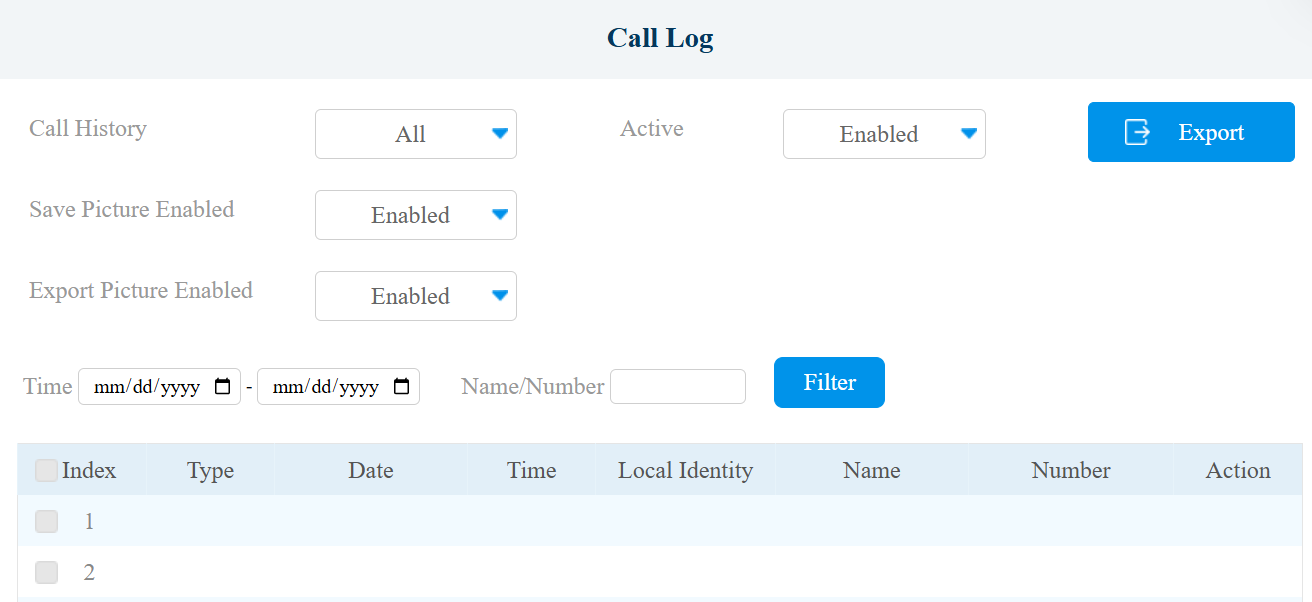
Call History: Four types of call history are available: All, Dialed, Received, and Missed.
Save Picture Enabled: When enabled, the device will capture pictures of calls, and you can click Picture in the Action column to view the screenshot.
Export Picture Enabled: When enabled, you can click Export to download the call log file.
Time: The specific time of the call logs you want to search, check, or export.
Name/Number: Search the call log by name or by the SIP or IP number.
Export: Call logs can be exported in .csv format.
Missed Call Logs
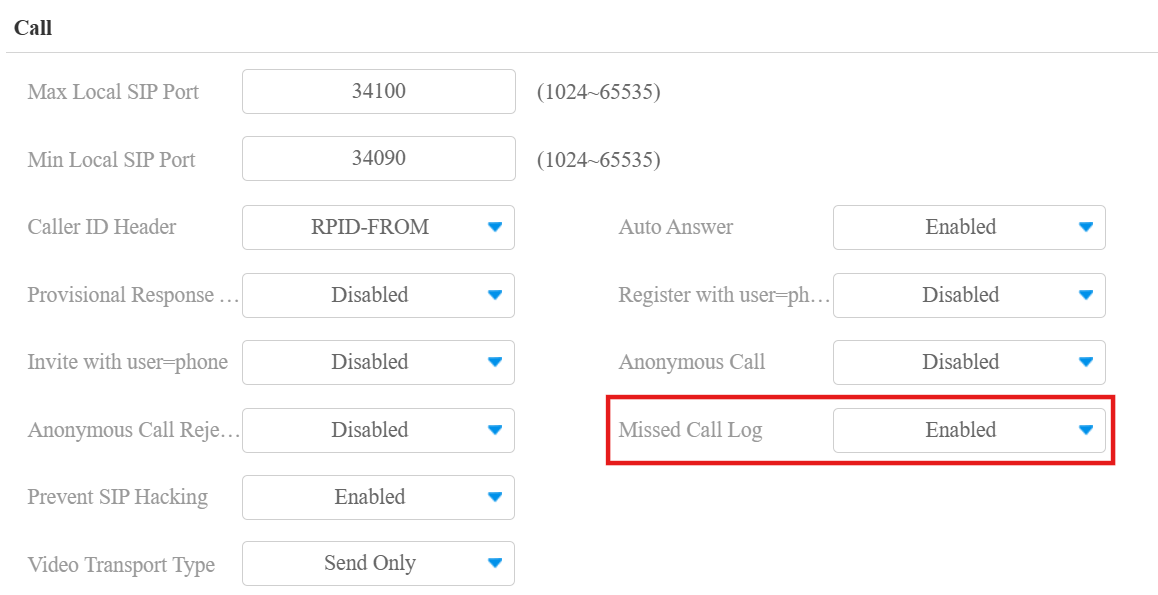
You can set not to store logs of missed calls on the Account > Advanced > Call interface. The function is enabled by default.
Door Logs
Pour rechercher et examiner différents types d’historique d’accès aux portes, il suffit de vérifier les journaux de portes sur l’interface web de l’appareil.
Check door logs on the Phone > Door Log interface. Door logs can be exported in XML or CSV format.
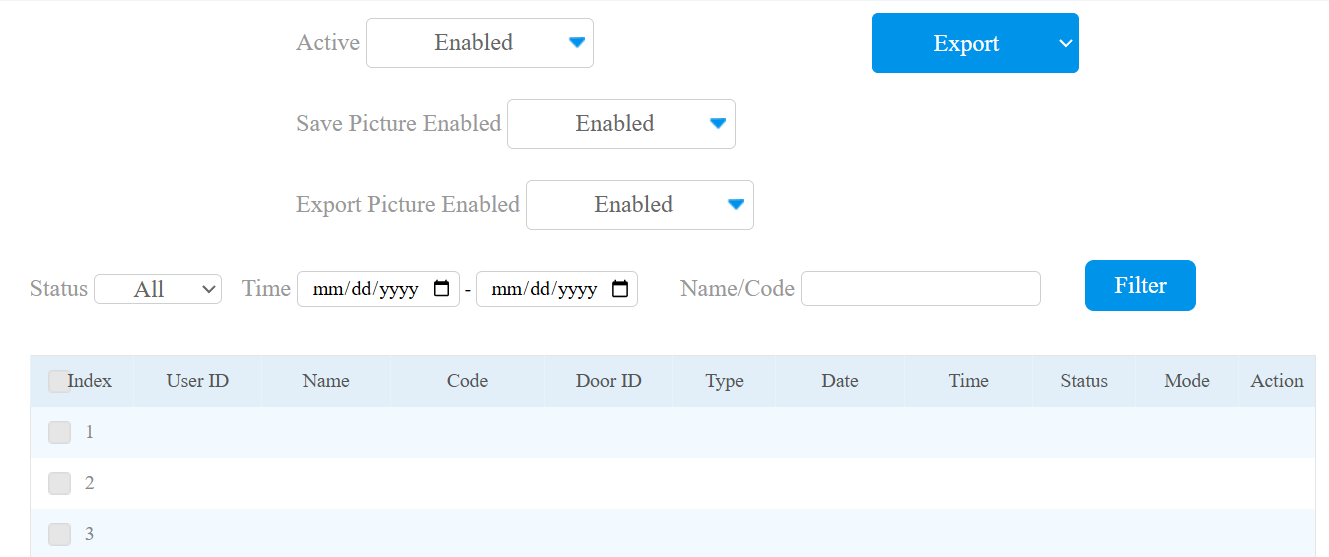
All: Three types of access logs are available: All, Success, and Failed.
Save Picture Enabled: When enabled, the device will capture pictures of door-opening, and you can click Picture in the Action column to view the screenshot.
Export Picture Enabled: When enabled, you can click Export to download the door log file.
Time: The specific time of the call logs you want to search, check, or export.
Name/Code: Search the door log by the name or by the PIN code.
The supported number of door logs stored varies by image resolution.
Resolution | Maximum Number of Stored Door Logs |
|---|---|
Null, Save Picture is disabled. | 12,000 |
QCIF | 12,000 |
QVGA | 12,000 |
CIF | 12,000 |
VGA | 12,000 |
4CIF | 9,000 |
720P | 5,000 |
1080P | 2,000 |
Event Logs
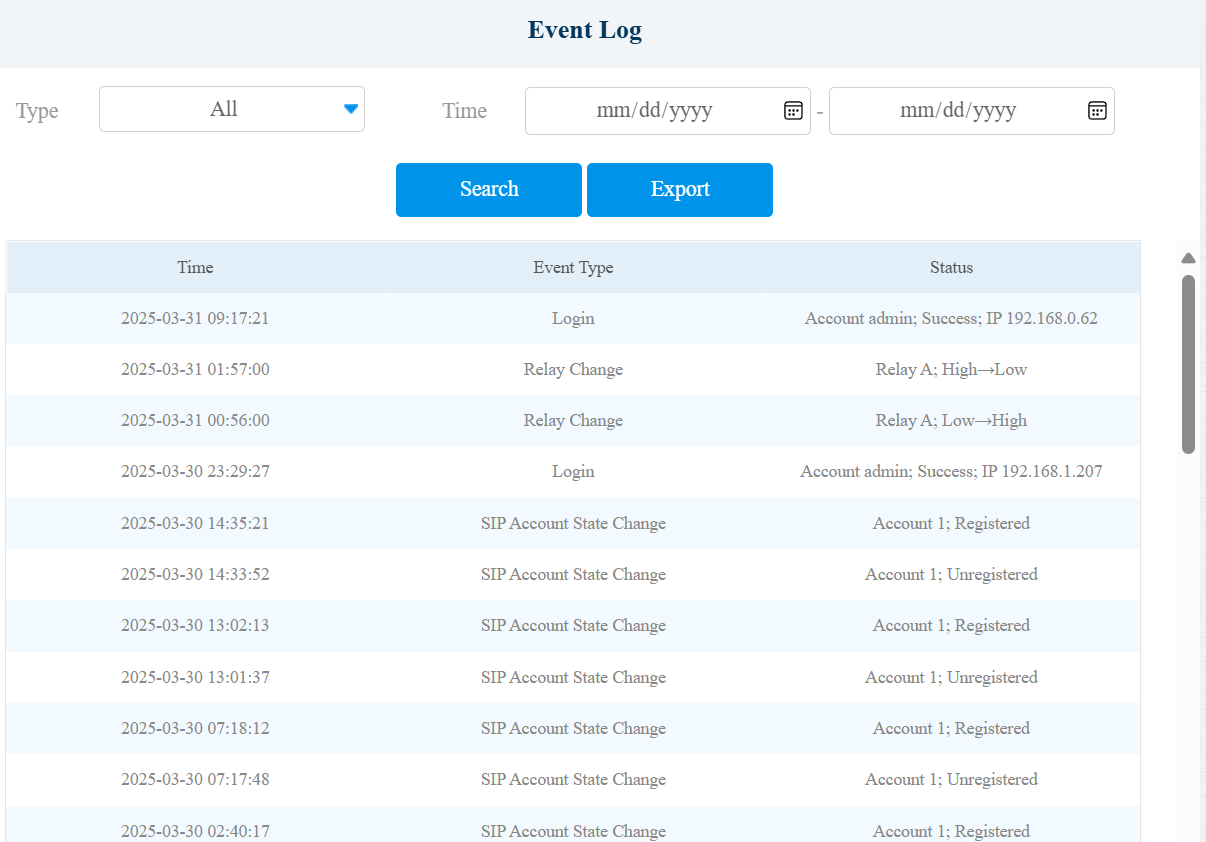
Les journaux d’événements enregistrent les événements clés tels que le changement de statut de l’entrée, le relais, l’alarme de manipulation, etc. Cela aide à suivre l’état et les changements de l’appareil.
You can check the event logs on the Phone > Event Log interface. The device supports up to 100,000 logs, which can be exported in CSV format.