Product Overview
Product Features
Passage Mode
Keeps the door unlocked continuously until a valid credential is used to exit this mode.
Failed Attempt Alarm and Lockout
If any incorrect access credential is entered 3 consecutive times, the system will trigger an alarm.
If incorrect attempts reach 5 times, the system will enter a 3-minute lockout.
During the lockout period:
All credential recognition (fingerprint, PIN, and card) is disabled
No unlock attempts will be accepted
Two-Factor Authentication (Combination Unlock)
For enhanced security, the lock can require two different credential types (e.g., Fingerprint + PIN) for entry.
Low Battery Alert
When the battery voltage is 4.5V~4.8V, the lock will work normally but will give a voice warning before each unlock:
"Low battery, please replace."
NOTE:
Low battery can cause the front panel to behave erratically(e.g., numbers jump randomly). Replace the battery immediately.
Fake PIN Code
To protect your PIN from being observed, you may enter random digits before and/or after your actual PIN. The lock will grant access as long as the correct PIN sequence is contained within the total string of digits.
Doorbell
In standby mode, press the doorbell button to ring the doorbell.
The BelaHome app and HyPanel devices (if paired) will receive an unlock request notification.
Electronic Deadlock
This feature restricts exterior access electronically to provide additional privacy and security while you are indoors.
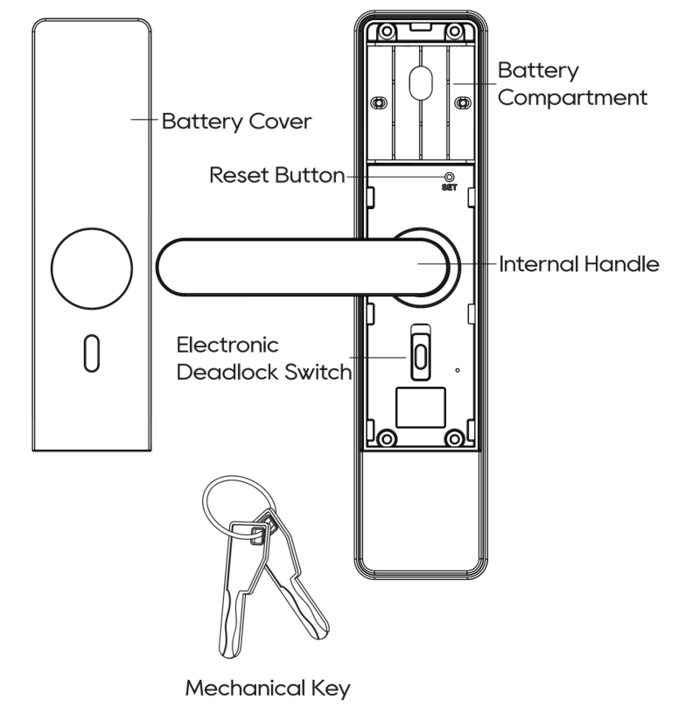
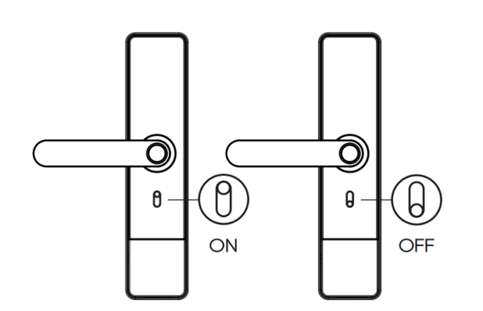
Enable: Push the switch on the back body up. Once active, only the administrator can unlock the door.
Disable: Push the switch down.
NOTE:
Remote control is unavailable when the switch is toggled on.
Mechanical Deadlock
Lift the interior or exterior handle upward to extend the security deadbolt into the door frame.
This provides additional physical security beyond the standard latch lock.
Access Credential Capacity
Credential Type | Total Capacity (Admin + Users) |
PIN code | 100 |
Card | 100 |
Fingerprint | 100 |
Factory Reset
A factory reset permanently deletes all registered user data, restores the device to its default configuration, and unbinds the lock from the akubela system.
To factory reset the lock:
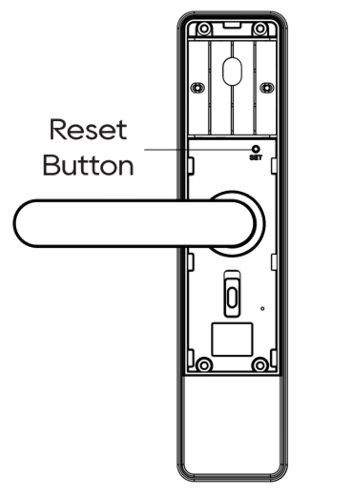
Remove the battery cover on the back body.
Use a pin to hold the Reset button, while the numbers on the keypad will light up in a countdown sequence from 6 to 1.
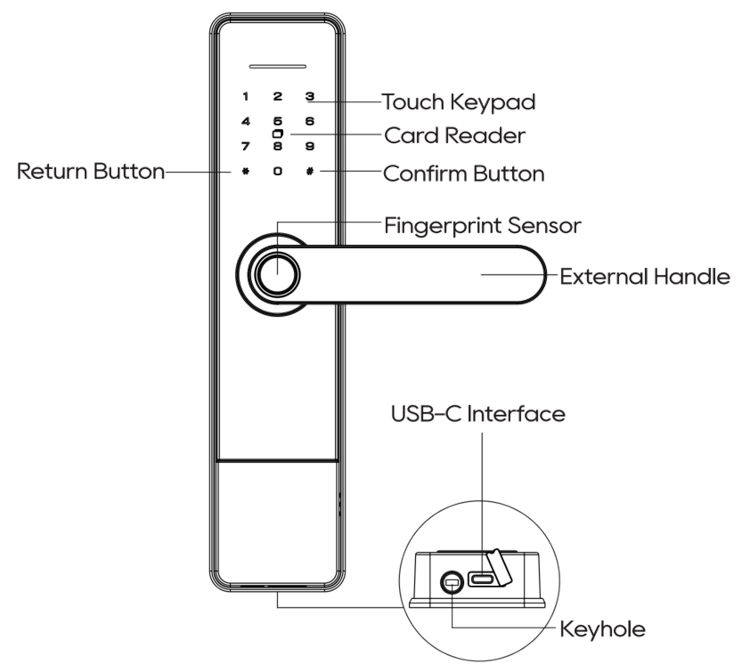
When prompted by the voice, immediately tap the # key on the keypad.
Wait for the voice prompt to announce, "Initialization successful."
Reattach the battery cover.