The quotation generator helps distributors estimate project costs, including one-time fees and recurring monthly service fees, based on the selected project configuration and cloud services.
Different project types support different billing items and optional services. Make sure all project information is configured correctly before generating the quotation.
Note
The generated quotation is for estimation purposes only.
Access the Quotation Generator
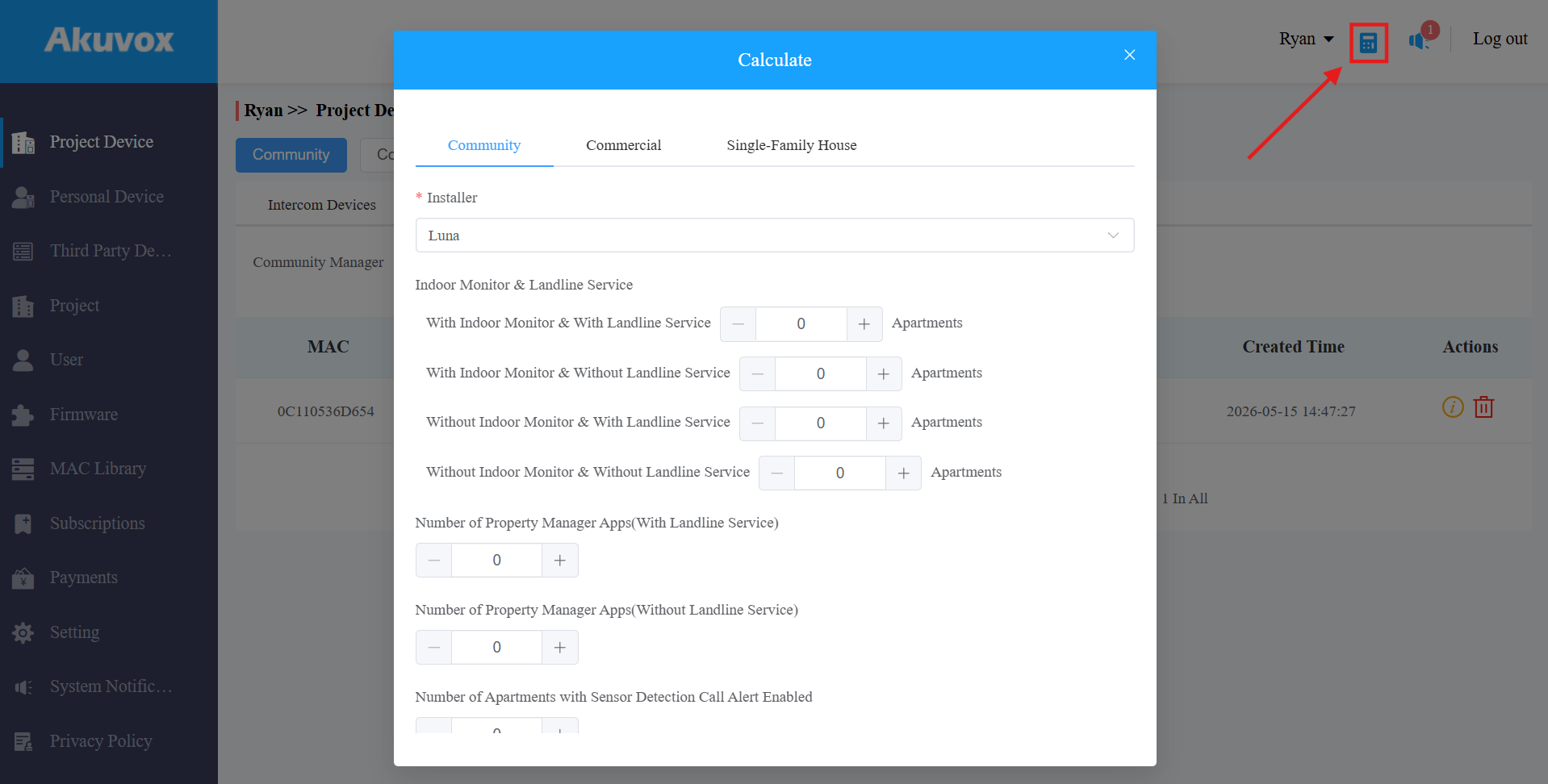
Click the Calculator icon in the upper-right corner.
Select the project type and installer.
Configure the required project items and optional features.
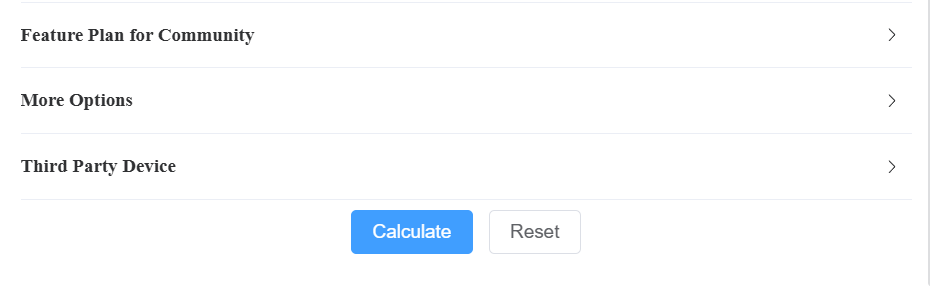
Click Calculate to generate the quotation.
Community Project
Community projects are designed for apartment buildings, residential communities, and mixed-unit properties.
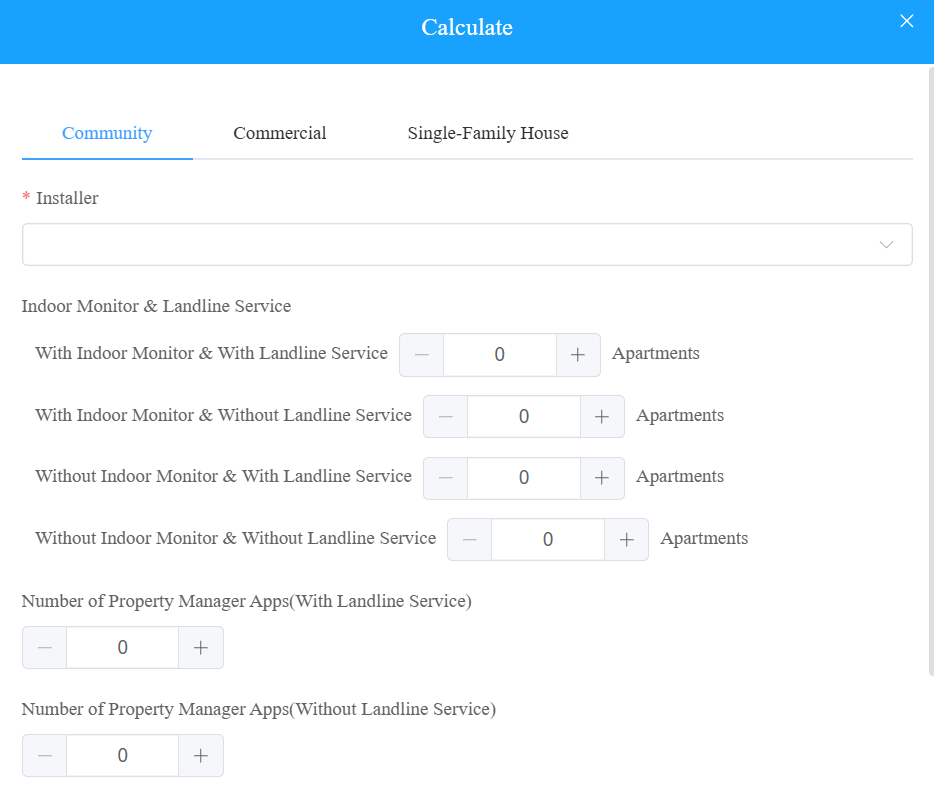
Apartment Types
Apartment Type | When to Use |
|---|---|
With Indoor Monitor + With Landline Service | Residents use indoor monitors AND can receive calls via telephone or mobile phone. |
With Indoor Monitor + Without Landline Service | Residents use indoor monitors only; no telephone forwarding needed. |
Without Indoor Monitor + With Landline Service | Residents communicate via telephone or mobile only; no indoor monitor installed. |
Without Indoor Monitor + Without Landline Service | Basic access-only apartments, or residents who use the SmartPlus App only. |
📋 Example Example: A 120-unit apartment complex. • 80 units: indoor monitor installed, residents also want call forwarding to mobile → With Indoor Monitor + With Landline • 30 units: indoor monitor installed, no call forwarding → With Indoor Monitor + Without Landline • 10 units: no indoor monitor, residents use the SmartPlus App only → Without Indoor Monitor + Without Landline Enter each count in the corresponding field before clicking Calculate. |
Property Manager App Accounts
Property managers use the SmartPlus App to receive visitor calls and manage access. You can specify how many manager accounts need landline service and how many do not.
Account Type | When to Use |
|---|---|
With Landline Service | The property manager also needs to receive visitor calls forwarded to a phone line or mobile number. |
Without Landline Service | The property manager only uses the app for notifications and access management — no phone forwarding needed. |
Feature Plan for Community
Optional cloud feature plans can be enabled for the entire community based on project requirements.
Click here to view the service details.
More Options
Configure additional cloud services and third-party integrations as needed.
Number of Additional Apps
Select the number of SmartPlus App accounts for additional family members beyond the family master account and the free family member accounts. Each apartment's master account is already counted in the apartment type fields above.
Number of Apple Wallet users
Select the number of SmartPlus App accounts with Apple Wallet Pass feature enabled for door access.
Video Storage for Apartment Devices
Enable cloud video storage for apartment devices.
Select:
The number of apartments
The number of recording-enabled devices per apartment
The storage duration
Additional storage services may increase monthly fees.
Health Care Feature
Apartments with Sensor Detection Call Alert Enabled
Select the number of apartments that enable sensor-triggered call alerts, such as fall detection or bed-exit detection alarms from MR01 devices.
When enabled, alarm notifications can trigger emergency call alerts for faster response.
Third-Party Devices
If the project integrates third-party smart locks, select the quantities for each supported brand:
Number of iTec Locks — enter the count of integrated iTec smart locks in the project.
Number of Dormakaba Locks — enter the count of integrated Dormakaba smart locks in the project.
Commercial Project
Commercial projects are intended for offices, commercial buildings, and mixed-use environments.
The available billing items and optional features may differ from community projects.
Configure the required services and device quantities according to the actual project requirements.
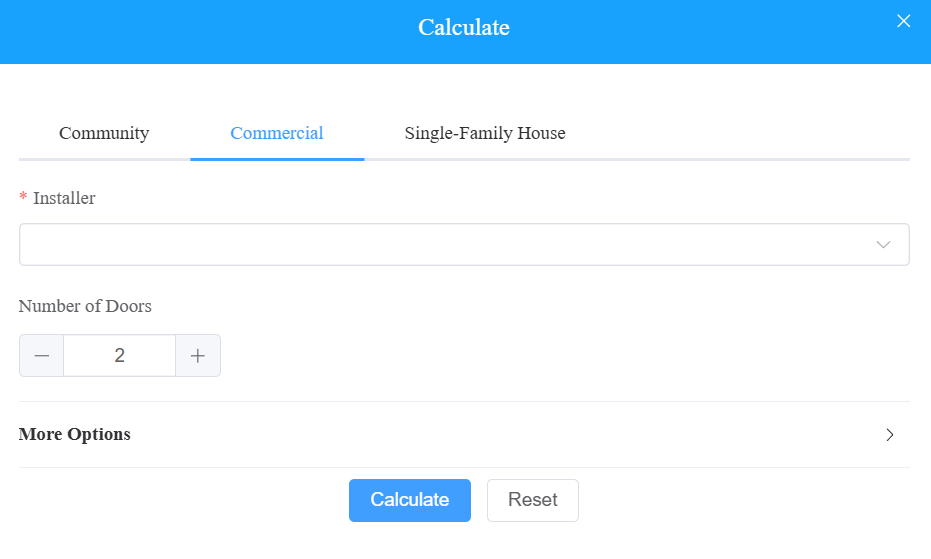
Number of Doors
Enter the total number of access-controlled doors included in the project. This is the primary billing unit for commercial deployments.
More Options
Account Type | Description |
|---|---|
Apps without Intercom Feature (Personnel) | Standard access-control accounts for employees who only need door access — no intercom calling capability. |
Apps with Intercom Feature (Personnel) | Accounts for employees who also need to receive or make intercom calls via the app. |
Number of Apple Wallet users | Select the number of SmartPlus App accounts with Apple Wallet Pass feature enabled for door access. |
Personnel with Landline Service | Employees who need visitor calls forwarded to their telephone or mobile number. |
Admin Apps | SmartPlus App accounts for company administrators. |
Admins with Landline Service | Subset of Admin App accounts that require landline call forwarding. |
Time Attendance Plan
Select the appropriate time attendance plan if the customer requires clock-in / clock-out functionality linked to the access control system. Confirm with the customer whether this is required before including it in the quotation, as it adds to the monthly service fee.
Elevator Control
Select this option if the project includes elevator floor-access control integrated with the Akuvox system.
Single-Family House Project
Single-family house projects are intended for standalone residential homes.
Configure the required cloud services, app accounts, and optional features according to homeowner requirements.
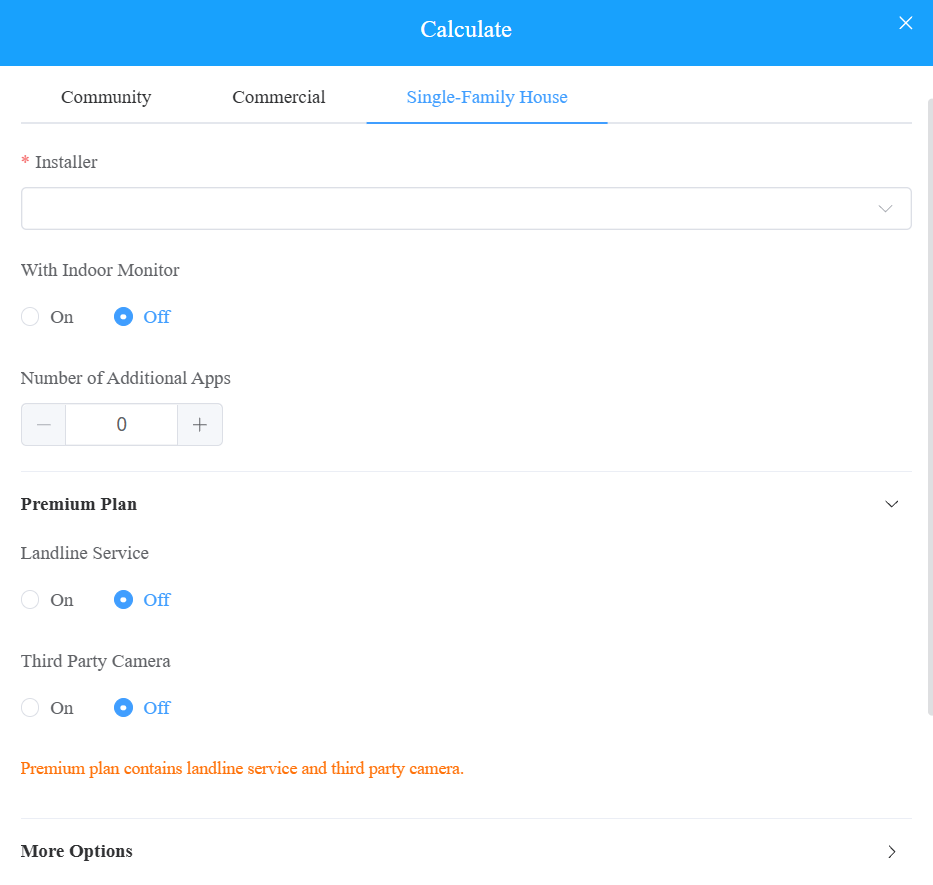
With Indoor Monitor
Households equipped with indoor monitors. Residents can use indoor monitors for communication.
Number of Additional Apps
Select the number of SmartPlus App accounts for additional family members.
Premium Plans
Landline Service
Enable landline service if the homeowner wants visitor calls forwarded to a telephone or mobile phone in addition to — or instead of — the SmartPlus App. Confirm the preferred communication method with the homeowner before enabling.
Third-Party Camera
Enable this option if the project integrates third-party cameras with the Akuvox system.
More Options
Video Storage
Enable cloud video storage for the home's intercom device. Select the storage duration that matches the homeowner's preference. Longer retention periods increase the monthly fee.
Sensor Detection Call Alert
Enable sensor-triggered call alerts, such as fall detection or bed-exit detection alarms from MR01 devices.
When enabled, alarm notifications can trigger emergency call alerts for faster response.
Number of Apple Wallet users
Select the number of SmartPlus App accounts with Apple Wallet Pass feature enabled for door access.
Third-Party Devices
If the project integrates third-party smart locks, enter the quantities:
Number of iTec Locks — count of integrated iTec smart locks at the property.
Number of Dormakaba Locks — count of integrated Dormakaba smart locks at the property.