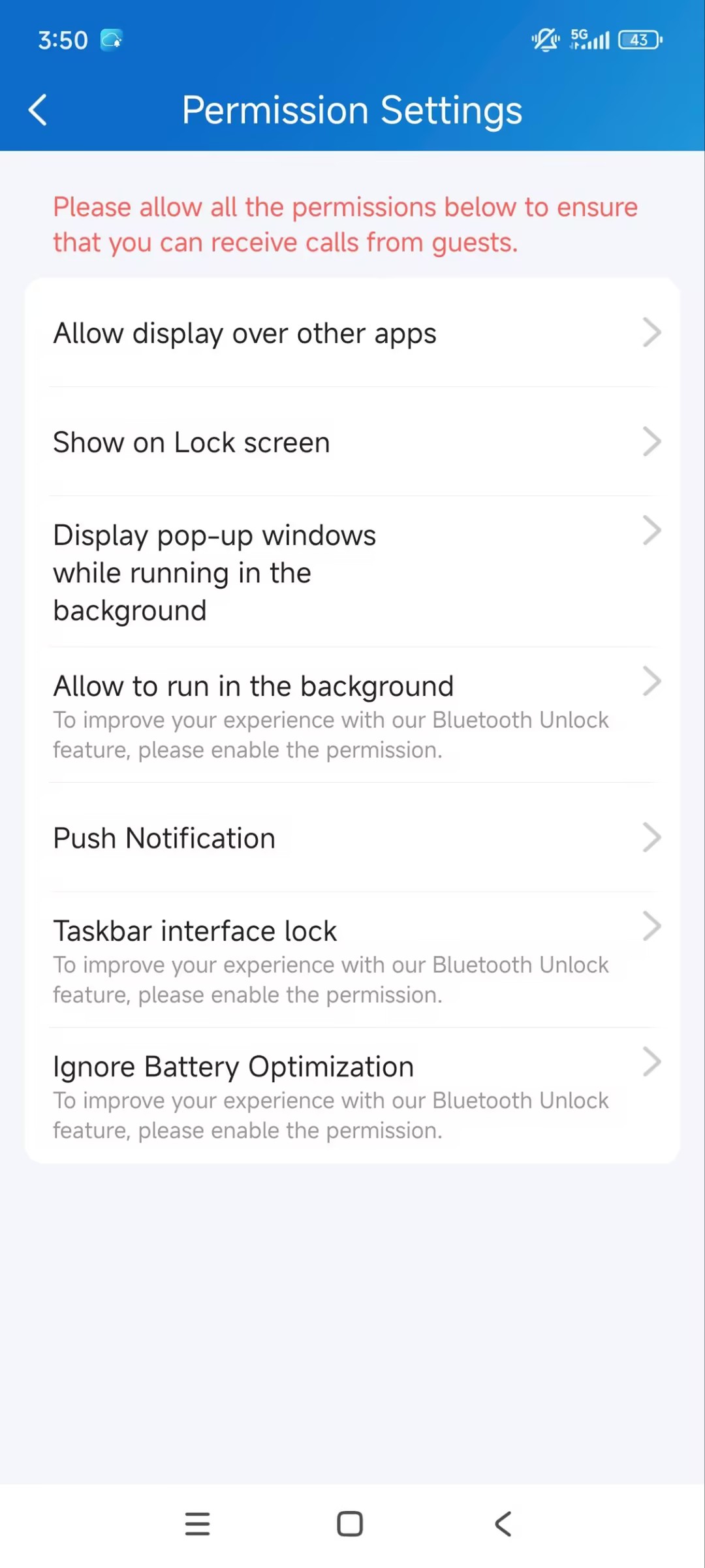
To receive incoming call notifications on Android phones like Samsung and Google, enable all notification permissions.
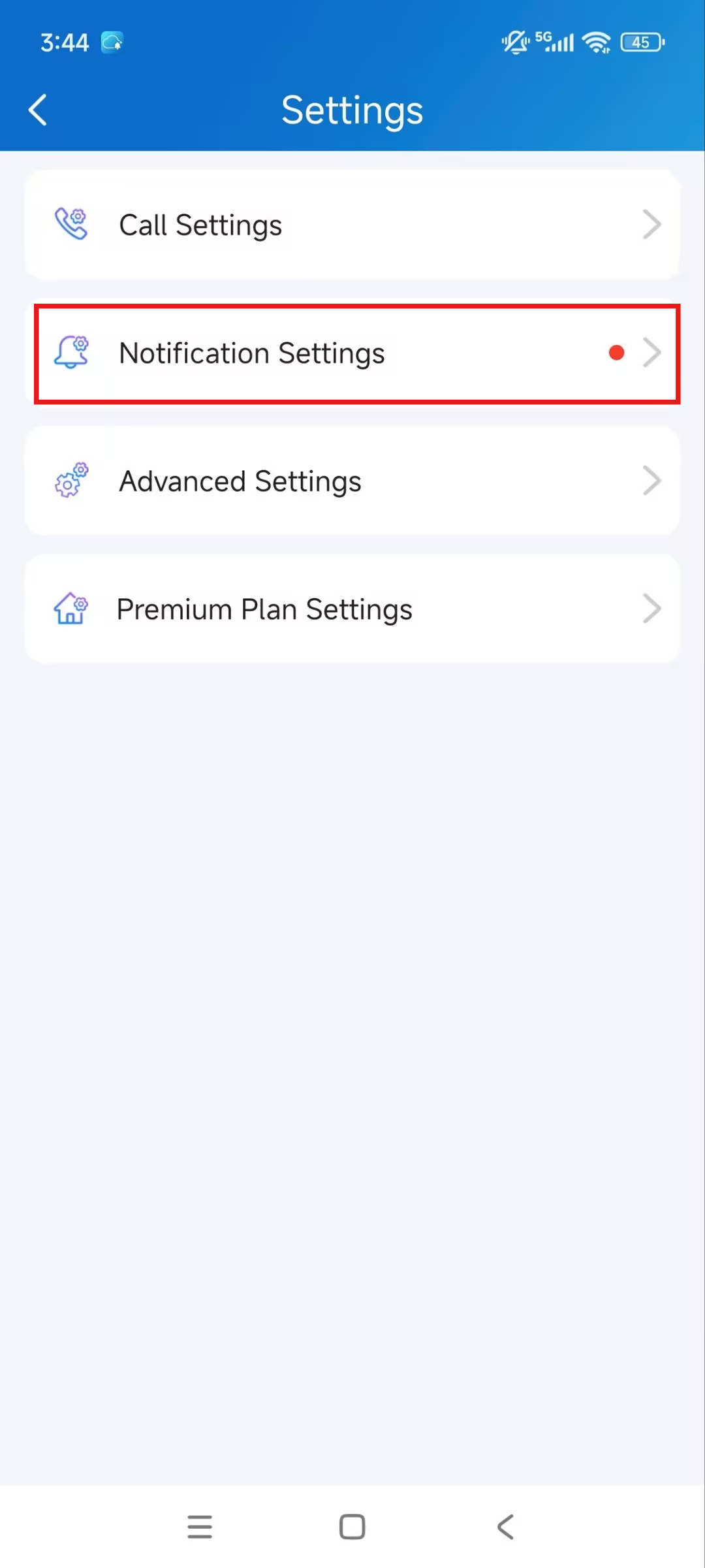
Tap Me > Settings > Notification Settings > Permission Settings.
Enable all permissions, and the red dot will disappear. Particularly, allow the SmartPlus App to display over other apps, push notifications, and ignore battery optimization.
After configuration, the incoming call will display as a banner on your phone.
Note
The power consumption will increase when keeping the device running in the background.