The Information interface provides a centralized view of MR03's alarm records, event records, movement trajectories, and breathing and heart rate indicator information.
Alarm Logs
Displays alarm events detected by MR03, such as fall, bed-exit, inactivity, loitering, or weak vital signs alarms. Use this log to review detected alarm events and their occurrence time.
Check alarm logs on the Fall Settings > Information interface. The device supports up to 200 alarm logs.
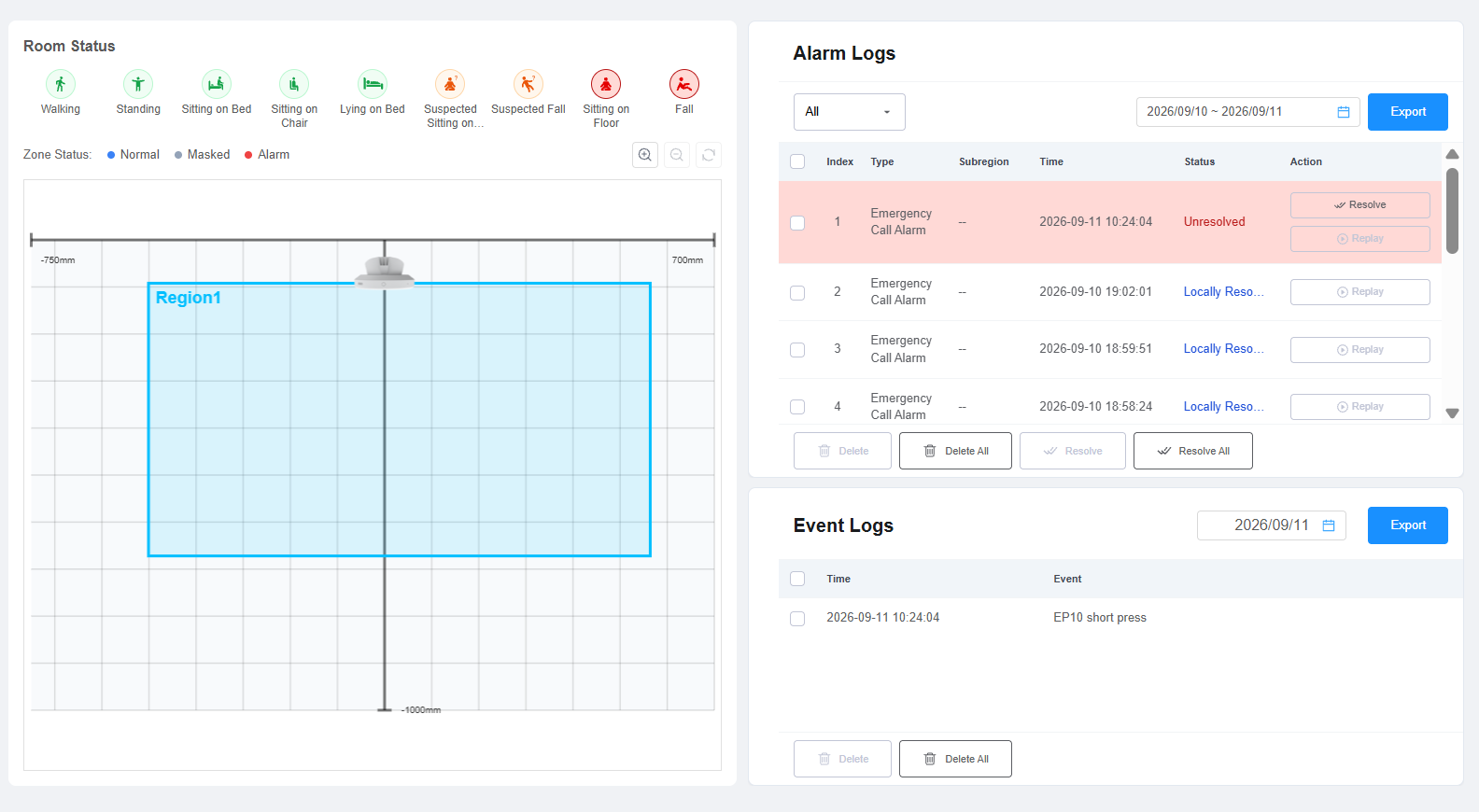
Subregion: If an alarm is not associated with a sub-region, Subregion displays -.
Action:
Resolve: Click Resolve to mark the alarm as locally resolved.
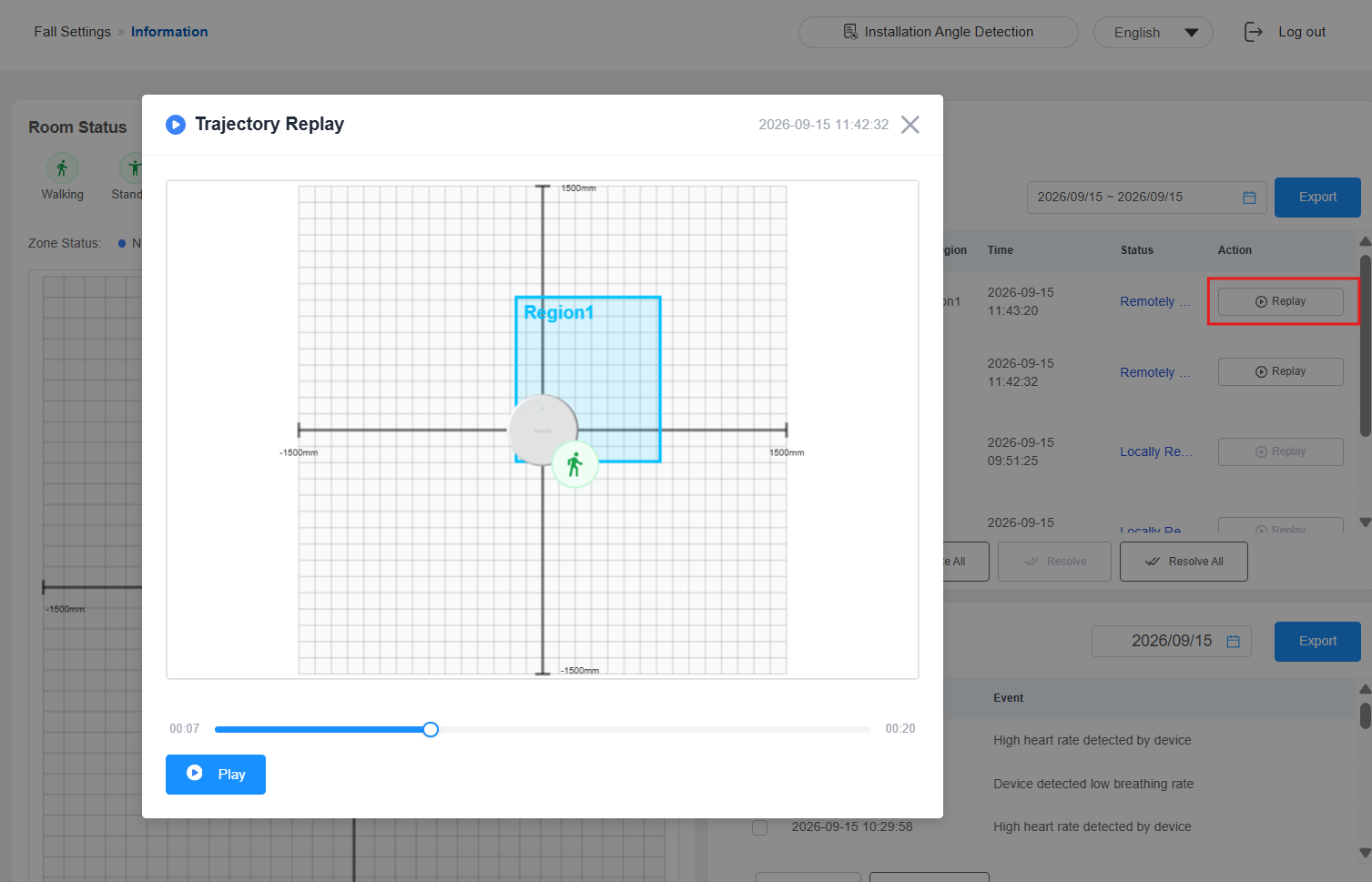
Replay: Click Replay to open the trajectory replay window and replay the person's movement trajectory for the 20 seconds before the alarm occurred.
Trajectory Replay: It provides a visual replay of the person's movement trajectory and posture changes before an alarm occurred. Only available for fall alarm and sitting-on-floor alarm.
Alarm Status Change
After an alarm is triggered, the device reports the alarm event and changes the alarm status based on the user's current condition.
Remotely Resolved: The alarm has been reported as resolved remotely(e.g., resolved on SDMC, SmartPlus Cloud, etc.), but the detected condition has NOT yet returned to normal. During this period, the indicator light continues flashing red rapidly.
Locally Resolved: The detected condition has returned to normal, or the alarm has been cleared on the device’s web interface. For example, the person has stood up from the fall detection area or returned to bed after a bed exit alarm. The indicator light returns to the normal state, and the alarm status changes to Locally Resolved.
Event Logs
The Event Log displays event records detected or generated by MR03, allowing you to review the occurrence time and event type.
Check event logs on the Fall Settings > Information interface. The device supports up to 200 event logs.
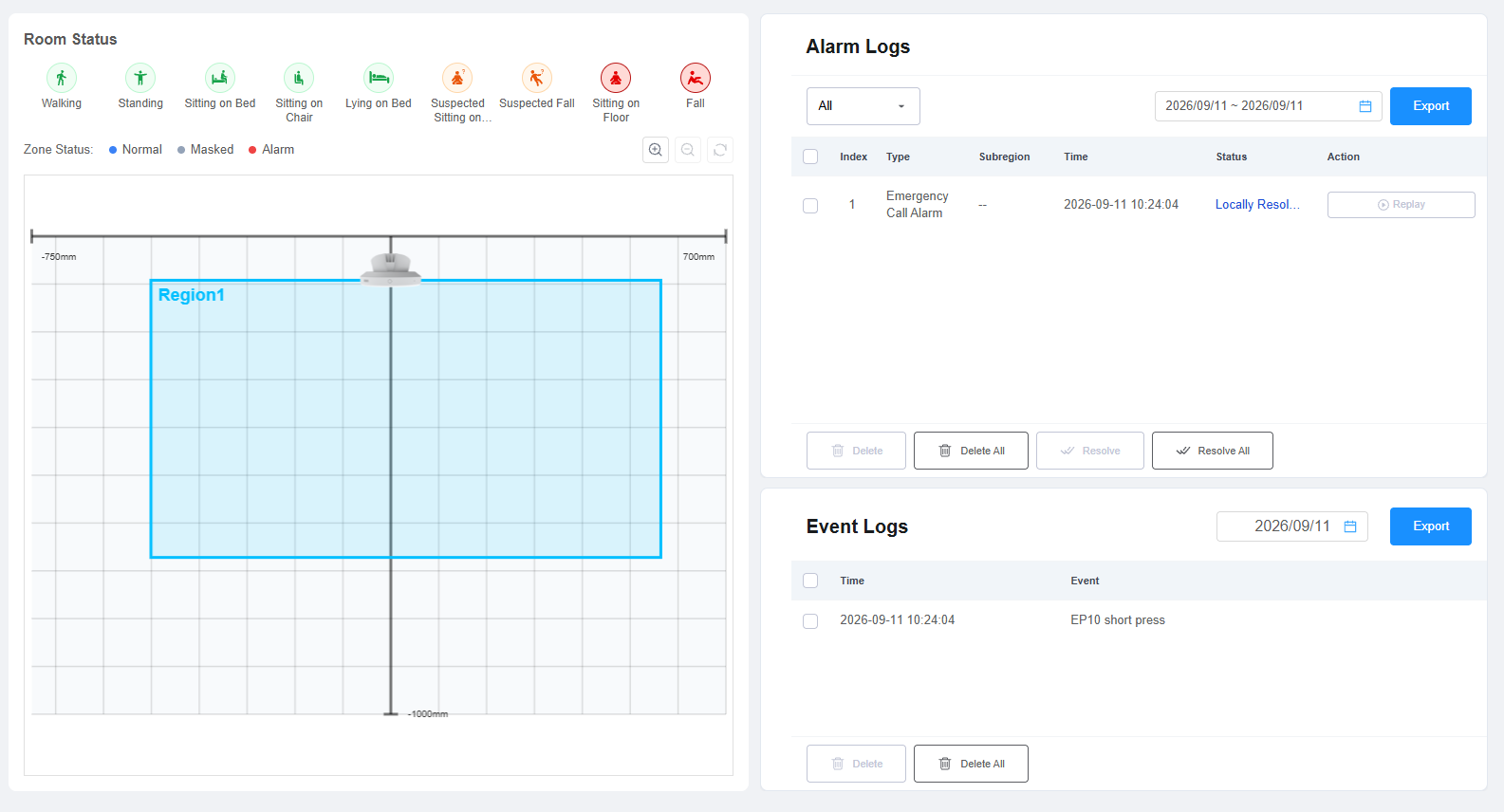
The Event Log may include the following event types:
User enters the monitoring bed
User leaves the monitoring bed
Breathing pause detected
Low breathing rate detected
High breathing rate detected
User enters the room through the monitored entrance
User leaves the room through the monitored entrance
EP10 short press
EP10 long press
Call event
Conversation event
Low heart rate detected
High heart rate detected
Event Trigger Conditions
Breathing and heart rate events: A high/low breathing rate or heart rate event is generated after it remains outside the configured range continuously for 30 seconds.
Room entry/exit events: An entry or exit event is generated 3 seconds after the person leaves the corresponding room area.
Bed entry/exit events: A bed entry event is generated after a person remains in the bed area for 10 seconds. After the person leaves the bed area and remains outside it for 2 seconds, the configured Bed-exit Time Threshold is applied. A bed-exit event is generated when the person remains outside the bed area for the configured threshold.
Breathing and Heart Rate Indicators
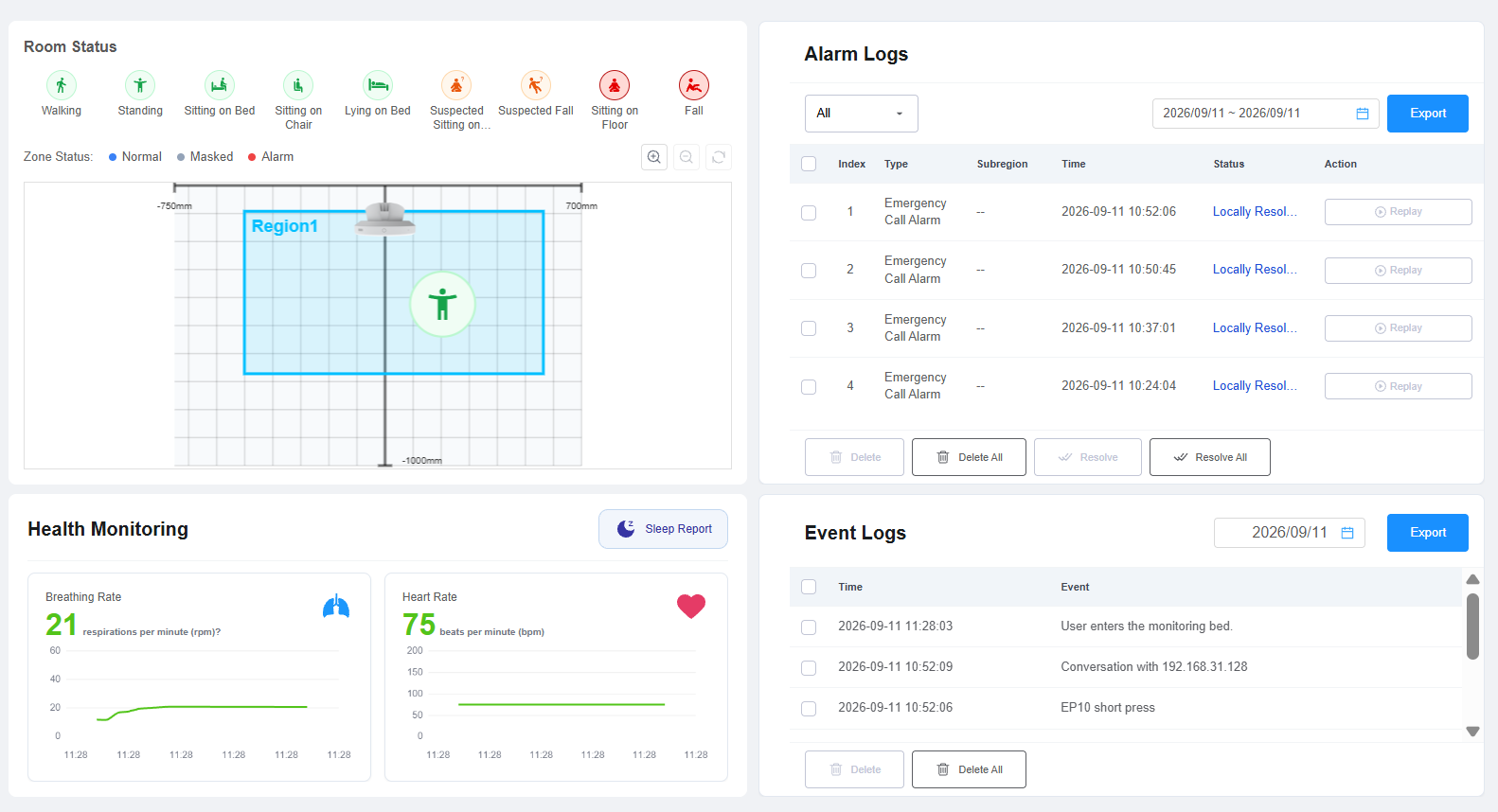
MR03 displays information related to the breathing and heart rate indicators detected. Use this information to check the device's vital-sign monitoring status on the Fall Settings > Information interface.
Sleep Report
The Sleep Report provides a daily overview of sleep quality, sleep stages, breathing, and heart rate based on the sleep monitoring data collected by MR03.
Select a date to view the corresponding sleep report. The report includes the device information, overall sleep score, sleep stages, breathing and heart rate trends, and automatically generated analysis results.
Note
MR03 can store up to 30 days of sleep data locally. When the storage limit is reached, the earliest report will be deleted first.
View the sleep report on the Fall Settings > Information interface.
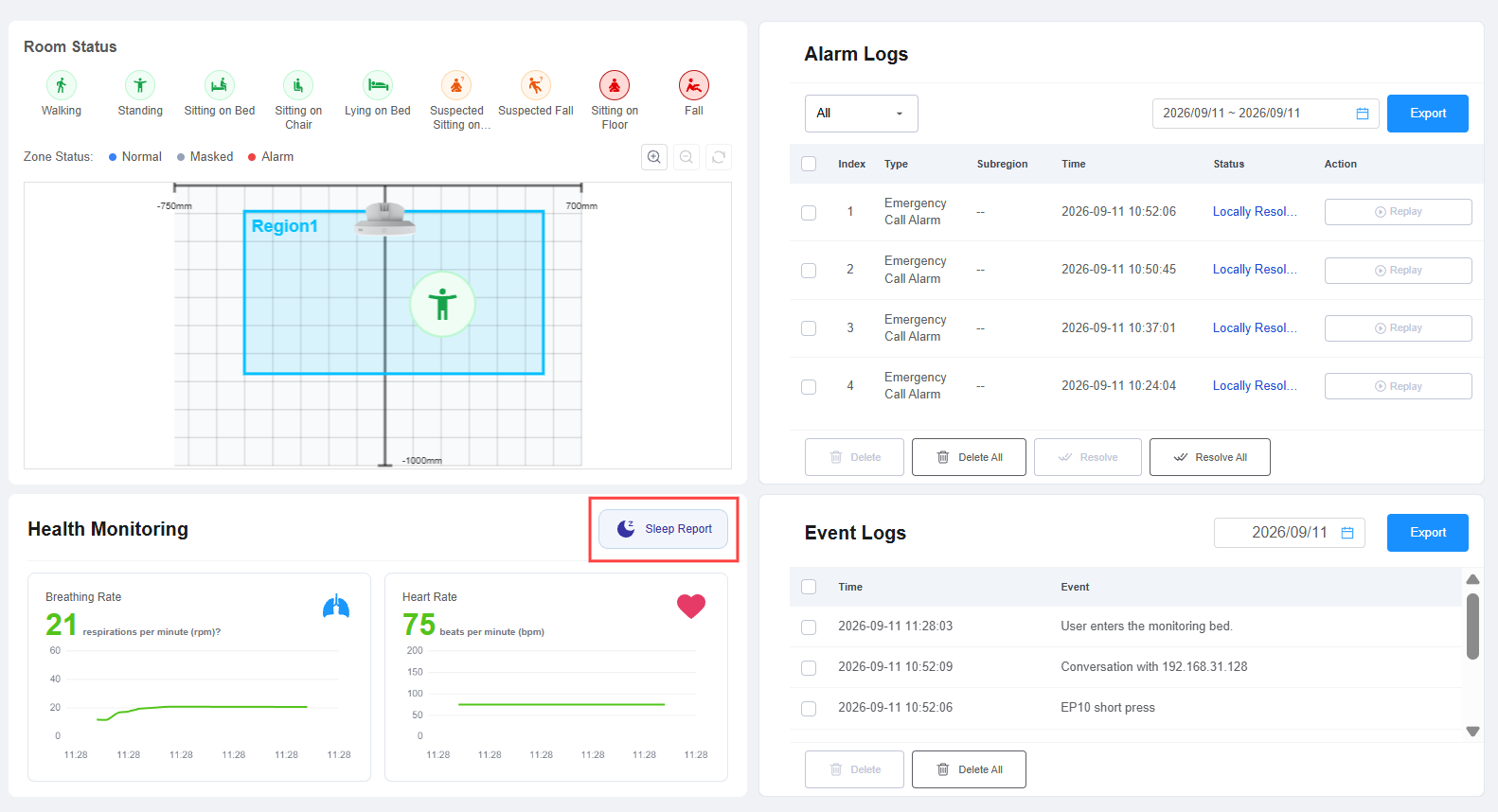
View Sleep Reports
The Sleep Report is generated based on the sleep monitoring data collected during the daily monitoring period.
Monitoring period: 20:00 on the selected day to 08:00 of the following day.
Only sleep data collected within this period is included in the report for the selected day.
The device supports viewing historical reports for the locally stored data.
Multiple Sleep Sessions
If multiple sleep sessions are recorded on the same day, they are combined into one daily sleep report.
The longest sleep session is used to determine the primary Bedtime and Wake-up Time displayed in the report.
Overall Score
The Overall Score provides a comprehensive assessment of the person's sleep based on the sleep monitoring data for the selected day.
The overall score and corresponding sleep quality level are displayed as follows:
Score | Level |
|---|---|
90–100 | Excellent |
75–89 | Good |
60–74 | Fair |
0–59 | Poor |
The report also provides six key indicator cards:
Sleep Duration
Deep Sleep Ratio
Out of Bed
AHI Index
Average Respiration
Average Heart Rate
Sleep Data
The Sleep Data module provides the key time points and sleep-stage distribution for the selected sleep report.
Sleep Stage Timeline
The sleep-stage timeline shows how the person's sleep status changes throughout the sleep period.
Different colors are used to distinguish the following states:
Deep Sleep: Purple
Light Sleep: Blue
REM Sleep: Orange
Nighttime Awake: Gray
Respiration
The Respiration module displays the breathing-rate trend throughout the sleep period.
Heart Rate
The Heart Rate module displays the heart rate trend throughout the sleep period.
Data Analysis
The Data Analysis module automatically generates analysis results based on the sleep and respiratory data collected for the selected day.
Sleep Quality Analysis
The system analyzes sleep quality based on indicators such as sleep duration and deep sleep percentage. It automatically generates an assessment and provides suggestions for improving sleep quality.
Breathing Analysis
The system analyzes respiratory health based on indicators such as the AHI and the number of abnormal breathing events. It automatically generates an assessment of the person's respiratory health.