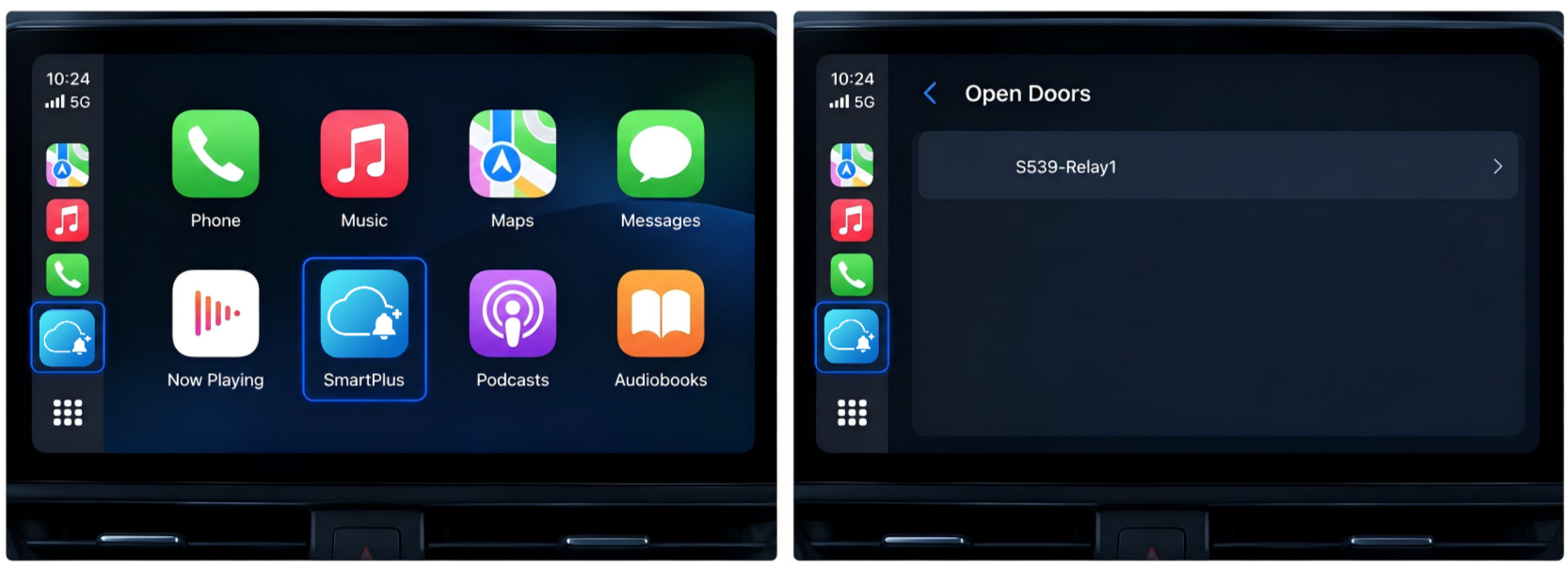
SmartPlus supports Apple CarPlay and Android Auto, allowing you to access your favorite door phones and access-control devices from your car's infotainment system and unlock doors more conveniently.
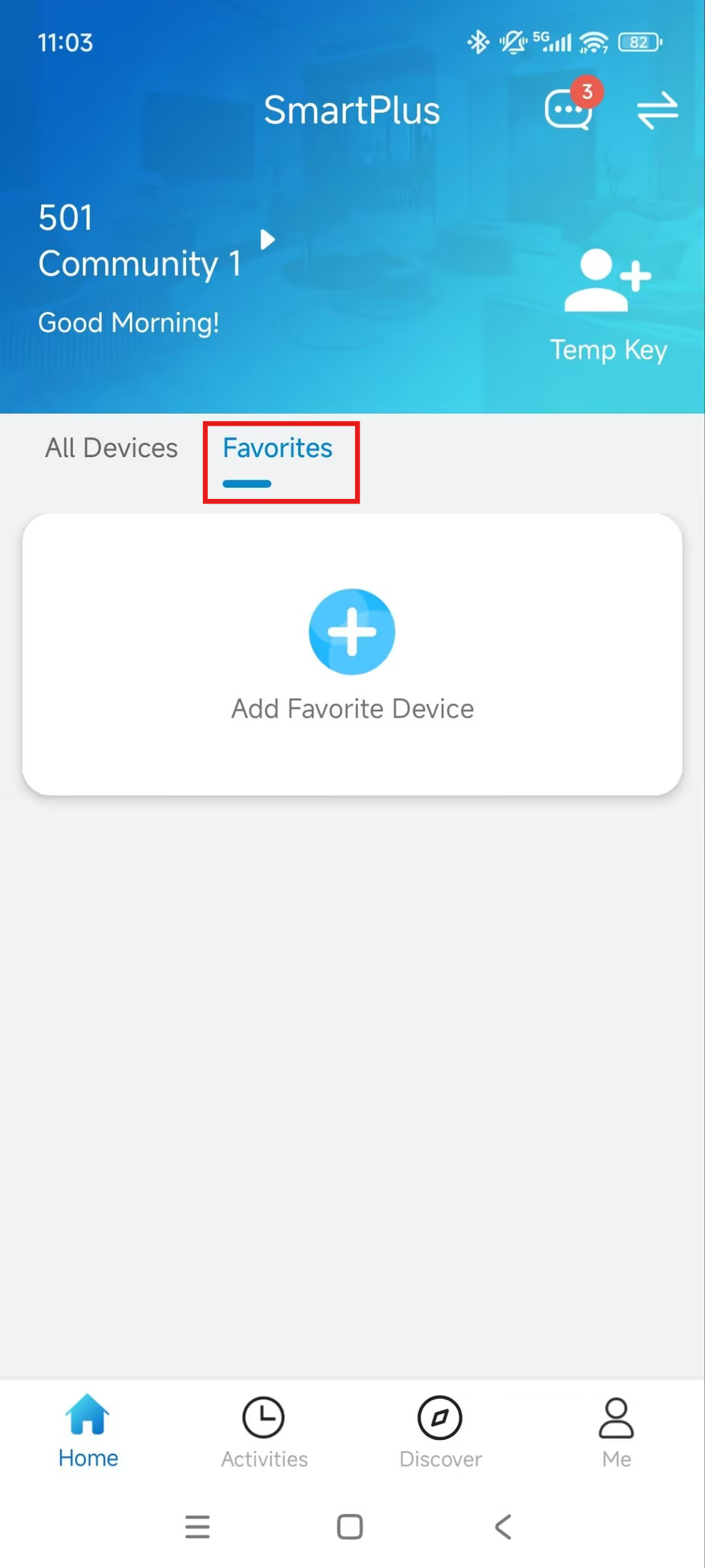
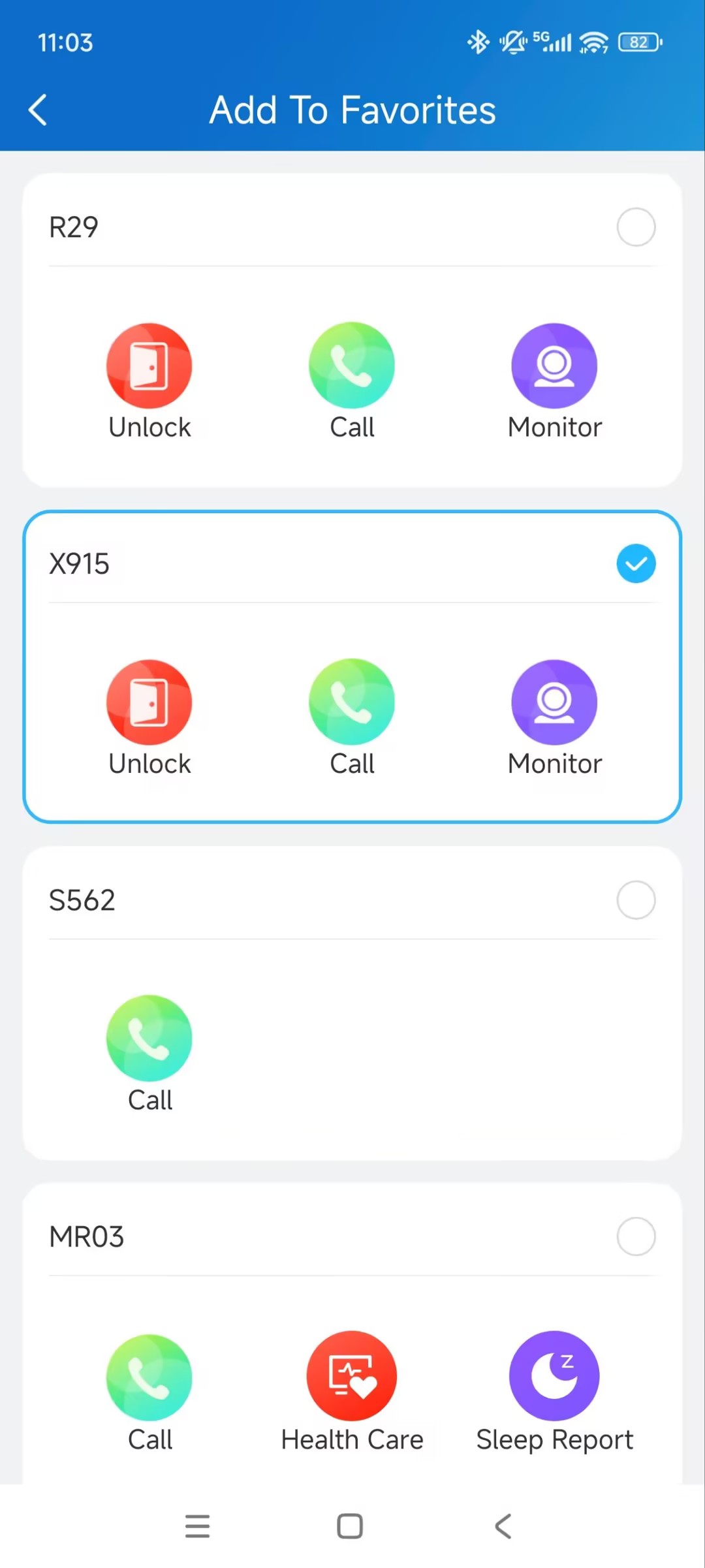
To use this feature, add the devices you want to access to Favorites in the SmartPlus App.
Before You Start
Make sure that:
You have installed the SmartPlus App and signed in to your account.
Your phone and car support Apple CarPlay or Android Auto, and the system is connected successfully.
The required SmartPlus App version or later: 7.52.0004(Android)/7.52.4(iOS).
Note
Smart locks, including akubela and third-party smart locks, are not supported unless they are linked to the door phone or access control terminal.
This feature supports unlocking from the in-car interface's home screen only. Unlocking via Bluetooth or during an intercom call is not supported.
Add Devices to Favorites
Tap Favorites on the homepage.
Tap Add Favorite Devices.
Check the desired device.
Open Doors with Android Auto
Connect your Android phone to Android Auto.
Open SmartPlus from the Android Auto interface.
Select the door to open.
Confirm to unlock.
Open Doors with Apple CarPlay
Connect your iPhone to Apple CarPlay.
Open SmartPlus from the CarPlay interface.
Select the door to open.
Confirm to unlock.