Answer Calls
When receiving a call, the indoor monitor will ring its doorbell.
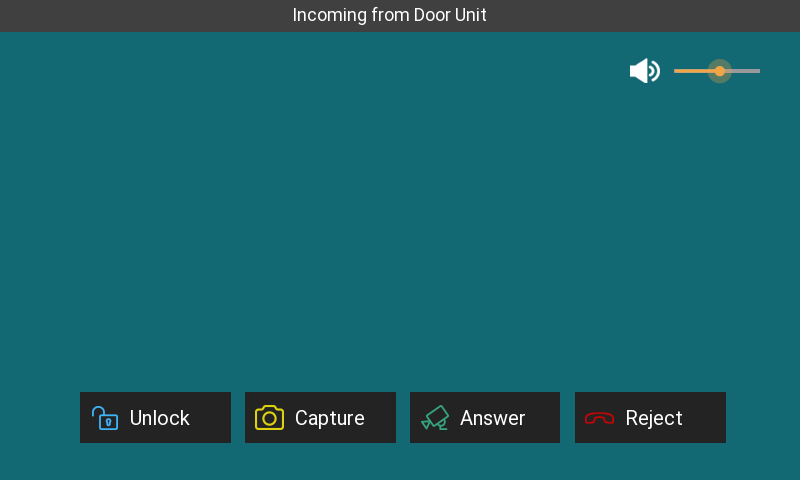
During the call preview, you can tap:
Unlock to open the door for the visitor.
Capture to take a screenshot.
Answer to answer the call.
Reject to hang up the call.
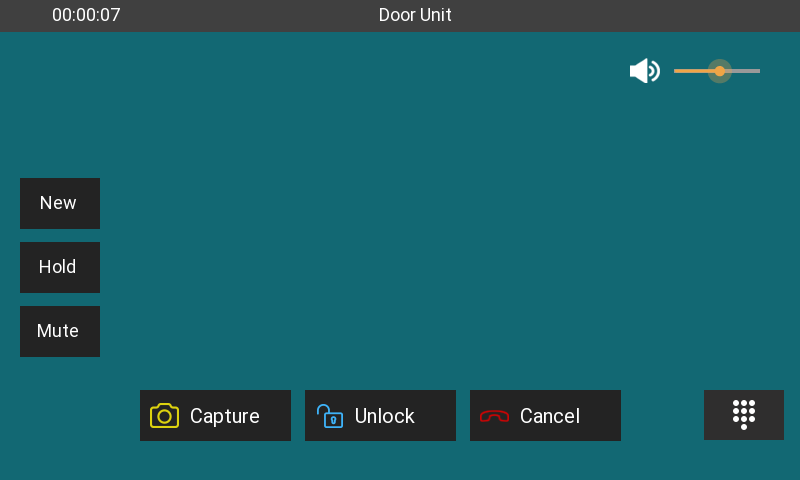
After answering the call, you can tap:
Unlock to open the door.
Capture to take a screenshot.
Cancel to hang up the call.
New to call another device while holding the current call.
Hold to hold the call.
Mute to silence the call.
 to open the keyboard. You can also open the door by entering the DTMF code that is preconfigured by your administrator.
Adjust the call volume.
Call a Number
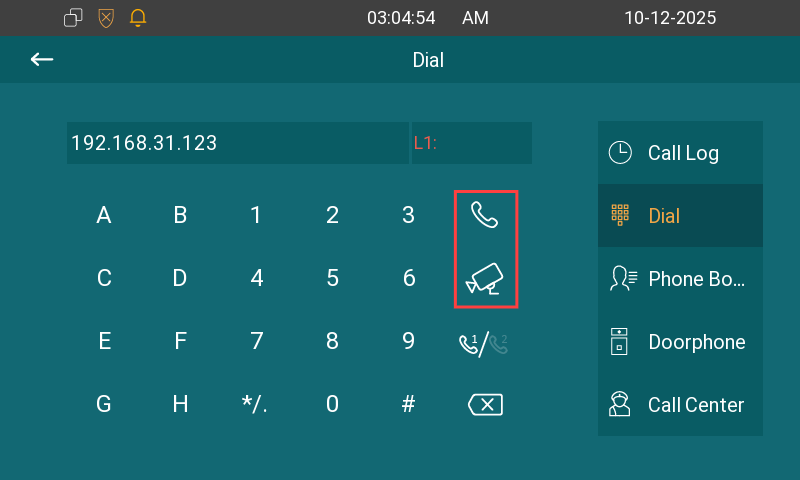
You can enter a number on the More > Call screen and press the Audio or Video icon to call out.
Call a Contact
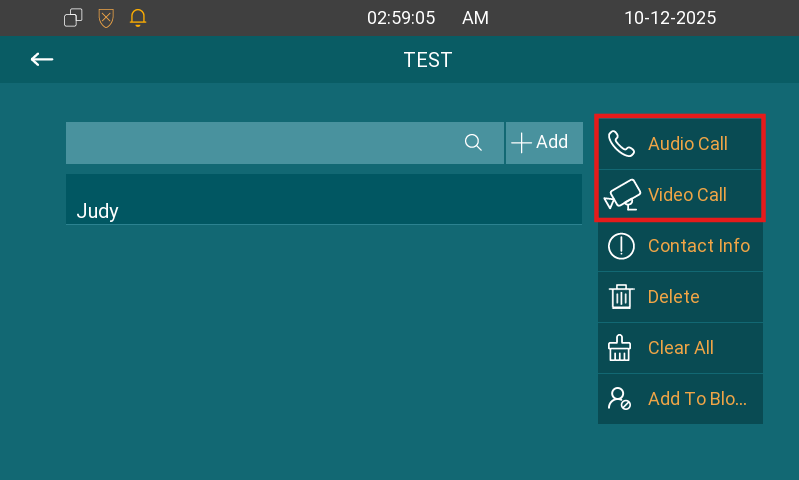
Directly tap the contact in the Call List on the home screen, or go to More > Contacts > All Contacts. Select the desired contact, then tap Audio or Video Call.
Call DND
The Do Not Disturb(DND) feature prevents unwanted incoming calls, ensuring uninterrupted focus.
Set it up on the More > Settings > DND screen. After configuring DND, tap DND ON/OFF on the home screen to turn it on/off.
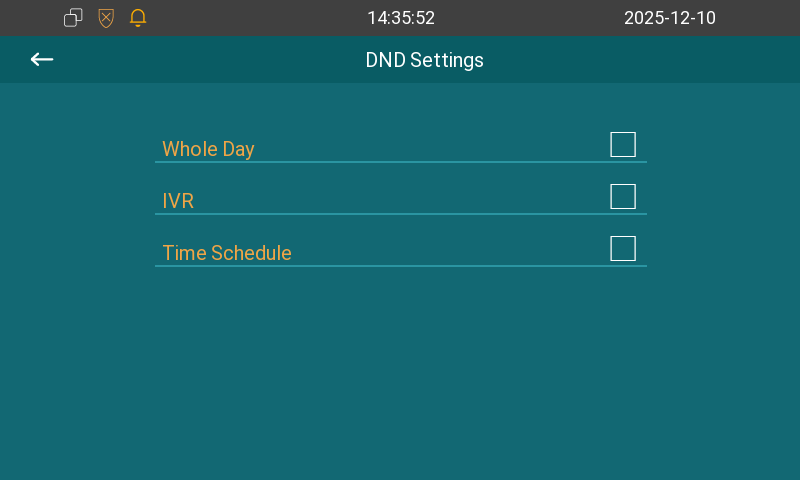
DND: Check Whole Day or Time Schedule to enable the DND function. The DND function is disabled by default.
Time Schedule: Determine the DND period by selecting DND Start Time and DND End Time.