Quick Start: This section provides quick access to the device’s key settings, such as network, user, relay, etc.
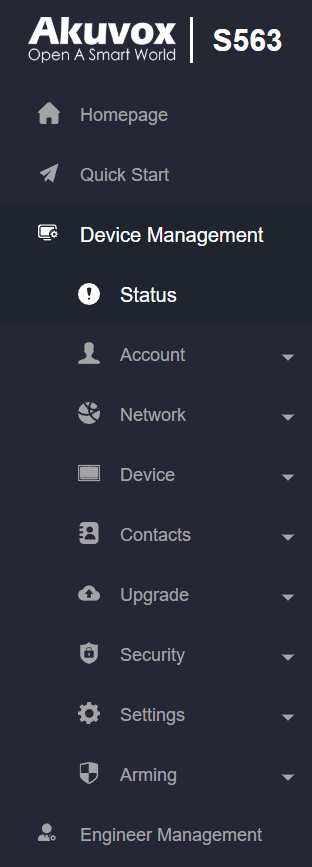
Device Management:
Status: This section gives you basic information, such as product information, network information, account information, etc.
Account: This section concerns the SIP account, SIP server, proxy server, transport protocol type, audio & video codec, DTMF, session timer, NAT, user agent, etc.
Network: This section mainly deals with DHCP & static IP settings, RTP port settings, device deployment, etc.
Device: This section includes time, language, call feature, NTP, display setting, audio, multicast, relay, third-party APP, intercom, relay monitor, lift control, etc.
Contacts: This section allows the user to configure the local contact list stored on the device and check call logs.
Upgrade: This section covers firmware upgrade, device reset & reboot, screenshots, configuration file auto-provisioning, and PCAP.
Security: This section is for password modification, account status & session time-out configuration, client certificate, and service location.
Settings: This section includes the RTSP setting, voice assistant, and brightness adaptation.
Arming: This section covers the configuration, including arming zone settings, arming mode, disarm code, and alarm action.
Engineer Management: This section provides quick access to upgrading, maintaining, and debugging the device.
Introduction to Quick Start Module
The Quick Start module allows you to configure the device’s core features on a single interface, instead of switching between different interfaces.
This module is hidden when the device is deployed on the SmartPlus Cloud.
You can redirect to the feature detail interface by clicking Details in the upper right corner.
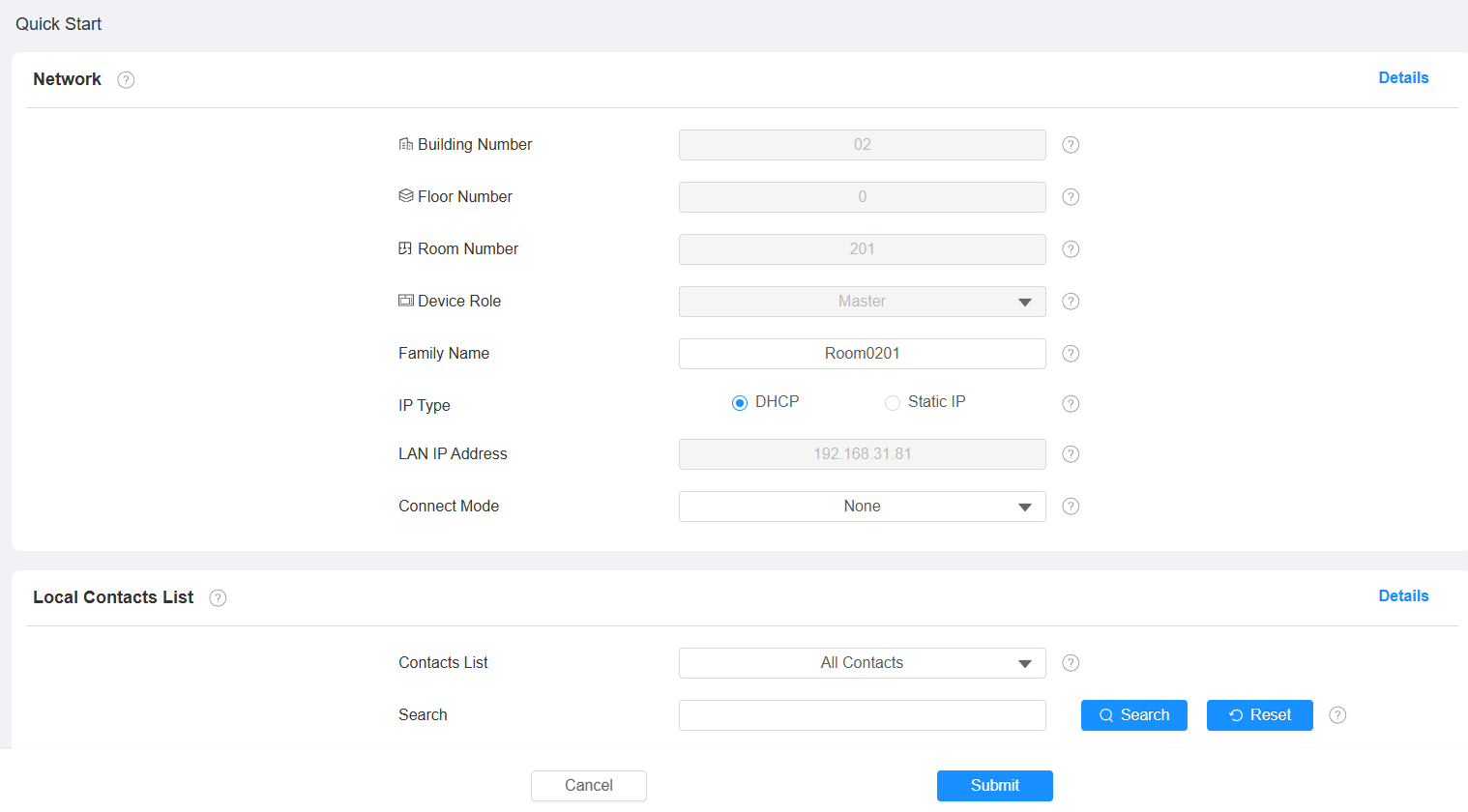
Network: Display the location information of the device.
Connect Mode: It is automatically set up according to the actual device connection with a specific server in the network, such as SDMC, Cloud, or None.
Local Contacts List: Display local contacts. Click +Add to add a new contact.
Door Phone: You can add video streams of door phones via RTSP.
Show Building Door Phone: Set whether to display door phones at the building gate in the monitoring list.
Show Public Door Phone: Set whether to display door phones in the public area in the monitoring list.