R20A V5.0 allows property managers to check door status on the SmartPlus Cloud platform and App, enhancing community security.
Note
The device should be connected to SmartPlus Cloud.
ONLY R20A with firmware version 320.30.10.116 and above supports displaying door status.
Enable Door Status Display
Before checking the door status on the SmartPlus Cloud, you need to enable the feature on the door phone’s web interface.
Log into the device’s web interface with the username and password. The default is admin.
Navigate to the Security > Basic > Real-Time Monitoring interface.
Select Input or Relay that is triggered to open the door.

Click Submit to save the settings.
Check Door Status
Note
Property managers cannot check the door status of residents’ private devices.
On the SmartPlus Cloud Platform
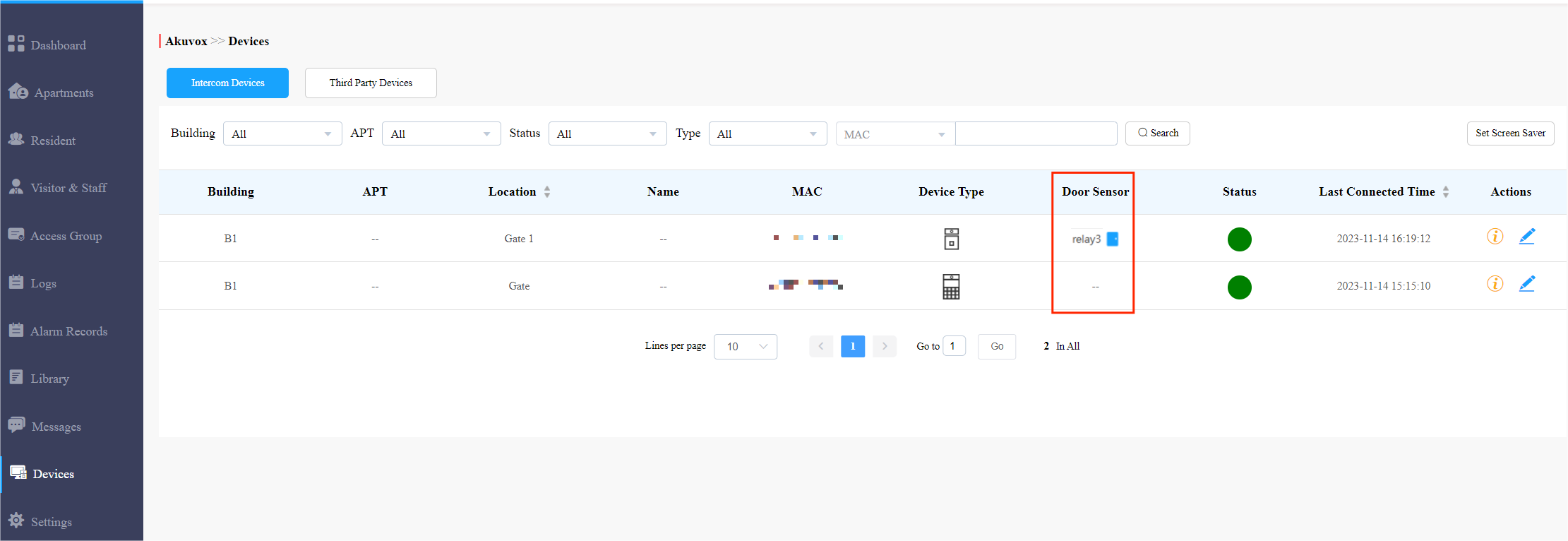
Log into the SmartPlus Cloud platform with the property manager account and click Devices to see the door status.
.png) : Closed
: Closed.png) : Open
: Open
On the SmartPlus App
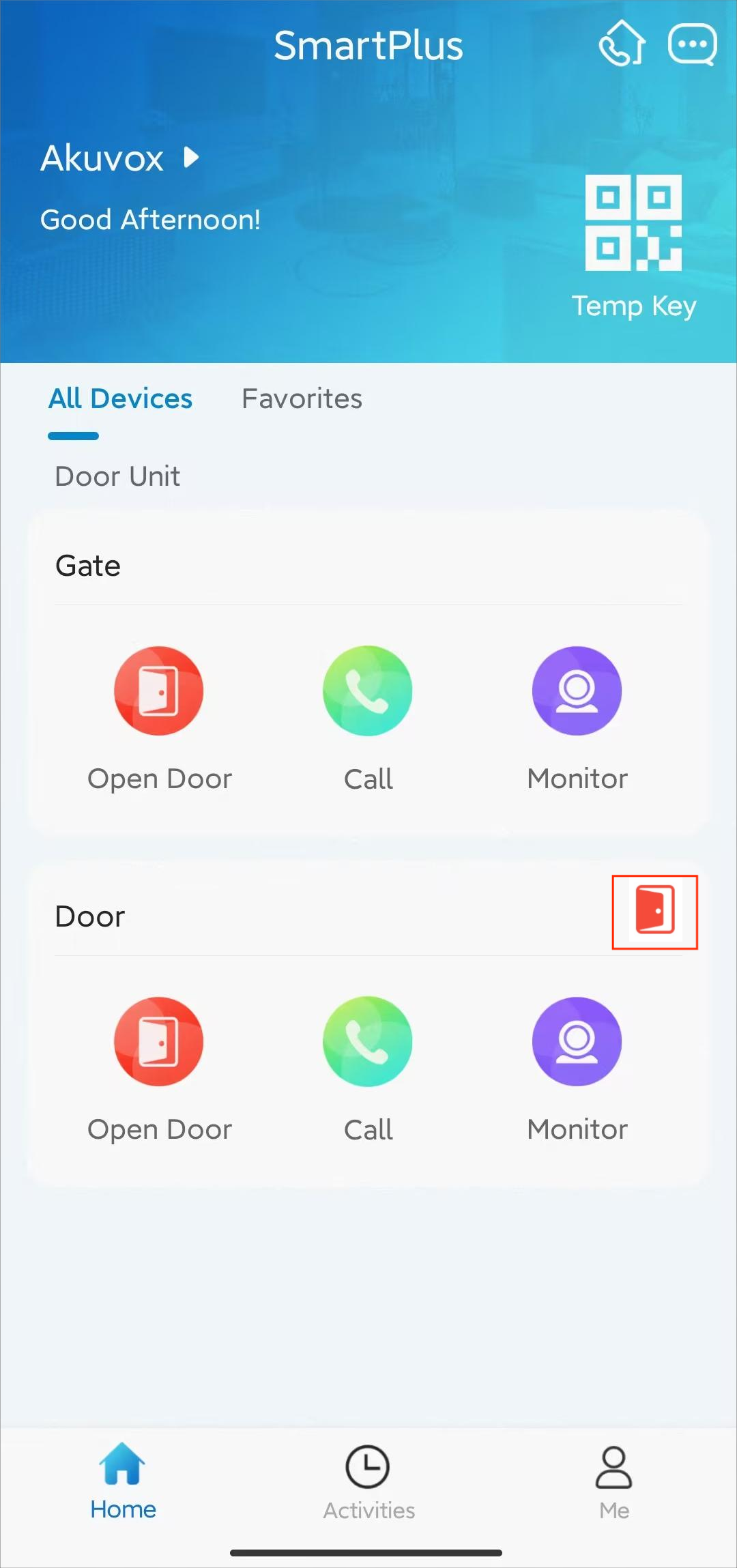
Log into the SmartPlus App with the property manager account and find the device to check the door status.
Single Door
You can see the door status directly on the home page.
 : Closed
.png) : Open
: Open
Multiple Doors
When there is more than one door, check them by tapping  .
.
.png "Door Sensor(1).png")