Language
Select the device’s web language in the upper-right corner.
The following languages are supported:
English, Simplified Chinese, Traditional Chinese, Russian, Korean, Portuguese, Spanish, Dutch, French, German, Polish, Turkish, Japanese, Vietnamese, Italian, Arabic, and Bosnian.
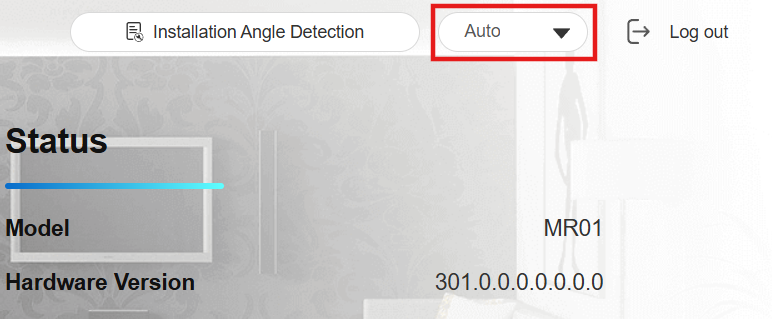
Custom Language
You can customize the configuration names and prompt texts on the web portal, such as the file name error warning.
Export the .json file for editing. You may edit it with the notepad on your computer.
Import the .json file, and its size should be smaller than 1 MB.
File Example:
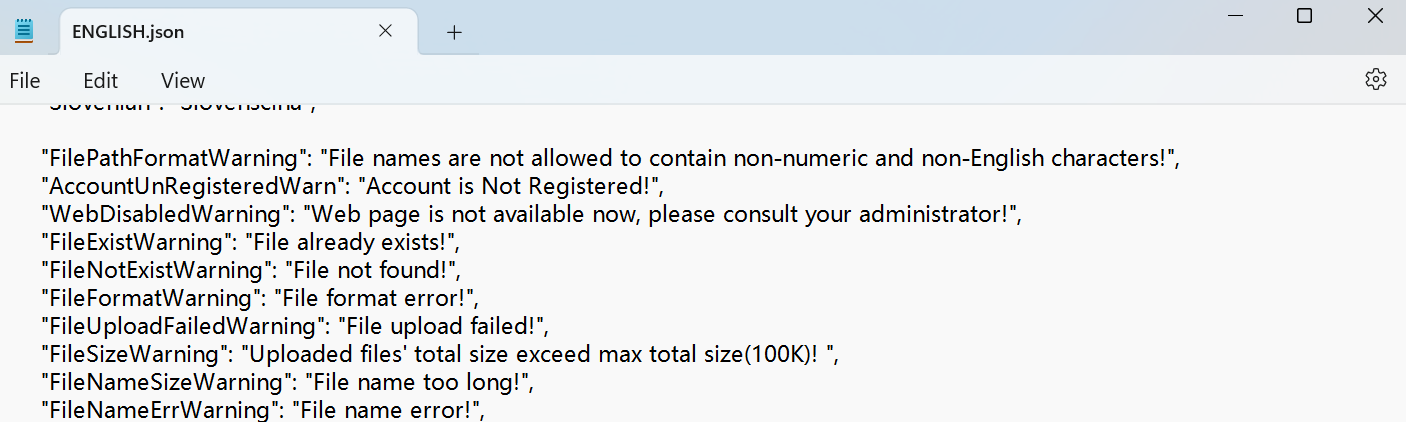
To set it up, navigate to Device > Time/Lang > Custom Language interface.

Time
The time settings on the web interface allow you to configure the NTP server address for automatic time and date synchronization. Once a time zone is selected, the device will notify the NTP server of the chosen time zone, enabling it to synchronize the time zone settings on your device.
Set it up on the Device > Time/Lang interface.
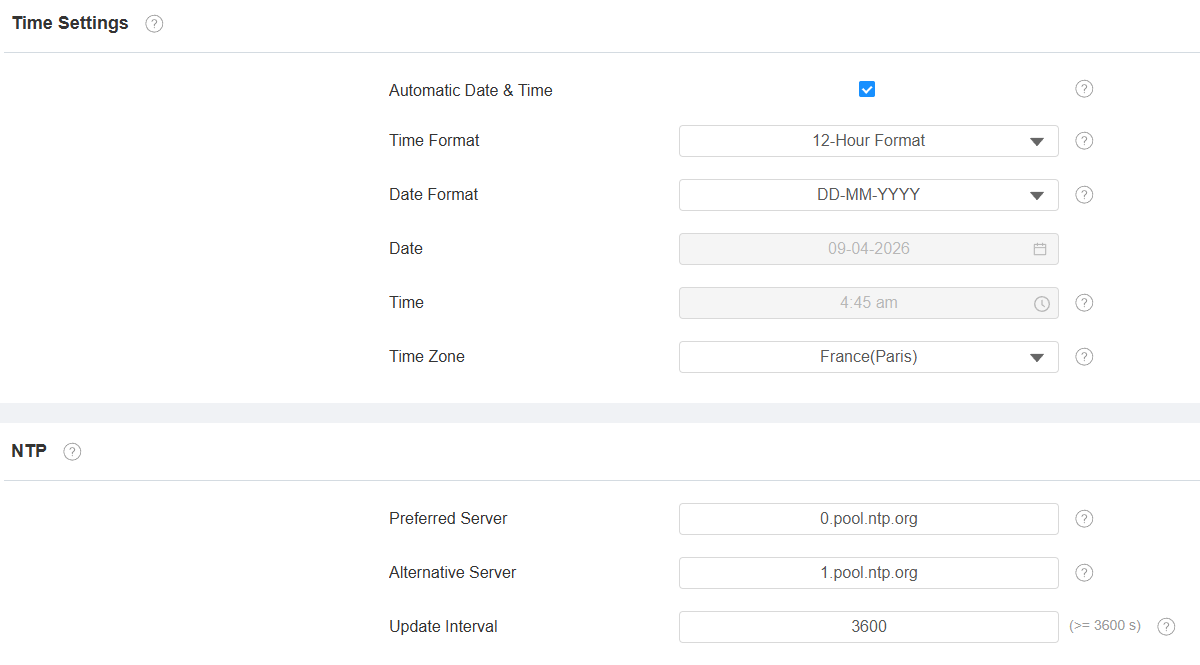
Automatic Date & Time: The automatic date is switched on by default, which allows the date & time to be automatically set up and synchronized with the default time zone and the Network Time Protocol(NTP) server. You can also set it up manually by switching it off and entering the time and date.
Time Format: Select a 12-hour or 24-hour time format.
Date Format: Select the date format from the available options.
Time Zone: Select the specific time zone depending on where the device is used. The default time zone is GMT+0:00.
Preferred Server: Enter the NTP server address.
Alternative Server: Enter the backup server address. When the main NTP server fails, it will change to the backup server automatically.
Daylight Saving Time
Daylight Saving Time is the practice of advancing clocks (typically by one hour) during warmer months so that darkness falls at a later clock time. You can modify the time parameters to achieve longer evenings or daytime, especially in summer.
Set it up on the Device > Time/Lang interface.
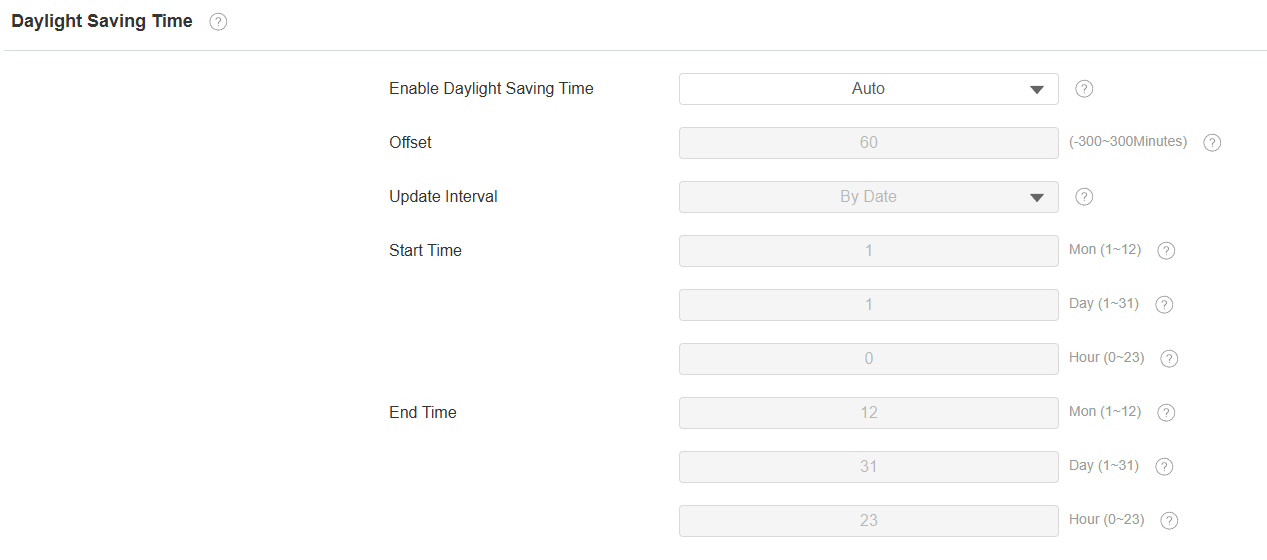
Enable Daylight Saving Time: Enable or disable the feature. Auto means that the device adjusts the daylight saving time automatically.
Offset: 60 minutes as default, setting the clocks an hour ahead of the standard time.
By Date/By Week: By Date sets the date schedule for daylight saving time. By Week sets the schedule for daylight saving time according to the week and month.