When you first set up the device, you might need to set the language to your need or you can do it later if needed. And the language can either be set up directly on the device or on the device web interface according to your preference.
Language Setting
Language Setting on the Device
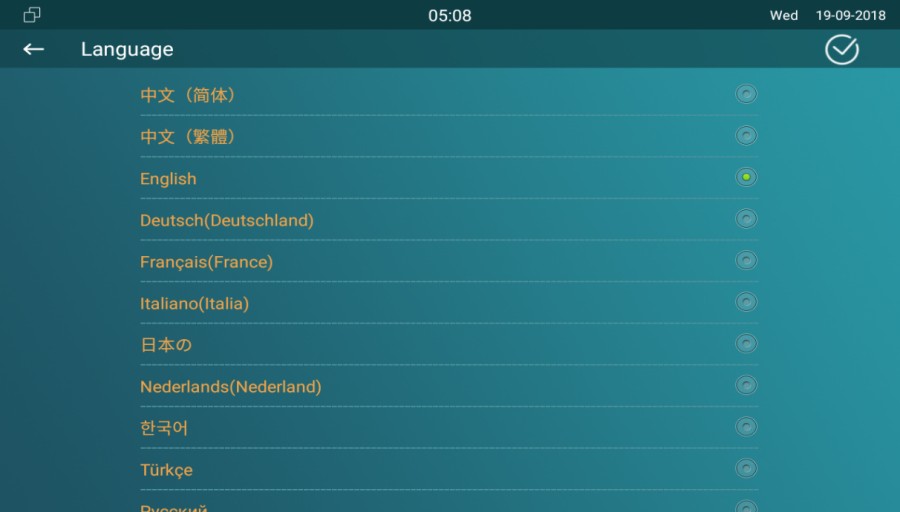
To configure the language display on the device Setting > Language screen.
Language Setting on the Device Web Interface
To configure the language display on the device web Phone > Time/Lang interface.

Time Setting
Time settings, including time zone, date and time format, and more, can be configured either on the device or the web interface.
Time Setting on the Device
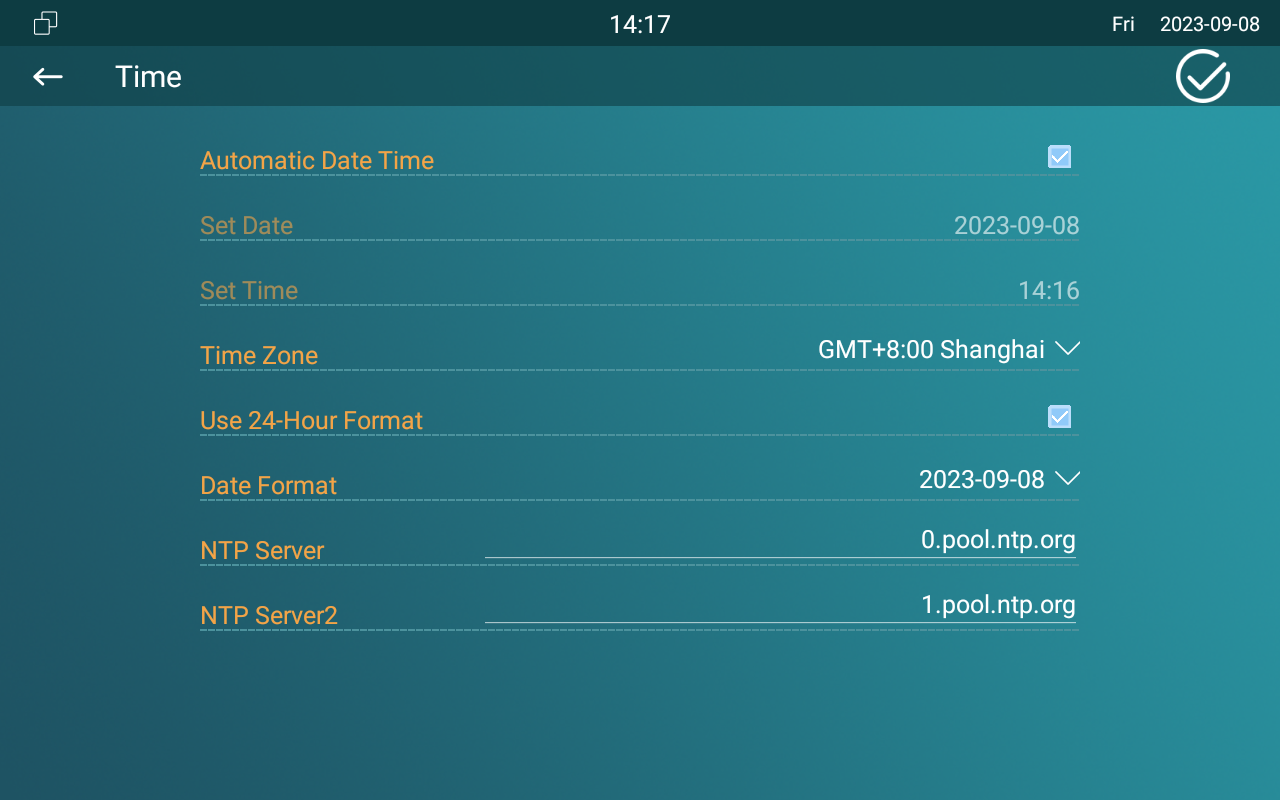
To set up time setting on the device Setting > Time screen.
Parameter Set-up:
- Automatic Date Time: NTP-based automatic date time is switched on by default, which allows the date& time to be automatically set up and synchronized with the default time zone and the NTP server (Network Time Protocol). You can also set it up manually by ticking the check box and then entering the time and date you want and pressing the Save tab to save the setting.
- Set Date: enter the date when it is in manual mode.
- Set Time: enter the time when it is in manual mode.
- Use 24-Hour Format: tick the checkbox to select 24-hour time format.
- Time Zone: select the specific time zone depending on where the device is used. The default time zone is GMT+0.00.
- Date Format: select the date format you like among the three format options. The six formal options are Y-M-D, Y/M/D, D-M-Y, D/M/Y, M-D-Y, M/D/Y.
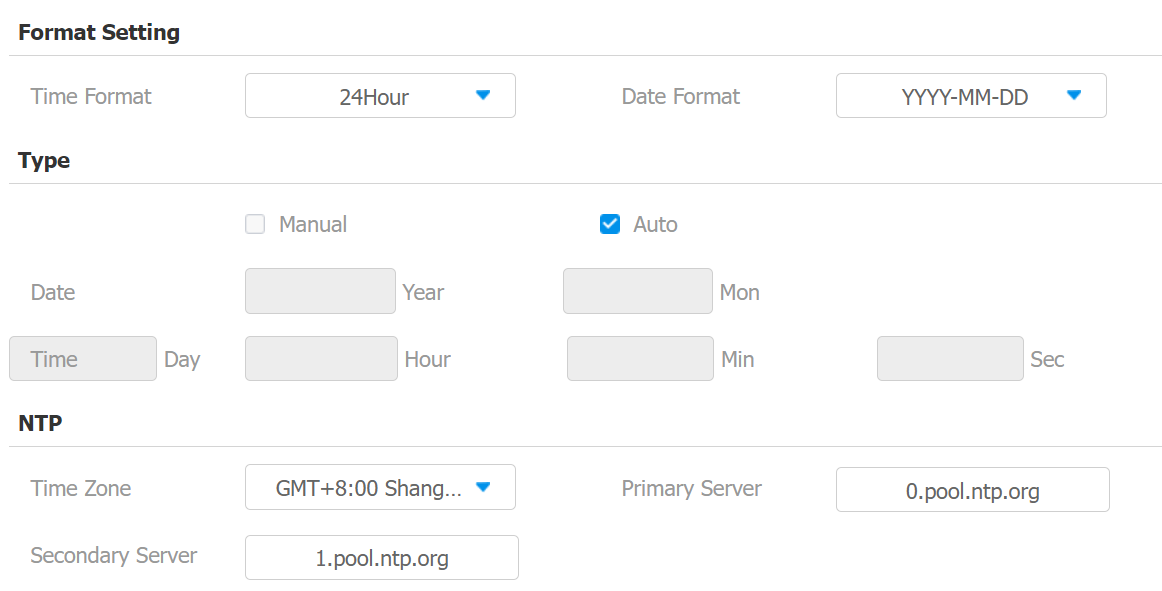
- Time Format: select 12-hour or 24-hour time format as you like.
- NTP Server: enter the NTP server you obtained in the NTP server field.
- When the NTP-based automatic date time is switched off, then parameters related to NTP server will become non-editable. And when it is switched on, then time and date will be denied editing.
Time Setting on the Device Web Interface
The time settings on the web interface allow you to configure the NTP server address for automatic time and date synchronization. Once a time zone is selected, the device will notify the NTP server of the chosen time zone, enabling it to synchronize the time zone settings on your device.
Navigate to Phone > Time/Lang web interface.
Parameter Set-up:
- NTP Server: enter the NTP server you obtained in the NTP server field.