Language
Select the web language on the Phone > Time/Lang interface.

Type: Support Auto option and the following languages: English, Traditional Chinese, Russian, Portuguese, Spanish, German, Polish, Japanese, Simplified Chinese, and Turkish. English is the default web language.
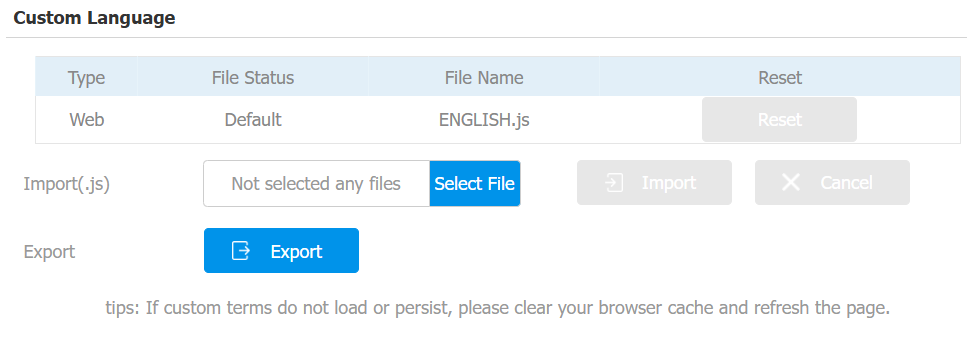
Custom Language
You can customize the configuration names and prompt texts on the device’s web portal, such as the file name error warning.
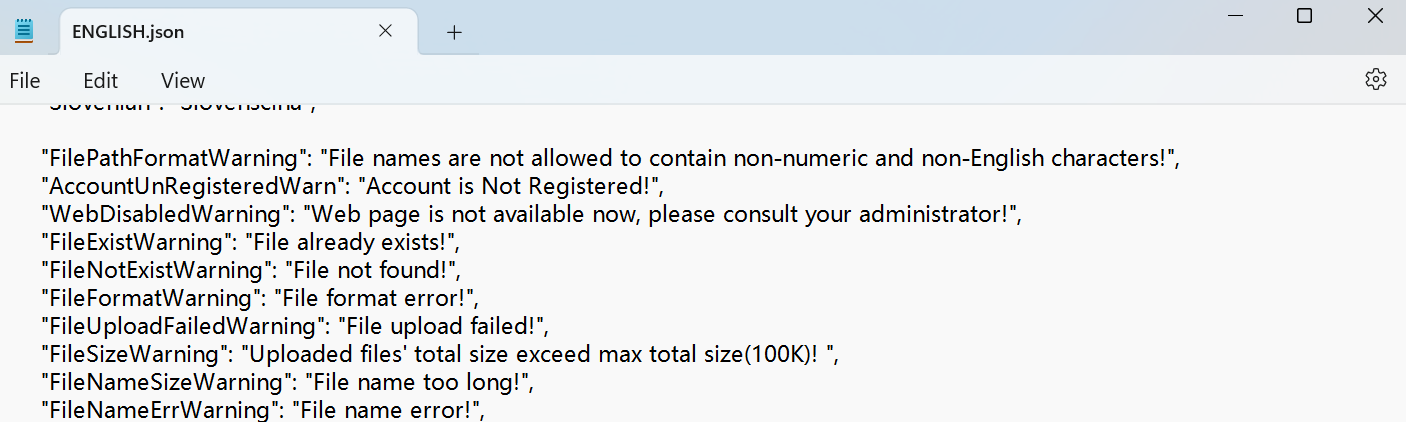
Export the .json file for editing. You may edit it with the notepad on your computer.
Import the .json file, and its size should be smaller than 1 MB.
File Example:
Set it up on the Phone > Time/Lang interface.
Time
The time settings on the web interface allow you to configure the NTP server address for automatic time and date synchronization. Once a time zone is selected, the device will notify the NTP server of the chosen time zone, enabling it to synchronize the time zone settings on your device.
Set up time on the Phone > Time/Lang interface.
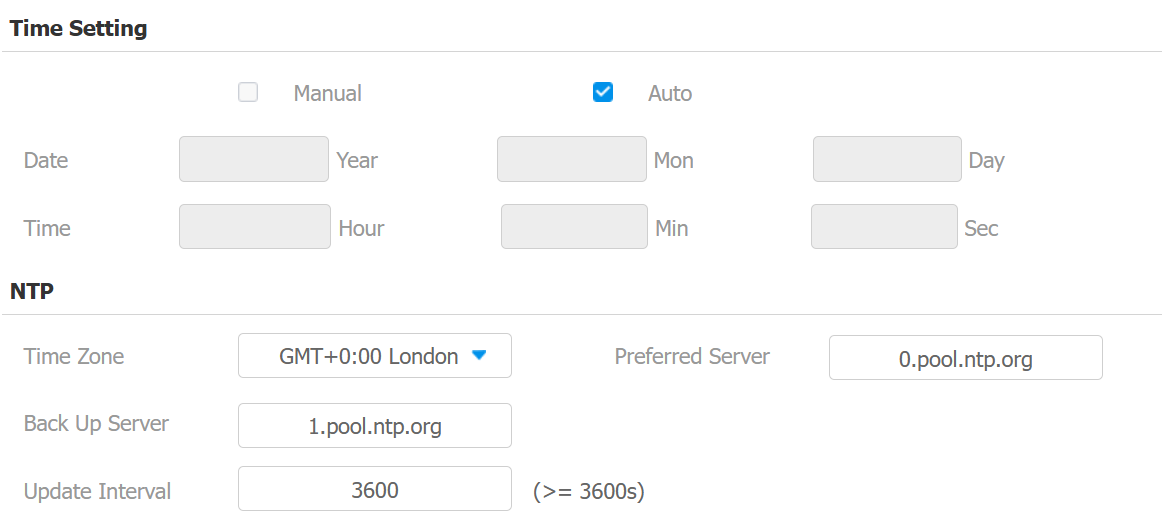
Time Setting: Choose to set up time manually or automatically. Auto is the default option.
Manual: When checked, choose the date and time.
Auto: The device will update time based on the NTP settings below.
Preferred/Backup Server: Enter the NTP server address. The backup server will take effect when the preferred server is invalid.
Update Interval: The interval between two consecutive NTP requests.
Daylight Saving Time
Daylight Saving Time is the practice of advancing clocks (typically by one hour) during warmer months so that darkness falls at a later clock time. You can modify the time parameters to achieve longer evenings or daytime, especially in summer.
Set it up on the Phone > Time/Lang interface.
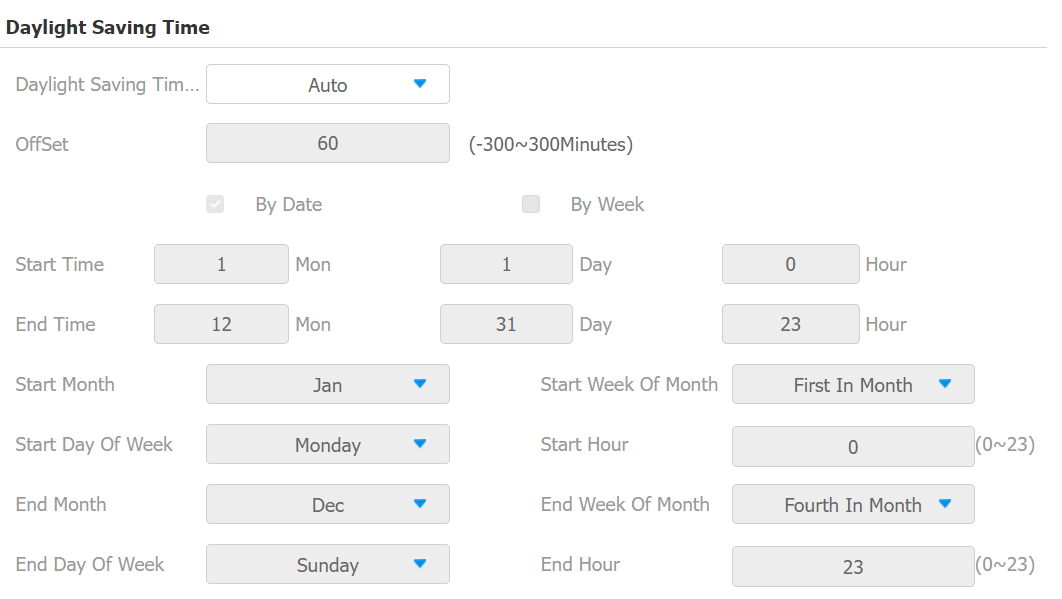
Daylight Saving Time Enabled: Enable or disable the feature. Auto means that the device adjusts the daylight saving time automatically.
Offset: 60 minutes as default, setting the clocks an hour ahead of the standard time.
By Date/By Week: By Date sets the date schedule for daylight saving time. By Week sets the schedule for daylight saving time according to the week and month.