Language Setting
You con set up the display language for the device web interface by going to Phone > Time/Lang > Web Language.

Parameters Set-up:
- Type: Choose a preferred web language. English is the default one.
Time Setting
Set up Standard Time
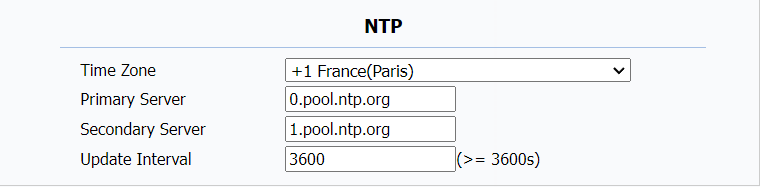
The time settings on the web interface allow you to configure the NTP server address for automatic time and date synchronization. Once a time zone is selected, the device will notify the NTP server of the chosen time zone, enabling it to synchronize the time zone settings on your device.
To access this setting, navigate to Phone > Time/Lang > NTP.
Parameters Set-up:
- Time Zone: Select the specific time zone depending on where the device is used and then press Confirm tab for the confirmation. The default time zone is GMT GMT+0.00.
- Primary/Secondary Server: Enter the NTP server address. The secondary server will take effect when the primary server is invalid.
- Update Interval: To configure the interval between two consecutive NTP requests. The device will then automatically synchronize its time with the NTP server at this set intervals.
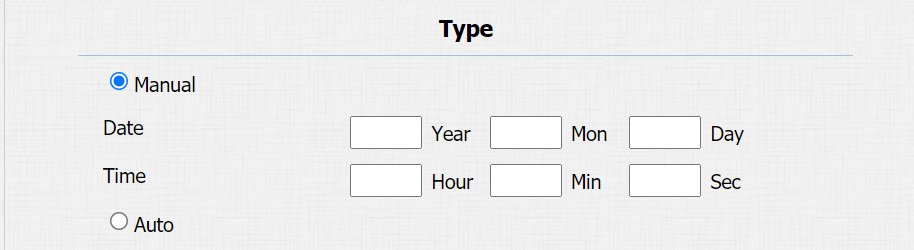
You can also set up the time manually, select Manual and input time data.