Status Light
The status light indicates device events through different colors and lighting patterns. You can enable or disable the status light and adjust its brightness, color, display mode, and duration according to different events.
To set it up, go to Device > Light > Status Light interface.
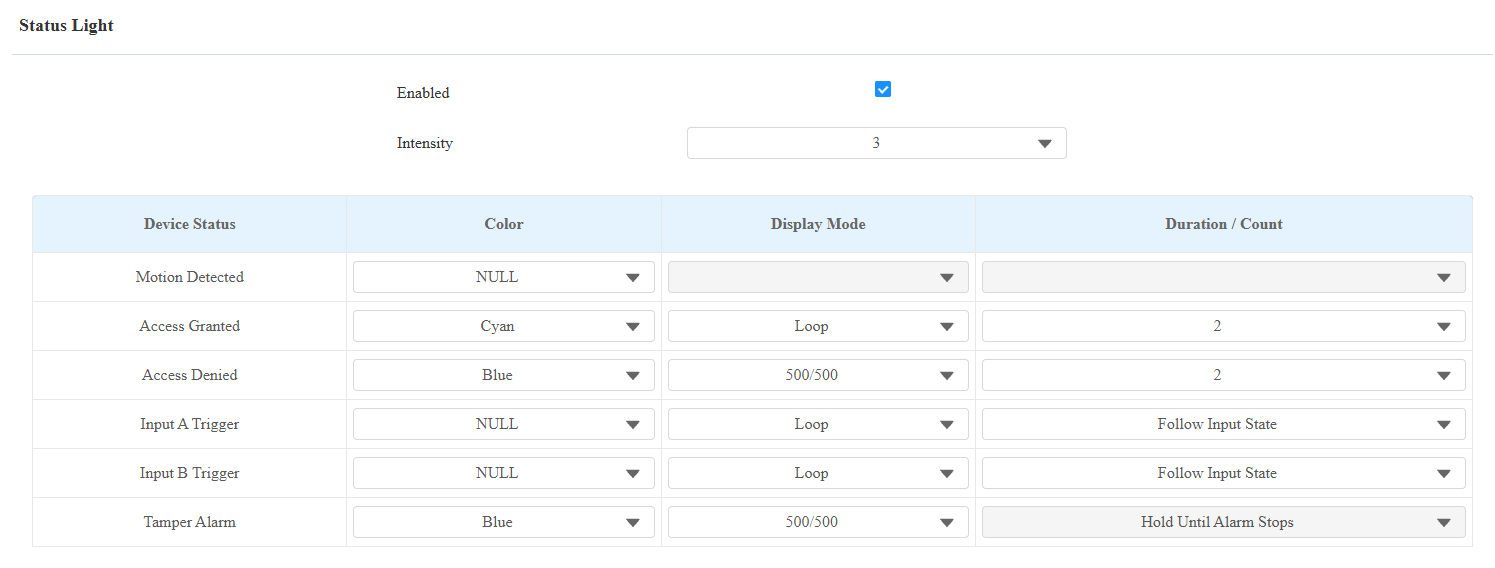
Intensity: The level ranges from 1 to 5. The higher the value, the brighter it is.
Device Status: For the Motion Detected status, the default color is NULL. When set to a color, the indicator lights up for 10 seconds after motion detection. Its Display Mode cannot be modified.
Color: Three colors are available: Cyan, Blue, and Green.
Display Mode: Set the different flashing frequencies. Available options depend on the event.
Loop: The light circle rotates.
500/500: The light flashes with an on/off interval of 500 ms.
1000/1000: The light flashes with an on/off interval of 1000 ms.
Always On: The light remains continuously illuminated without flashing or rotating.
Duration/Count: Specify how long the light stays on or how many times the selected lighting pattern is executed. Available options depend on the selected Display Mode.
For Loop, 500/500, and 1000/1000, the value specifies the number of times the lighting pattern is executed.
For Always On, the value specifies how many seconds the light remains continuously illuminated.
Follow Input State: The light remains on according to the state of the corresponding input.
Follow Hold Delay: The light remains on according to the relay's configured hold delay.
Status Light Priority
When multiple events occur simultaneously, the status light follows this priority order, from highest to lowest:
Tamper Alarm > Access Granted/Access Denied > Input A/Input B Trigger > Motion Detected.
The Default Status Light Description:
LED Color | LED Status | Description |
|---|---|---|
Cyan | Light on briefly | The device starts up. |
The light circle rotates once. | Door-opening succeeds. | |
Blue | Flashing briefly | Door-opening fails. |
Flashing continuously | The tamper alarm is triggered. |
Keypad Light
You can set up the keypad light. For example, keep the light on, and users can locate the device conveniently in a dark environment.
To set it up, go to Device > Light > Keypad Light interface.
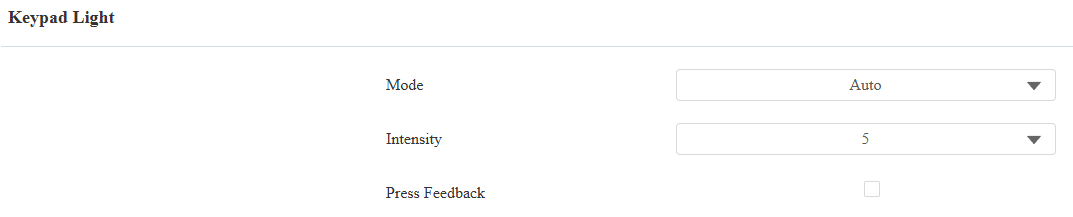
Mode:
Auto: The keypad lights up when users approach or touch it.
On: Turn on the keypad light all the time.
Schedule: When enabled, select the schedule when the keypad light will stay on.
Intensity: Adjust the brightness of the keypad light. The higher the value is, the brighter the light is.
Press Feedback: When enabled, the keypad light flashes each time the user taps a key.