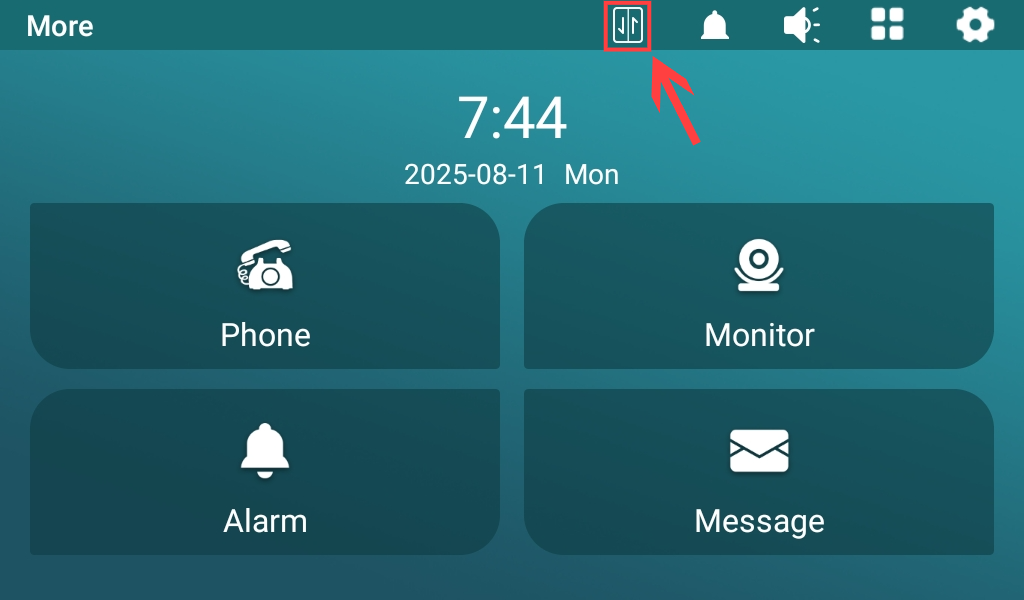
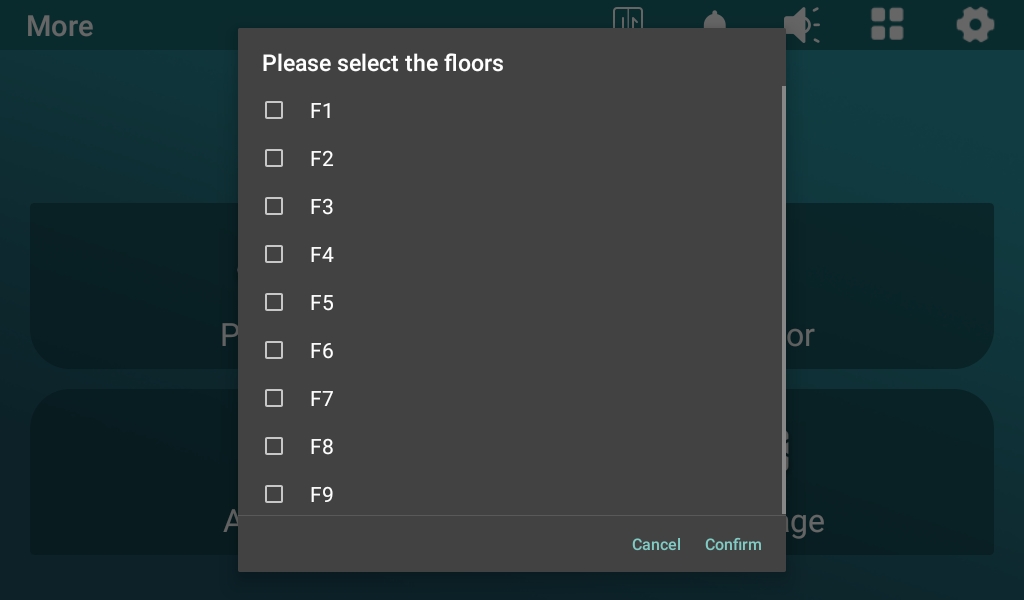
Residents can summon and send the lift by simply tapping on the Akuvox guard phone.
To achieve this function, you need to set up the lift control feature on both the guard phone and the lift controller EC33.
Set it up on the Phone > Lift Control interface.
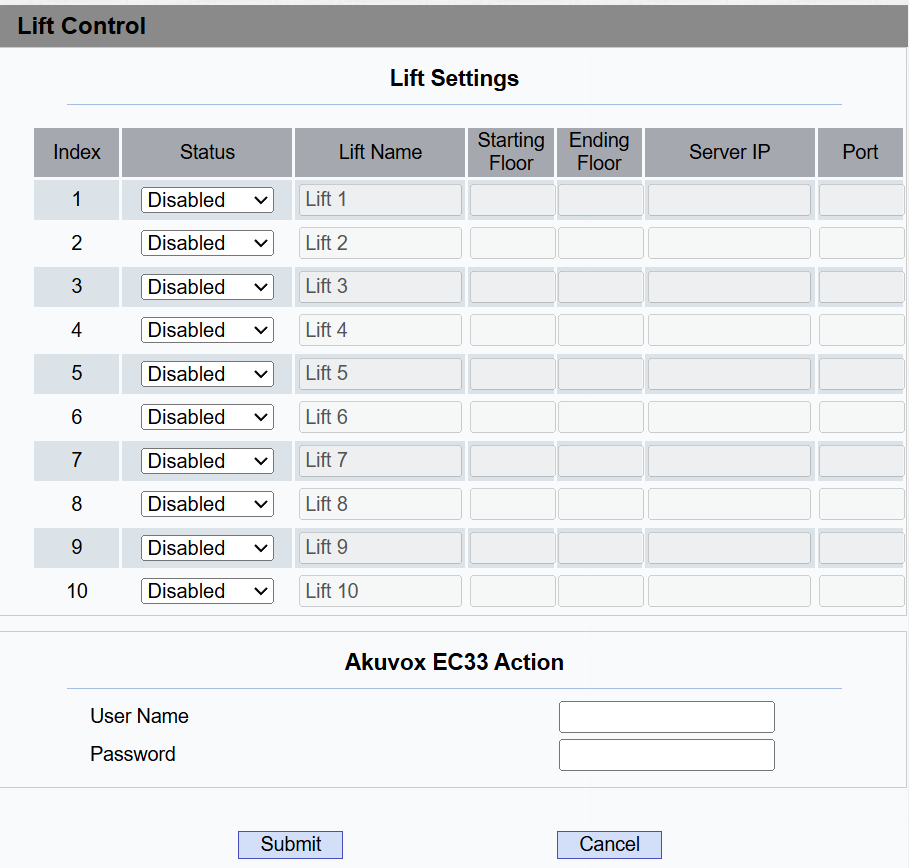
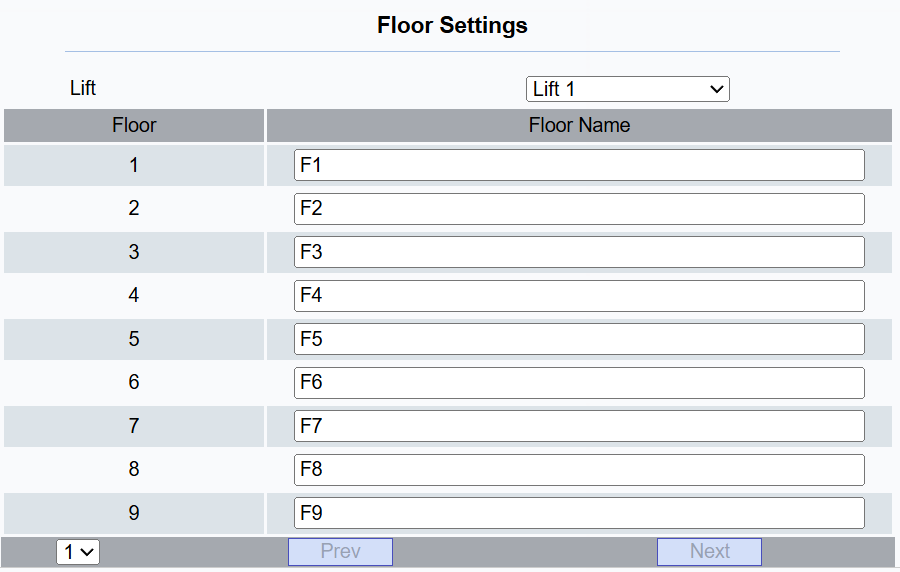
Status: Enable/disable the lift. When enabled, set up Floor Settings. You can name each floor.
Lift Name: Name the lift.
Starting Floor: Set the lift control starting floor(-5-128). It cannot be 0.
Ending Floor: Set the lift control ending floor(-5-128). It cannot be 0.
Server IP: The IP address of EC33.
Port: The port of EC33.
Username: The username set in EC33 for authentication.
Password: The password set in EC33 for authentication.
Users can tap  and select the target floor.