The device can be connected to the Akuvox or a third-party lift controller for lift control. Users can summon the lift to go down to the ground floor when they are granted access through access methods.
To set up the lift control, go to Device > Lift Control interface.
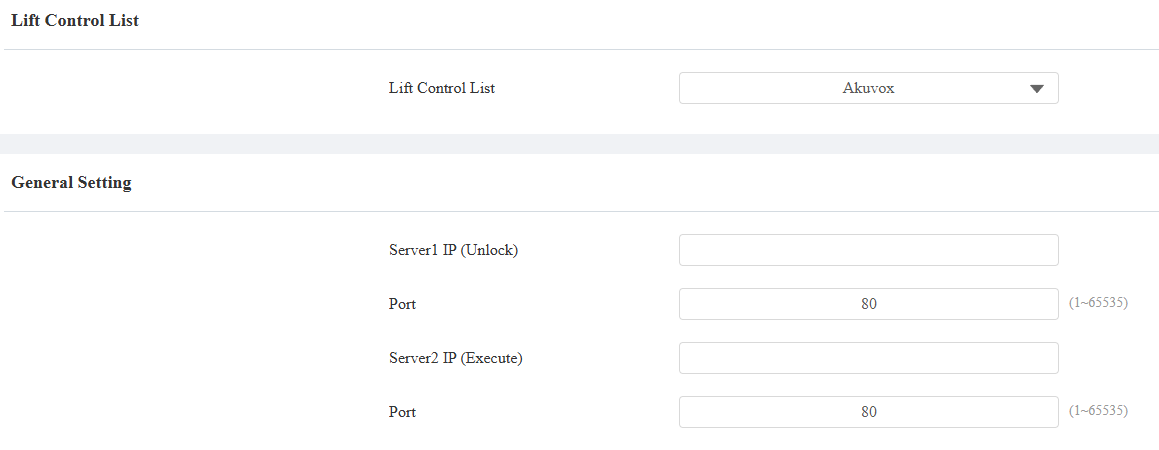
Server 1 IP(Unlock): The IP address of the Akuvox lift control server. It supports up to 10 server addresses separated by ";".
Server 2 IP(Execute): The IP address of the server that triggers lift control.
Port: The server port of the lift controller server.
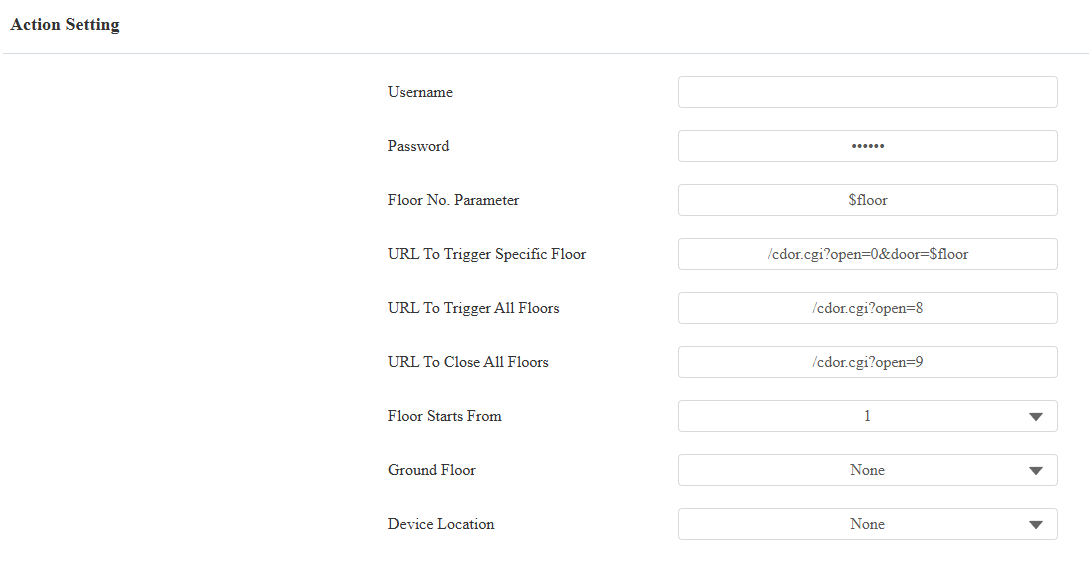
Username: The username of the lift controller for the authentication.
Password: The password of the lift controller for the authentication.
Floor NO. Parameter: Enter the floor number parameter provided by Akuvox. The default parameter string is “$floor”. You can define your parameter string if needed.
URL To Trigger Specific Floor: Enter the Akuvox lift control URL for triggering a specific floor. The URL is /cdor.cgi?open=0&door=$floor, but the string “$floor” at the end must be identical to the parameter string you defined.
URL To Trigger All Floors: Enter the Akuvox URL for triggering all floors.
URL To Close All Floors: Enter the Akuvox URL used for closing all floors, meaning all the buttons that are triggered for the corresponding floors will become invalid.
Floor Starts From: Set the floor from which the floor count starts. For example, if you select -3, then the 3rd floor in the basement will be considered as the first floor, matched with relay#1 (first floor).
Ground Floor: If there are ground floors between the -1 and 1 floors, configure this option.
Device Location: Select the floor where the device is installed.
Lift Control via OSDP
The device can be integrated with the third-party lift controller via the OSDP protocol. You are required to check for the device integration protocol and make sure that they are the same.
To set it up, go to Device > Lift Control interface.
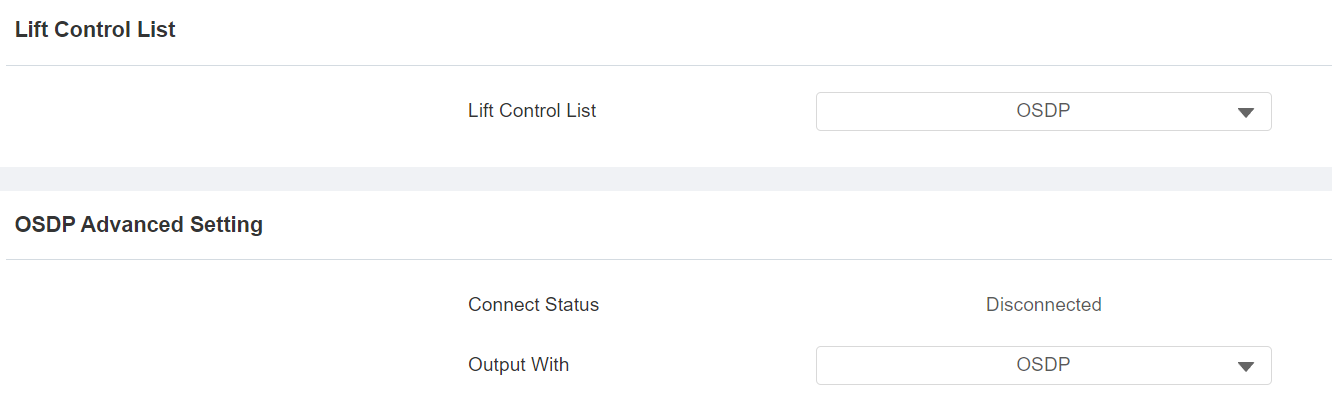
Lift Control List: Select OSDP from the list.
Connect Status: Indicate the connection status.
Output With: Select in what way to send out the card number.
OSDP: The card number will be sent out to the third-party device via RS485.
None: The card number will not be sent out, but retained in the system.