If you have multiple SmartPlus accounts, you can link these accounts and manage different sites with one account.
Note
To link personnel accounts(used in commercial projects), the SmartPlus App version should be 7.11.0003(Android)/7.11.3(iOS) or higher.
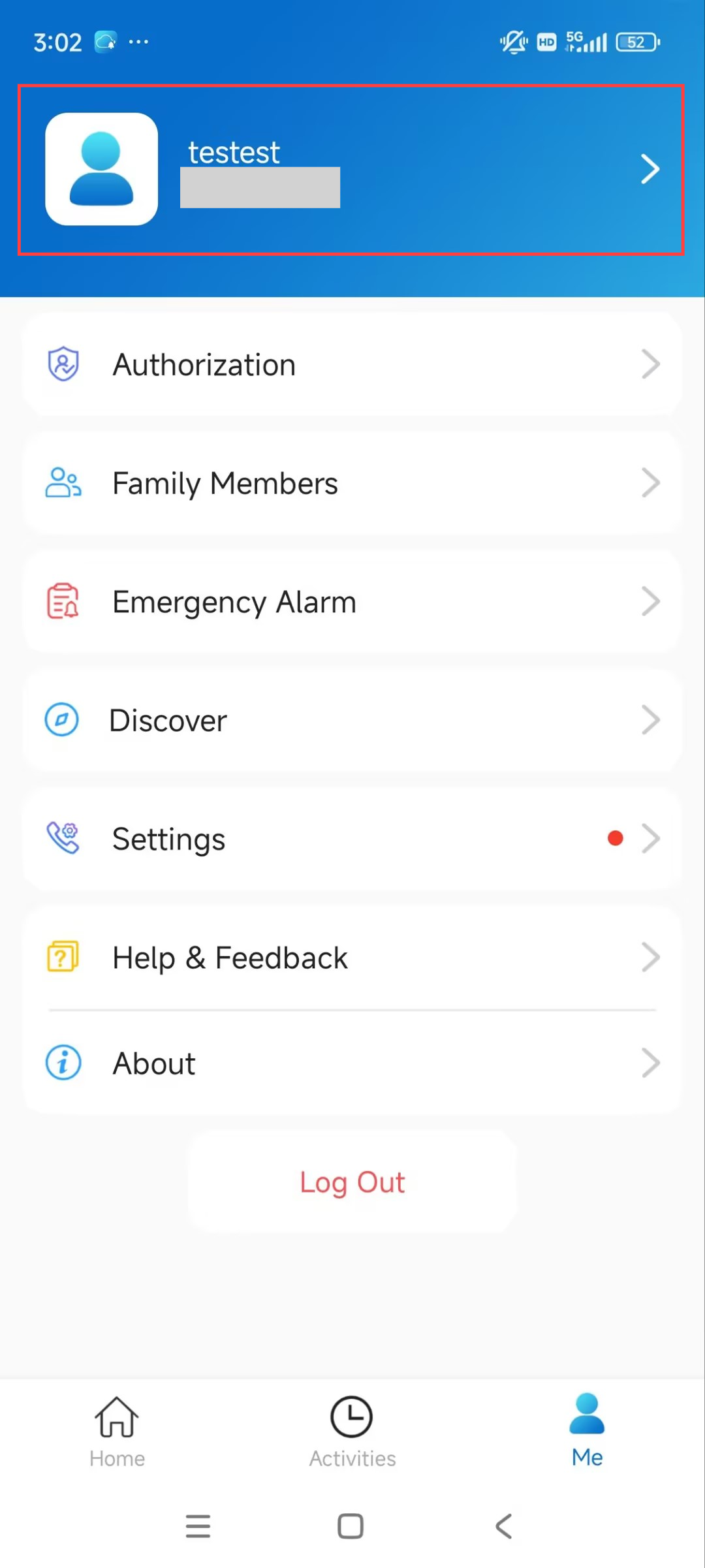
Tap Me > [Your Account Name].
Tap Link Site.
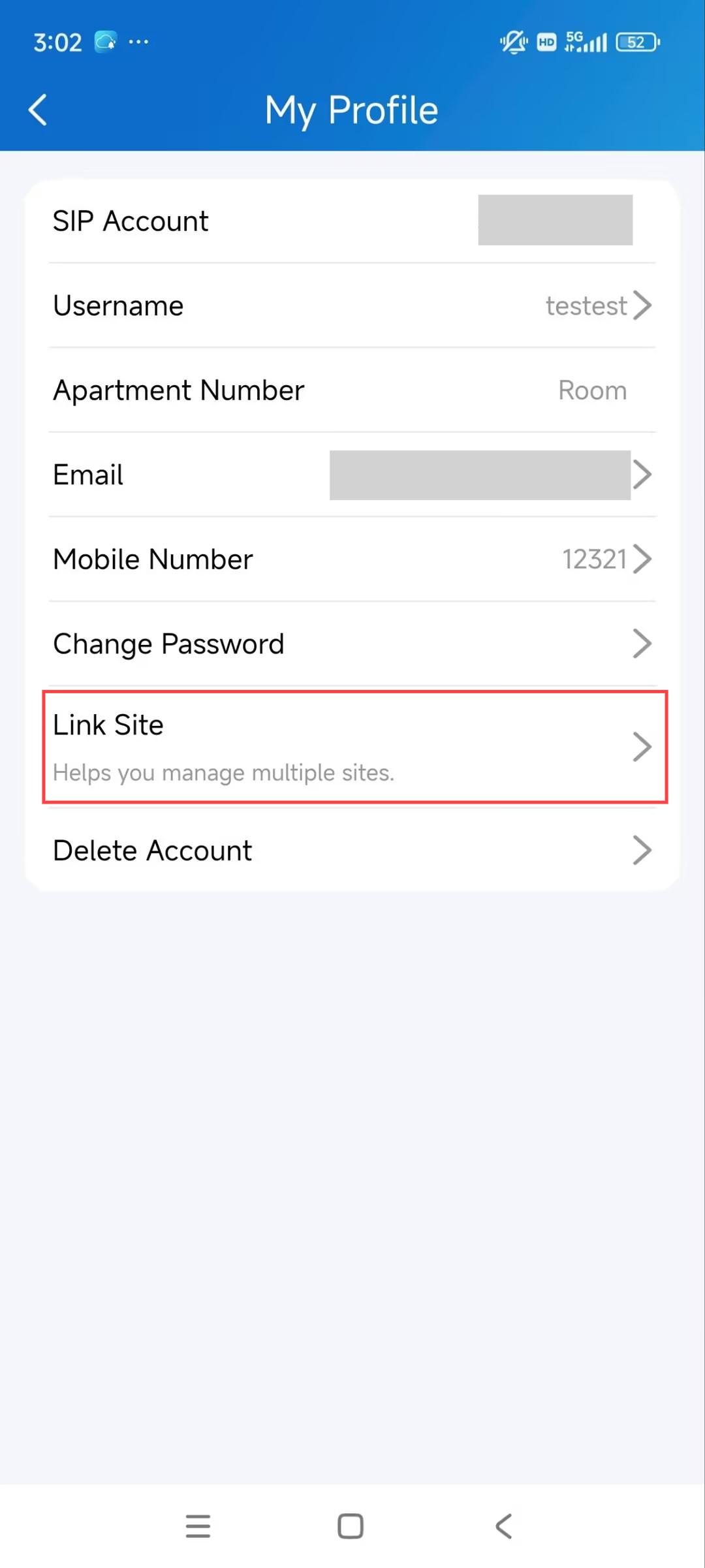
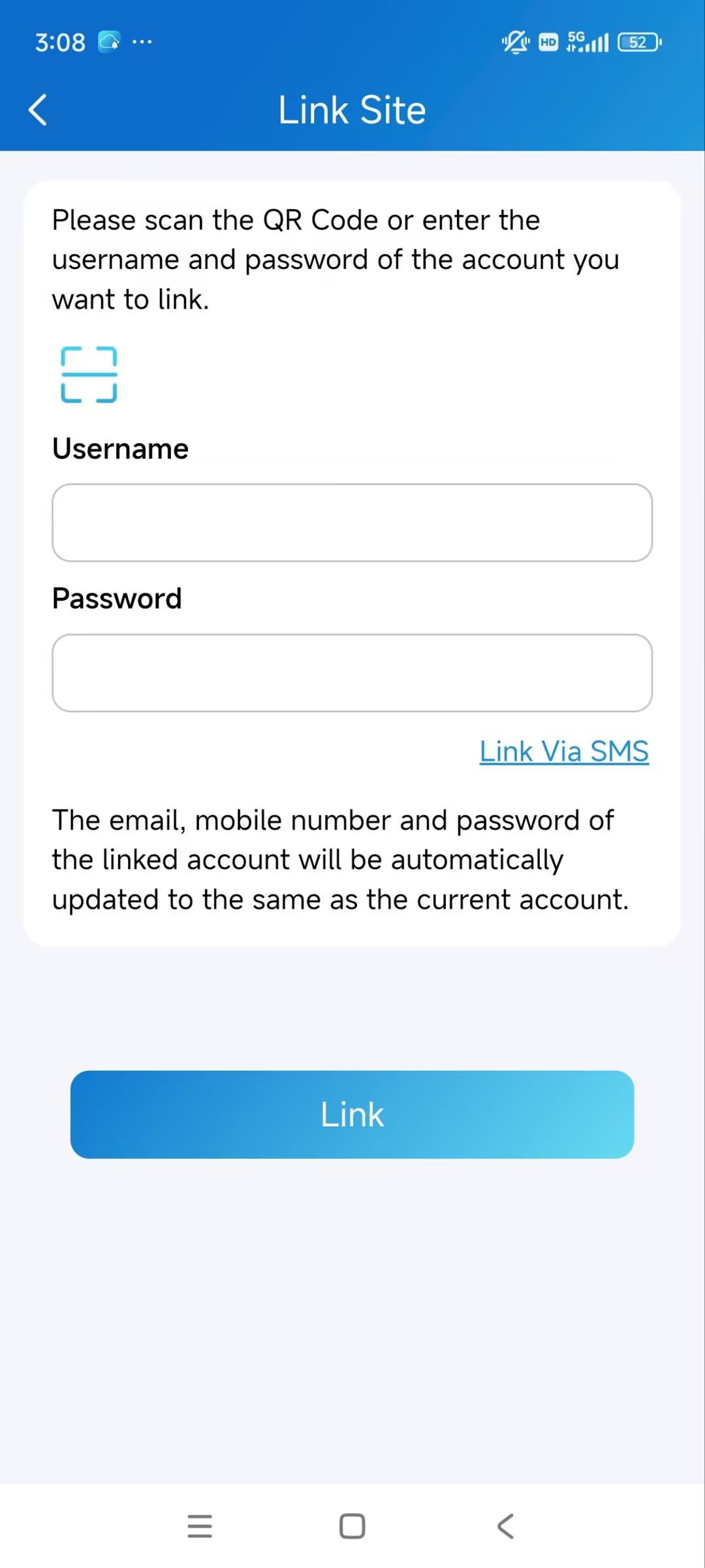
Choose the desired method.
Link via username: Enter the desired account’s username and password.
Link via SMS: Enter the mobile phone number of the desired account and obtain a verification code.
Ensure the Country/Region is correct before entering the number.
Link via QR code: Tap
 to scan the login QR code of the desired account.
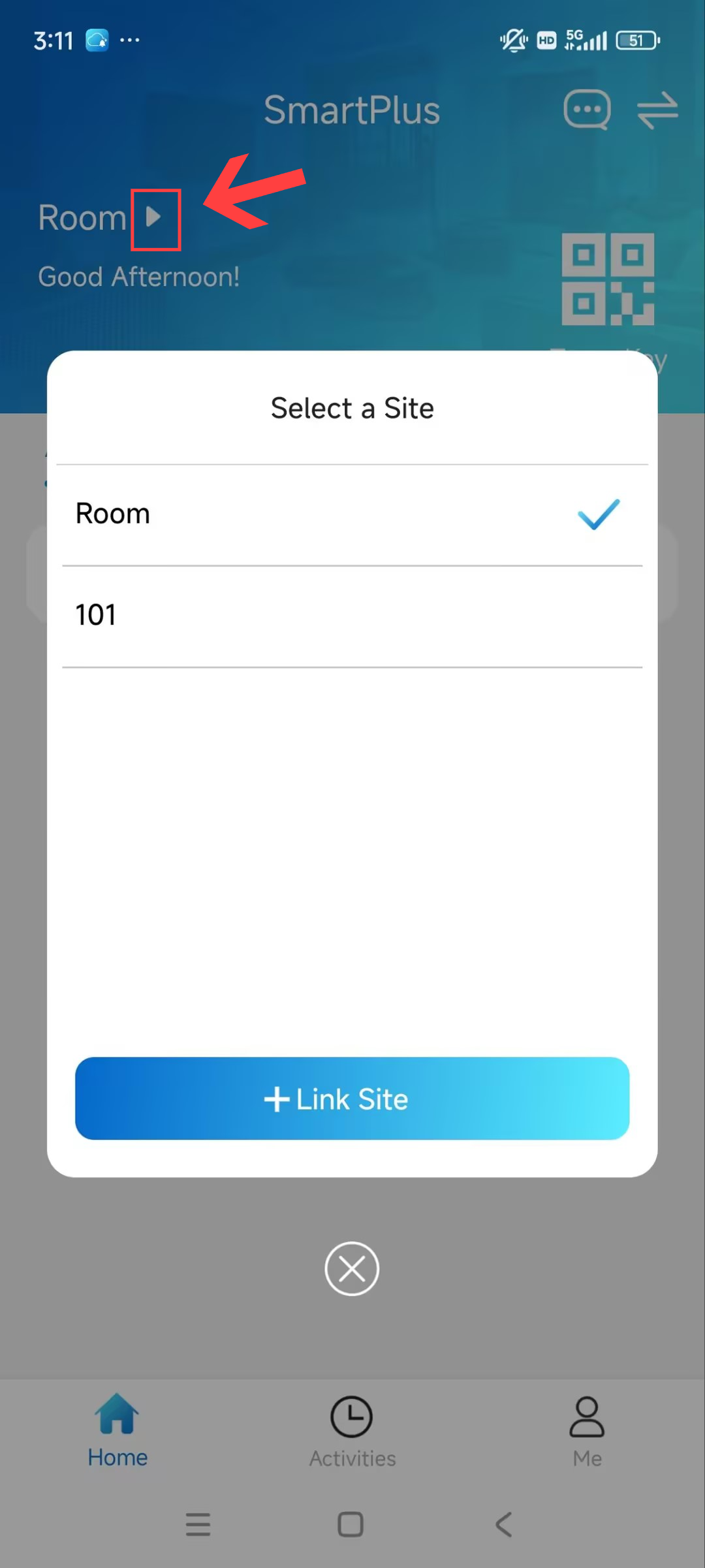
After linking, you can switch sites on the homepage by tapping.png) .
.
Note
This function is not compatible with Home Automation. If Home Automation is enabled by your service provider, Link Site option will not appear.
One app account can manage no more than 20 sites.
Cannot link accounts under one family master account or accounts that have linked multiple sites.
The mobile number area codes of the main account and the linked account should be the same.
Starting from the version 7.35.0002(Android)/7.35.2(iOS), if both the mobile number and landline number of the two accounts are empty, linking is allowed.
The account dis-links sites after it is removed or reset.
The activation and expiration status of different sites are independent.
When an account is inactivated or expires, you cannot select the site and receive messages.