Call Logs
If you want to check on the calls inclusive of the dial-out calls, received calls and missed calls in a certain period of time, you can check and search the call log on the device web Phone > Call Log interface.
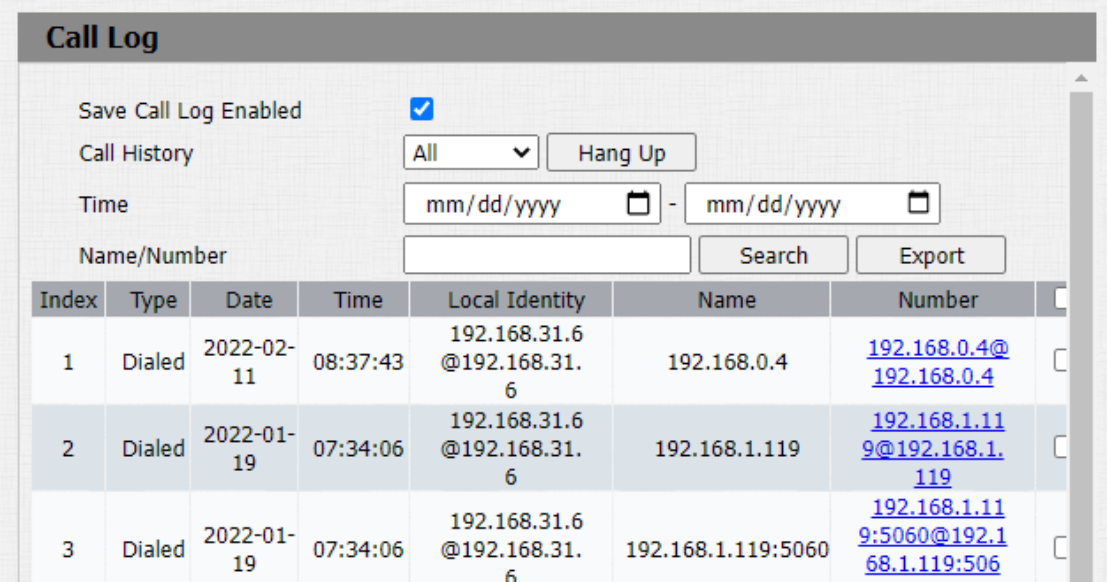
Parameter Set-up:
-
Save Call Log Enabled: select "Enable" or "Disable" to turn on or turn off the call log function.
-
Call History: select call history among four options: "All", "Dialed" "Received" "Missed" for the specific type of call log to be displayed.
-
Time: select the specific time span of the call logs you want to search, check or export.
-
Name/Number: select the "Name" and "Number" options to search call log by the name or by the SIP or IP number.
- Only R20-T30 version supports Hangup feature.
Door Logs
If you want to search and check and import/export on the various types of door access history, you can search and check the door logs on the device web Phone > Door Log interface.
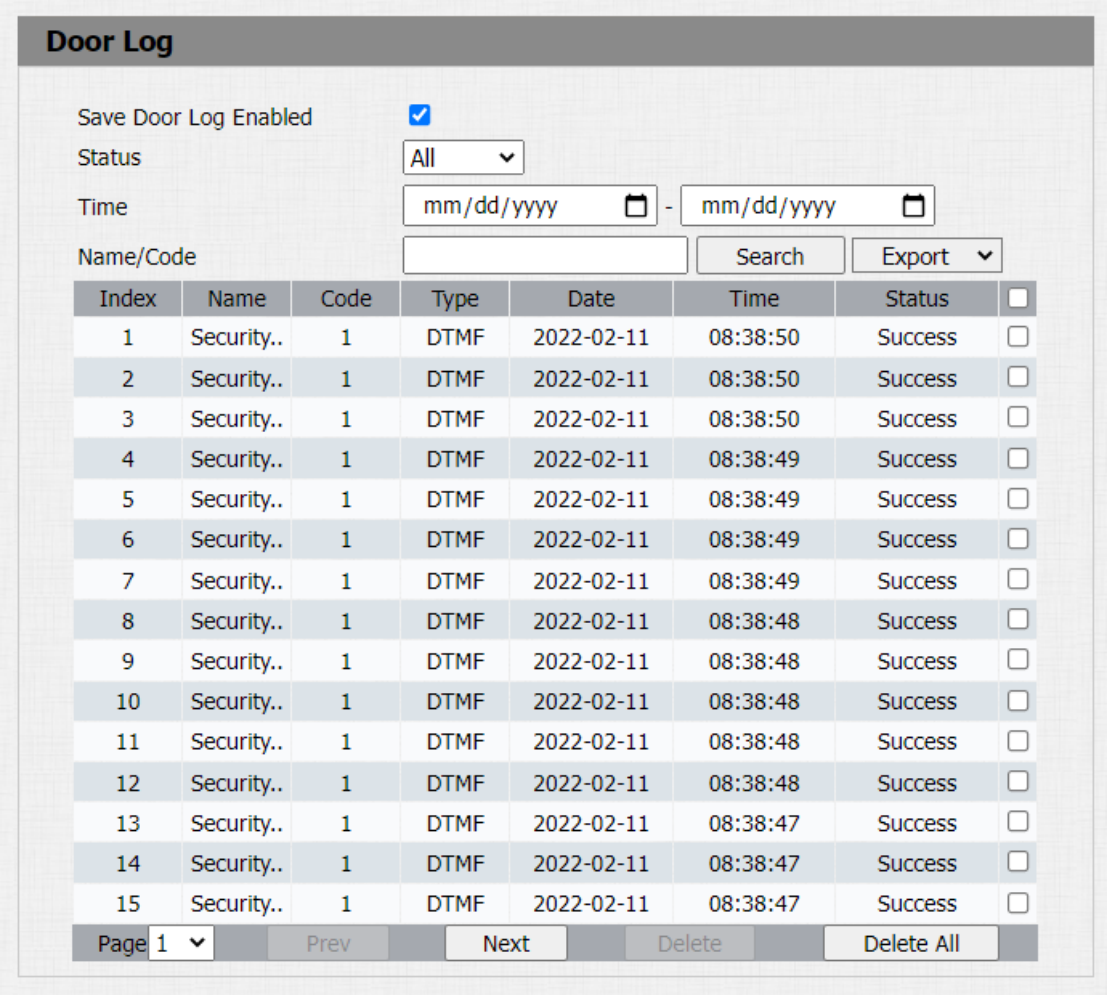
Parameter Set-up:
-
Save Door Log Enabled: select "Enable" or "Disable" to turn on or turn off the call log function.
-
Status: select "All" to check all door logs; select "Success" to check successfully opened door logs; Select "Failed" to check door logs for opening failure.
-
Time: set the time range for the door logs you want to check.
-
Index: the order of the call logs.
-
Name: if it is a locally added key or card, the corresponding added name will be displayed. If it is an unknown key or card, it will display Unknown.
-
Code: if opening the door via PIN code, the corresponding PIN code will be displayed. If opening the door via RF cards, the corresponding card number will be displayed, and if the door is opened by HTTP command, it will be empty.
-
Type: if opening the door via PIN code, Password will be displayed. If opening the door via RF cards, Card will be displayed, and if the door is opened by HTTP command, HTTP will be displayed.
-
Date: the date for opening the door.
-
Time: the time for opening the door.
-
Status: the door opening result Success or Failed.
- Only R20-T30 version supports Import/Export feature.