To protect your privacy, maintenance access is restricted. You can grant your service provider access to your system for technical support, whether they are on-site or working remotely.
Local Maintenance Permissions
This feature allows the service provider to access the device web portal when they are on the same local network as your device.
NOTE:
For systems initially running version 4.0.0 or later, this feature is disabled by default after a family administrator is registered.
For systems upgraded to version 4.0.0 or later without a factory reset, this feature remains enabled by default.
To enable the local maintenance permissions:
Go to Settings > Maintenance Authorization.
Enable Local Assistance.
Click Save.
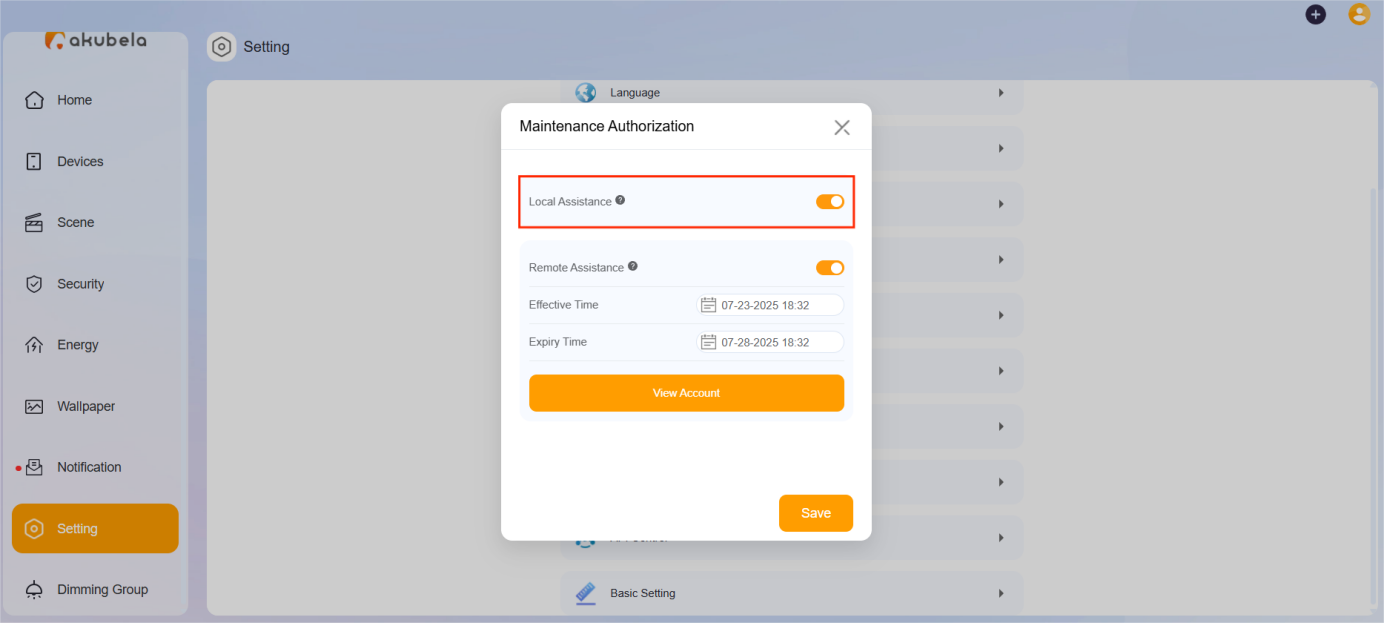
Once enabled, your service provider can log in to the device web portal using your device’s IP address.
Remote Maintenance Permissions
If you require off-site support, you can generate a temporary account that allows a technician to remotely access your system via the BelaHome app and the device web portal.
NOTE:
Only one temporary maintenance account can exist at a time. Creating a new account will immediately invalidate any previous ones.
To create a temporary maintenance account:
Go to Settings > Maintenance Authorization.
Enable Remote Assistance.
Set the account valid time.
Click Save to generate an account.
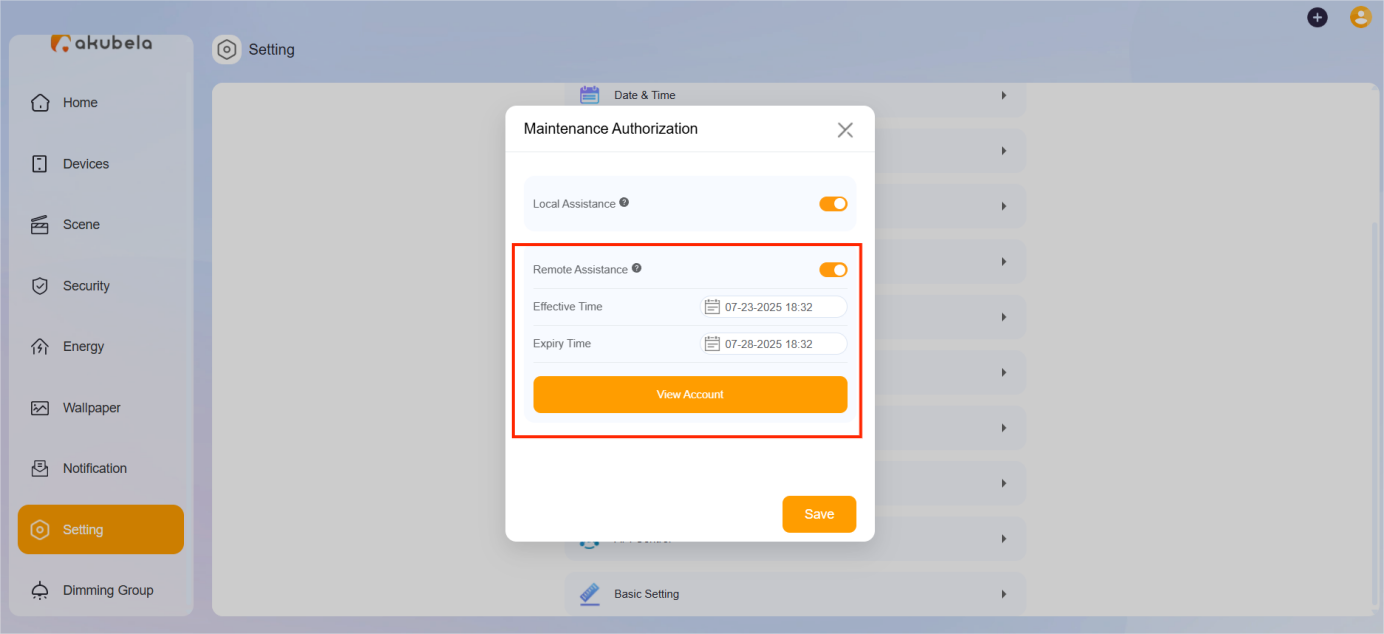
Click View Account to see the login details and share them with your provider.
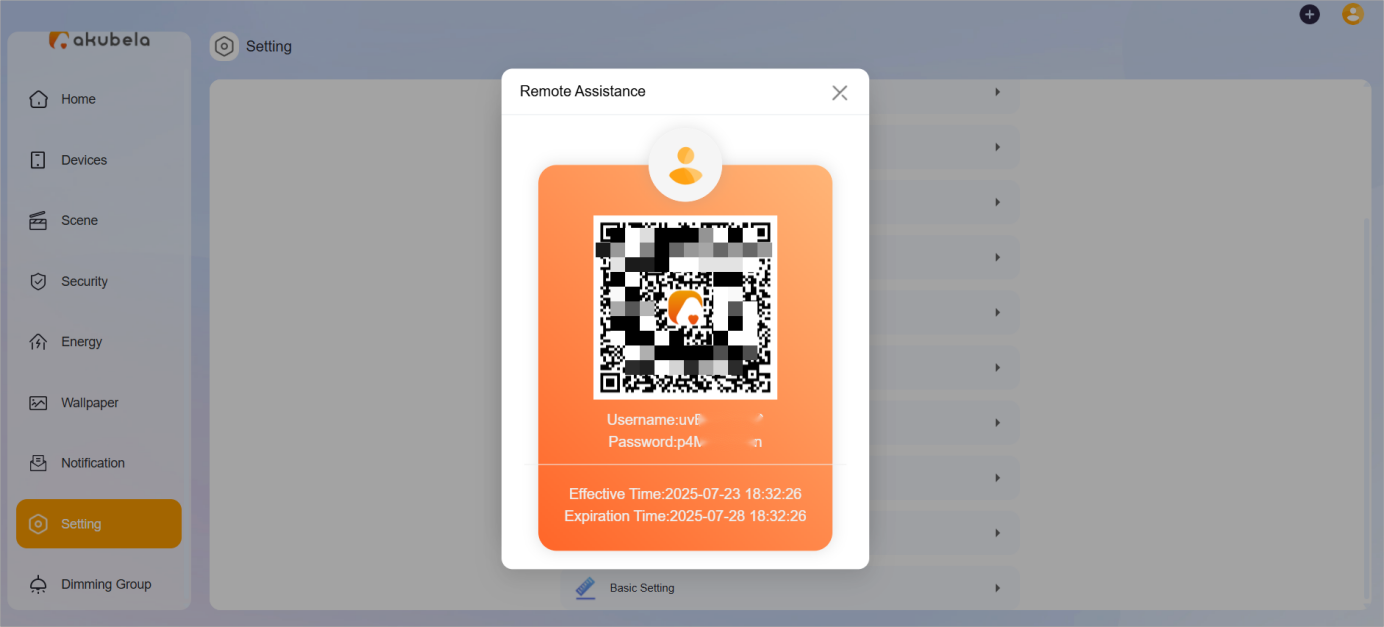
Using the temporary account, your service provider can:
Use the BelaHome app with admin-level permissions (except: Family Management, family switching, intercom permissions management, temporary PIN codes for smart lock, and messaging family members).
Log in remotely to the device web portal at my.akubela.com.
Log in to the BelaHome app.