This feature is designed for rental apartments in community projects, where tenants move in and out over time.
Use it to:
Provide tenants with a registration QR code when they move in.
Control how long a tenant account remains valid.
Automatically remove accounts when a lease ends.
Quickly prepare the apartment for the next tenant, without manual cleanup.
Note
This feature is ONLY available for community projects.
It applies ONLY to the family master account.
Follow the steps below based on the tenant’s stage:
Before move-in
At move-in
After move-out
The steps are the same regardless of your role. The page path may vary depending on whether you are an Installer or Property Manager.
Scenario 1: Before a Tenant Moves In
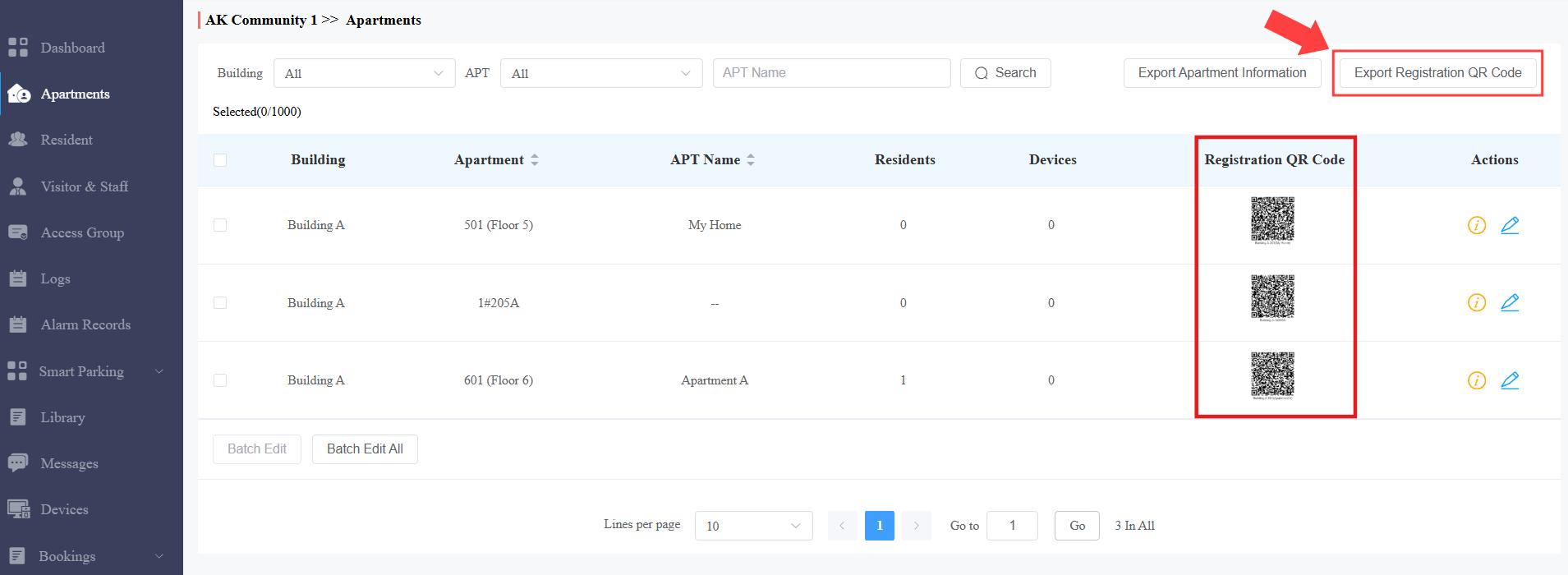
Prepare the registration QR codes.
Log in to the SmartPlus Cloud.
Navigate to the target apartment.
Locate the registration QR code. Once the account is registered,
 will display above the QR code.
Click the QR code image to enlarge it.
Click
 to print it.
Click
 to refresh the QR code.
(Optional) Export QR codes in bulk if preparing for multiple apartments. You can choose to export QR codes of all apartments or for the vacant apartments.
The exported ZIP file is named after the community. The picture in it is named in the format: [Building Name_Apartment Name].
Note
One QR code = one registration.
Refreshing a QR code invalidates previous versions.
Scenario 2: Tenant Moves In
Set the lease period and account lifecycle.
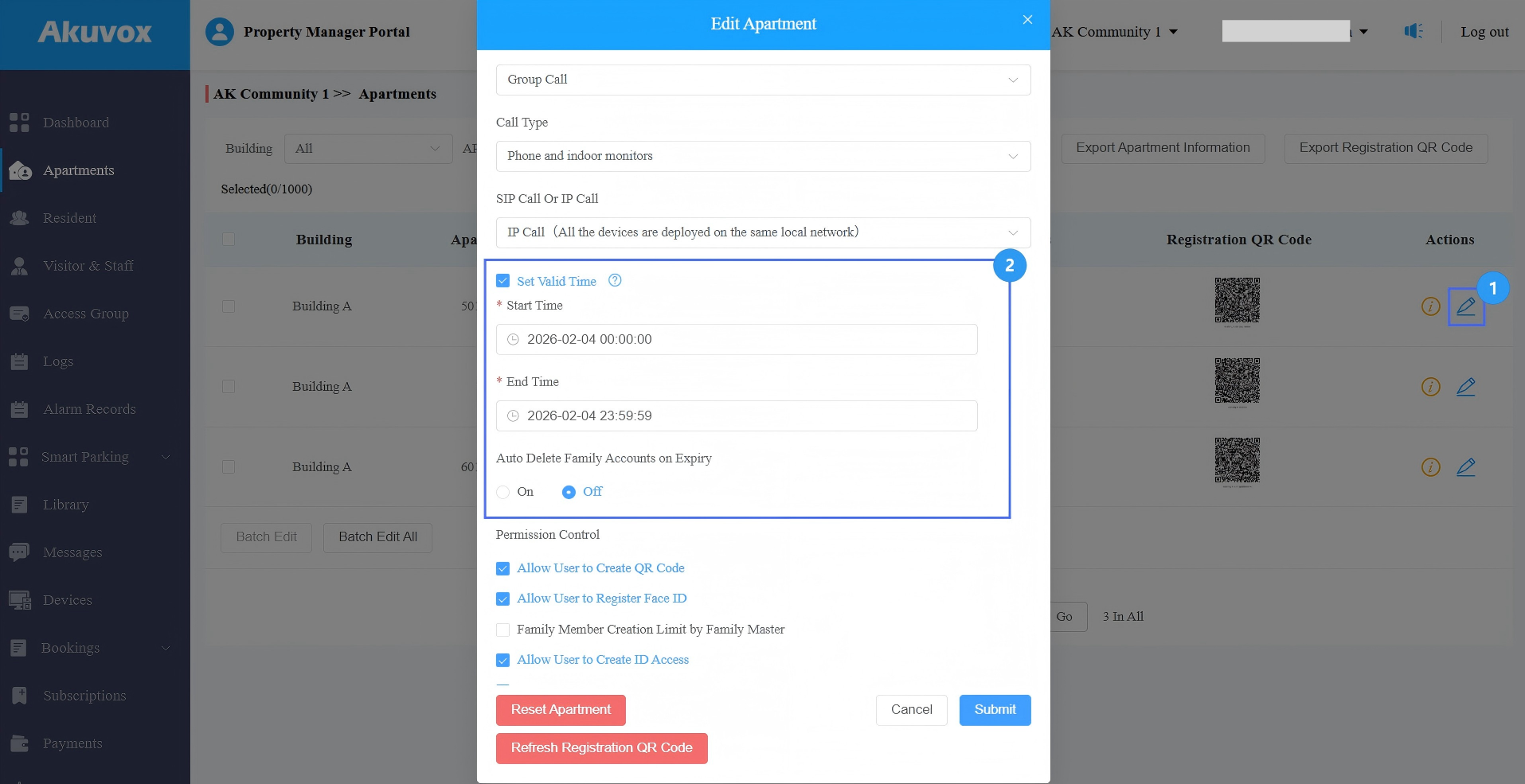
Click
 of the target apartment.
Check Set Valid Time.
Set the lease start and end date
Turn on Auto-Delete Family Accounts on Expiry. When the lease ends, the family account will be automatically deleted, and Set Valid Time is set to Off for the new account.
Submit the setting.
Scenario 3: Tenant Moves Out
Based on the configuration, the account is automatically deleted when the lease ends.
The apartment is released for the next tenant.
A new registration QR code is available.
Repeat the process for the next lease.