Akuvox devices can identify QR codes generated by third-party software. In this setup, the Akuvox device acts as a card reader, while a third-party access controller handles credential verification, with the door lock connected to the controller. Data is transmitted from the Akuvox device to the controller via Wiegand protocol.
When users scan a QR code on the Akuvox device, it checks the scanned value against its registered data(Value in Private PIN or RF Card field) and sends the information to the controller for verification.
Note
Specific models support this feature:
E16 V2/V3, X915V1/V2, X910, and A08.
S539: 539.30.10.515 or higher version
Only support unencrypted QR codes converted from PINs or RF card codes.
Only support identifying QR codes generated based on hexadecimal characters.
Click here to view the Wiegand configuration.
This article takes E16 V2 as an example.
Use the device IP to log into its web interface. The initial username and password are admin.
Ensure the QR code function is enabled on the Access Control > Relay > Open Relay Via QR Code interface.

Go to the Directory > User interface.
You can:
click Add to add a new user;
click
 to edit an existing user.
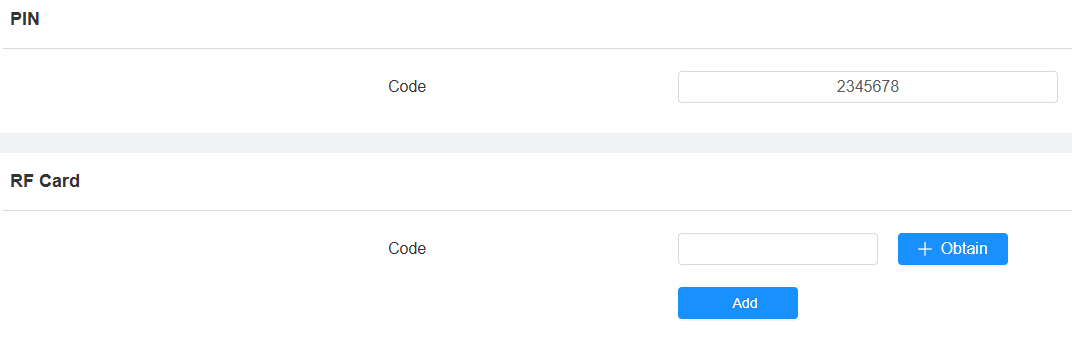
Enter the QR code value in the Private PIN or RF Card box.
Click Submit.
Place the QR code in the scanning box to open the door.
.bmp "screen (22).bmp")