Symptom
akubela panel is unable to control its relays, and the relays do not respond when operated through the connected panel.
Possible Causes
This issue may be caused by:
Poor contact between the panel’s gold fingers and mating connectors
Hardware failure
Other reasons
Solution
For KNX Version Panels
Power off the panel.
Remove the panel from the flush mounted module.
Tip
Refer to here or the product installation guide included in the packaging for removal instructions.
Check the gold fingers on the back of the panel to ensure they are undamaged.
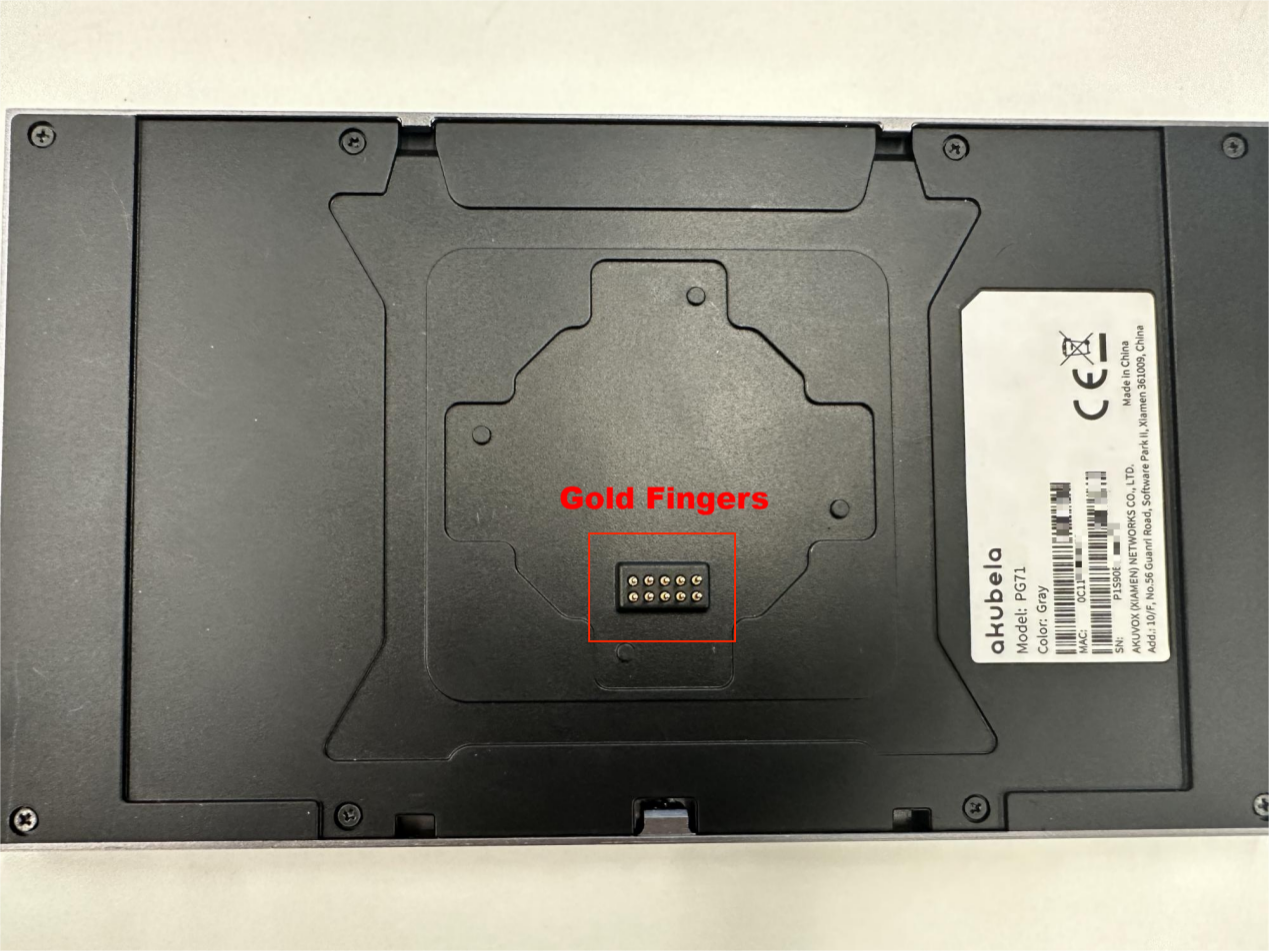
Clean the gold fingers with alcohol swabs.
Reattach the panel to the flush mounted module and power it back on.
Control the relays through the panel.
If the issue persists, contact your service provider or our technical support for further assistance.
For Non-KNX Version Panels
Swipe down from the top of any screen of the malfunction panel, tap
 > System Settings > About > Flush Mounted Module, and check if the information is displayed.
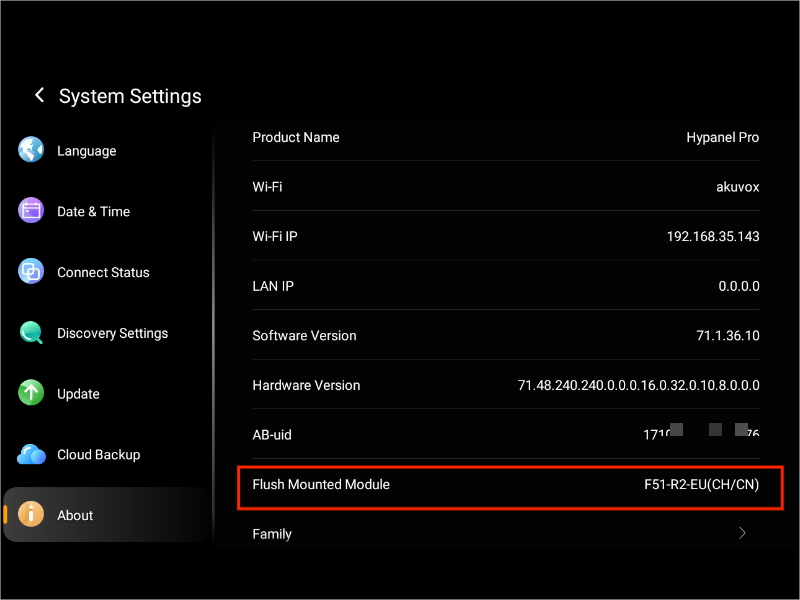
If no information appears, gently press the panel to see if it detects the module.
If the issue remains, power off the panel and remove it from the flush mounted module.
Tip
Refer to here or the product installation guide included in the packaging for removal instructions.
Clean the gold fingers with alcohol swabs.
Reattach the panel. Power the panel back on and try again.
If the issue persists, contact your service provider or our technical support for further assistance.