Phone Book Configuration on the Device
You can configure the contacts list in terms of adding and modifying contact groups or contacts on the device More > Contacts > New Contact directly.
Add Contacts
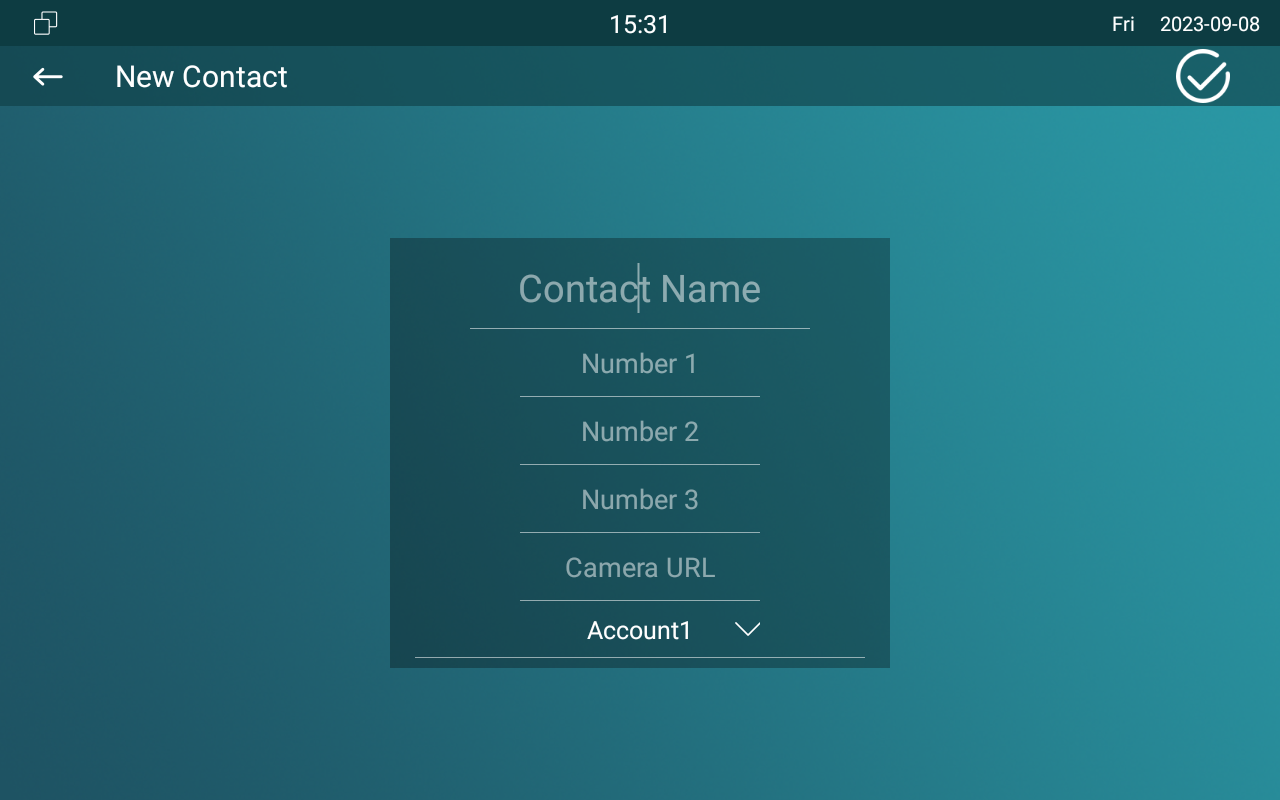
Parameter Set-up:
- Contact Name: enter the name to save.
- Number: enter the IP or SIP number to save.
- Camera URL: enter the RTSP URL for video preview.
- Auto Ringtone: select the phone ringtone for incoming calls.
- Account1: select which account to use to dial out, Account 1 or Account 2.
- The RTSP URL format is rtsp://device IP/live/ch00_0.
Edit Contacts
Select the existing contact and click Edit to modify.
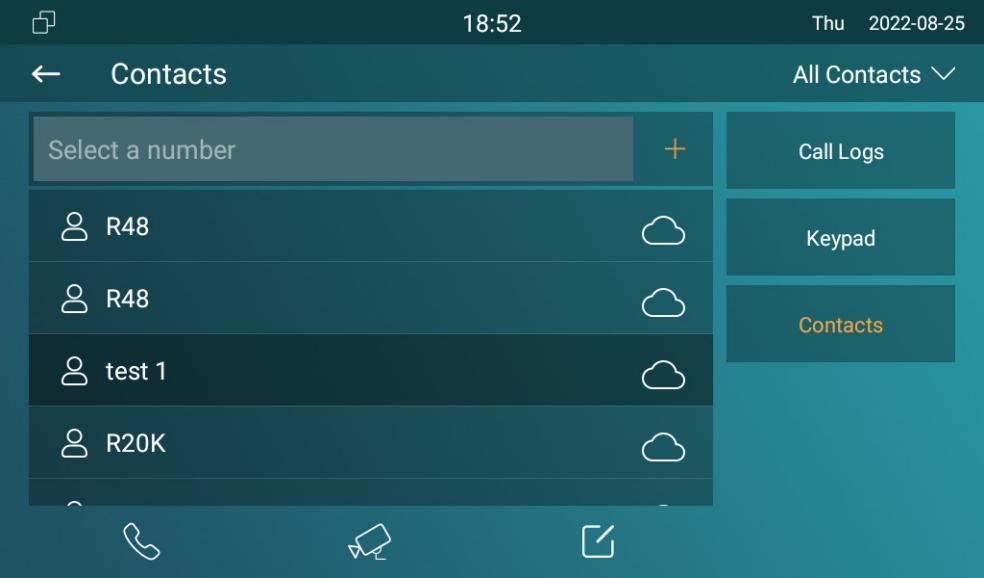
Blocklist Settings on the Device
You can choose from the contact list the contact you want to add to the block list.
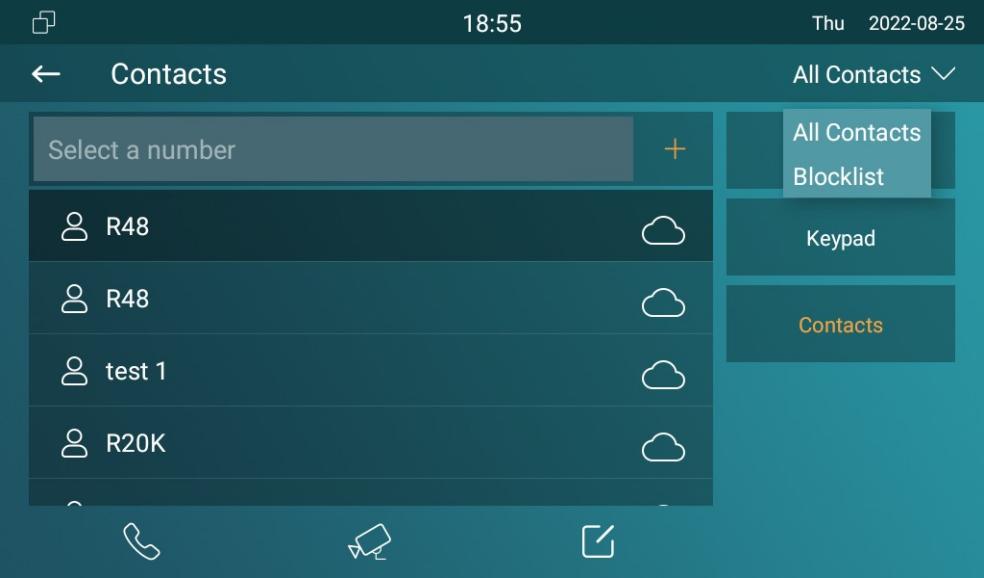
- You can delete contacts regardless of whether it is on the All Contacts screen or the Blocklist screen.
Phone Book Configuration on the Web Interface
Contact Configuration
To conduct contact configuration on the web Contacts > Local Contacts interface. The existing contacts will show in the below list after they are added.
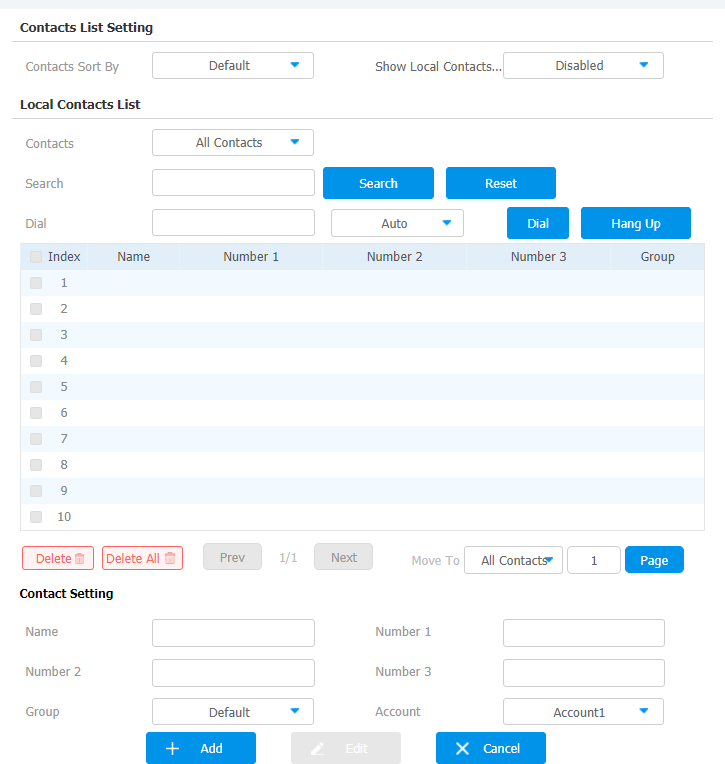
Parameter Set-up:
- Name: enter the contact name to be saved.
- Number: enter the contact number ( SIP or IP number ) to be saved.
- Group: select Default or Blocklist group.
- Account: select Account1 or Account2.
You can dial out a number using the contact phone number on the web Contacts > Local Contacts interface.

Block List Setting on the Web Interface
You can set the blocklist directly in the contact list on the web Contacts > Local Contacts > Contacts List Setting interface or set it when editing a contact.
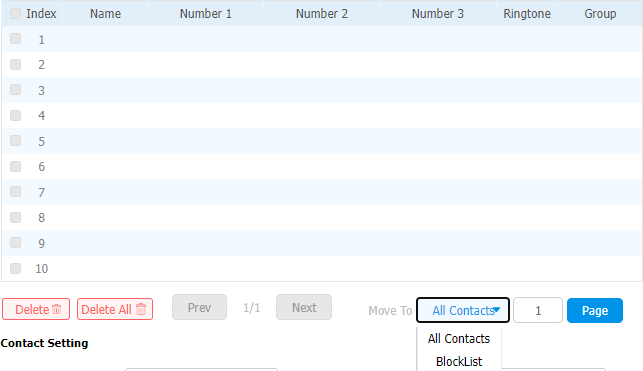
- If you want to remove the contact from the blocklist on the web interface, you can change the group to the Default when editing the contact.
Contact Display
You can configure the contact display order and control whether to display the discovery device n the web Contacts > Local Contacts interface.

Parameters Set-up:
- Contacts Sort By: there are three modes Default, ASCII code, and Created Time mode for showing the contact list.
- Show Local Contacts Only: if you enable the function, the contact on the device will only show the local phonebook, and the contact for discovery mode will be hidden.
Contacts Import and Export on the Web Interface
When the contact becomes so many that you can not afford to manage each contact one by one manually, you can import and export the contacts in batch on the device web Contacts > Local Contacts interface.
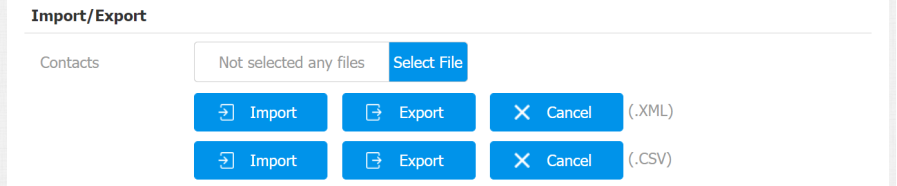
- The contact file can only be imported or exported in .xml or .csv format.