If your project uses an external SIP server, you can register a third-party SIP account via the HyPanel device web portal to make calls.
Before Getting Started
Make sure you have the following details from your SIP server:
SIP account name
Password
Server address
Port number
Find your HyPanel’s IP address on Settings > System Settings > About.
Steps
Open a browser, enter the HyPanel’s IP address, and log in. The default username and password are both admin.
In the device web portal, find the target panel, and click Setting at the bottom left.
.png)
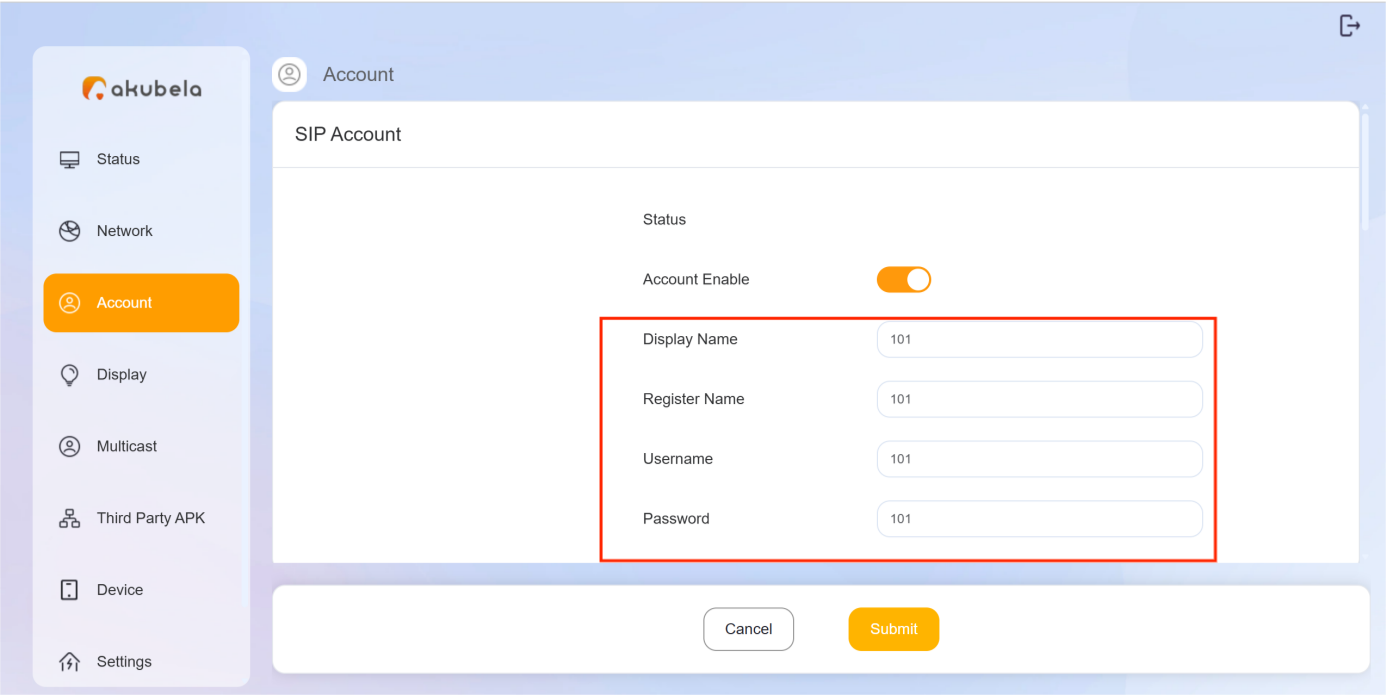
Go to Account page and enter the following:
Display Name: The name shown on the device during calls.
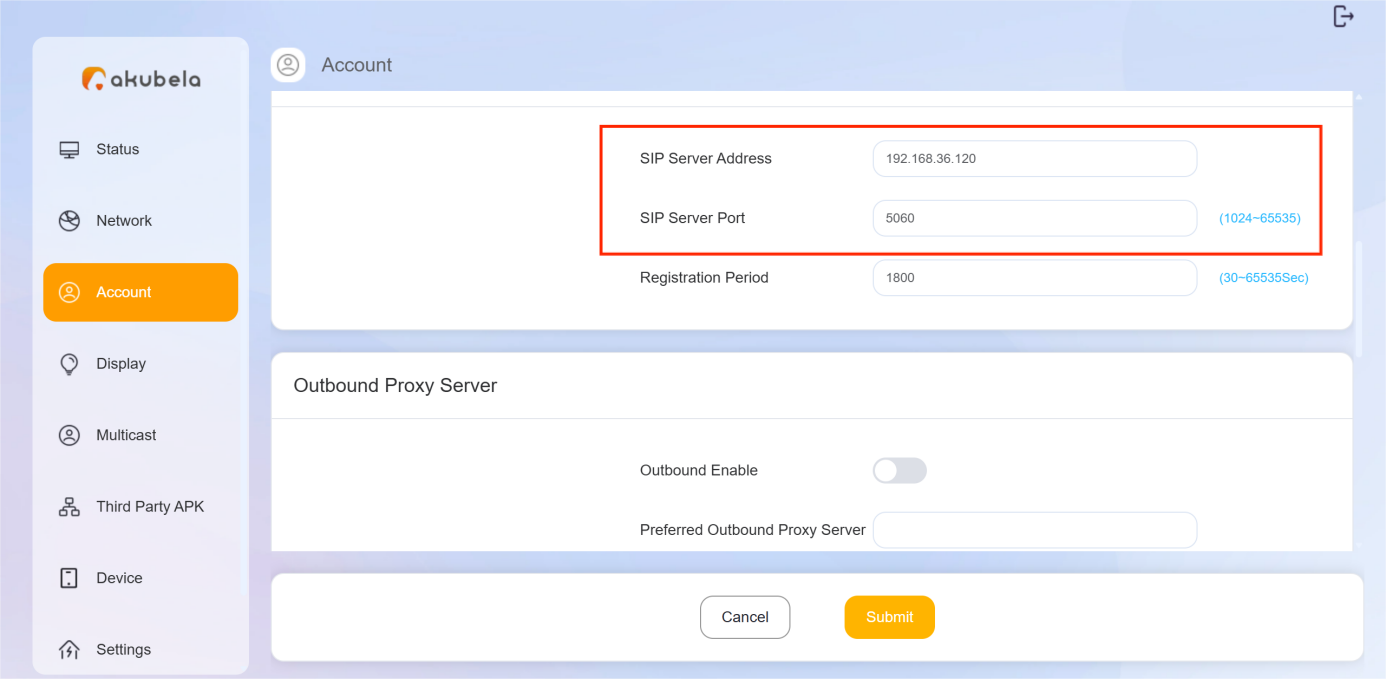
Register Name / User Name / Password / SIP Server Address / SIP Server Port: Provided by your SIP server.
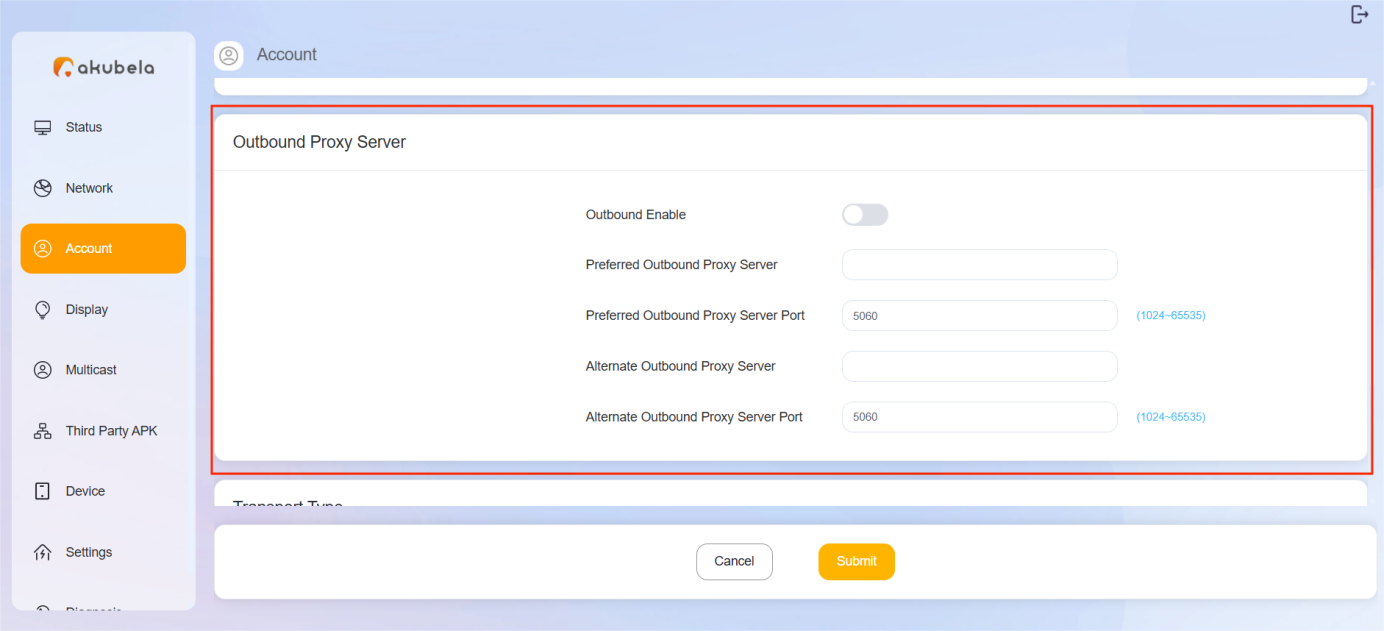
(Optional) Enable Outbound Proxy Server, and enter the proxy address and port number.
TIP:
The outbound proxy server forwards SIP messages from the HyPanel to the SIP server. Use an outbound proxy when:
Your SIP provider requires it,
Direct registration fails due to firewall or NAT restrictions, or
It’s needed for load balancing or redundancy.
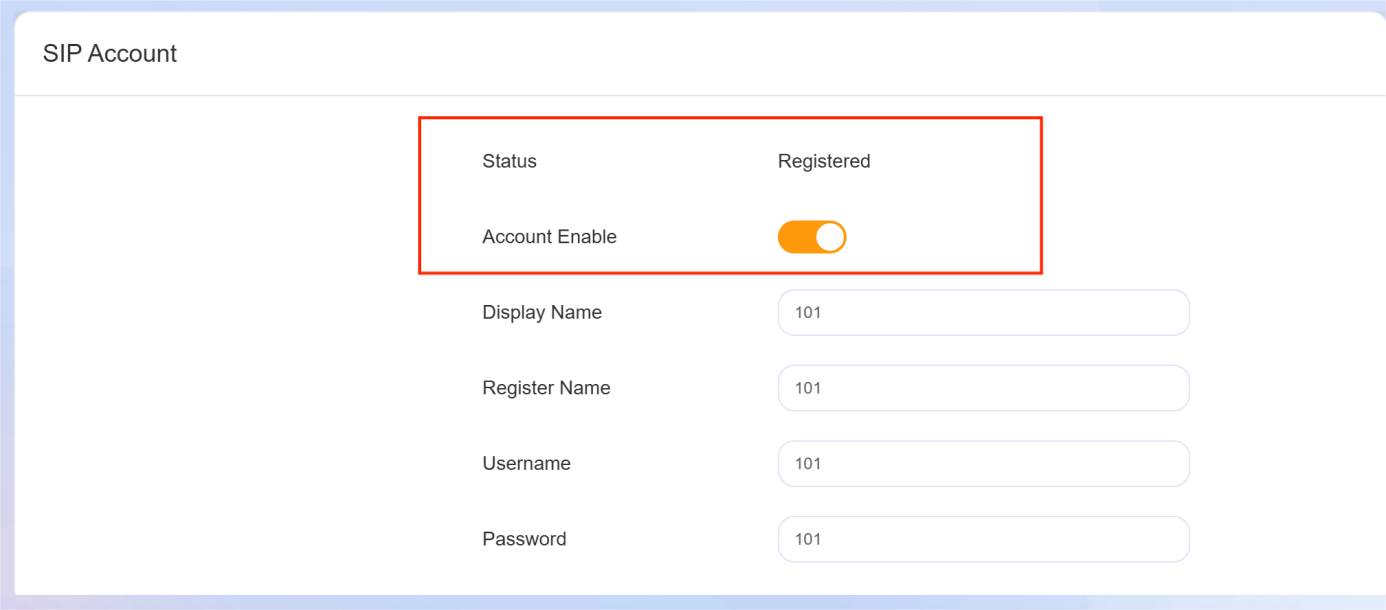
Return to the SIP Account section and turn on Account Enable.
When Status changes to “Registered”, the SIP account is successfully configured.