With akubela, you can arm or disarm your home’s security system at any time, helping you stay protected whether you’re at home or away.
NOTE:
Security features are not supported on HyPanel Lite devices. If your home uses only HyPanel Lite panels, the Security tab will not be available.
Security Modes
akubela provides three default modes: Home, Away, and Night.
You can also create custom modes to match your specific needs.
Configure Modes
To create or customize a security mode:
Go to Category > Security > Arming.
Do any of the following:
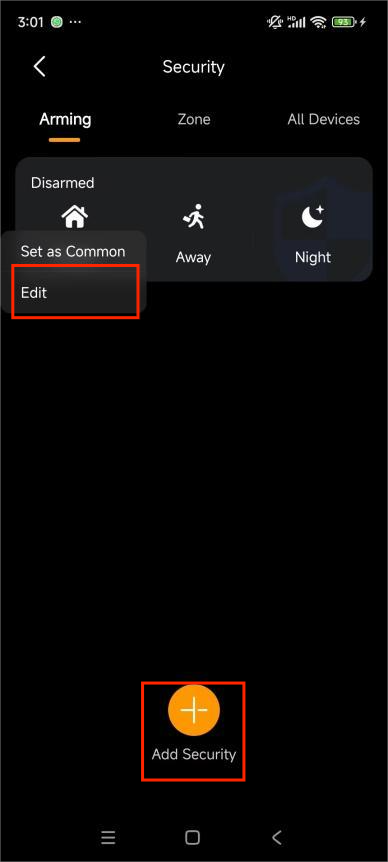
Edit a default mode: Press and hold a mode, then tap Edit.
Create a new mode: Tap + > Add security.
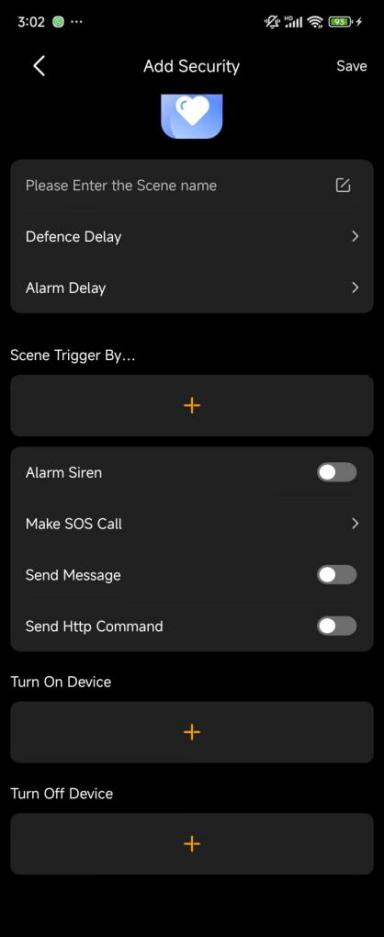
On the configuration screen, configure the following per your needs:
Add a defence delay before the system arms.
Delay alarm activation after a trigger to reduce false alerts.
Choose trigger devices (e.g., sensors, switches) that will trigger the alarm.
Define actions when triggered:
Alarm Siren: Sound a siren.
Make SOS Call: Automatically call a predefined emergency number (configured via the user portal or cloud).
Send Message: Notify all family members and panels.
Send HTTP Command: Perform custom actions through HTTP requests.
Turn specific devices on or off when the mode is activated.
Arm or Disarm the System
Go to Category > Security.
Tap a mode to arm the system. Default modes turn orange when active, while custom modes turn purple.
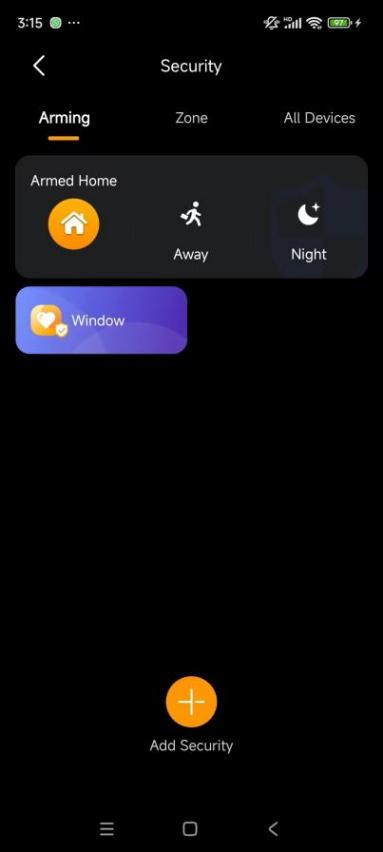
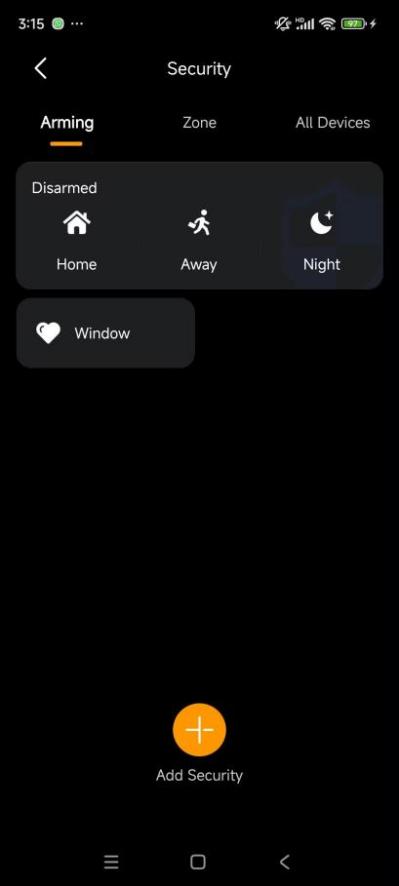
To disarm, tap the active mode again. Their icon will turn white.
Alarm Notifications
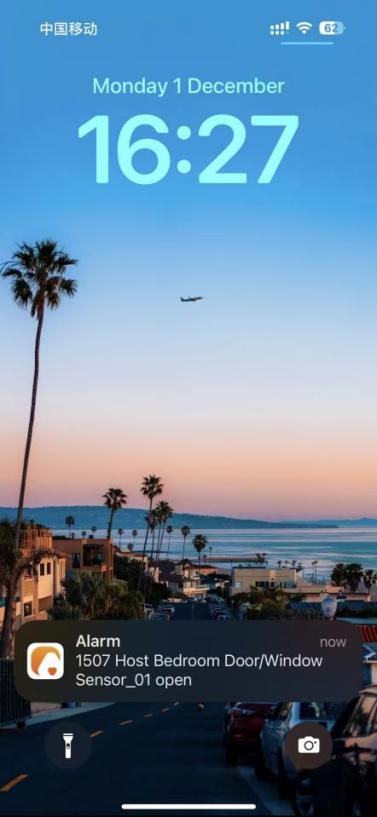
When a configured sensor is triggered and the siren is enabled, you’ll receive an instant alert pop-up on your phone.
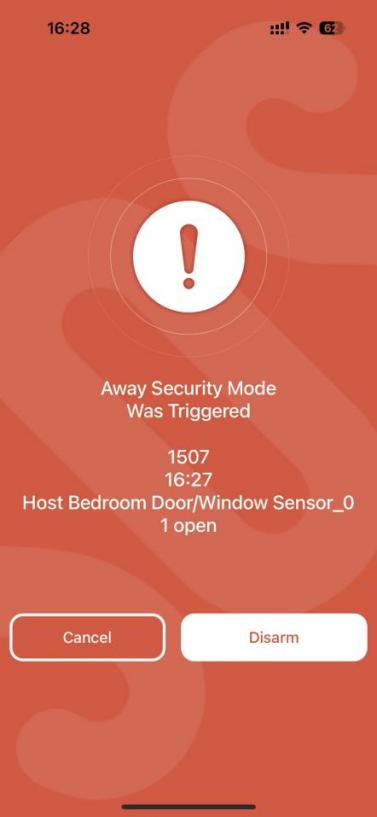
Tap the notification to view detailed information in full screen.
Tap Disarm to stop the alarm.
View Security Logs
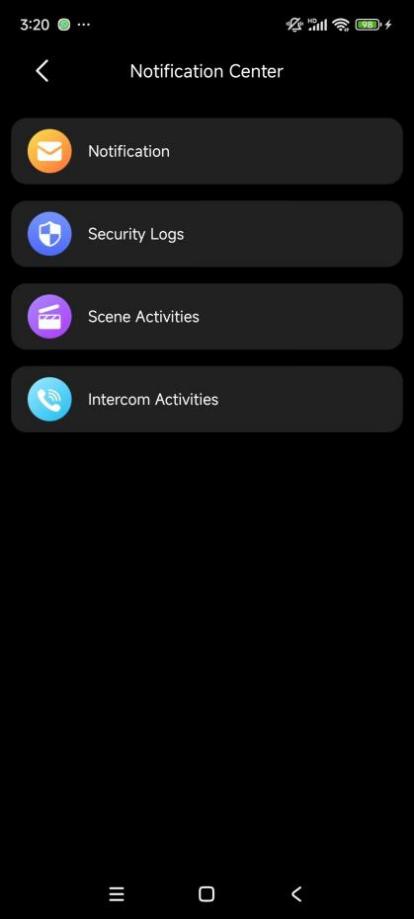
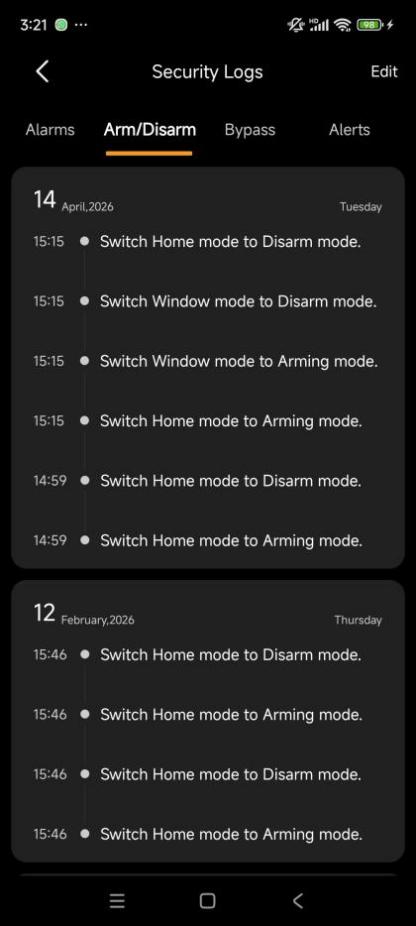
To view or delete security logs, go to Home >  > Security Logs.
You can check the following records:
Alarms: Triggered and cleared alarms across all modes
Arm/Disarm: History of system activation and deactivation
Bypass: Records of sensors being bypassed or restored
Alerts: All sensor trigger events, regardless of mode