The relay schedule allows you to set a specific relay to always open at a certain time.
The Activation Required feature makes the schedule only effective after the relay is triggered, enhancing access control security.
For example, suppose the door phone is installed at a supermarket, and you set the relay to open from 8:00 a.m. to 5:00 p.m. Without enabling Activation Required, the door will automatically open at 9:00 a.m. With Activation Required enabled, the door will not open until the owner uses access methods, e.g., swipes a card to open it. Then, the relay schedule starts to be effective.
Note
The following models with the specific firmware versions or higher support Activation Required function.
A01/A02: 101.30.4.64
X910: 2910.30.11.21
X915V2: 2915.30.10.427
X916: 916.30.10.321
R29: 29.30.10.414
R28: 228.30.10.251
A08: 108.30.11.35
A095: 95.30.10.112
E12: 312.30.11.23
S532: 532.30.10.282
R25: 25.30.10.126
This article takes X915V2 as an example.
Set up Relay Schedule
Use the device’s IP to log into its web interface with the username and password. The default is admin.
Go to Access Control > Relay > Relay Schedule interface.
Select the relay to be applied to the schedule.
Enable Schedule and Activation Required.
You can check Allow Manual Termination to allow users to close doors with their credentials within the schedule.
Select the schedule by moving it from the left to the right box. To create a schedule, navigate to the Setting > Schedule interface.
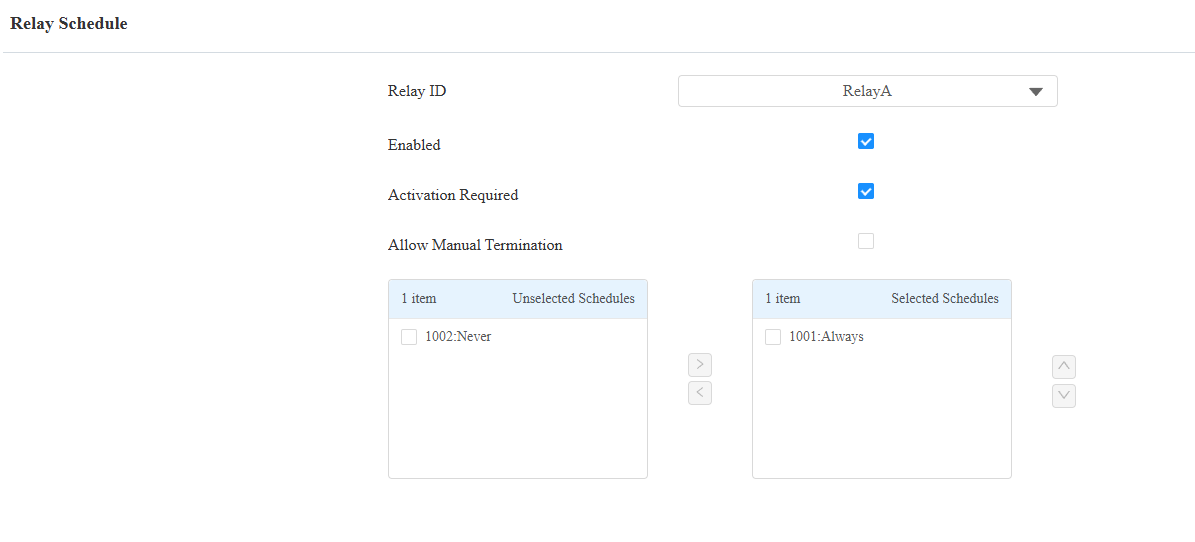
Click Submit to save the settings.
Set up the User’s Permission
Currently, X915V2, X916, A095, and A08 support setting the user’s permission.
Go to the Directory > User interface.
Click
 of the target user and scroll to the Access Setting section.
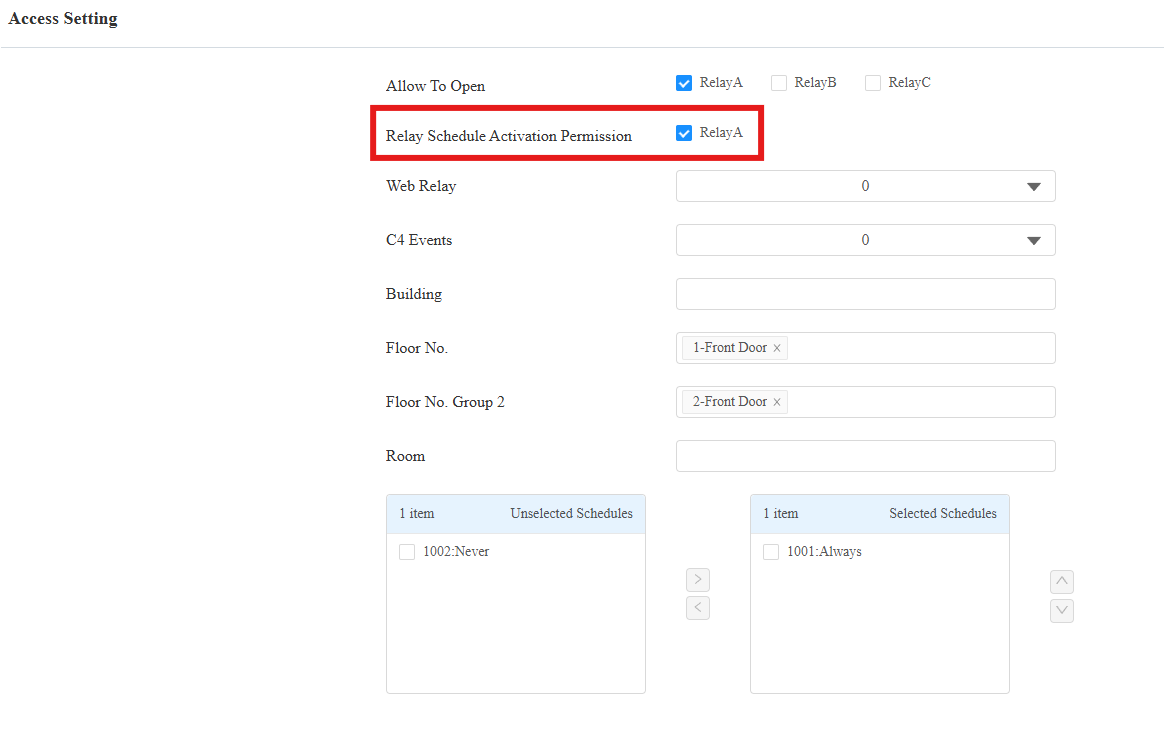
Check specific relay(s) of the Relay Schedule Activation Permission.
For example, when relay A is checked, and the user opens the door during the relay schedule, the door remains open for the time.
If the user does not have permission, the door will not be kept open.