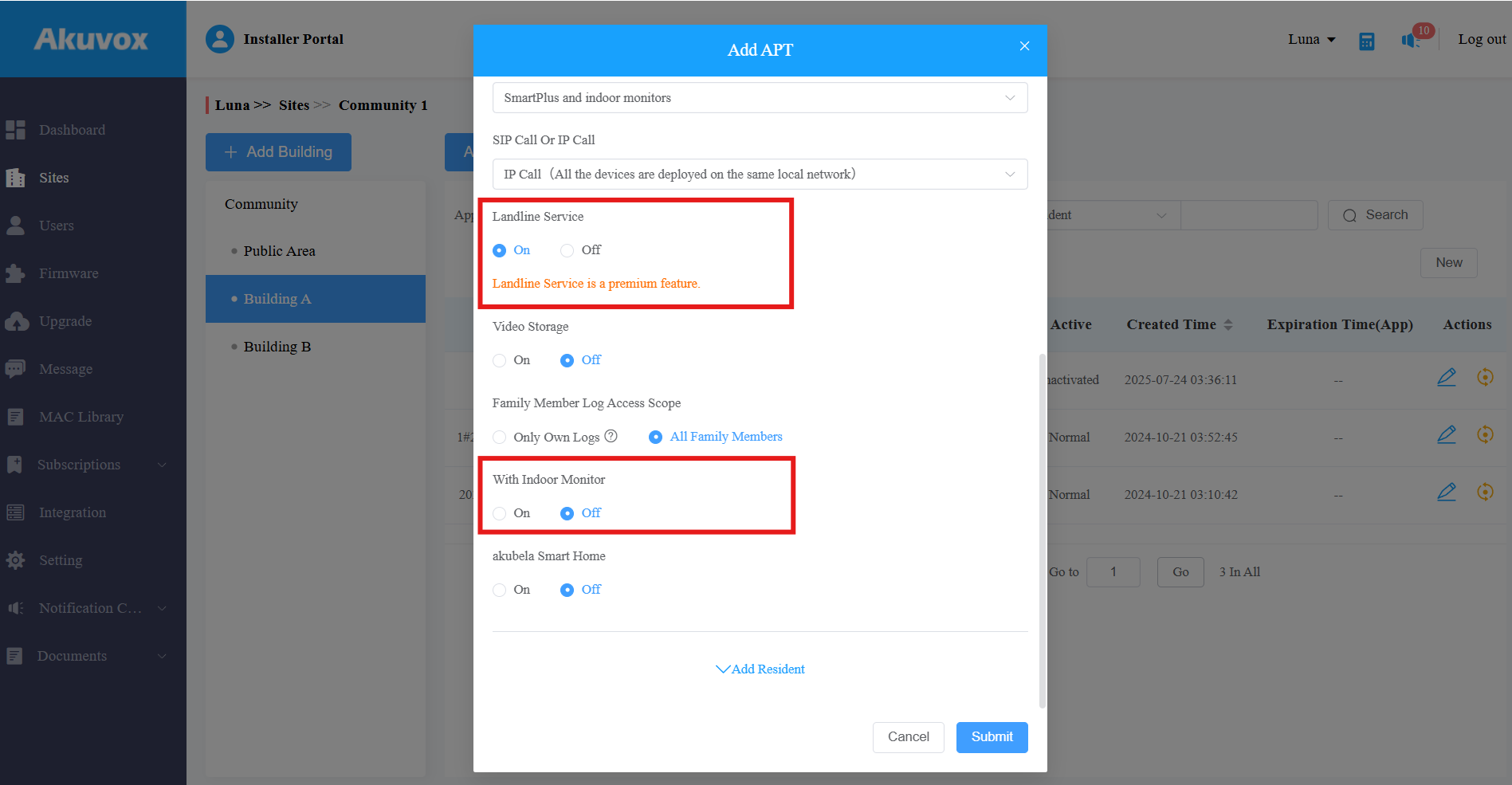
The flexible charging method allows you to enable/disable With Indoor Monitor and Landline features for specific apartments.
What You Should Know
The With Indoor Monitor and Landline features are SmartPlus services for community projects.
With Indoor Monitor: Require each apartment to have at least one indoor monitor installed.
Landline Service: Enable communication between telephones/mobile phones and intercom devices.
Typically, the With Indoor Monitor feature is included in the Basic feature plan. When creating a community, you enable or disable these two features for the entire project. Once activated, all apartments will have these features enabled and cannot turn them off individually.
In contrast, the flexible charging method separates the With Indoor Monitor feature from the Basic plan, allowing you to customize the setup for each apartment based on whether it has an indoor monitor or not. This meets the needs of some apartments that use indoor monitors, while some do not.
Note
If you want to use this method but have no permission, please contact your distributor.
The Landline Service is a premium feature. Turning it on/off affects the charge of this function.
The With Indoor Monitor feature affects the charge of SmartPlus App service.
Set Default State of Features
When you create a community, you can set the default state of these two features.
Log in to the SmartPlus Cloud platform with your account.
Click Add Community Site to create a community.
Enter the community information and find the Feature Plan section.
Choose the desired plan.
In the Basic feature plan, the With Indoor Monitor feature is allowed to switch on and off for each apartment.
In the Premium feature plan, it is off and cannot be changed. You can still add indoor monitors to the project, not affected by the switch.
Select On or Off. Take selecting On as an example.
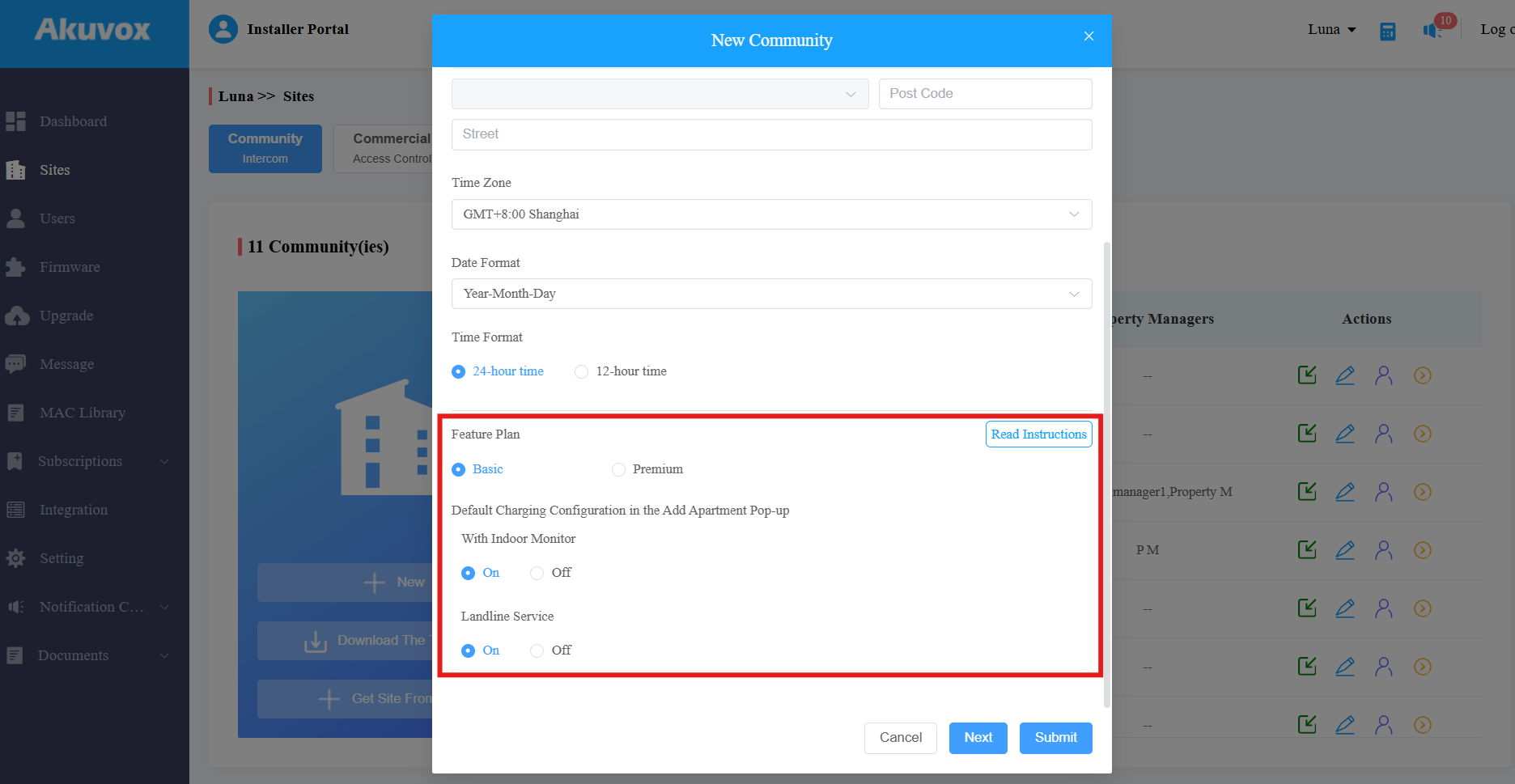
Click Submit.
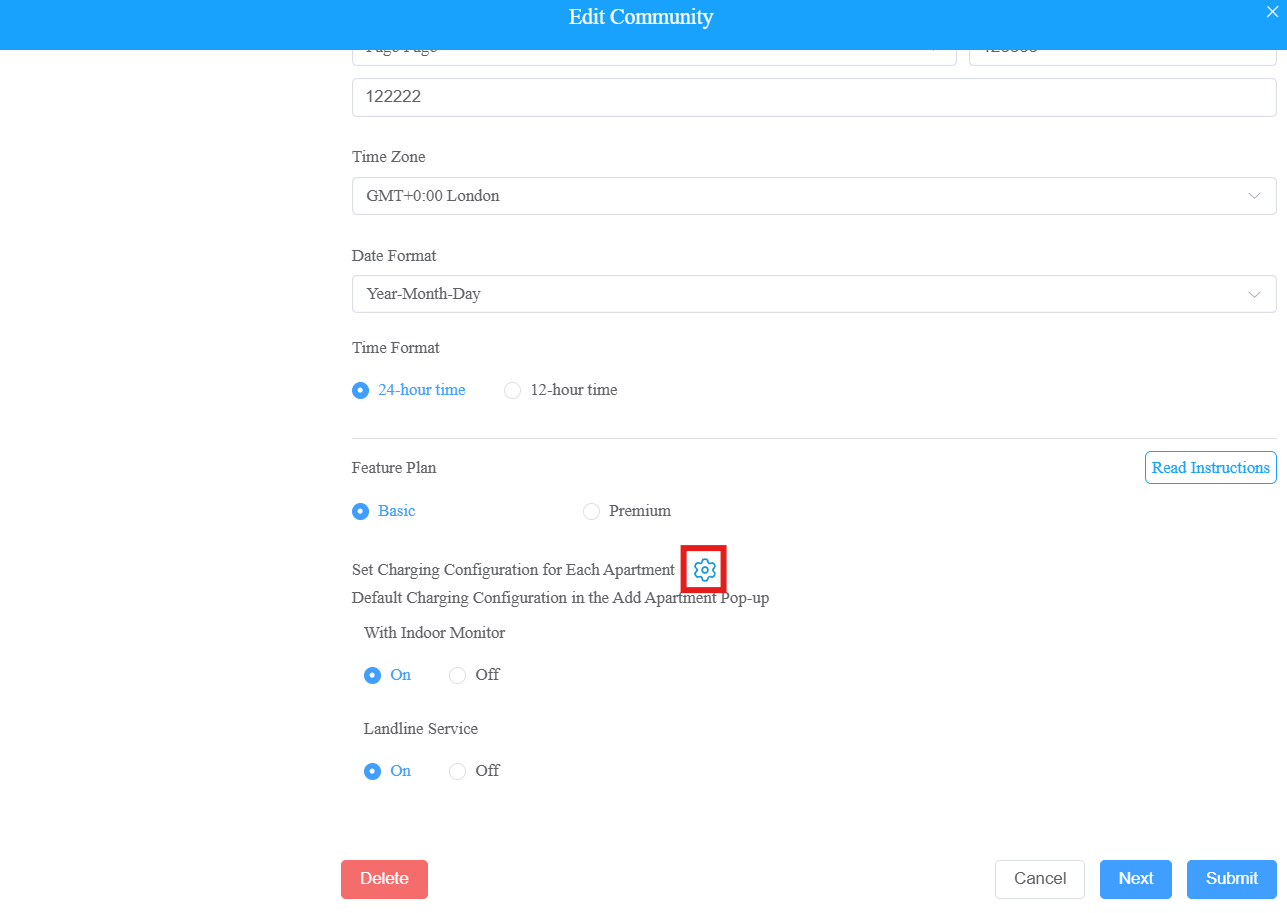
Turn on/off Features for Specific Apartments
Click
 of the target community.
Click
 .
.
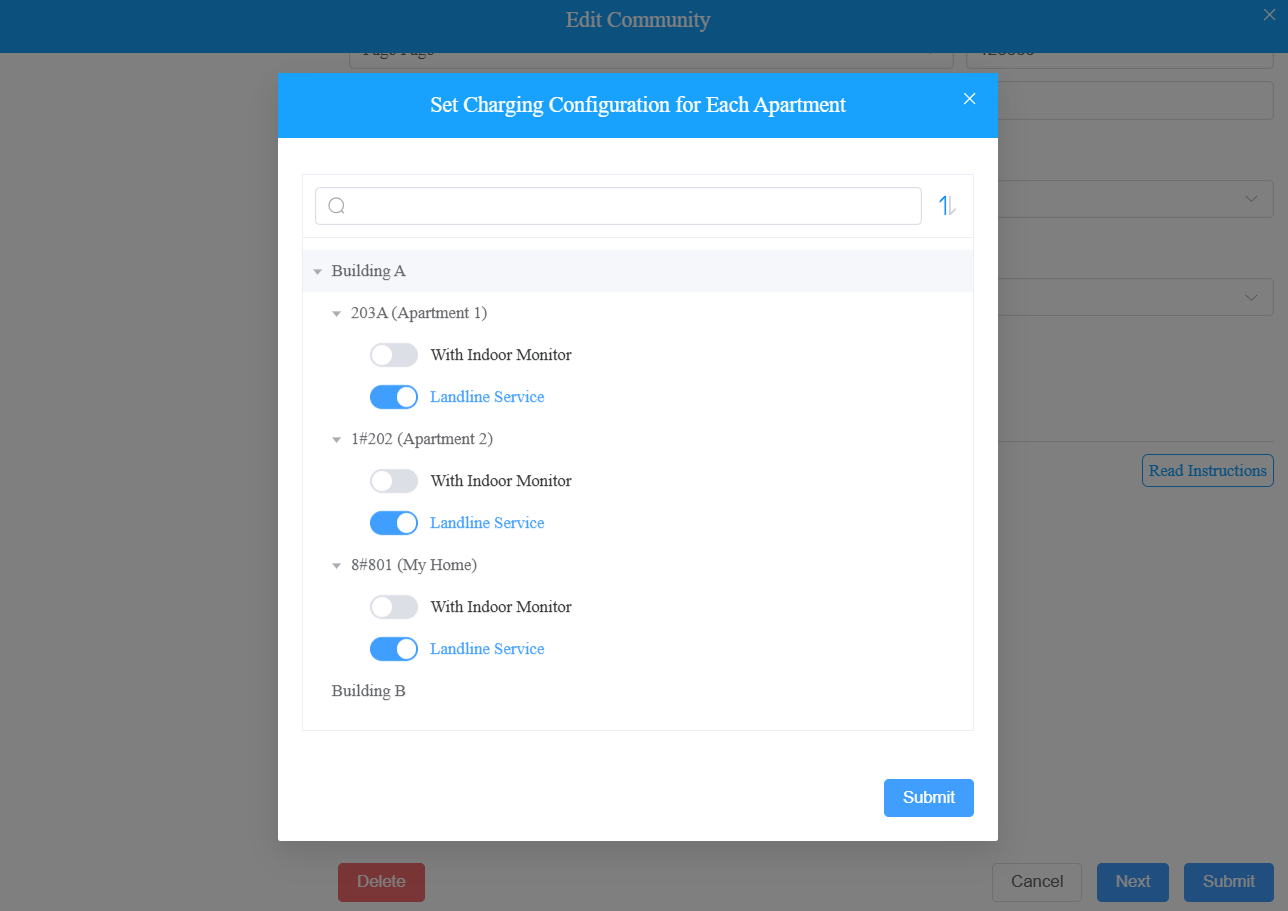
Turn on/off With Indoor Monitor and/or Landline Service for specific apartments.
Tip
Click here to view how to set up landline feature.
You can also set them up when creating or modifying an apartment.
Click
 to enter the community setup.
Select the building.
Click New to create an apartment; click
>  to modify an existing one.
Turn on/off the features as needed.
If With Indoor Monitor is on, you are required to enter the device’s MAC address and name.