Some end users only have landline telephones and an Akuvox door phone in their families without using indoor monitors or SmartPlus Apps.
To achieve communication between the landline telephone and the door phone, you need to set up the landline service on the SmartPlus platform.
Watch the Video Guide
Prefer a visual walkthrough?
Watch: [Installer]Set up Landline Feature on the SmartPlus Cloud
For Single-Family House Projects
Log in to the SmartPlus platform with an installer account.
Click Single-Family Sites.
Click
 to modify an existing user; click New to add a new one.
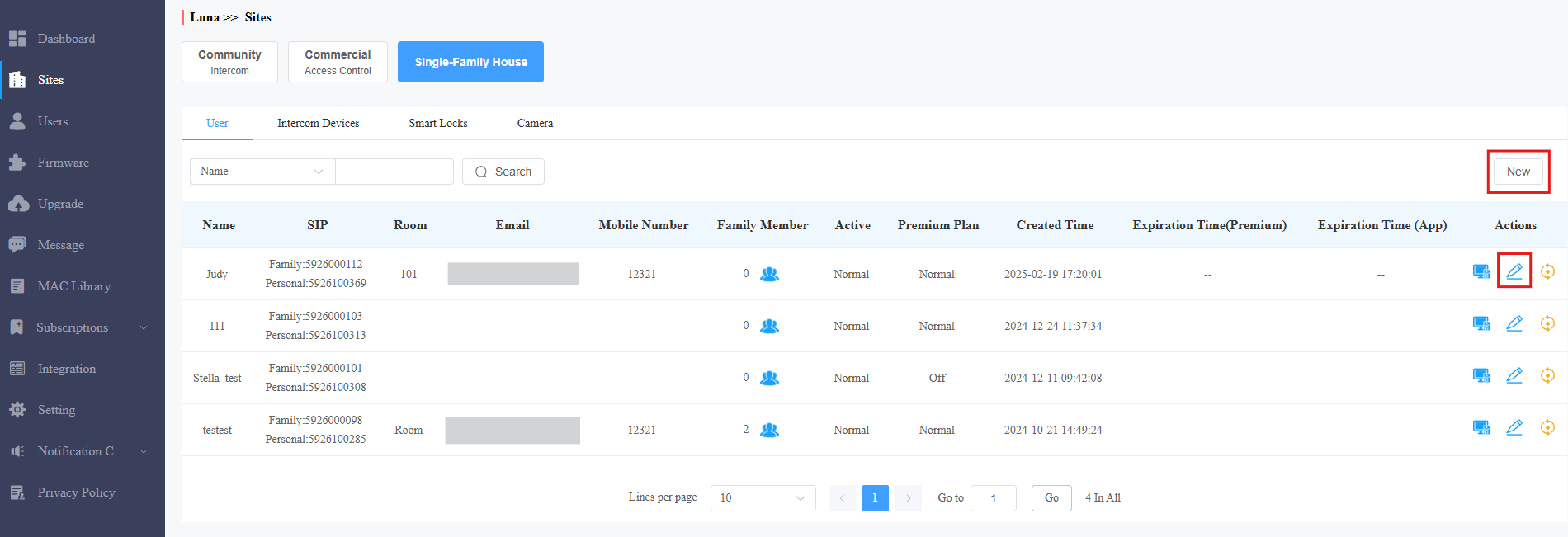
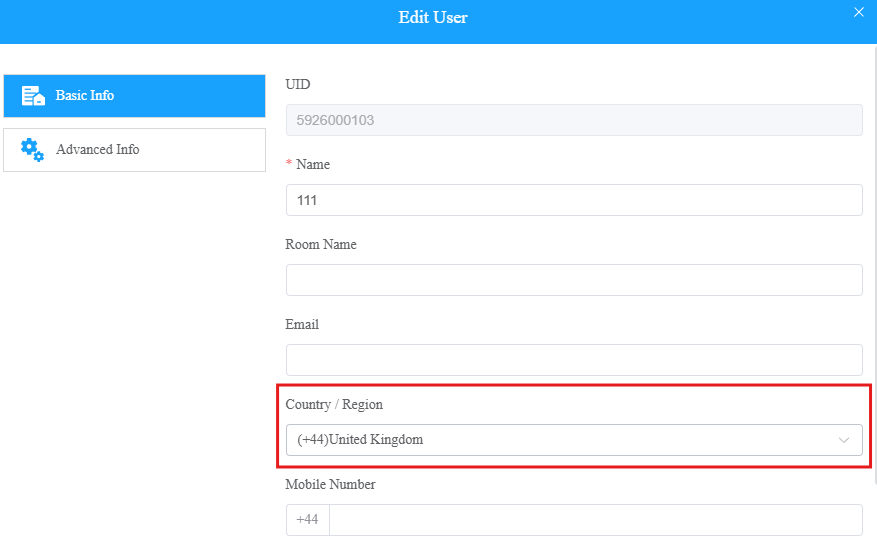
Select the right Country/Region.
Enter the landline number(s) up to three.
Turn on the Premium Plan and Landline Service.
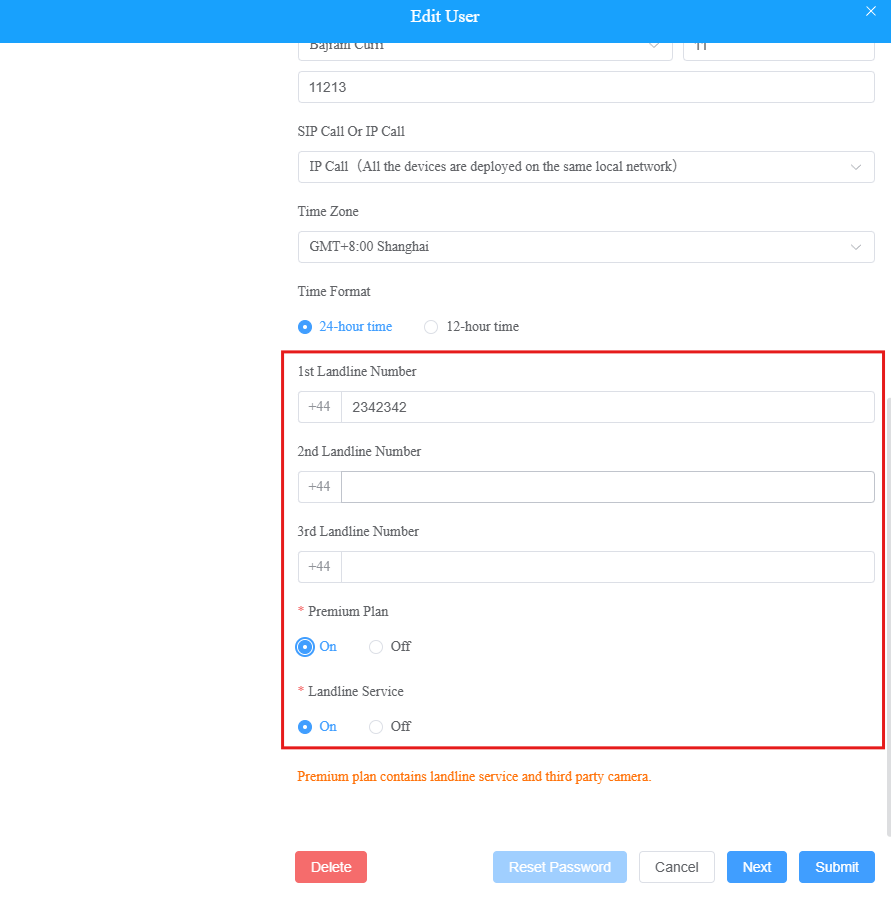
Click Submit.
For Community Projects
Click
of the desired project to check whether the feature is enabled before setting it up.
Note
You can enable/disable the Landline Service features for specific apartments when the permission is granted by Akuvox.
Without the permission, you can ONLY turn on/off these features for the whole project.
The service is a premium feature. Turning it on/off will affect the project’s billing.
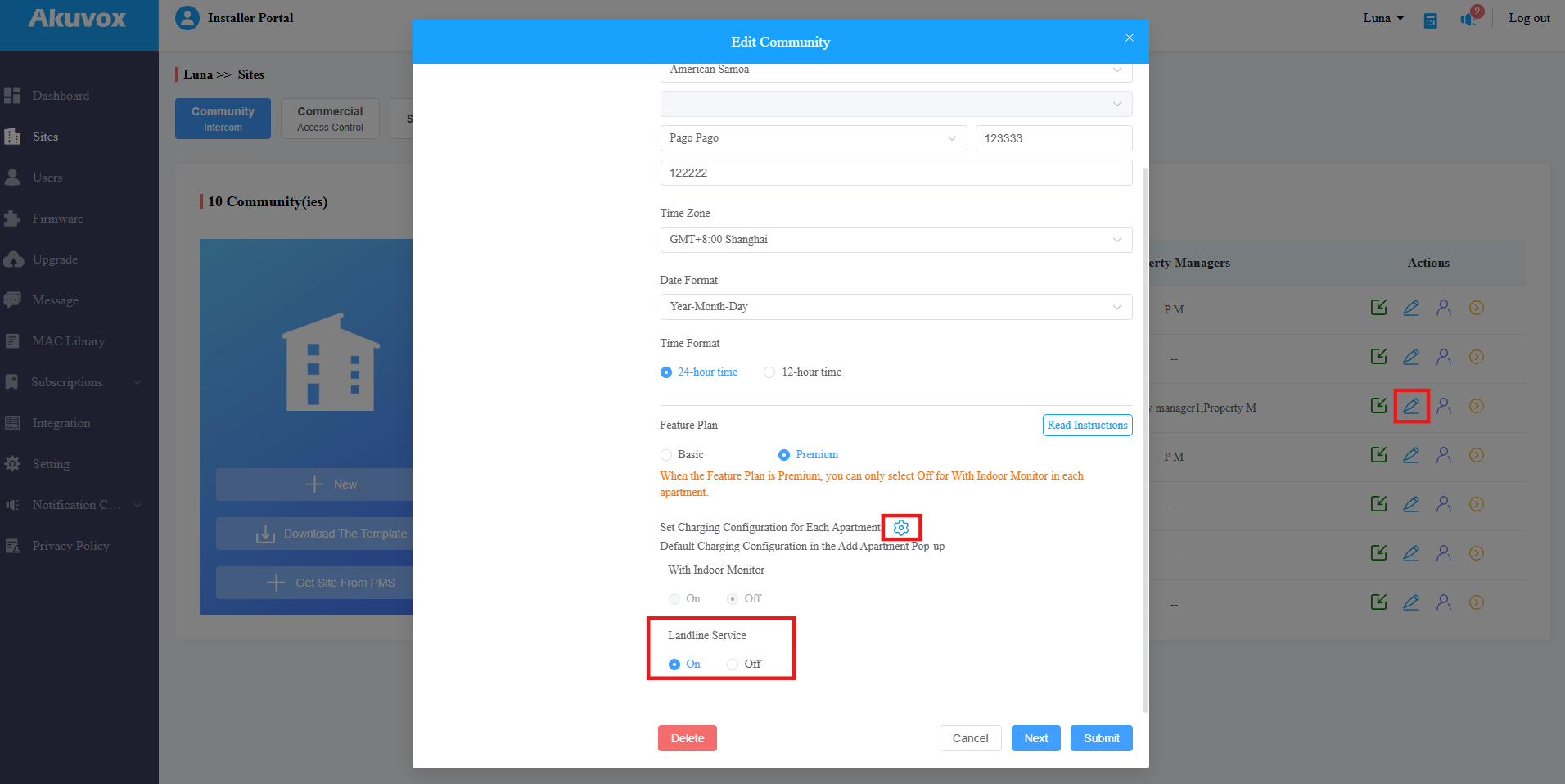
You can click to enable/disable the service for specific apartments.
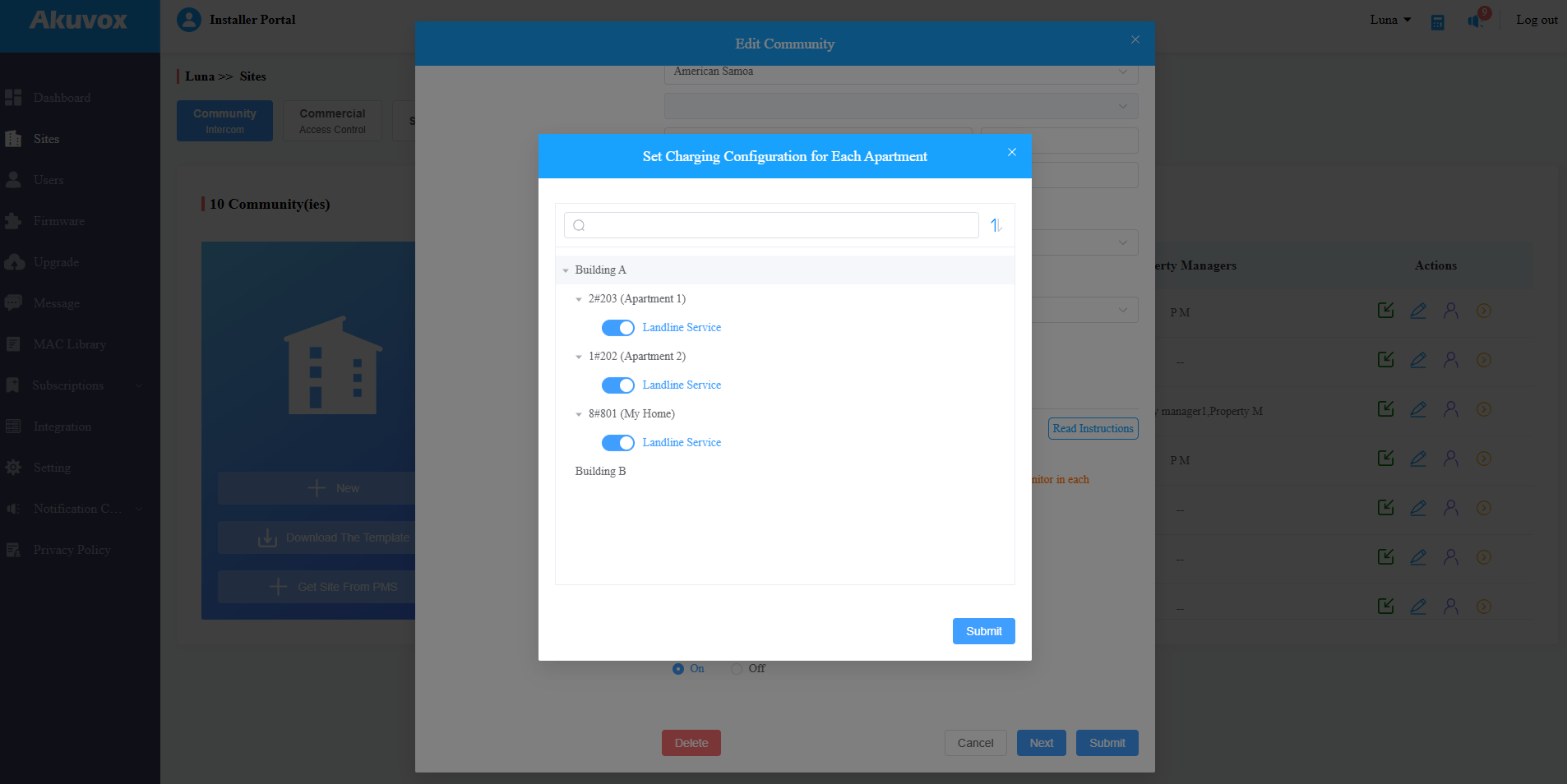
Click
 of the project.
Click
of the target resident.
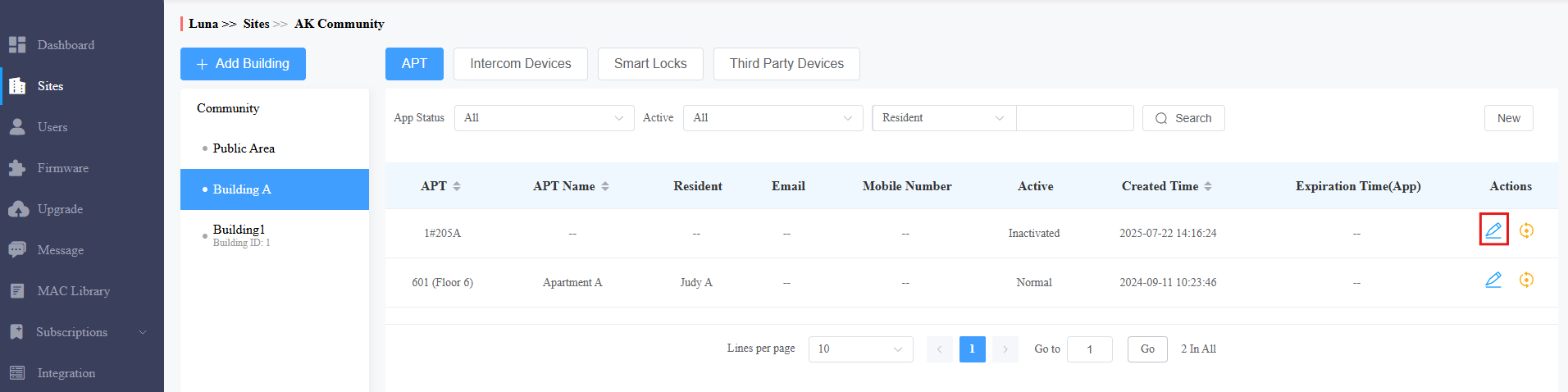
Click
 in the upper right corner.
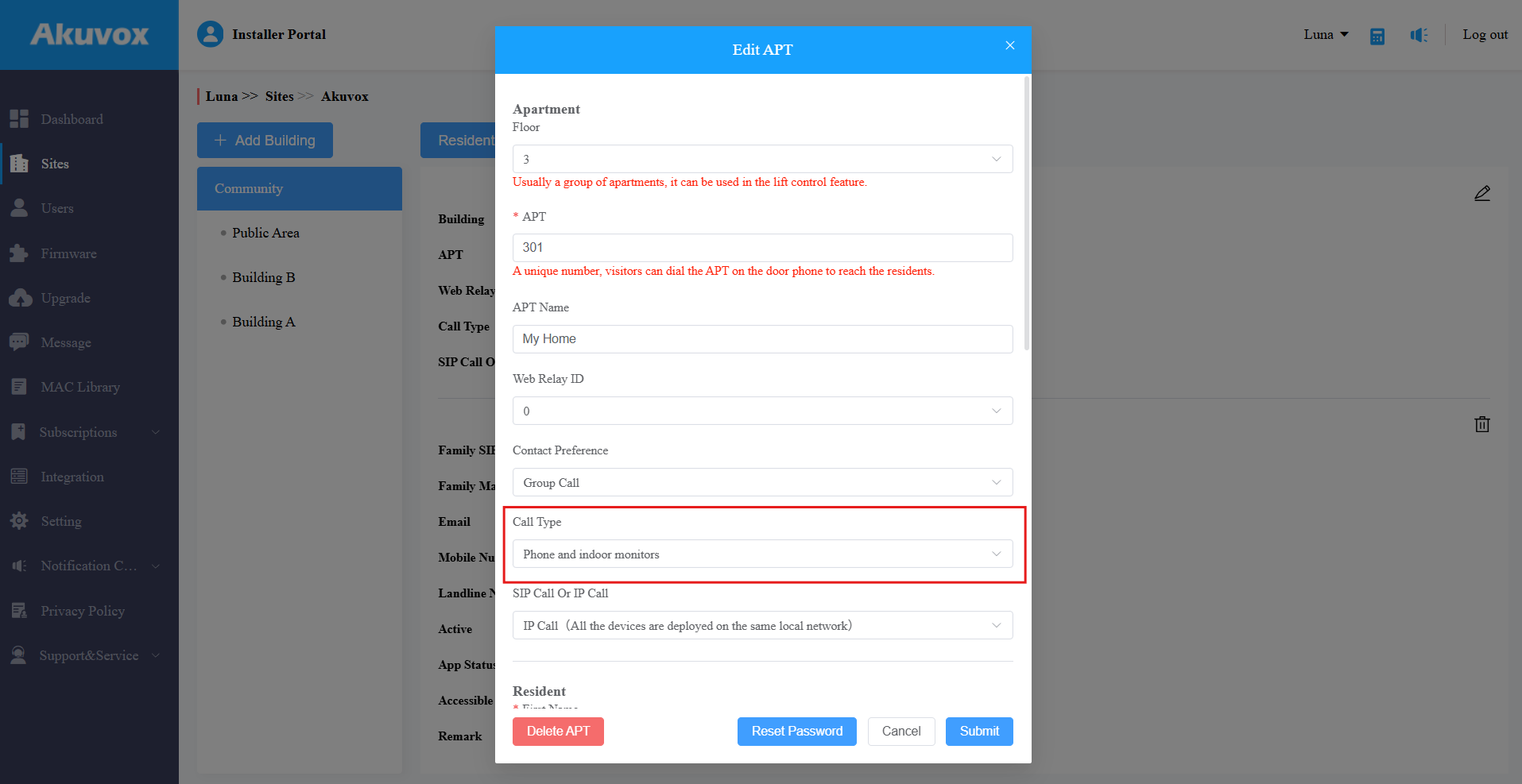
Set Call Type to Phone and indoor monitors.
Select the right Country/Region.
Enter the landline number(s) up to three.
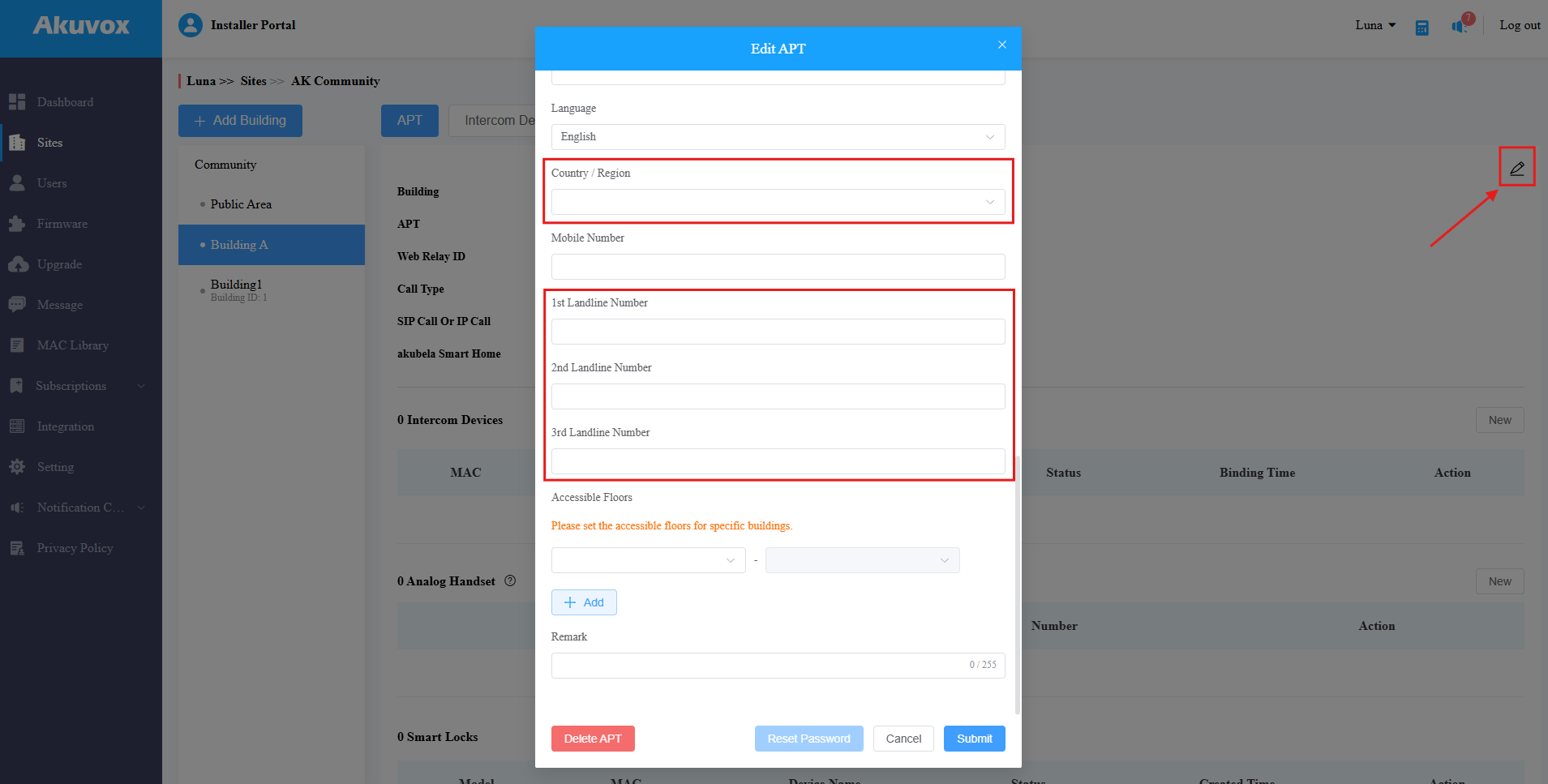
Click Submit.
For Commercial Projects
Note
The setting applies to new commercial projects created after October 15, 2024.
Landline service is a premium feature. Turning it on/off will affect the project’s billing.
Click
 of the desired project.
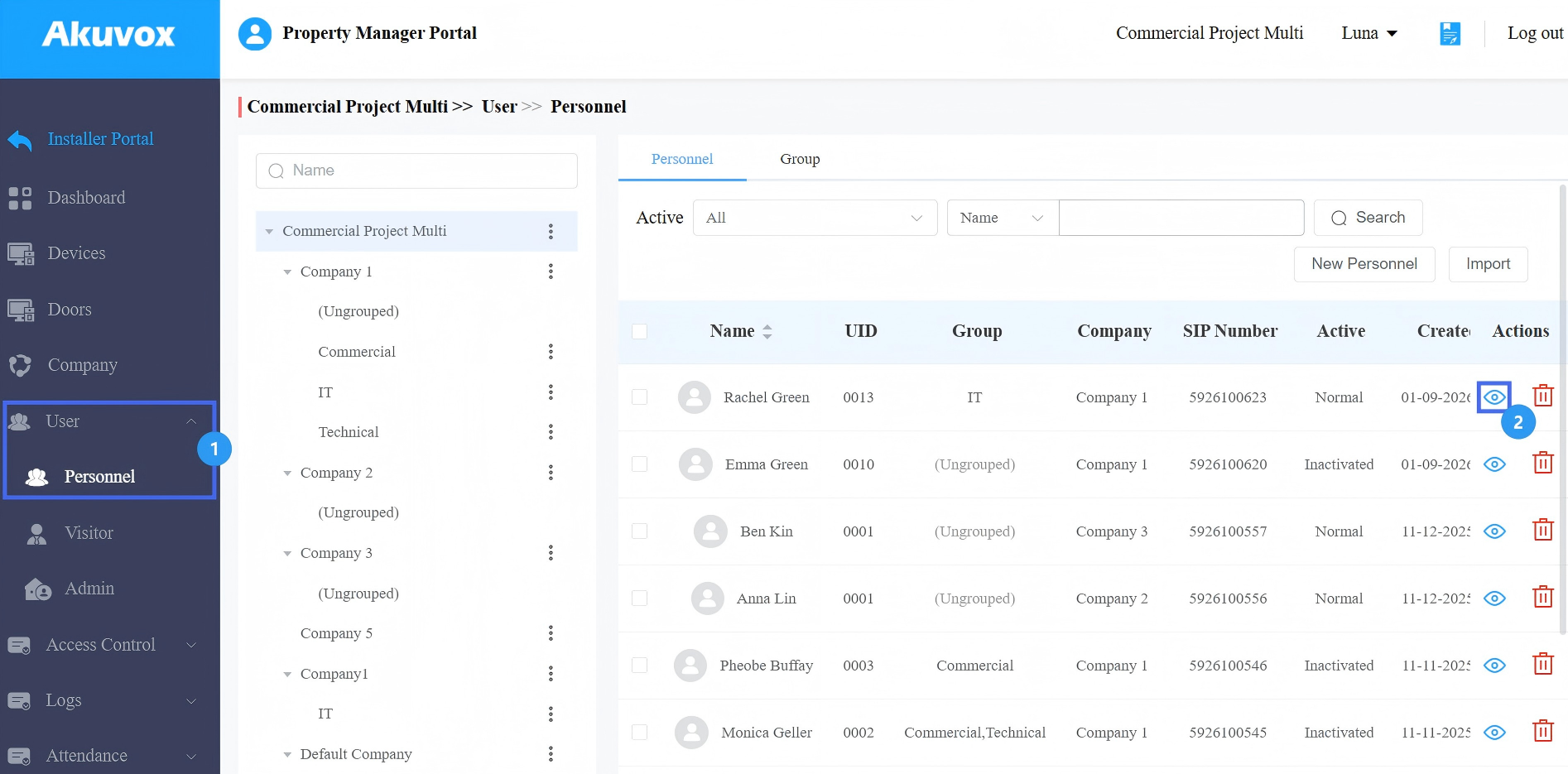
Click User > Personnel in the left column.
Click
 of the target user.
Click Edit in the upper-right corner.
Enable SmartPlus Intercom Feature.
Enable Landline Service.
Select the country/region code and enter the landline number.
Set Call Type to Phone and indoor monitor/guard phones.
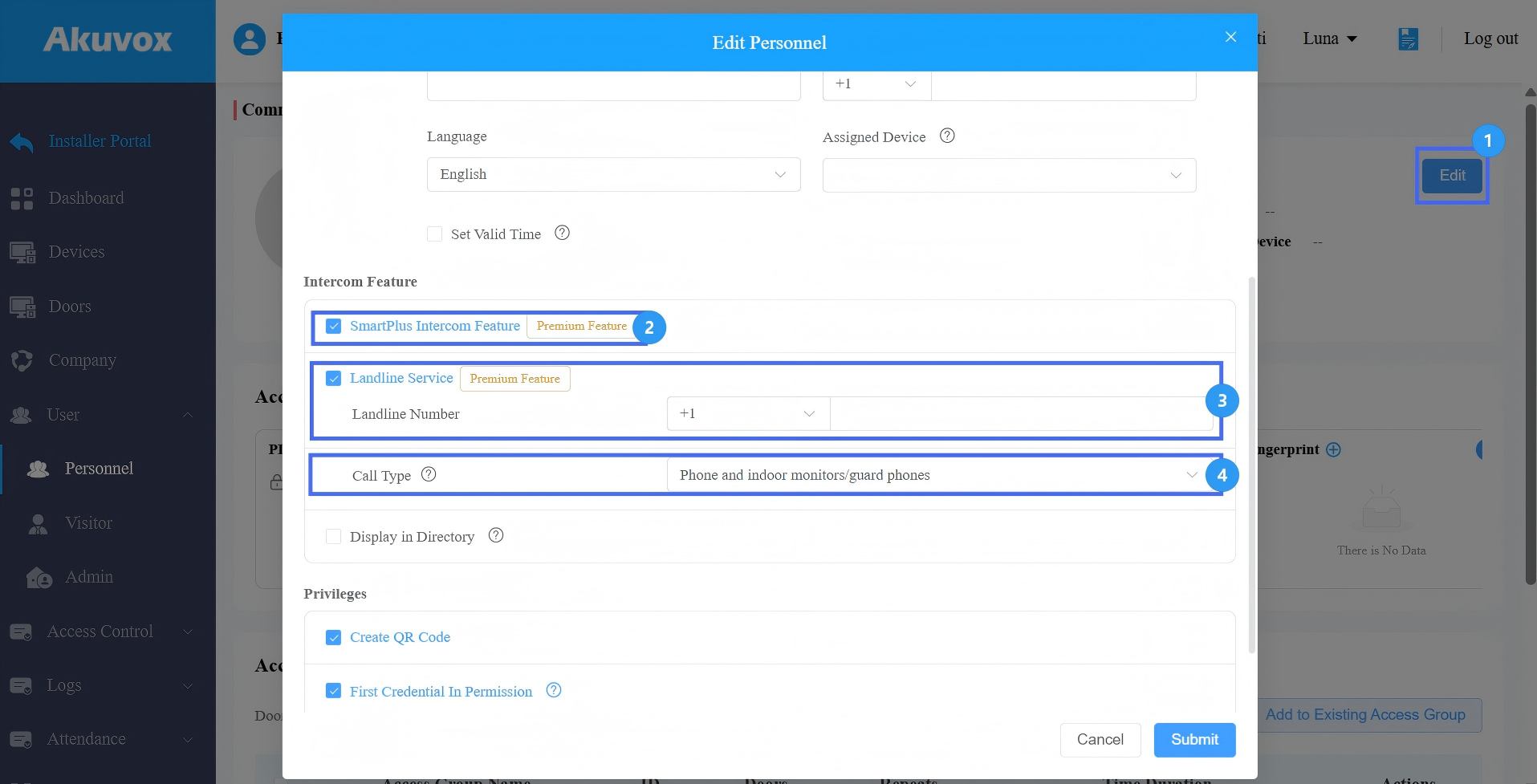
Click Submit.