Akuvox indoor monitor provides you with various types of ringtones and volume configurations. You can configure them on the device directly or on the web interface.
Configure Sound and Volume on the Device
To set up the volumes on the device More > Setting > Sound screen.
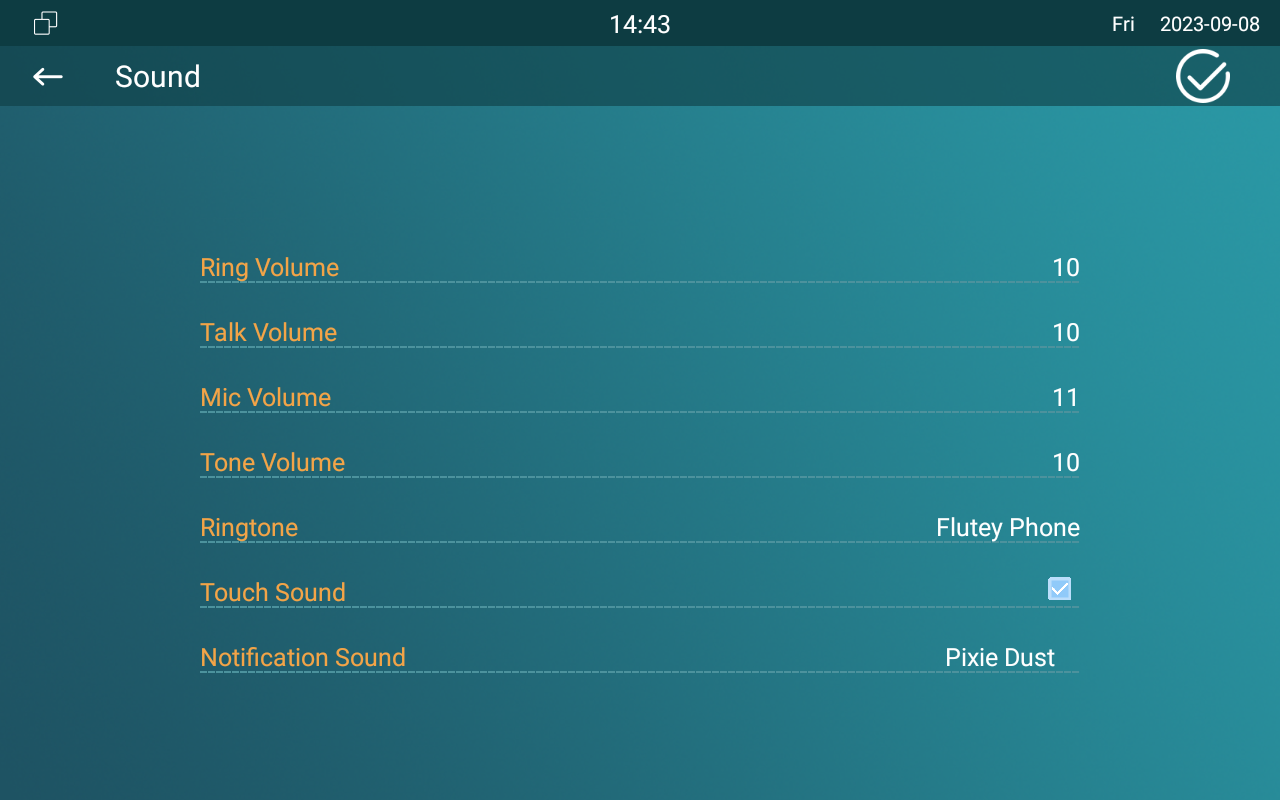
Parameter Set-up:
- Ring Volume: adjust the incoming call ringtone volume.
- Talk Volume: adjust the speaker volume during the call.
- Mic Volume: adjust the volume of your voice to be heard.
- Tone Volume: adjust the dial tone volume.
- Ringtone: select ringtone for incoming calls.
- Touch Sound: adjust the icon tapping sound.
- Notification Sound: select the ringtone for the incoming message.
Configure Sound and Volume on the Web Interface
You can configure the volumes and tones and customize your doorbell sound and alarm ringtone by uploading the audio file to your preference on the device web.
Go to Phone > Audio interface.
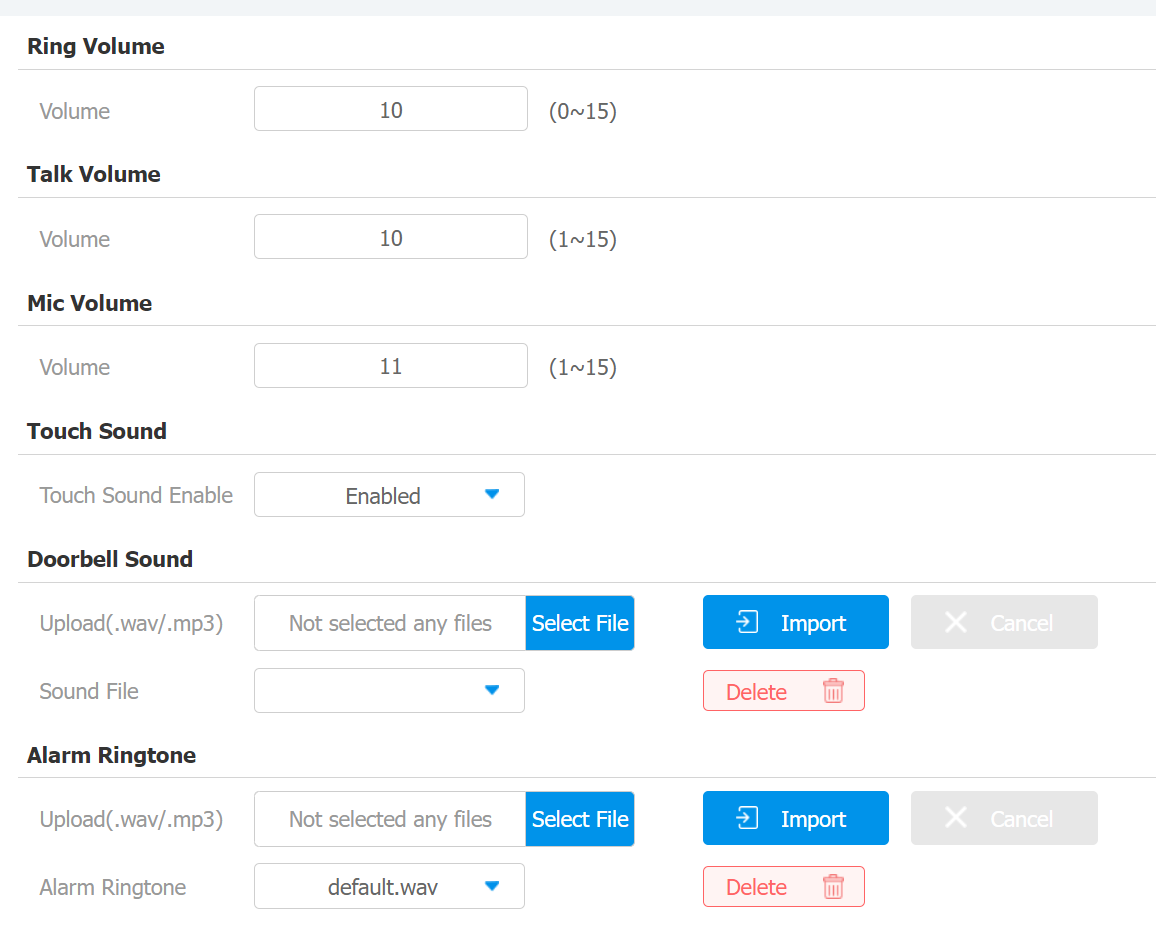
Parameter Set-up:
- Doorbell Sound: select and upload the doorbell sound.
- Alarm Ringtone: select and upload the alarm ringtone.
- Doorbell sound files and alarm ringtone files to be uploaded must be .WAV or MP3 format.
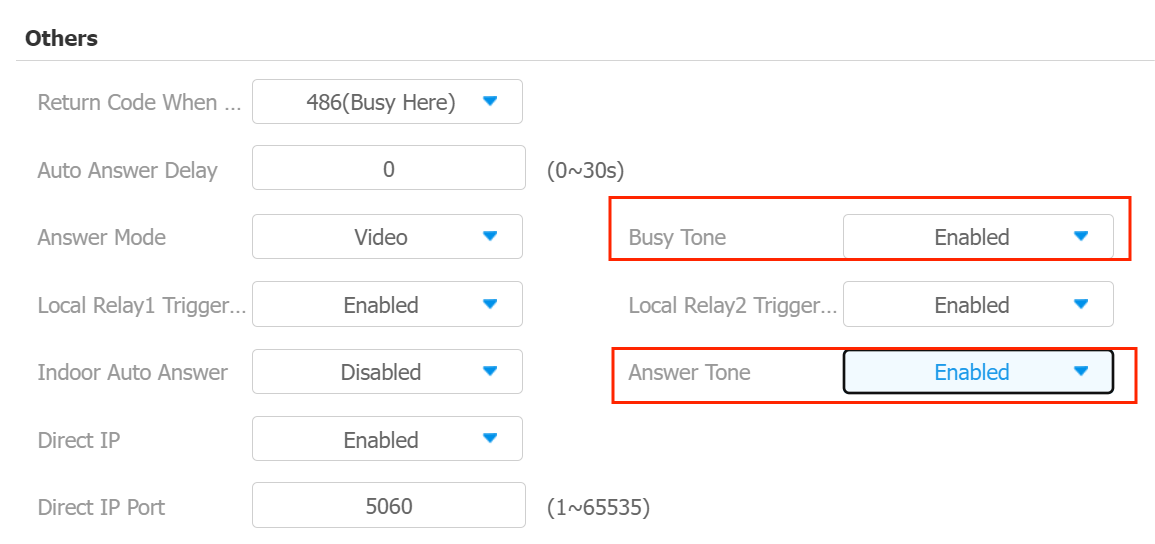
You can enable the busy tone and answer tone if needed. if the busy tone is enabled, you can hear the busy tone from the indoor monitor if the called party is busy online. Answer tone will go off as soon as your call is answered by the called party. You can go to Phone > Call Feature > Others.
You can also go to Advance Settings to configure the doorbell sound and to select the local relay you want to trigger along with the doorbell.
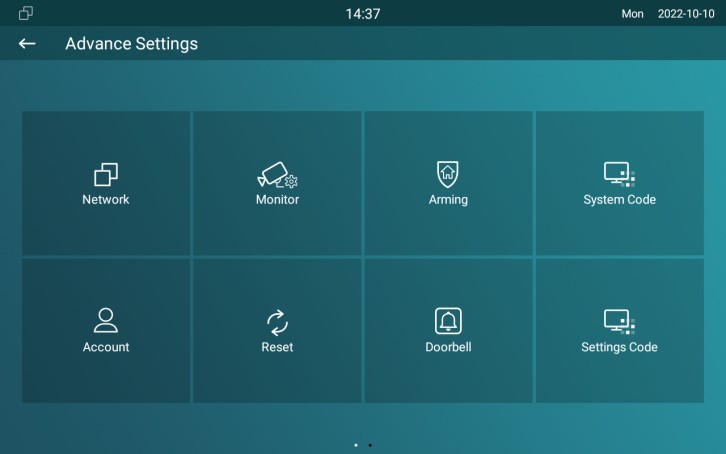
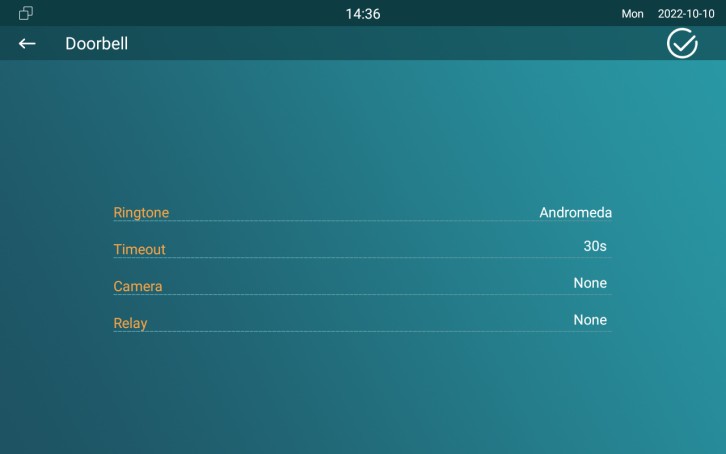
Parameter Set-up:
- Ringtone: select your doorbell.
- Timeout: set doorbell duration (from 10 sec-5 min).
- Relay: select the local relay you want to trigger along with the doorbell. Or you can select none if you don't want to trigger any relay.