Akuvox indoor monitor provides you with various types of ringtones and volume configurations. You can configure them on the device directly or on the web interface.
On the Device
Set up the volumes on the device Settings > Sound screen.
.bmp)
Ring Volume: The incoming call ringtone volume.
Talk Volume: The speaker volume during the call.
Mic Volume: The mic volume.
Touch Sound: The icon tapping sound.
Phone Ringtone: The ringtone for incoming calls.
Notification Sound: The ringtone for the incoming messages.
Door Unit Ring Tones: The tone sounds when the indoor monitor receives calls from a door phone.
You can configure the doorbell sound on the Settings > Doorbell screen.
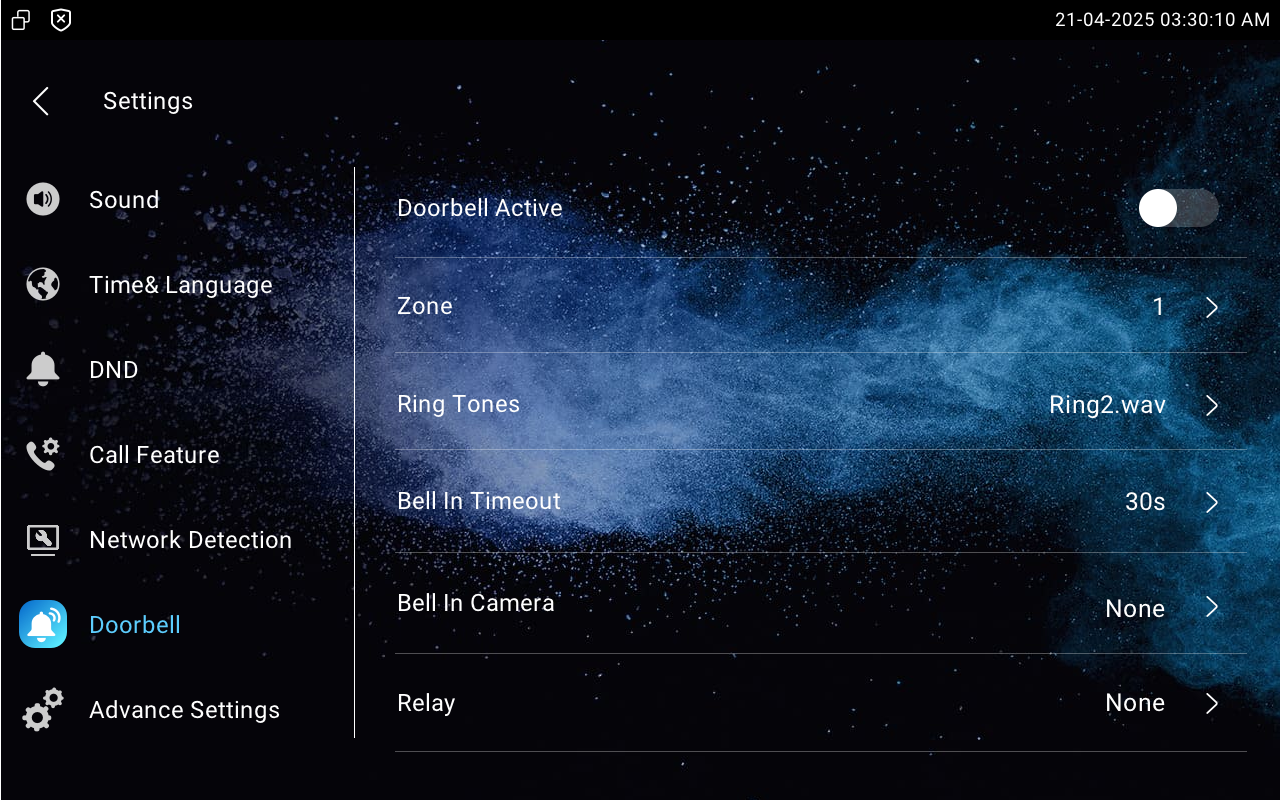
Zone: Set which zone(IO port) is used for the doorbell connection.
Ring Tones: Select the doorbell sound.
Bell In Timeout: Set the doorbell duration(from 10 seconds to 5 minutes).
Bell In Camera: Select the camera to be triggered along with the doorbell.
Relay: Select the local relay to be triggered along with the doorbell.
On the Web Interface
You can configure volumes on the Device > Audio interface.
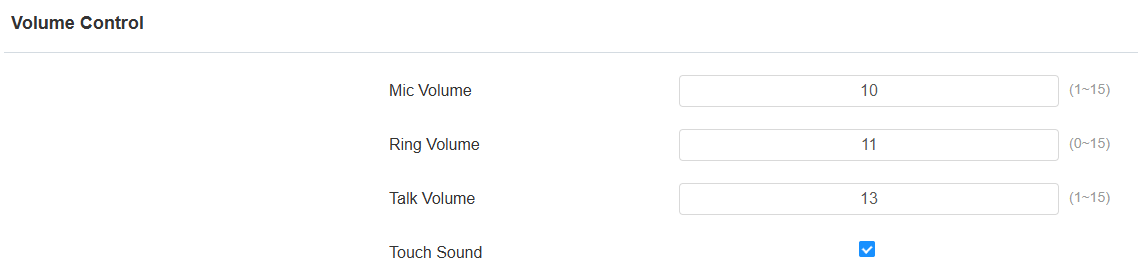
Mic Volume: The mic volume.
Ring Volume: The incoming call ringtone volume.
Talk Volume: The speaker volume during the call.
Touch Sound: The icon tapping sound.
Upload Ringtones
You can customize ringtones on the Device > Audio interface. Click Import to upload the ringtone and Delete to delete the existing one.

Ringtones Sound: The ringtone for incoming calls.
Door Unit Ring Tones: The ringtone for the door opening.
Note
File Format: WAV; Max Size: 250 KB; File Name: Less than 23 characters, &'` characters are not supported; Sample Rate: 8,000 Hz; Bit Rate: 64 kbps; Channels: Mono; Audio Codec: PCMU or PCM.
Bell Setting
You can enable/disable the use of the bell input port.
To set it up, go to the Settings > Basic interface.

Bell Input: It is enabled by default. When disabled, the doorbell trigger prompt will not display on the indoor monitor.