Remote Maintenance Assistance
If you need help from your service provider to update settings or perform maintenance, you can create a temporary maintenance account that gives them remote access to your device’s web portals and the BelaHome app.
NOTE:
Only the family administrator can create a maintenance account
Only one active account is allowed at a time (creating a new one invalidates the previous account).
To create a temporary maintenance account:
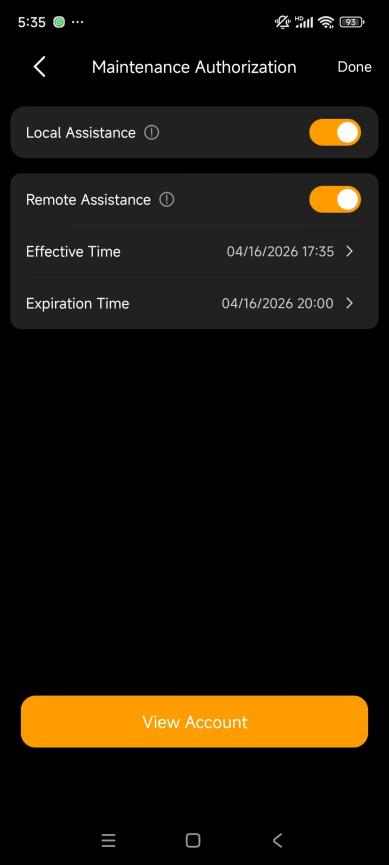
Go to Me > Feedback > Grant Access.
Enable the permission(s) you need:
Local Assistance: Access device web portal on the same local network.
Remote Assistance: Access via app and web portals remotely
Set the validity period.
Tap Done to generate an account.
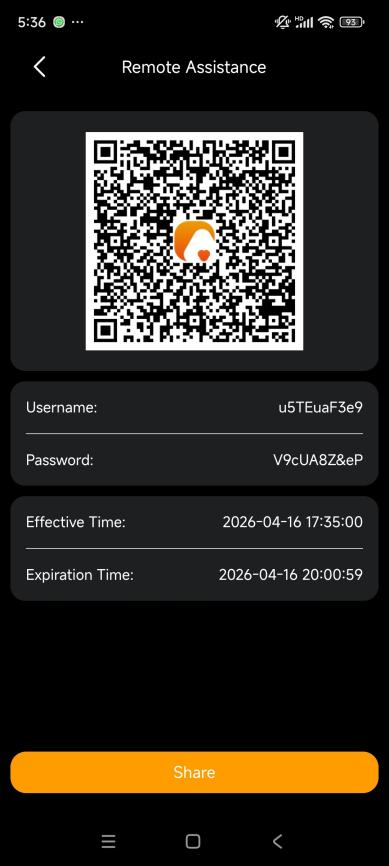
Tap View Account again to view and share the login credentials.
What service providers can access:
BelaHome app with admin-level permissions
(except: Family Management, family switching, intercom permissions, smart lock PINs, and messaging)
Device web portal via my.akubela.com
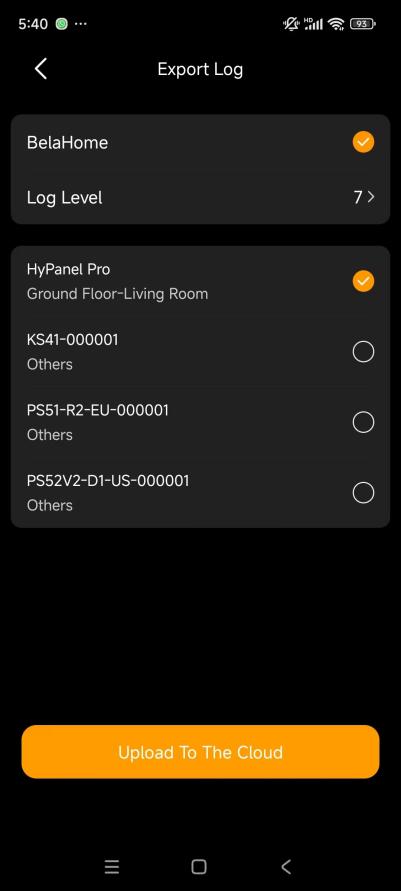
Upload Logs
If devices are not working as expected, you can upload logs to the cloud for technical analysis and troubleshooting.
NOTE:
Uploading logs from gateways and home center devices requires the home center to run firmware version V4.0.1 or later.
Go to Me > Setting > Export Log.
Select target device and/or app.
Set the log level (higher = more detailed)
Reproduce the issue you want to report.
Tap Upload to The Cloud.