Reboot
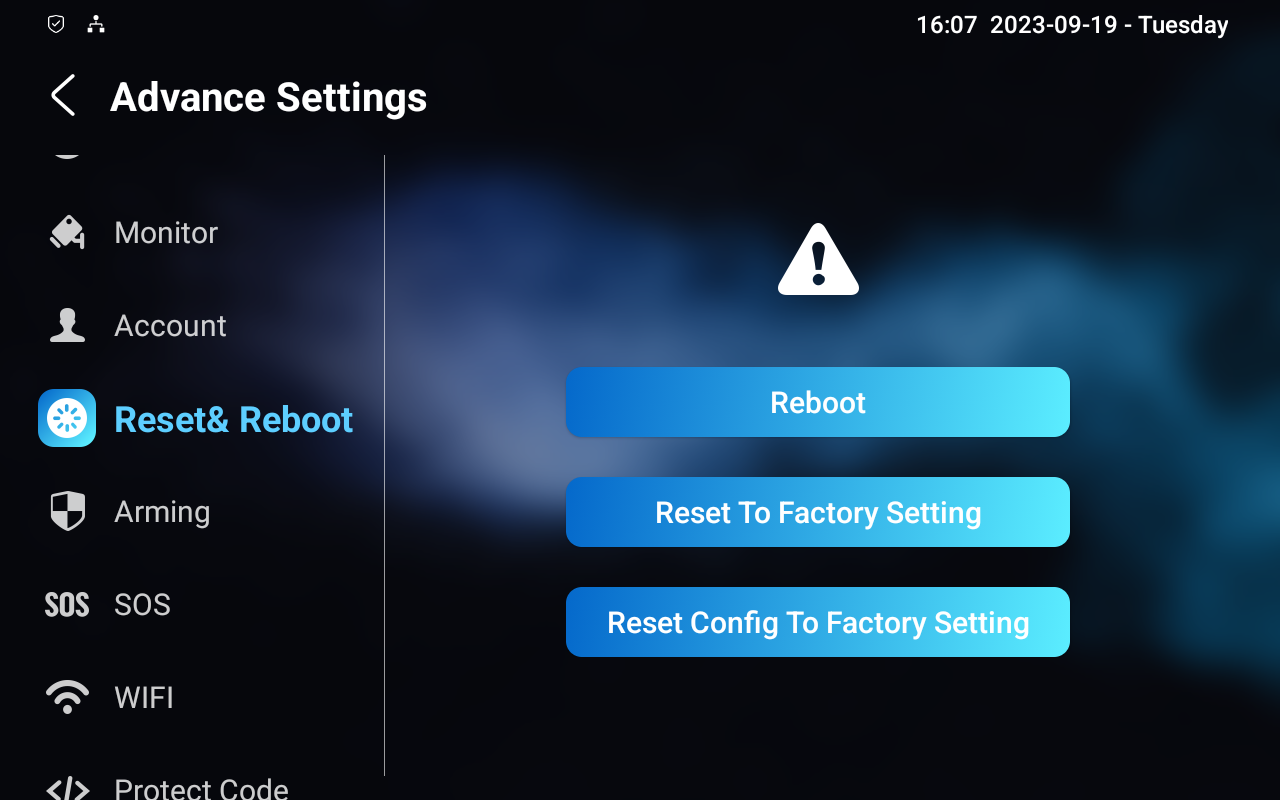
You can reboot the device on its Settings > Advance Settings > Reset&Reboot screen.
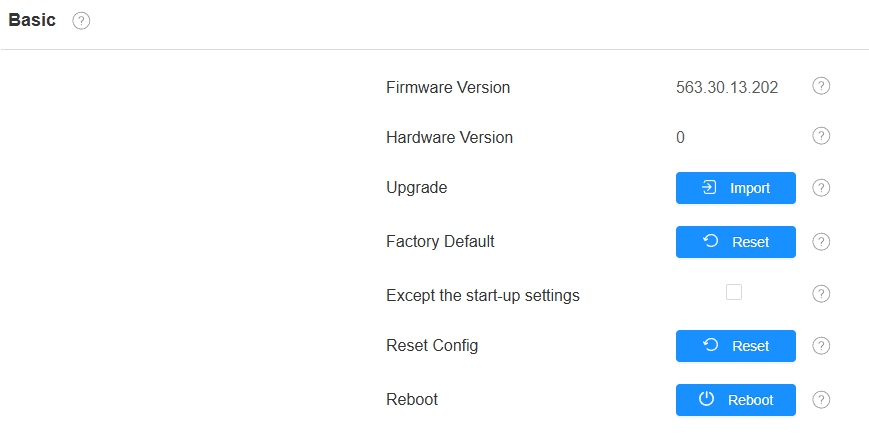
Or, go to the web Upgrade > Basic interface.
Besides, you can set up a reboot schedule to make the device restart at designated times.
Set it up on the Upgrade > Advanced > Reboot Schedule interface.

Reset
You can reset the device on its Settings > Advance Settings > Reset&Reboot screen.
Reset to Factory Setting: Reset all data to the factory default.
Reset Config to Factory Setting: Retain the user data, such as contacts.
Or, go to the web Upgrade > Basic interface.
Factory Default: Reset all data to the factory default.
Except the start-up settings: Check to retain the initial settings, such as network and time zone.
Reset Config: Retain the user data, such as contacts.