Reboot
Reboot on the Device
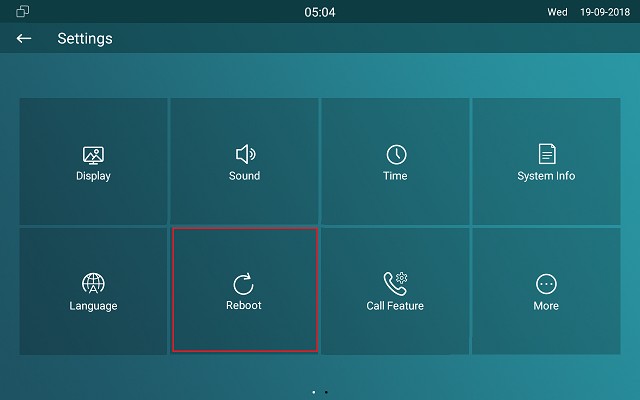
If you want to reboot the system setting of the device, you can operate it directly on the device setting screen or on the device web interface.
To reboot to the system setting on device Settings >Reboot screen.
Reboot on the Web Interface
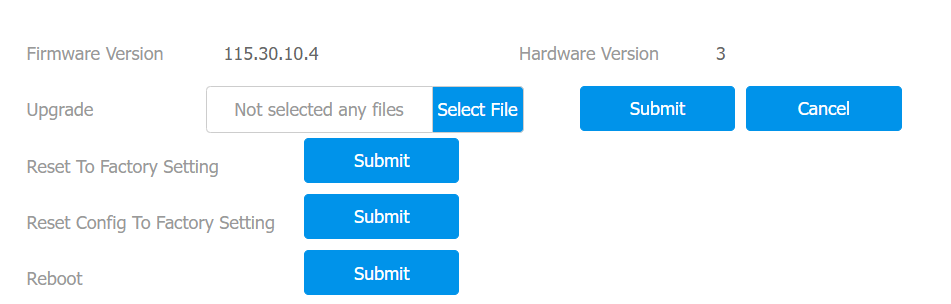
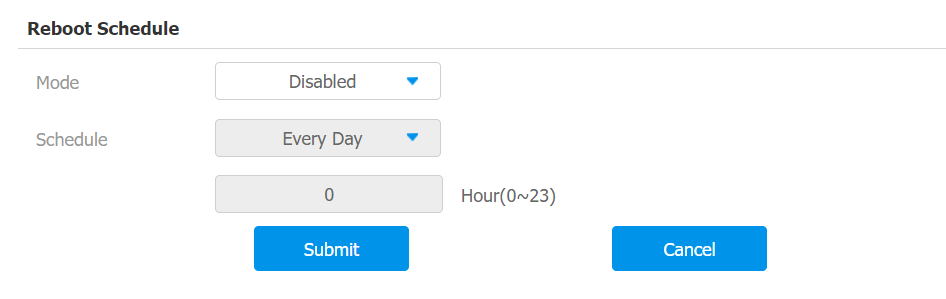
You can reboot the device on its web interface and set a reboot schedule.
To reboot the device on the web Upgrade > Basic interface.
To set up the device reboot schedule on web Upgrade > Advanced > Reboot Schedule interface.
Reset
Reset on the Device
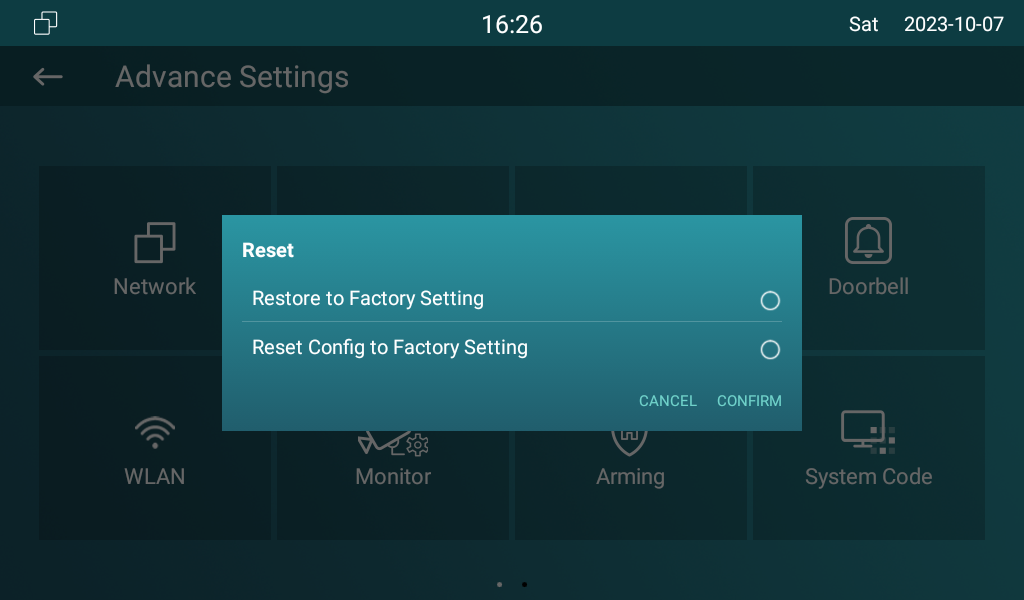
If you want to reset the whole device system to the factory setting, you can operate it directly on the device Settings > Advance Settings screen. If you only want to reset the configuration file to the factory setting instead of the whole device system, you can press Reset Config to Factory Setting tab.
Reset on the Web Interface
The device system can also be reset on device web interface without approaching the device. If you only want to reset the configuration file to the factory setting, you can click Reset Config.
Go to Upgrade > Basic interface.