When troubleshooting issues with the SmartPlus App, you may be asked by Akuvox technical support to upload App logs for analysis.
You can adjust the log level and upload the current logs to the cloud directly from the SmartPlus App.
Note
The SmartPlus App provides seven log levels. The default level is Level 3. A higher level records more detailed logs. Only change the log level when requested by Akuvox technical support.
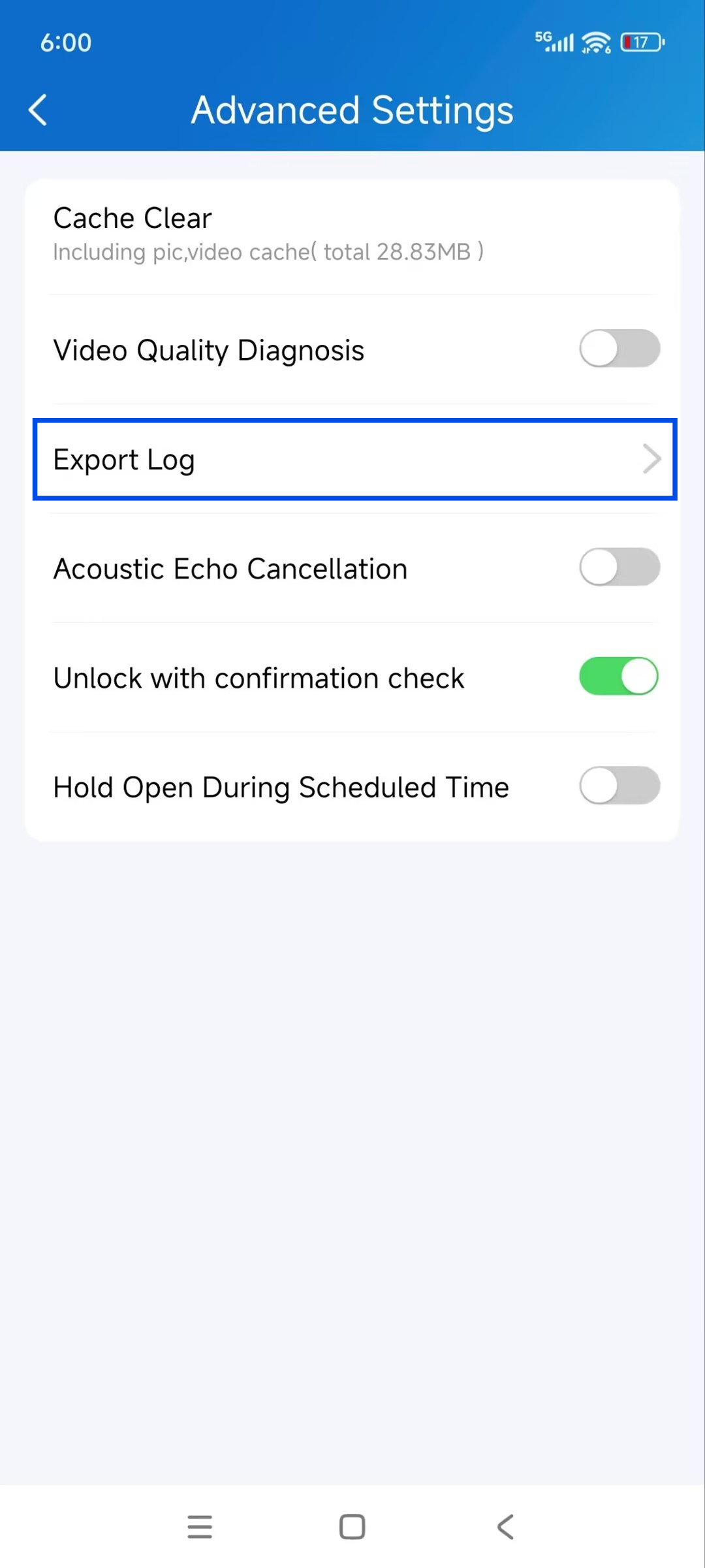
Go to Me > Settings > Advanced Settings > Export Log.
Select the log level requested by Akuvox technical support, then tap Save.
Reproduce the issue by performing the actions that trigger the problem.
Tap Upload To The Cloud.
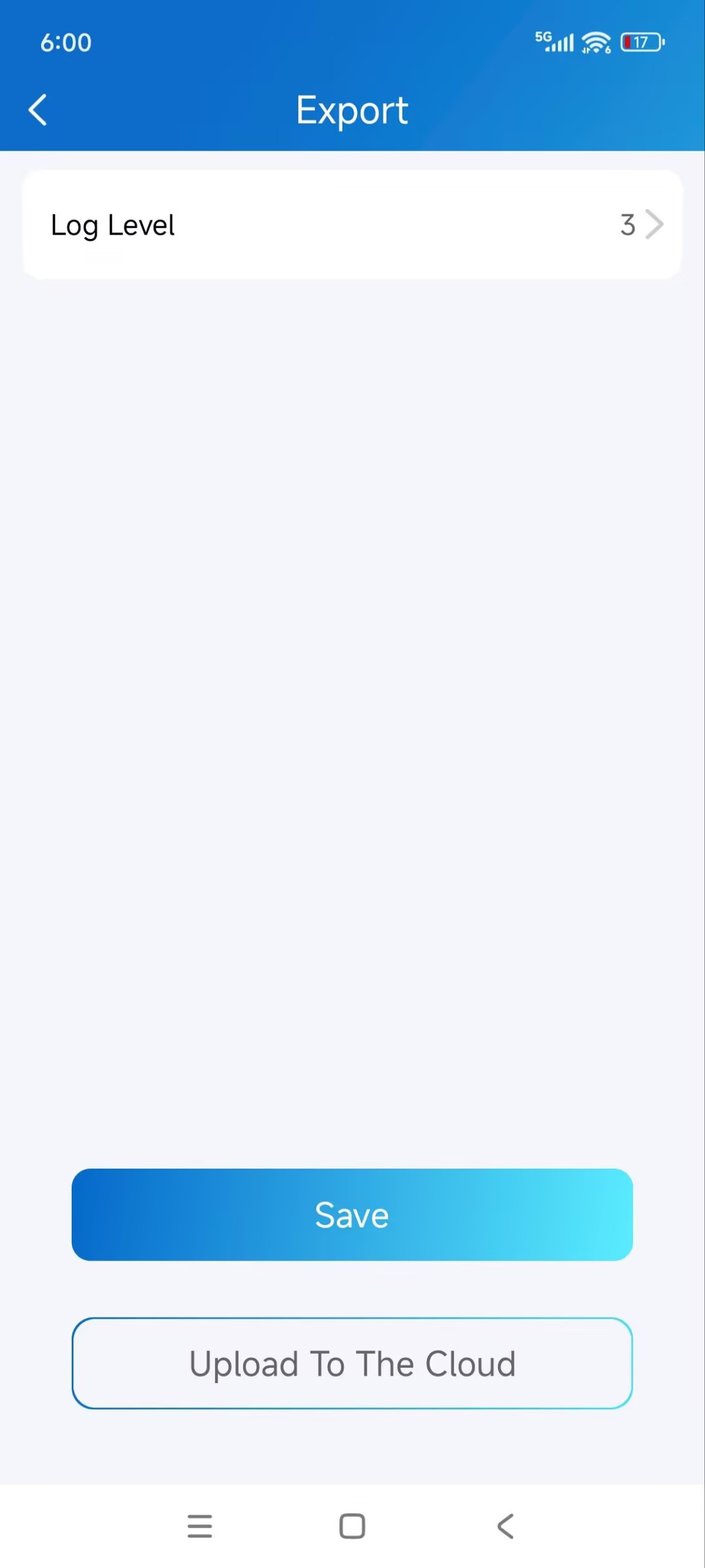
The log will be uploaded to the SmartPlus Cloud for further analysis.